

Lightning AI
Lightning AI · Coding
Lightning AI is a cloud platform from the creators of PyTorch Lightning for building, training, and deploying AI models on on-demand GPUs, with a browser coding studio.
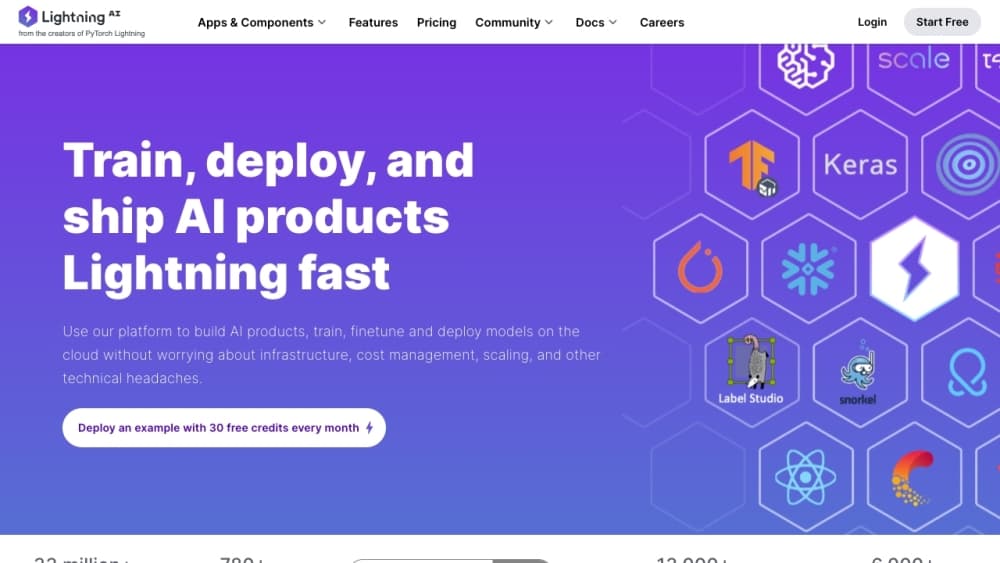
About Lightning AI
What Is Lightning AI
Lightning AI is the company behind PyTorch Lightning, the open source framework that millions of developers use to train deep learning models. The company turned that library work into a cloud product called Lightning AI Studio, where you write code, launch GPUs, and turn a working model into a hosted endpoint without setting up a server yourself.
The pitch is simple: instead of stitching together a notebook, a rented GPU box, and a pile of config scripts, you get one environment that covers the whole path from prototype to deployment. Studios open in the browser with the usual data science tools already installed, and the same account can attach clusters for bigger training jobs.
There's a catch worth knowing up front. The free tier gives you real GPU time, but the one free Studio restarts every four hours, and the roomier GPUs run on a meter once your starting credits run out. Teams that train often end up on a paid plan or bring their own cloud committed spend, so budget for compute before you commit to the workflow.
In 2026, Lightning AI merged with Voltage Park, the GPU operator behind its data centers, and now runs its own fleet of more than 36,000 NVIDIA GPUs across several US facilities.
Getting Started
- Sign up at lightning.ai with an email address or a GitHub account. No card is required to start.
- Open a new Studio in the browser, or connect your own IDE or terminal over SSH.
- Pick a machine, from a plain CPU box up to a single GPU, then run your code and watch the run.
- Turn experiments into jobs, and use the SDK to queue larger or multi-node training runs.
- Publish a model or app to a hosted endpoint when you're ready to share it.
Product Information
A quick look at Lightning AI's pricing, supported platforms, and performance.
Best for
The users, tasks, and scenarios where this tool fits best.
Users
- Individual developers and researchers
- Small ML teams
- Enterprise AI groups
Tasks
- Prototyping models
- Training and fine-tuning
- Deploying an endpoint
- Data preparation
Scenarios
- Moving an experiment off a laptop
- Running many trials at once
- Handing a demo to stakeholders
Key features
Browser Studios With GPUs On Demand
A Studio is a cloud workspace that opens in your browser with the common ML libraries already installed. You pick a machine, from a CPU box to a single GPU from the L40S, A100, H100, or H200 range, and it's billed by the second. There's no CUDA setup and no server to provision first, so a blank page turns into running code in minutes.
PyTorch Lightning and the Open Source Stack
Lightning AI stays close to the tools developers already use. PyTorch Lightning handles the training loop, and the wider family covers serving with LitServe, data loading with litData, and model utilities with TorchMetrics and Thunder. Because the platform is built around these libraries, code you write elsewhere often runs with little change.
On-Demand and Reserved GPU Clusters
Beyond a single Studio, you can attach clusters for larger jobs. On-demand H200s start at $4.50 per hour with guaranteed availability, and multi-node training scales across several GPUs on the paid plans. Teams with committed cloud spend can point AWS or GCP credits at the platform instead of paying out of pocket for every hour.
Model APIs and Hosted Endpoints
The platform ships its own model APIs, with request and token limits that rise by plan, and you can host your own models behind an endpoint. A trained model becomes something an app can call, so the gap between a finished experiment and a live service narrows.
Collaboration and Cost Controls
Studios are multiplayer, so a teammate can join the same environment and debug a run live instead of trading screenshots. Real-time cost tracking, spending limits, and auto-sleep on idle compute keep the meter from running while nobody's looking.
Enterprise Security and Private Cloud
For companies with stricter rules, the platform offers SOC 2 Type 2 compliance, SAML and SSO, role-based access, audit logs, and deployment inside your own VPC. You can run the platform on your own Kubernetes or Slurm stack, which suits organizations that can't move data to a shared public cloud.
Pros and cons
Pros
- The whole path from prototype to deployed endpoint lives in one place, which cuts the usual tool shuffle.
- Browser Studios open with the libraries installed, so a new GPU environment is ready in minutes.
- Free tier includes genuine GPU hours and one always-available Studio, enough to test an idea at no cost.
- Backed by the PyTorch Lightning team, so the platform matches the framework a large share of developers already use.
Cons
- The free Studio restarts every four hours, so long unattended runs belong on a paid plan.
- GPUs are billed by the second once credits run out, and multi-GPU training adds up quickly.
- The platform leans toward developers comfortable with Python and a repo, so non-technical users hit a wall.
- Some functions, like private cloud and advanced access controls, sit behind the Enterprise tier, which needs a sales conversation.
Frequently asked questions
Lightning AI is a cloud platform for building, training, and deploying AI models. You write and debug code in a browser Studio on an on-demand GPU, then queue larger training jobs or publish a model to a hosted endpoint.
Related content
Explore related tools, skills, and articles for Lightning AI.
Lightning AI Alternatives

Base Code
Base44 (Wix) · Coding · ProductivityBase Code is a shared cloud development environment from Base44. Teammates describe changes to an existing GitHub codebase in chat, preview them live and send them back as pull requests.

Google EmbeddingGemma 2
Google DeepMind · Writing · Image · CodingGoogle EmbeddingGemma 2 is a 740M-parameter open model that turns text, code, images, audio, and video frames into vectors in one 768-dimension space, running on phones and laptops.

GitGlow
GitGlow · Coding · ProductivityGitGlow is a local-first desktop Git client that lets independent developers review their own code and their AI agents' changes in one place before shipping.