

LilysAI
Riiid (LilysAI, Inc.) · Writing · Leaning
LilysAI is a Riiid-built AI tool that turns videos, audio, PDFs, websites and text into clean summaries, reports and mind maps in minutes.
About LilysAI
What Is LilysAI
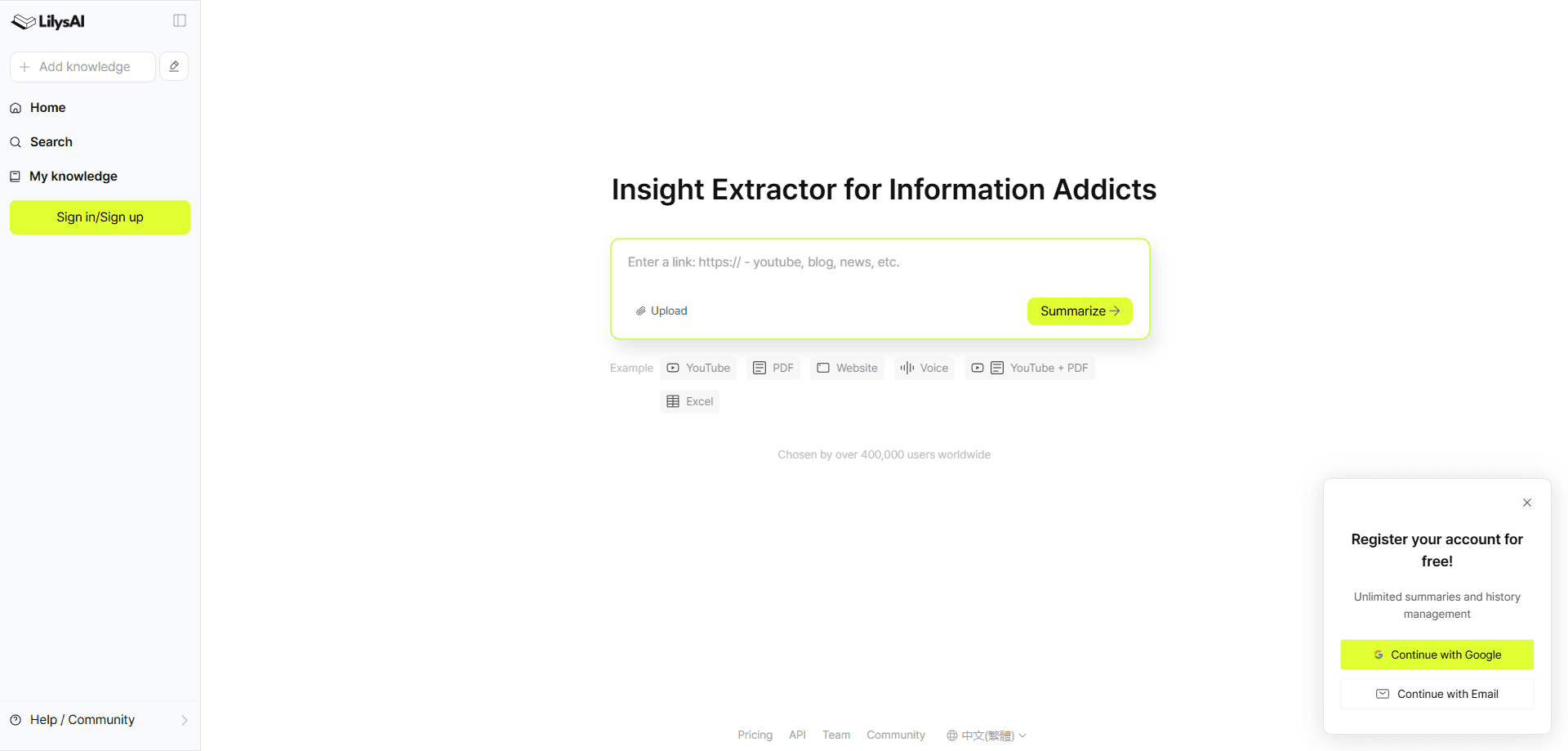
LilysAI is an AI summarization tool and note-taking platform from Riiid, a South Korean AI education company based in Seoul. It works as a video summarizer and PDF summarizer, among other formats, collecting YouTube links, uploaded video and audio, PDF files, website articles and plain text, then producing short summaries, longer reports, mind maps, key points and blog drafts.
The product targets people who deal with a lot of incoming information and need to get through it faster. Students work through lecture recordings, professionals sit on meeting notes and long reports, and researchers collect articles they need to skim. Rather than watching or reading everything at full length, users hand the source to LilysAI and read a structured output first.
The main limits come from the source material itself. Summaries are only as good as the audio, transcript or file quality behind them, and lower-quality recordings can drag down accuracy. Free users hit slower processing because the Speed Boost option is throttled for them, and heavy use of advanced features such as higher-accuracy speech recognition or extra outputs runs into plan caps.
Getting Started
- Create an account on the LilysAI website with an email address, or install the Chrome extension, Android app or iOS app to start from the browser or a phone.
- Add your source by pasting a YouTube or article link, uploading a video, audio or PDF file, or typing text directly into the input box.
- Pick the output you want, such as a short summary, a full report, a mind map or key points, and choose the language for the result.
- Review the generated report, then edit it, copy it or ask follow-up questions in the in-report chat.
- Organize saved results in your library or export them for later use.
Product Information
A quick look at LilysAI's pricing, supported platforms, and performance.
Best for
The users, tasks, and scenarios where this tool fits best.
Users
- Students
- Knowledge workers
- Researchers and analysts
Tasks
- Summarizing long YouTube videos
- Turning PDFs and documents into notes
- Creating a podcast-style overview
Scenarios
- Catching up on a backlog of talks and interviews
- Preparing study or meeting notes
- Early-stage research
Key features
Multi-format summarization
LilysAI accepts YouTube links, video and audio files, PDFs, website URLs and pasted text, so most common content types go in through a single tool. The output can be a short summary, a longer report, a mind map or a set of key points. This range is the main reason people pick it over a plain text summarizer, since the same workflow covers both a lecture recording and a news article, and it acts as a video summarizer and PDF summarizer in one place.
AI reports and in-report chat
Beyond a basic summary, the tool works as an AI report generator and lets you ask questions about the source inside the report view. Answers draw on the uploaded material, so you can pull out specific details without re-reading everything. It behaves like a study companion for a single document rather than a general chatbot.
Mind maps and key points
For people who think in structure, LilysAI turns a source into a mind map or a short list of key points. This suits revision and planning, where a visual outline beats a wall of text. It is one of several output types, so you are not locked into a single format.
Podcast-style and audio outputs
The tool can reshape dense content into a podcast-style conversation, which helps when listening fits better than reading. It also supports scripts and blog-style drafts from the same source. Useful for commuters or anyone who wants a second pass in audio form.
Speed Boost and voice accuracy
Paid plans add Speed Boost for faster processing and an option to improve voice accuracy through advanced speech recognition. The voice accuracy feature matters most for unclear recordings, and it is based on the video length. Free users can try it, but heavy use needs a paid plan.
Library and organization
Saved results collect in a personal library where you can group and revisit them. Categories cover common content such as textbooks, quizzes, flashcards, meeting reports and briefs. This keeps a growing pile of summaries searchable instead of scattered across files.
Cross-platform access
Lilys AI runs on the web and offers a Chrome extension plus Android and iOS apps. The extension reduces the chance of website summary failures, which is a common pain point. Mobile apps let you summarize on a phone without sitting at a desk.
Pros and cons
Pros
- Handles a wide range of inputs, including YouTube links, video, audio, PDFs, websites and raw text, so one tool covers most formats.
- Produces several output types, from short summaries to reports and mind maps, which suits different study and work styles.
- Free plan does not cap the number of summaries, so cost is not a barrier for light use.
- Chrome extension, Android and iOS apps make it usable without a desktop browser.
Cons
- Free-plan summaries run slowly because Speed Boost is throttled, which is frustrating for large backlogs.
- Accuracy depends on source quality, so poor audio or scanned PDFs can produce weaker results and may need OCR first.
- Advanced features such as stronger voice accuracy and extra outputs are limited by plan caps.
- Exact prices are only shown on the official pricing page and are billed in local currency, so costs vary by region.
Frequently asked questions
It summarizes YouTube links, uploaded video and audio files, PDFs, website articles and pasted text. You choose the output, from a short summary to a full report or mind map.
Related content
Explore related tools, skills, and articles for LilysAI.
LilysAI Alternatives

Google EmbeddingGemma 2
Google DeepMind · Writing · Image · CodingGoogle EmbeddingGemma 2 is a 740M-parameter open model that turns text, code, images, audio, and video frames into vectors in one 768-dimension space, running on phones and laptops.

MePersona
MePersona, Inc. · Writing · Productivity · MarketingMePersona is an AI unified inbox for creators. It learns your voice, drafts replies to fan messages from 12 platforms, and sends only what you approve.

Fluence
Yay Software (Yannick Huchard) · Writing · Voice & Language · ProductivityFluence is an Android app that reads PDFs, EPUBs, Word files and web articles aloud, follows each sentence as it speaks, and answers questions about the text on the phone itself.