
Lingvanex. Language Translator
Nordicwise Limited · Writing
Lingvanex is AI translation software and a machine translation app for text, speech, files, and images in 100+ languages. Use the free translator for PC and mobile, or license its API.
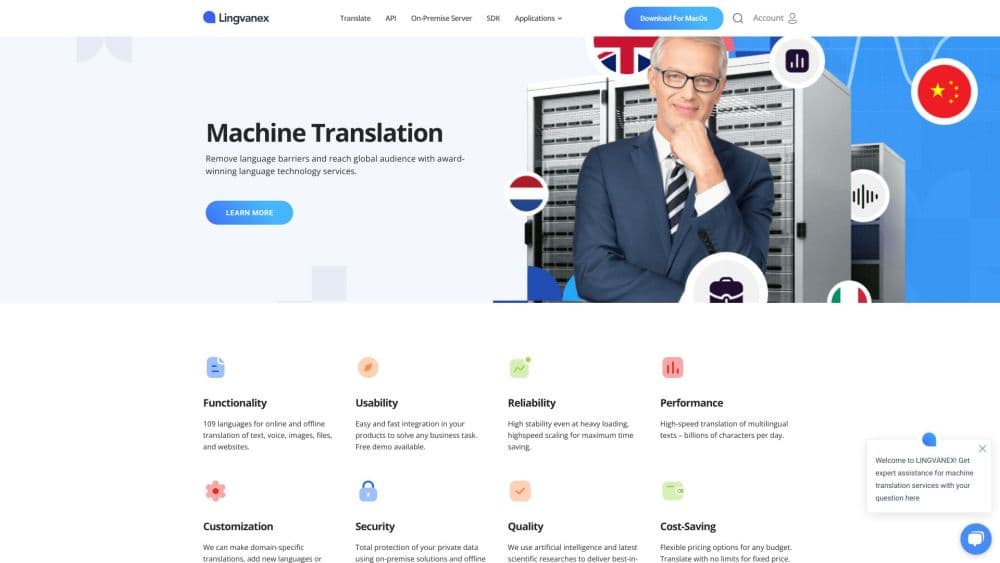
About Lingvanex. Language Translator
What Is Lingvanex
Lingvanex is a set of translation products built by Nordicwise Limited, a company based in Larnaca, Cyprus. The lineup covers two audiences at once. Everyday users get a free translator for Windows, macOS, iOS, and Android, plus browser extensions for Chrome, Edge, Firefox, Opera, and Safari. Businesses get a translation API, an offline machine translation SDK, and self-hosted on-premise software.
The pitch for regular users is breadth and offline support. The apps act as an offline translator for text, voice, documents, images, and whole web pages across 100+ online languages, and 45 of those languages keep working without an internet connection. That matters when you are traveling and don't want to pay roaming charges, or when you work somewhere with weak connectivity.
For businesses, the draw is privacy and cost control. The on-premise machine translation software runs on your own servers, so text, audio, and documents never leave your infrastructure. Lingvanex markets it at a flat monthly rate with unlimited volume and a perpetual license option, which suits companies that translate in bulk and would rather not pay per character.
The catch is that the business side is quote-based. There's no public self-serve checkout for the API or on-premise plans, so pricing depends on volume and you have to talk to sales. The free consumer apps are the easy entry point, and they carry their own limits on offline languages and file sizes.
Getting Started
- Download the translator app from the Lingvanex site for Windows or macOS, or grab the iOS or Android app from the store.
- Open the app and pick your source and target languages. You don't need an account to start translating on desktop.
- Paste text, type into the box, or use voice input to dictate what you want translated. For files, drag in a document like a PDF, Word, or Excel file.
- Read the result in place, then save it to favorites or copy it out. Turn on offline mode for supported languages when you lose signal.
- For business use, request a demo or contact sales to set up the API, the SDK, or the on-premise deployment.
Product Information
A quick look at Lingvanex. Language Translator's pricing, supported platforms, and performance.
Best for
The users, tasks, and scenarios where this tool fits best.
Users
- Travelers
- Students reading foreign sources
- Non-English speakers handling everyday paperwork
Tasks
- Translating documents
- Looking up text on a screen
- Talking across a language gap
- Wiring translation into a product
Scenarios
- Working offline in a secure or remote place
- Handling multilingual customer messages
- Processing private or regulated content
Key features
Text, Voice, Image, and File Translation
The core translator handles more than one input type in the same app. You can type or paste text, dictate with your voice, point the camera at a sign or menu, or load a document and translate it whole. Voice input uses speech-to-text, and the supported file list runs from PDF and Word to Excel and image files. Having all of these in one tool saves you from juggling separate apps for each format.
Offline Translation
Offline mode is what separates Lingvanex from cloud-only translators. Online, the app covers 100+ languages; offline, 45 of them keep working without a connection, and two document formats (.DOCX and .ODT) translate on-device. For travelers and anyone in a low-signal area, that means the tool still works when the network doesn't. The tradeoff is the shorter offline language list, so not every pair is available without a connection.
Translate in Any App with a Shortcut
On Windows, pressing Ctrl + C + C translates highlighted text; on macOS, it's Ctrl + Command + 2. The point is speed. You highlight a phrase in a browser, a document, or a game and get the translation without copying it elsewhere, which keeps you in your workflow instead of bouncing between windows.
On-Premise Machine Translation
For businesses, the on-premise edition runs translation on your own servers, in Linux or Windows environments. Text, documents, audio, and websites get translated across 100+ languages with no data leaving your infrastructure. It's aimed at companies with privacy or compliance rules that rule out the cloud, and it supports unlimited users with regular updates.
Translation API and SDK
The translation API lets developers add automatic translation to web, desktop, and mobile products without running their own infrastructure. There's also a machine translation SDK for embedding offline translation directly into iOS, Android, macOS, and Windows apps. Both exist so teams can put translation inside their own software rather than sending users to a separate website.
Speech Recognition and Transcription
Beyond translation, Lingvanex offers speech recognition that transcribes audio and video in 91 languages, including punctuation. The on-premise version runs locally and handles unlimited volumes, and there's a subtitle generator that takes audio and video files (MP3, WAV, MP4, and more) and outputs subtitles in SRT, VTT, and similar formats. It's the same privacy-first approach applied to transcription.
Pros and cons
Pros
- Offline translation for 45 languages sets it apart from translators that need a constant connection.
- The free desktop and mobile apps cover text, voice, images, and files without a sign-up on desktop.
- The on-premise software keeps sensitive text and audio on your own servers, which suits regulated industries.
- A single document can reach 5,000,000 characters and 75MB, which is generous for large reports.
- It ships across Windows, macOS, iOS, Android, and five browsers, so coverage is broad.
Cons
- Pricing for the API and on-premise plans isn't public, so businesses have to contact sales for a quote.
- Offline support covers 45 languages and only two document formats, so it's narrower than the online list.
- Scanned or image-only PDFs aren't supported, so you can't translate a plain photo of a document through the file path.
- The consumer apps are aimed at browsing and reading; they aren't a full translation memory or glossary system for professional localization teams.
Frequently asked questions
Lingvanex translates text, speech, images, documents, and websites across 100+ languages. You use the desktop or mobile app for everyday translation, or integrate the API and on-premise software to add translation to a business workflow. It also handles speech-to-text transcription in 91 languages.
Related content
Explore related tools, skills, and articles for Lingvanex. Language Translator.
Lingvanex. Language Translator Alternatives

Google EmbeddingGemma 2
Google DeepMind · Writing · Image · CodingGoogle EmbeddingGemma 2 is a 740M-parameter open model that turns text, code, images, audio, and video frames into vectors in one 768-dimension space, running on phones and laptops.

MePersona
MePersona, Inc. · Writing · Productivity · MarketingMePersona is an AI unified inbox for creators. It learns your voice, drafts replies to fan messages from 12 platforms, and sends only what you approve.

Fluence
Yay Software (Yannick Huchard) · Writing · Voice & Language · ProductivityFluence is an Android app that reads PDFs, EPUBs, Word files and web articles aloud, follows each sentence as it speaks, and answers questions about the text on the phone itself.