

LinkDR
LinkDR · Marketing
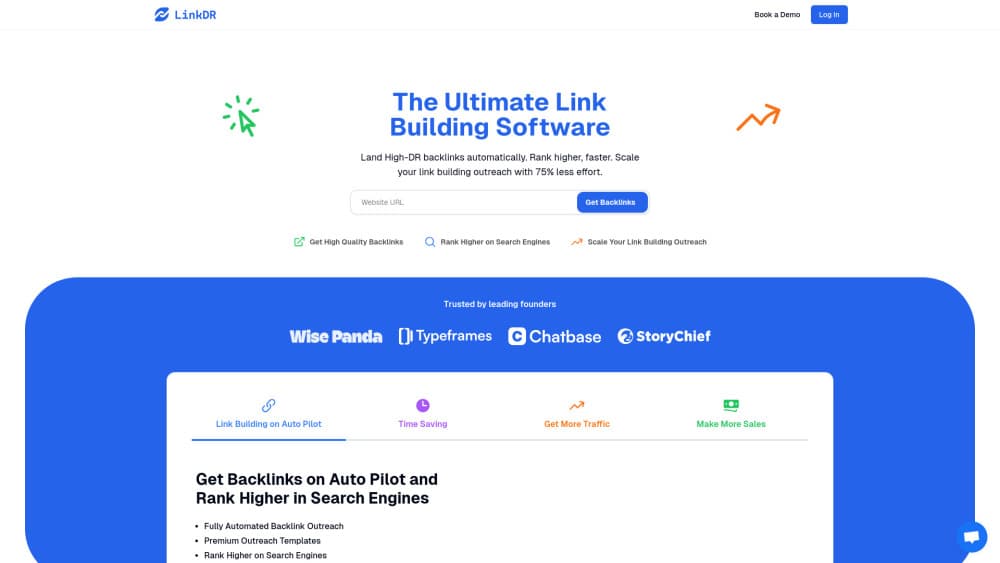
LinkDR is a managed link building service that finds publishers, runs outreach, and places backlinks for SEO teams and founders. In short, it's a backlink service that does the outreach for you.
About LinkDR
What Is LinkDR
LinkDR is a paid link building service aimed at people who need backlinks but don't want to send outreach emails all day. You give it a target page and a mix of domain rating tiers, and it takes over the boring parts: finding relevant sites, collecting contact details, writing to the site owners, and arranging the placement. Its makers describe the product as a done-for-you backlink operation rather than a self-serve prospecting database. Simple pitch. Big promise.
The core problem it solves is bandwidth. Traditional link building means building a prospect list, hunting down decision-maker emails, following up for weeks, and negotiating placements, which is exactly the kind of repetitive work that eats a month of someone's time and produces maybe a dozen live links. LinkDR folds all of it into one flow where you pick the page, set the DR mix, and approve opportunities (or let it auto-approve). Third-party reviewers rate it highly, and one review roundup puts its consensus score at 8.4 out of 10 from 478+ reviews. That's a vendor-side number, so treat it as a signal, not a verdict.
The main limit is that you don't own the publisher relationships or the outreach list. You're renting a pipeline. So is LinkDR worth it? For teams that value speed over control, yes. If your SEO strategy depends on knowing every site personally, or on getting editorial placements a service can't realistically secure, LinkDR won't replace that. It also charges per placement, so the cost scales with the authority tier you ask for.
Getting Started
- Sign in at linkdr.com with Google, an email link, or a 6-digit code.
- Add your website and the specific page you want to build links to.
- Choose a DR tier mix and the content type (standard article, listicle, or product review).
- Deposit a budget, then approve the opportunities LinkDR surfaces or switch on auto-approval.
- Review the placements once they go live and track the referring domains.
Product Information
A quick look at LinkDR's pricing, supported platforms, and performance.
Best for
The users, tasks, and scenarios where this tool fits best.
Users
- SEO agencies
- SaaS founders and in-house marketers
- Solo SEO consultants
Tasks
- Building links to a product or landing page
- Competitor backlink gap analysis
- Filling a steady monthly link quota
- Guest post and link insertion placements
Scenarios
- A small team running link building across several markets and needing DR and country filters to keep placements relevant.
- An agency that wants to order placements from inside a chat tool or agent rather than a browser dashboard.
- Early-stage sites that only need a handful of mid-tier DR 30+ links and don't want a big retainer.
Key features
Managed Publisher Sourcing and Outreach
The service researches publishers, finds sites that fit your niche, collects contact details, and writes the outreach for you. You don't draft the emails or manage the follow-ups. That's the whole point. The trade-off is visibility: you see the opportunities it presents, not the full prospecting database behind them, and you never get to inspect the raw list of sites that got rejected before anything reached your approval queue.
Competitor Backlink Gap Analysis
LinkDR compares your backlink profile against competitors to surface the sites linking to them but not to you. It filters prospects by domain rating, traffic, and link type, then ranks them by relevance so you can decide what's worth pursuing. This is the part that answers the "where do I even start" question. No spreadsheet required.
Domain Search and Saved Lists
There's a search tool for filtering domains by keyword, industry, country, domain rating, and traffic. Save the ones that look promising to a list for later. It's a lighter-weight research function than a full SEO suite, but it covers the basics for prospecting, and the domain rating filter is the one most people reach for first because it ties directly to the per-link pricing tiers you'll be choosing from when you place an order.
Approval Workflow or Auto-Approval
You can review every site before a placement goes ahead, or turn on auto-approval to let orders run without a check-in. That's a real trade-off. Manual review keeps you in control but adds a surcharge, so there's a direct cost for staying hands-on, while auto-approval is cheaper and faster but gives up some say over where links land.
Tiered Placement by Domain Rating
Links are priced by the authority tier of the target site. Higher-DR tiers cost more per link, and the spread is wide, so a campaign's budget depends heavily on the mix you pick. Pick your mix. Watch the total. Even so, the tiering does give you room to spend small on volume and save bigger budgets for a few high-authority placements, which is a more honest setup than services that quote one flat rate for every link regardless of where it lands.
Content Type Options with Surcharges
A standard article with automatic approval is the base package. Listicles and product reviews cost extra, and reviewing every site adds on top, so the headline per-link price you see quoted is rarely the number you actually pay once you've picked a format and decided whether to inspect each placement yourself. Know this upfront. Budget accordingly.
Agent and MCP Integration
LinkDR can be driven from tools like Cursor, Grok, Claude, or Codex, and it exposes an MCP endpoint for research and order workflows. The idea is to place backlink orders from inside the tool you already use, without switching tabs or logging into yet another dashboard. It's a niche feature, but a genuinely useful one for teams that live in a chat-based workflow. Order links without leaving chat.
Pros and cons
Pros
- Removes the manual work of prospect research, email outreach, and follow-ups.
- Prices by DR tier, so you can match spend to the authority you actually need.
- Competitor gap analysis and domain search give you a starting point without a separate tool.
- Agent and MCP integration lets you order placements without leaving your existing workflow.
- Both one-time orders and a repeating monthly subscription are available.
Cons
- No free plan; you deposit a budget before anything runs, so it suits funded projects.
- Per-link pricing gets steep at the DR 50+ and DR 60+ tiers, and content-type surcharges push the real cost higher.
- You don't own the publisher relationships or the full prospect list, which limits how much you can customize placements.
- Reviewing every site before placement costs extra, so tighter quality control eats into the budget.
Frequently asked questions
It's a done-for-you link building service. You choose the page and the domain rating mix you want, and LinkDR handles publisher sourcing, outreach, and placing the backlinks on relevant sites.
Related content
Explore related tools, skills, and articles for LinkDR.
LinkDR Alternatives

ngram 2.0
ngram · Video · Marketingngram 2.0 is an AI video generator for teams. It turns a prompt, a screen recording, or a product URL into a narrated explainer, product demo, or AI avatar video, and every scene stays editable.

shippedit.me
Krawlup · Marketing · Businessshippedit.me now redirects to Krawlup, a web platform that audits SEO, AEO and page speed every week, then hands the fixes to AI coding agents over MCP.

MePersona
MePersona, Inc. · Writing · Productivity · MarketingMePersona is an AI unified inbox for creators. It learns your voice, drafts replies to fan messages from 12 platforms, and sends only what you approve.