

linkedn't
linkedn't · Writing
linkedn't is a Chrome extension that translates LinkedIn slop into plain English. It scans the posts in your feed, spots the LARP-y corporate speak, and rewrites each one in place with a bluntness level you choose. Because the whole thing runs inside your browser, on your screen, the person who wrote the post never finds out you ran it through a translator.
About linkedn't
What Is linkedn't
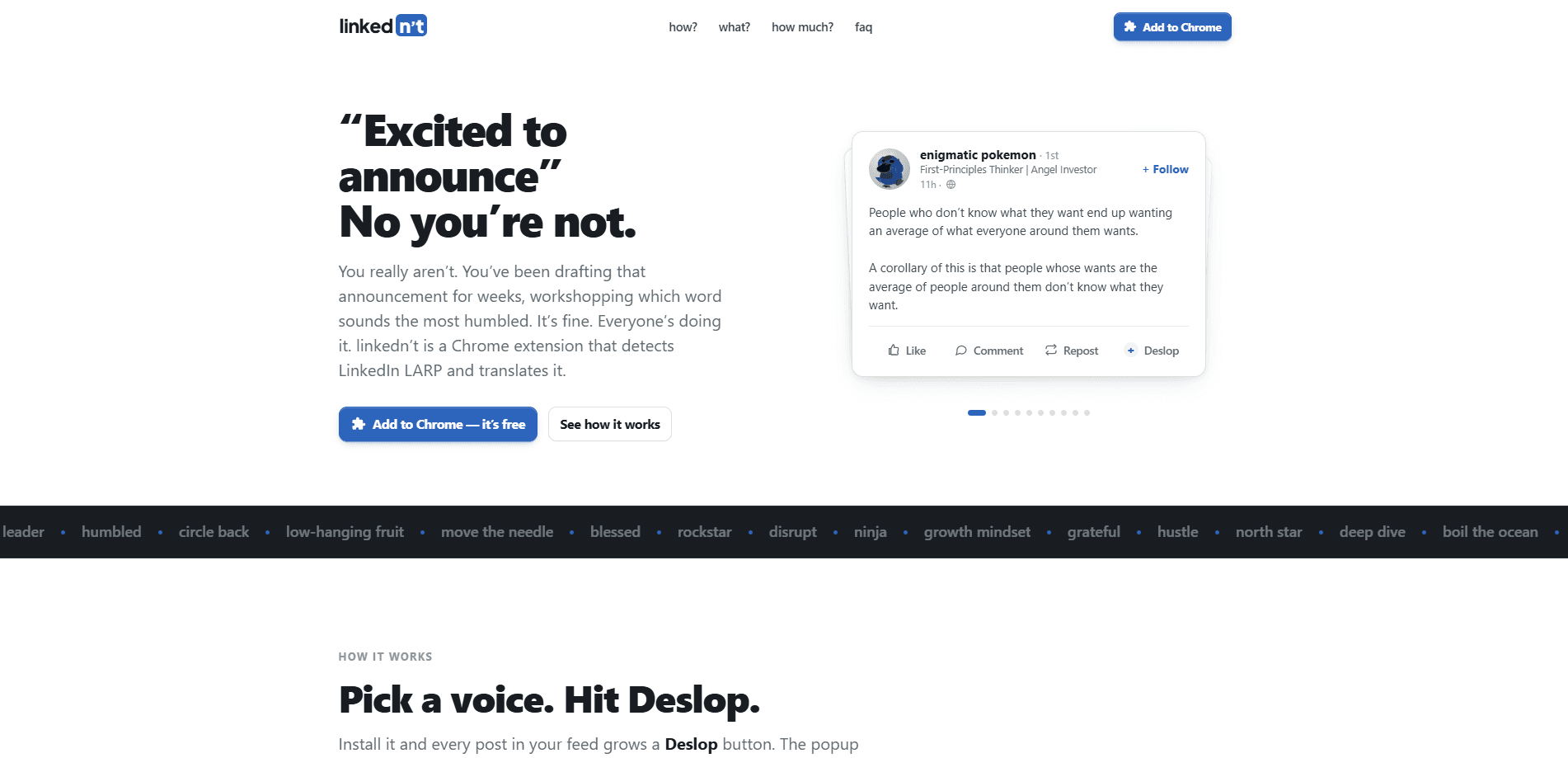
linkedn't targets a specific kind of writing. LinkedIn slop is the mass-produced, vaguely AI-flavored corporate speak the feed runs on, the "excited to announce" posts and the humble-brag career updates. linkedn't is a LinkedIn slop translator: it turns the performance back into plain English.
The extension adds a Deslop button to every post in your feed. Click it and the translation replaces the post right there. A "Show original" link brings the slop back if you miss it. You pick how mean you want the rewrite, from plain English on the safe end to full group-chat commentary on the other, which is a real LinkedIn post rewriter doing the work rather than a cosmetic filter.
There's one hard limit worth knowing, and it's the kind of thing that trips people up. The extension can't get you in trouble, but pasting a translation into the comments absolutely can. One of those is a you problem, and it's the paste.
Getting Started
- Install linkedn't from the Chrome Web Store and sign in to get your first 30 rewrites.
- Open linkedin.com/feed as you normally would. Every post grows a Deslop button.
- Pick a translation voice in the popup to set how blunt the rewrite should be.
- Click Deslop on any post. The plain-English version replaces it instantly.
- Hit "Show original" any time you want the corporate version back.
Product Information
A quick look at linkedn't's pricing, supported platforms, and performance.
Best for
The users, tasks, and scenarios where this tool fits best.
Users
- LinkedIn regulars who scroll the feed daily and want the real point of a post without decoding the buzzwords
- Job seekers and recruiters who need to read between the lines of "we're hiring" and "exciting new chapter" posts before they reply
- People who treat the corporate speak translator as a way to cut through a feed that sounds identical every morning
Tasks
- Rewriting a single post into plain English before you decide whether it's worth engaging
- Sanity-checking a message that sounds important but might say nothing
- Reading a whole feed in one pass when the corporate speak is slowing you down
Scenarios
- Morning feed skim, when you want the gist of 20 posts in two minutes
- Evaluating a company or founder announcement before a call, so you catch what's actually being said
- Debriefing with friends about a post that made everyone roll their eyes
Key features
Deslop Button on Every Post
The core feature adds a button to each post in your LinkedIn feed, which means you never have to open a second tab or paste text somewhere else. Click it and the translation swaps in for the original text on the spot, so you read the plain version without leaving the page. "Show original" restores the slop whenever you want it back, which is handy when you actually need the original wording for something.
Adjustable Bluntness
You control how harsh the rewrite gets. The popup offers a set of translation voices, ranging from straight plain English to full group-chat commentary that says the quiet part out loud. That range matters, because a recruiter scanning for facts wants a different tone than someone venting about their feed.
Bring Your Own API Key
The extension lets you plug in your own API key and skip its servers entirely. In that mode the post text goes straight from your browser to your provider and never touches linkedn't's backend, so there's no middleman holding a copy of what you read. For people who care where their reading data ends up, this is the cleaner option by a wide margin.
Privacy-First Rewriting
Even without your own key, the server keeps a hash for caching rather than the post text itself. The privacy policy is short and written to be read, which the team points out with some pride. It's a small thing, but it signals the product was built by people who dislike how much data normally leaks from a simple extension.
Free Rewrites Before You Pay
Your first 30 rewrites are free after you sign in, enough to test the thing properly on your own feed rather than on a demo. After that you buy credit packs starting at $4, or switch to your own API key and skip the paid path altogether. There's no subscription, so you're not locked into a monthly bill for a tool you use in bursts.
Credit Packs Without a Subscription
Paid access runs on credits rather than a recurring plan. You top up when you run out, and the entry pack starts at $4. For a tool you might use heavily for a week and ignore the next, paying per rewrite beats a monthly fee you forget to cancel.
Pros and cons
Pros
- Reads the real message behind a post without you having to decode it yourself
- Bluntness setting lets you dial the tone from neutral to savage
- Runs in your browser, so the original poster gets no notification
- Bring-your-own-key mode keeps post text off linkedn't's servers
- No subscription, just credits from $4 after the free tier
Cons
- Chrome only, so Firefox and Safari users are out of luck
- Only rewrites what's in your feed, so it does nothing on other sites
- The 30 free rewrites go fast if you deslop everything in sight
- Pasting a translation into the comments is on you, and the tool won't stop you
Frequently asked questions
It detects LinkedIn corporate speak, the "excited to announce" and "humbled and honored" style of post, and rewrites it into plain English inside your feed. Think of it as a translator that runs the other direction, from slop back to what someone meant.
Related content
Explore related tools, skills, and articles for linkedn't.
linkedn't Alternatives

Google EmbeddingGemma 2
Google DeepMind · Writing · Image · CodingGoogle EmbeddingGemma 2 is a 740M-parameter open model that turns text, code, images, audio, and video frames into vectors in one 768-dimension space, running on phones and laptops.

MePersona
MePersona, Inc. · Writing · Productivity · MarketingMePersona is an AI unified inbox for creators. It learns your voice, drafts replies to fan messages from 12 platforms, and sends only what you approve.

Fluence
Yay Software (Yannick Huchard) · Writing · Voice & Language · ProductivityFluence is an Android app that reads PDFs, EPUBs, Word files and web articles aloud, follows each sentence as it speaks, and answers questions about the text on the phone itself.