
Lion Accountability Browser
Lion Software, LLC · AI Detection
Lion Browser is an iOS web browser built for accountability. It scans pages with AI, blocks adult content, and sends weekly reports to a parent or trusted partner.
About Lion Accountability Browser
What Is Lion Browser
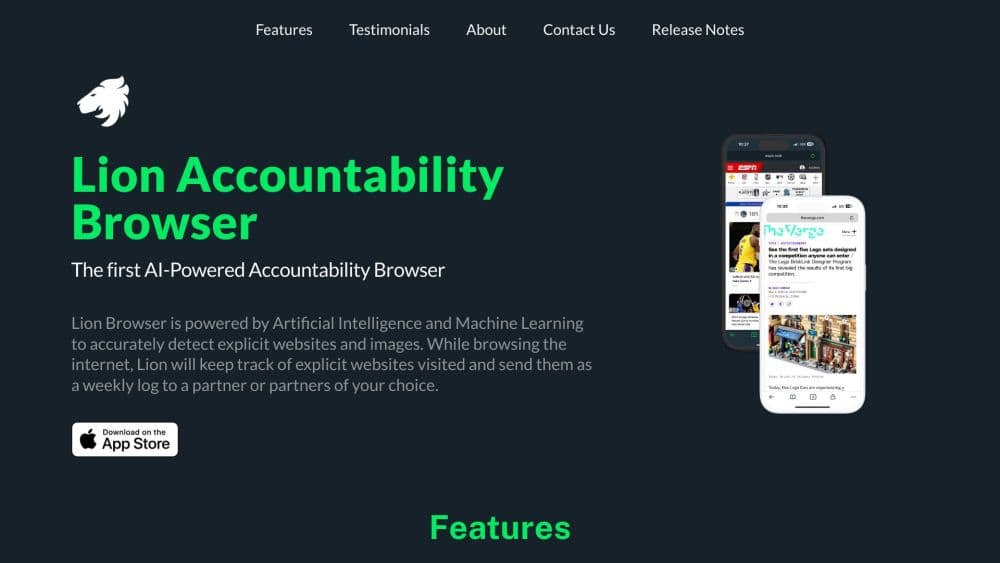
Lion Browser is a native iPhone and iPad browser from Lion Software, a small studio that builds parental tools for families. It looks and works like an ordinary browser. Underneath, every page a person loads gets checked by an on-device AI filter that flags sexual content and nudity in text and images, then logs what it finds.
The product has two audiences. A parent installs it on a teenager's phone to see which sites the kid actually visits, not just which ones a filter guessed at. An adult installs it on their own phone to break a habit, which is where the accountability partner framing comes from.
The limit is platform and scope. Lion only runs on iOS, so Android and desktop machines need a different tool. And since it only sees traffic that travels through it, the setup only works when Lion is the default browser and Safari is locked away with Screen Time. Skip that step and the reports tell a partial story.
Getting Started
- Download Lion Browser from the App Store and pick an Individual or Family plan. The download is free and the app runs a 14 day free trial of Lion Premium before it charges anything.
- Set Lion as the default browser, then block Safari through Screen Time so the person can't quietly reopen it.
- Add an accountability partner, meaning a parent, mentor, or trusted friend who receives the reports.
- Choose what to track: detection sensitivity, blocked sites, and whether media should load at all. Settings sit behind a PIN.
- Browse normally. Lion logs flagged activity on the device, and the partner gets a weekly summary.
Product Information
A quick look at Lion Accountability Browser's pricing, supported platforms, and performance.
Best for
The users, tasks, and scenarios where this tool fits best.
Users
- Parents of kids aged roughly 11 to 16
- Teens who want more room than a locked kids browser
- Adults working on a compulsive habit
Tasks
- Reviewing what a kid actually read this week
- Blocking adult sites without constant screen time negotiation
- Locking down a phone for a younger child
Scenarios
- A first smartphone handed to a middle schooler
- Lent season, Ramadan, or a personal digital detox
- A shared iPad in a household with several children
Key features
AI Content Scanning
Every page gets scanned on the device for sexual content and nudity, in both the text and the images. When something trips the filter, Lion logs the URL and the reason instead of silently dropping the page, which is the part that separates this from a plain web filter. Parents can raise or lower the sensitivity if the default setting flags too much or too little.
Weekly Accountability Reports
Lion doubles as a web filter for families, and it reports at the page level instead of dumping an endless activity feed. Each week the accountability partner gets a digest of flagged pages. The format is deliberately short: what was flagged, when, and how often. For a teen, that's a check in. For an adult using it as a self control tool, it's the outside observer the habit needs.
Whitelist Mode
A parent can switch from blocking bad sites to approving good ones. Only domains on the list load, everything else stays shut. It's heavy handed for a 15 year old and about right for a 9 year old with a reading app and a school portal.
PIN Protected Settings
Detection sensitivity, blocked sites, and whitelist entries sit behind a PIN, so the person being monitored can't turn the monitoring off. Lion Software notes that this step works best alongside an iOS Screen Time passcode set by someone else.
Bookmarks and Multi Device Sync
The browser syncs bookmarks across iPhones and iPads signed into the same account. Tabs, history, and navigation follow the usual Safari patterns, and Lion keeps audio playing when you switch into it from another app. The intent is a browser people won't resent opening.
Built In Parental Control Dashboard
The companion Lion Family app shows browsing history across connected devices and lists auto flagged sites for review. Settings can be adjusted remotely in real time, so a parent doesn't need the child's phone in hand to change a filter.
Pros and cons
Pros
- Browser level scanning means visibility comes from pages actually rendered, not from domain guesses or DNS logs.
- As a safe browser for kids, it blocks adult domains before any setup, with more than 4.5 million sites on the default list.
- The weekly report format is readable in a minute, so the check in stays light instead of turning into surveillance.
- Settings sit behind a PIN, which closes the obvious loophole of a monitored user switching filtering off.
- The browser is fast and familiar, so it works as a safe browser for teens without feeling like a penalty.
Cons
- iOS only. There's no Android or desktop version, so a family with mixed devices needs another product for the rest.
- Protection depends on Lion being the default browser and Safari being disabled in Screen Time. Anything opened in another app's in-app browser falls outside the logs.
- Lion Software doesn't publish a standalone Individual price on the site. The public pricing page only shows the bundled Lion Premium plan at $7.99/mo after a 14 day trial.
- No API or developer documentation, so schools and small IT teams can't wire it into their own dashboards.
Frequently asked questions
It's a parental control browser for iPhone and iPad that checks every page you open for sexual content and nudity, blocks adult sites by default, and emails a weekly summary of flagged pages to a parent or accountability partner. The browsing itself looks like a normal Safari session.
Related content
Explore related tools, skills, and articles for Lion Accountability Browser.
Lion Accountability Browser Alternatives
Isgen AI
Isgen · AI DetectionIsgen AI is a web-based AI detector that scores text for machine authorship and shows you which sentences and phrases push the number up. It's built for teachers, editors, students, and writers. Their question is simple: did this draft come from ChatGPT, GPT-5, Claude, Gemini, DeepSeek, or another model? You paste or upload content, run a scan, and get a Human, AI, and Mixed breakdown in seconds. There's also a companion editor that scores text while you write it.
Humanizeai Tools
Humanizeai Tools · Writing · AI DetectionHumanizeai Tools is a web-based AI humanizer that rewrites machine-generated text so it sounds like a person wrote it, which is the whole point of the category it belongs to. Paste a draft from ChatGPT, Claude, or Gemini, run it through the tool, and it swaps out the phrases and sentence patterns that AI detectors flag. If your goal is to make AI text sound human before you publish it, this is the kind of tool built for exactly that. It suits students, bloggers, and marketers who need copy that reads naturally and clears tools like GPTZero, Copyleaks, and Winston AI after a single pass.

Hidemyai
Hidemyai · Writing · AI DetectionHidemyai is an AI content humanizer. It rewrites text from ChatGPT, Jasper, and similar tools so the result reads like a person wrote it. You paste your draft, pick a document type and tone, and the service returns a version meant to bypass AI detectors such as Originality.ai, Turnitin, and ZeroGPT. It targets writers, marketers, and students who lean on AI drafts but can't ship copy that sounds robotic. The promise is simple: make AI content undetectable.