

Listen AI: Text to Speech
Super Jiu · Voice & Language
Listen AI is a text to speech app for Android that reads PDFs, books, web pages, and scanned pages aloud in 60+ languages, with voice cloning, an AI podcast maker, and MP3 export.
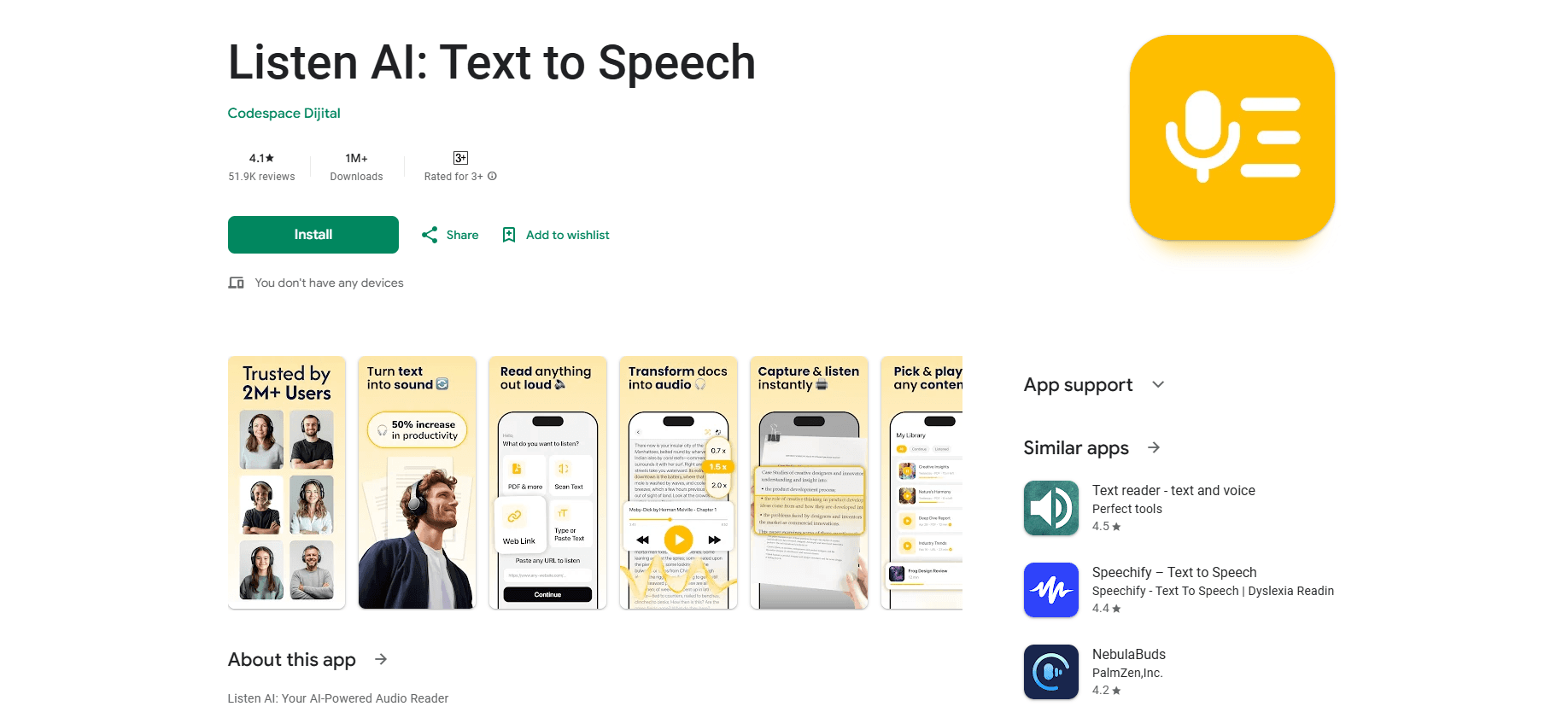
About Listen AI: Text to Speech
What Is Listen AI
Listen AI turns written material into audio you can play anywhere. Point it at a PDF, a book, a web link, or a page you photograph with your phone, and it reads the text out loud in a natural voice. The pitch is simple: give your eyes a break and keep consuming things you'd otherwise have to sit and read.
The app leans on accessibility as much as convenience. It markets itself to people with dyslexia, ADHD, and low vision, and the reading tools match that audience. Word highlighting follows along as the narration plays, and you can push playback up to 3x speed when you need to move fast.
Voice cloning and the AI podcast generator are what separate it from a basic screen reader. You can build a custom AI voice instead of picking from a fixed set, and you can turn notes or a short prompt into a podcast-style audio show. The catch is that the developer, Super Jiu, runs this as a mobile app, so there's no desktop version and no documented developer API for building it into other tools.
Getting Started
- Install Listen AI from Google Play, then open the app and grant storage and microphone access if you plan to import files or clone a voice.
- Pick a natural voice from the 60+ language and accent options, or create your own with the voice cloning tool.
- Add something to read: upload a PDF or Word file, paste a web link into the reader, or scan a printed page with the camera.
- Use the home screen widget to start listening in one tap, and adjust speed up to 3x while you follow the word highlighting.
- Export a file to MP3 if you want to listen offline, or run your notes through the AI podcast generator.
Product Information
A quick look at Listen AI: Text to Speech's pricing, supported platforms, and performance.
Best for
The users, tasks, and scenarios where this tool fits best.
Users
- Students
- Commuters and multitaskers
- Readers with dyslexia, ADHD, or low vision
Tasks
- Turning a PDF into audio
- Building a personal voiceover
- Creating a quick audio show
Scenarios
- Scanning a printed book
- Listening on a flight
- Cutting eye strain during a long workday
Key features
Natural Voices in 60+ Languages
Listen AI ships with premium text to speech voices across more than 60 languages and accents, and the narration is tuned to sound human rather than robotic. You pick a favorite narrator voice once and reuse it as your everyday reader, text reader, and audiobook maker. For anyone juggling documents in more than one language, that spread matters more than a single polished voice.
Voice Cloning for a Custom Voice
Voice cloning takes the app past a fixed voice library. You create your own AI voice, add it to your collection, and then read any text in it. The value shows up for creators who want a consistent voiceover across projects, or for anyone who simply prefers hearing their own voice read a document back.
AI Podcast Generator
The podcast maker converts study notes, articles, or a plain prompt into an audio show. There's no microphone and no editing step, which is the whole point: the interesting input is text you already have. It's a fast way to turn written material into something you can listen to on a commute.
Reads PDFs, Books, and Documents Aloud
The app doubles as a PDF reader and audio reader. It handles PDF files, eBooks, ePub, Word documents and reports, plus academic papers and study notes. You upload a file and it starts reading, so long documents become something you can review hands-free instead of scrolling through.
Web Reader, Camera Scan, and Widget
Three capture tools cover the rest of your reading. The web reader takes a pasted link and reads the page, news, or article aloud. The camera scanner photographs printed books and pages so the picture to speech feature can digitize them. The home screen widget starts playback in one tap and keeps your audio library close.
Accessibility Tools for Dyslexia and ADHD
Listen AI positions itself as a read aloud app for dyslexia, ADHD, and low vision. Word highlighting tracks the narration so you can follow along, and adjustable speed reaches up to 3x. Those two controls, more than any single feature, are what make long text manageable for people who struggle with visual reading.
MP3 Export and Offline Listening
You can convert any text to an MP3 file and build your own audio library. Offline playback means the audio works on flights or anywhere without a signal. For students or commuters who plan to listen in transit, exporting ahead of time is the practical move.
Pros and cons
Pros
- Reads PDFs, eBooks, ePub, Word files, web links, and scanned pages from one app.
- 60+ languages and accents with voice cloning, so you aren't stuck with a fixed voice set.
- Word highlighting and up to 3x speed give real support for dyslexia, ADHD, and low vision.
- Free download with inexpensive in-app purchases starting at $0.99.
- MP3 export enables offline listening and a reusable audio library.
Cons
- Android only, so iPhone users can't use it.
- The "over 12 million users" figure comes from the developer, not an independent source.
- Voice cloning and heavier features sit behind in-app purchases, so costs add up if you want the full set.
Frequently asked questions
It's a text to speech app that reads text out loud. You feed it a PDF, book, web page, or camera scan and it narrates the content in a natural voice, with tools to highlight words and change speed.
Related content
Explore related tools, skills, and articles for Listen AI: Text to Speech.
Listen AI: Text to Speech Alternatives

Foley
Hanamori Labs, LLC · Voice & Language · Productivity · AI AssistantFoley is a voice to-do list that turns a spoken sentence into a filed task, complete with project, date and time, then helps you plan the day around what is already there.

HireKey
HireKey · Voice & Language · Productivity · LeaningHireKey is an AI job search copilot built by a former tech recruiter. It checks role fit, tailors resumes, runs interview practice and tracks every application.

Fluence
Yay Software (Yannick Huchard) · Writing · Voice & Language · ProductivityFluence is an Android app that reads PDFs, EPUBs, Word files and web articles aloud, follows each sentence as it speaks, and answers questions about the text on the phone itself.