

ListenHub
MarsWave · Voice & Language
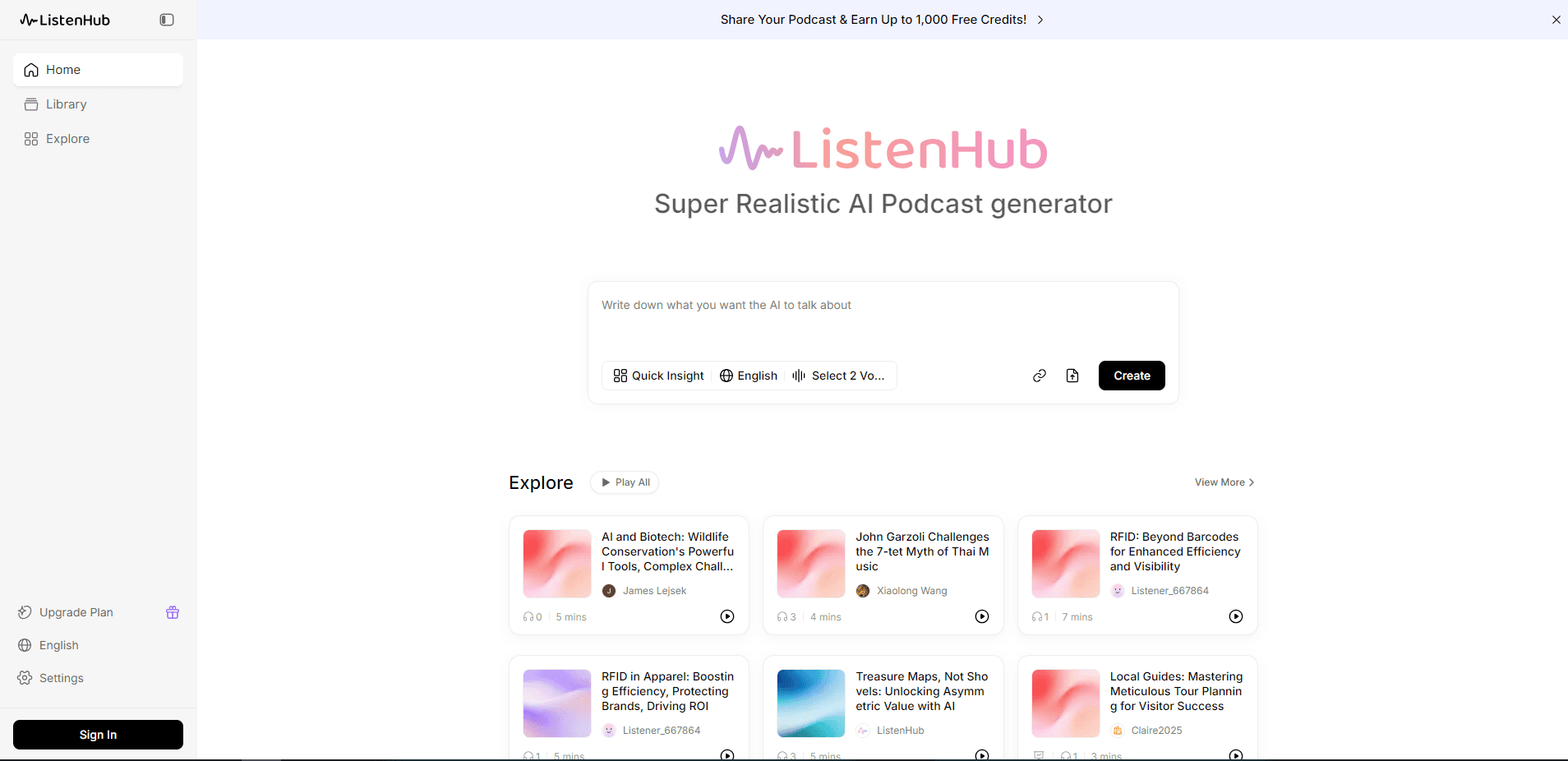
ListenHub is an AI content creation platform that turns a link, document, or idea into a two-host podcast, voiceover, image, or video in minutes. MarsWave makes it, and it runs on the web and iOS.
About ListenHub
What Is ListenHub
ListenHub started as a one-trick tool for turning articles into podcasts. It has since grown into a full content studio. You hand it a link, a document, or a plain idea, and it produces a finished piece: a two-host audio episode, a voiceover, an image, a slide deck, or a short explainer video. Everything happens in one workspace, and the pieces share an account and a single credit balance.
The company behind it is MarsWave. The team built its own speech engine, FlowSpeech, to shape tone, rhythm, and pauses instead of reading text in a flat monotone. A Voice Library holds official voices across 12 languages, and you can clone your own voice from a short recording to narrate episodes, voiceovers, and video in your own sound.
The obvious draw is speed. A topic becomes a listenable show in a few minutes, no mic and no editing session required. The trade-off sits on the other side. ListenHub writes the script for you, so the result still needs a listen and often a light edit before it goes out. It also shines on short, conversational pieces and is not built for long, heavily produced shows.
One more thing worth knowing up front. The free plan runs on credits, and the more useful parts, like high-fidelity voices and extra clone slots, sit behind the paid tiers.
Getting Started
- Sign up on the ListenHub website with an email or a social account. New accounts get a free credit balance and no card is needed.
- Pick a tool from the workspace: podcast, text to speech, image, video, or slides.
- Add your source. Paste a web or YouTube link, upload a PDF, Word, or EPUB file, or type a topic and let ListenHub research it.
- Choose one host for a solo read or two for a dialogue, then select voices from the official library or use one you cloned.
- Hit generate and wait a few minutes. Listen in the browser, then export the audio, video, or deck and publish it.
Product Information
A quick look at ListenHub's pricing, supported platforms, and performance.
Best for
The users, tasks, and scenarios where this tool fits best.
Users
- Content creators who publish in more than one language
- Bloggers and writers who want an audio version
- Busy listeners who prefer audio to reading
- Solo creators testing a personal voice
- Social media managers repurposing long material
Tasks
- Turning a blog post into a podcast
- Narrating a script with natural speech
- Making a voiceover with several speakers
- Generating a cover or product visual
- Turning a report into slides
Scenarios
- Catching up on reading during a commute
- Drafting an episode before real recording
- Localizing a campaign by ear
- Testing several visual directions
Key features
Multi-Source Input
ListenHub accepts a web or YouTube link, an uploaded file, or a plain idea. It reads PDF, Word, EPUB, Markdown, and TXT documents, and takes JPG, PNG, and WebP images as references for visuals. Give it a bare topic with no source, and the built-in research step drafts the script on its own.
Two-Speaker AI Podcast
The podcast tool scripts a back-and-forth between a host and a guest instead of a flat narration. One speaker asks and the other answers, which keeps a long document easier to follow. You can pick the hosts from the Voice Library, use a cloned voice, or switch to a single voice for a straight read.
FlowSpeech Voice Engine
FlowSpeech shapes tone, rhythm, and pacing rather than reading every word at one pitch. FlowSpeech is the engine behind plain narration, while a separate voice-acting mode adds emotion for character lines. The paid tiers open a wider set of official voices and higher fidelity.
Voice Library and Voice Cloning
The Voice Library holds official voices across 12 languages, and you can audition each one before picking. Voice cloning reproduces your own voice from a short recording so a creator can host a show without a booth. Cloning and extra clone slots sit on the paid tiers, and clean audio samples give the best results.
One Workspace for Image, Video, and Slides
Beyond audio, ListenHub generates images from a prompt or reference, cuts video from a script or photo, and builds slide decks from a subject or a document. The same account and credit balance cover all of them, with PPTX export for decks and separate audio, video, and subtitle files for explainer episodes.
Developer Access
ListenHub exposes its tools through a documented API. You can call the REST endpoints on their own, use the official JavaScript and TypeScript SDK, run the CLI from a terminal, or connect an MCP-compatible client. The API covers podcasts, speech, video, images, and music.
Pros and cons
Pros
- Turns a link, document, or topic into a finished podcast, voiceover, image, or video in minutes, with little setup.
- Scripts a two-speaker dialogue that is easier to follow than a flat read of a long document.
- The Voice Library covers 12 languages, which fits creators working across several audiences.
- Voice cloning lets a creator narrate in their own voice without a recording booth.
- Audio, image, video, and slides share one account and one credit balance, so you avoid juggling separate subscriptions.
Cons
- The generated script usually needs a listen and a light edit before it is ready to publish.
- Voice cloning and the higher-fidelity voices sit behind the paid tiers, so the free plan sounds plainer.
- The output favors short conversational pieces, which limits it for long, heavily produced shows.
- Free credits run out on heavy use, and a top-up pack costs extra before the next cycle.
Frequently asked questions
ListenHub turns written material into finished content. You give it a link, a document, or a topic and it writes a script and produces a podcast, a voiceover, an image, a slide deck, or a short video. It suits anyone who wants media from something they would otherwise read.
Related content
Explore related tools, skills, and articles for ListenHub.
ListenHub Alternatives

Foley
Hanamori Labs, LLC · Voice & Language · Productivity · AI AssistantFoley is a voice to-do list that turns a spoken sentence into a filed task, complete with project, date and time, then helps you plan the day around what is already there.

HireKey
HireKey · Voice & Language · Productivity · LeaningHireKey is an AI job search copilot built by a former tech recruiter. It checks role fit, tailors resumes, runs interview practice and tracks every application.

Fluence
Yay Software (Yannick Huchard) · Writing · Voice & Language · ProductivityFluence is an Android app that reads PDFs, EPUBs, Word files and web articles aloud, follows each sentence as it speaks, and answers questions about the text on the phone itself.