

Lium Ai
Lium · Coding
Lium Ai is an AI data platform that connects scattered datasets and turns them into a conversational layer you can query in plain English. Instead of juggling GIS tools, spreadsheets, and dashboards, you connect your data once and ask questions the same way you'd ask a colleague who already knows it. The platform handles the heavy compute behind the scenes and saves every useful output as a shared artifact your team can reuse. It's aimed at analysts and teams who work with complex or spatial data and don't want to babysit clusters to get answers.
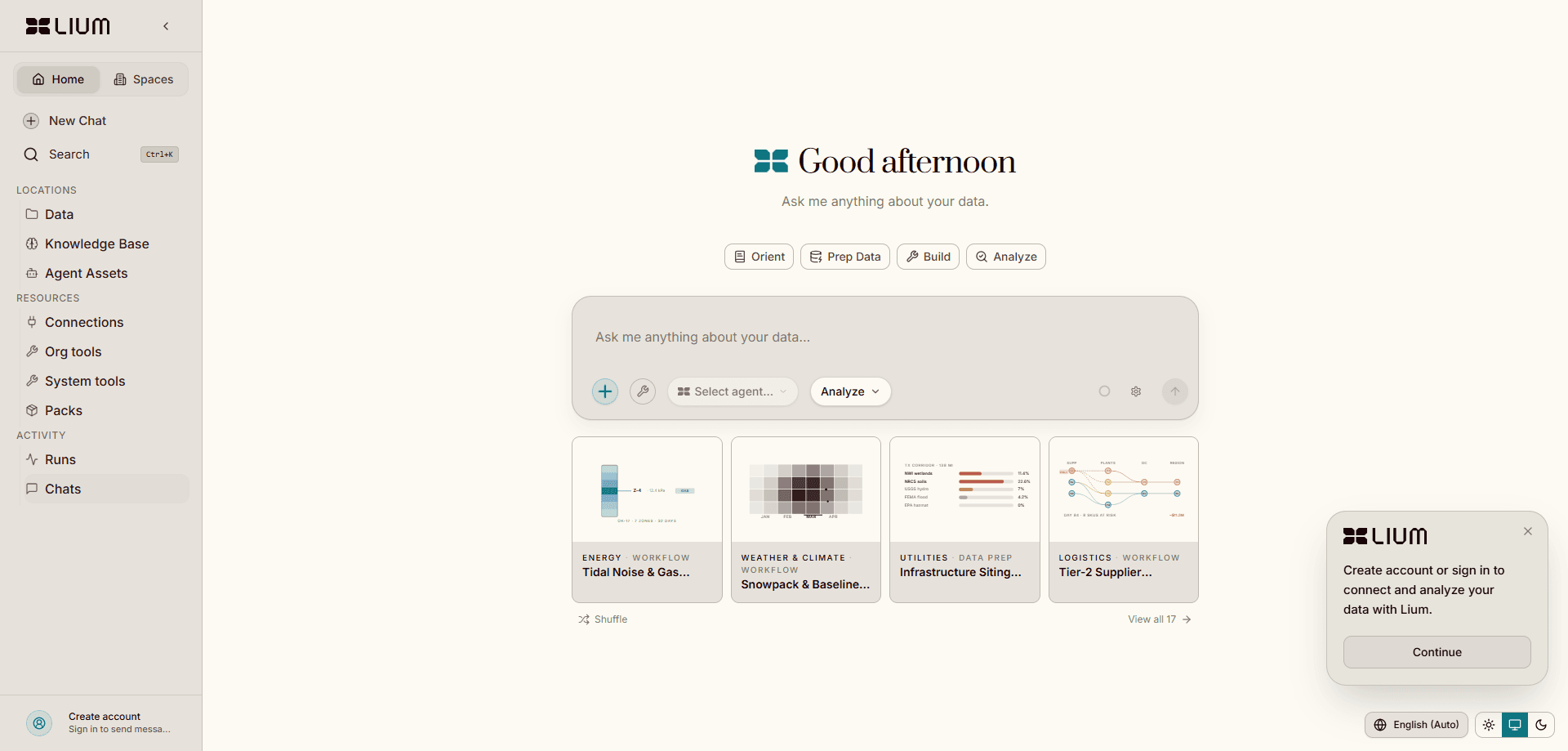
About Lium Ai
What Is Lium Ai
Lium Ai is a browser-based AI data platform for connecting messy, hard-to-use data and analyzing it through natural language. You point it at databases, files, APIs, instrument outputs, and internal tools, and each source gets indexed and profiled automatically, so the agent understands where things live and how to use them before you ask anything. This is conversational data analysis in the plainest sense.
The problem it targets is familiar to anyone who has stitched together a geospatial or operations workflow: satellite imagery in one tool, terrain models in another, and vector datasets somewhere else entirely. It's a mess. Lium Ai reasons across all of them at once, which is the part that traditional GIS setups split into separate steps. It also provisions compute on demand for heavy jobs like scanning terabytes of data, so you don't manage clusters or file support tickets.
The main limit is scope. Lium Ai is built for teams doing real analytical work, not for casual one-off questions. The free tier is a short trial with 10 messages, and ongoing use runs on a paid plan. So who is it not for? If you only need to chart a spreadsheet now and then, this is more machinery than you need.
Getting Started
- Create an account at app.lium.ai and start on the free trial to explore the platform with your own data.
- Connect a data source, such as a database, a file upload, or an API, and let Lium index and profile it automatically.
- Ask a question in plain English and pick the reasoning depth you want, which sets how many Lium Coins the answer consumes.
- Review the result, then save the analysis, script, chart, or dataset as a shared artifact in your workspace.
- Invite teammates so future agents can re-run and build on what you've already created.
Product Information
A quick look at Lium Ai's pricing, supported platforms, and performance.
Best for
The users, tasks, and scenarios where this tool fits best.
Users
- Data analysts
- GIS and geospatial teams
- Small operations teams
Tasks
- Cross-source analysis
- Heavy computation jobs
- Building reusable tools
Scenarios
- Weekly reporting that pulls from several systems
- Early-stage research on a dataset you've just received
- Geospatial questions that span image, terrain, and vector layers
Key features
Connect Anything
Lium Ai plugs into databases, files, APIs, instrument outputs, and internal tools. Every source is indexed and profiled automatically, so the agent arrives knowing where the data lives and how to use it, which removes the setup step where you'd otherwise write connectors and document schemas by hand. That's real time saved. It's also the part most chat-with-your-data tools skip.
Conversational Analysis
You ask questions in plain English and get answers back in a usable form, whether that's a table, a chart, or a written summary. The platform reasons across structured databases, unstructured documents, and live APIs in a single pass. No SQL required. This is the core of the product: turn a question into an answer without writing a query first.
Custom Tools and Transformations
Beyond answering questions, Lium builds custom tools, datasets, and transformations for you. Each piece shapes how agents respond to your team's future questions, so answers get faster and more reliable the more you build. Think of it as compounding. Over time this becomes a shared layer rather than a pile of ad-hoc scripts.
Geospatial Reasoning
Lium combines satellite imagery, terrain models, and vector datasets into unified geospatial intelligence, reasoning across layers that traditional GIS tools treat as separate worlds, which matters a lot if your work depends on seeing how spatial data relates and where one dataset quietly contradicts another. This is where the platform stands out. Generic chat tools can't touch this.
Compute on Demand
When a question needs serious processing, like scanning terabytes of data, Lium provisions the compute automatically. There's no DevOps work, no clusters to babysit, and no waiting on tickets. That's a big deal. For occasional heavy jobs, the convenience alone can justify the switch.
Shared Artifacts and Workbenches
Every useful analysis, script, chart, dataset, or tool is saved as an artifact in your workspace. Teammates and future agents can re-run it, share it, or build on it, so the same problem never gets solved twice. Workbenches let you share repeatable workflows across the team. Simple idea, big payoff.
Pros and cons
Pros
- Connects many source types and profiles them automatically, cutting setup work for AI data analysis.
- Handles geospatial data across imagery, terrain, and vector layers in one place, which most generic tools don't.
- Provisions compute on demand, so heavy jobs don't require managing your own infrastructure.
- Saves outputs as shared artifacts, making recurring analysis repeatable for the whole team.
- Usage-based Lium Coins let lighter questions cost less than deeper reasoning runs.
Cons
- The free plan is only 10 messages, which is enough to look around and not much more.
- Pricing runs on Lium Coins, so costs depend on how much context and reasoning each question uses, which is hard to predict up front.
- It assumes you have data worth connecting; for simple spreadsheet tasks it's heavier than you need.
- There's no public API listed, so programmatic access for external apps isn't confirmed.
Frequently asked questions
Lium Ai is used to connect scattered datasets and analyze them through plain-English questions. It's built for teams working with complex or spatial data who want answers without stitching together separate GIS and dashboard tools.
Related content
Explore related tools, skills, and articles for Lium Ai.
Lium Ai Alternatives
Forefront
Forefront · CodingForefront is a web platform for building with open-source AI. It lets you fine-tune leading open-source language models on your own data, evaluate how they perform, and run them through an API or export them to host yourself. Developers who want the convenience of a closed-source platform but insist on owning their models and data are the target audience here.

Startkit
StartKit.AI · CodingStartkit is a boilerplate for building AI SaaS and AI wrapper products. Think of it as an AI startup boilerplate with the boring parts already wired up: authentication, Stripe and Lemon Squeezy payments, usage limits, transactional email, and an AI API starter that talks to OpenAI, Anthropic, Groq, or Llama. You clone the repo, set your price, and start on the part of your product that people actually pay for. It's Next.js under React and Tailwind, so most of the boilerplate code already feels familiar.
Testim
Tricentis · CodingTestim is an AI-powered test automation platform for building and running end-to-end tests across web, mobile, and Salesforce applications. It leans on machine learning to keep tests stable when an interface changes, so teams spend less time fixing broken selectors. Not bad for an automated testing tool you can start using today. You create tests by recording actions in a browser, then optionally add JavaScript when you need more control. It's a solid pick for busy QA teams.