

LLM SEO Index Crawler Check
Findable · Coding · Marketing
LLM SEO Index Crawler Check is a free web tool from Findable that runs a 10-second scan of your site's robots.txt and tells you whether AI assistants and search engines can actually reach your pages. It names the crawlers it checks, like GPTBot and ClaudeBot, and points out the rules that quietly block them. If your traffic from AI answers has gone flat, this is one of the fastest ways to find out why.
About LLM SEO Index Crawler Check
What Is LLM SEO Index Crawler Check
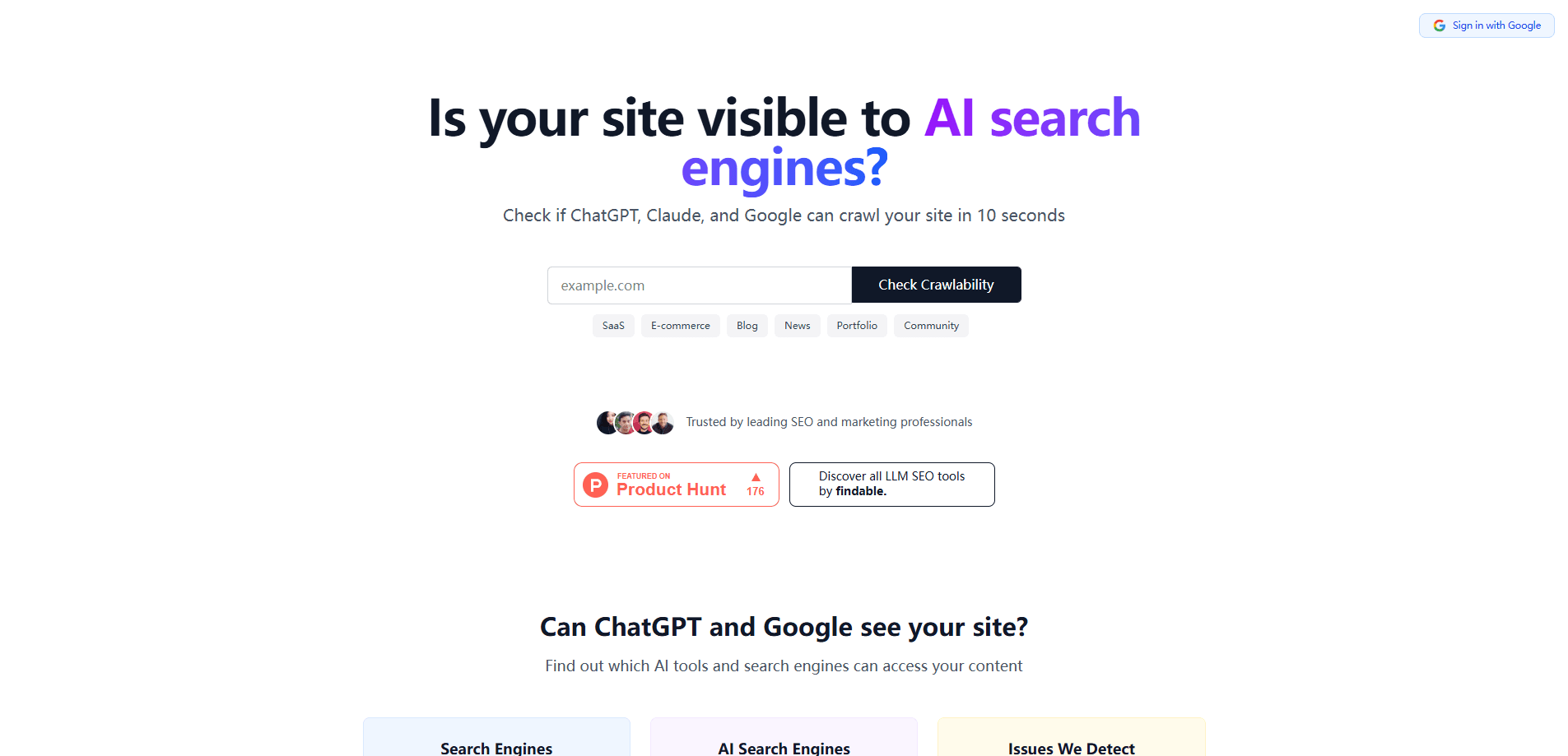
LLM SEO Index Crawler Check is a browser-based crawlability tool. You paste a domain, it reads the robots.txt file sitting at the root of that site, and it reports which major AI crawlers and search engines are allowed in and which ones aren't. There's no install and no account needed for the basic scan. That's it.
The problem it solves is invisible by default. CMS defaults, security plugins, and copy-pasted robots.txt files often block AI crawlers without the site owner ever knowing. Findable notes one client who had been blocking ChatGPT for six months. When a crawler can't read your site, you don't get an error. You just don't show up. The ChatGPT crawler doesn't knock twice.
The limit worth knowing: the tool reads configuration, not content. It tells you whether crawlers are permitted, not whether your pages are worth citing. It also only sees what's publicly reachable, so it can't diagnose login-gated or firewall-protected sections. On its own it won't rank you. It removes the barrier that keeps you from ranking. Big difference.
Getting Started
- Open llmseoindex.com in any browser. No sign-up is required for the free check.
- Paste your domain into the checker and run the scan. It finishes in about 10 seconds.
- Read the results for each crawler. Allowed names show green, blocked ones show the exact robots.txt rule responsible.
- Edit your robots.txt to allow the crawlers you want, or copy the suggested fix if the tool provides one.
- Re-run the scan after you save the file to confirm the change took effect.
Product Information
A quick look at LLM SEO Index Crawler Check's pricing, supported platforms, and performance.
Best for
The users, tasks, and scenarios where this tool fits best.
Users
- Site owners who suspect AI answers stopped citing them
- SEO managers and agencies running technical audits across client sites
- Bloggers and small business owners on CMS platforms
Tasks
- Auditing a robots.txt file for AI crawler rules
- Diagnosing a drop in AI referral traffic
- Fixing an accidental block
- Checking crawler access after a site migration
- Auditing indexing across several domains
Scenarios
- Before launching a new site, so you don't ship a robots.txt that blocks AI assistants from day one.
- After installing or updating a security plugin, which is a common source of unintended crawler blocks.
- During a quarterly technical SEO review, as the crawlability step in a routine audit.
Key features
Ten-second crawlability scan
You paste a domain, and the tool reads its robots.txt in about ten seconds. That speed matters because it turns crawlability from a task you schedule into one you run on a hunch. If you just changed a plugin or uploaded a new file, you can confirm the result immediately instead of waiting on a crawl.
Named AI crawler checks
The report covers the crawlers that matter for AI visibility, not just Google. That means GPTBot for training, ChatGPT-User for browsing, OAI-SearchBot for search, ClaudeBot for Claude, and PerplexityBot. Since each bot respects robots.txt under its own name, a rule that blocks one says nothing about the others. Seeing them listed separately is what makes the check useful.
robots.txt diagnosis and fix guidance
Once a crawler shows as blocked, the tool traces it back to the specific rule responsible. You don't have to read disallow syntax and figure out which line is the problem. Not ideal, that job. The goal is to get you to a corrected file fast, since robots.txt fixes usually take minutes rather than the weeks a broader SEO project can take.
Sitemap and crawl guidance
The site pairs the checker with practical guidance on how robots.txt and sitemap.xml work together. It explains why referencing your sitemap in robots.txt helps crawlers find pages faster, and why no robots.txt is often safer than a broken one. That context is what separates a bare result from an action.
Part of a wider AI visibility suite
Crawler access is one gate in a longer chain, and Findable bundles it with tools like an LLM SEO monitor and content gap reports on the paid tiers. If crawlability checks out but you still don't appear, those downstream tools are where you look next.
Pros and cons
Pros
- Free and account-free for the basic scan, so there's nothing to sign up for before you get an answer.
- Results come back in about ten seconds, which makes it realistic to run after every change.
- It names the individual AI crawlers instead of lumping them together, so you can see exactly who's blocked.
- It points to the specific robots.txt rule at fault, which shortens the path from problem to fix.
- Works in any browser with no install, so it's usable on whatever machine you happen to be on.
Cons
- It only reads robots.txt and crawl permissions, so it won't tell you whether your content is good or whether you'll rank.
- Sites behind a firewall or login can't be fully scanned, which limits its use for internal or staging environments.
- The paid tiers that add monitoring and content gap reports don't publish clear prices on the site, so you'll need to contact Findable to compare them.
- A clean report doesn't guarantee AI visibility on its own, and treating it as a full SEO audit will leave gaps.
Frequently asked questions
It reads your site's robots.txt file and reports whether major AI crawlers and search engines are allowed to access your pages. You paste a domain, wait about ten seconds, and get a per-crawler breakdown. It's a diagnostic tool, not a content optimizer.
Related content
Explore related tools, skills, and articles for LLM SEO Index Crawler Check.
LLM SEO Index Crawler Check Alternatives
Forefront
Forefront · CodingForefront is a web platform for building with open-source AI. It lets you fine-tune leading open-source language models on your own data, evaluate how they perform, and run them through an API or export them to host yourself. Developers who want the convenience of a closed-source platform but insist on owning their models and data are the target audience here.

Startkit
StartKit.AI · CodingStartkit is a boilerplate for building AI SaaS and AI wrapper products. Think of it as an AI startup boilerplate with the boring parts already wired up: authentication, Stripe and Lemon Squeezy payments, usage limits, transactional email, and an AI API starter that talks to OpenAI, Anthropic, Groq, or Llama. You clone the repo, set your price, and start on the part of your product that people actually pay for. It's Next.js under React and Tailwind, so most of the boilerplate code already feels familiar.
Testim
Tricentis · CodingTestim is an AI-powered test automation platform for building and running end-to-end tests across web, mobile, and Salesforce applications. It leans on machine learning to keep tests stable when an interface changes, so teams spend less time fixing broken selectors. Not bad for an automated testing tool you can start using today. You create tests by recording actions in a browser, then optionally add JavaScript when you need more control. It's a solid pick for busy QA teams.