

LLMTest
LLMTest · Coding
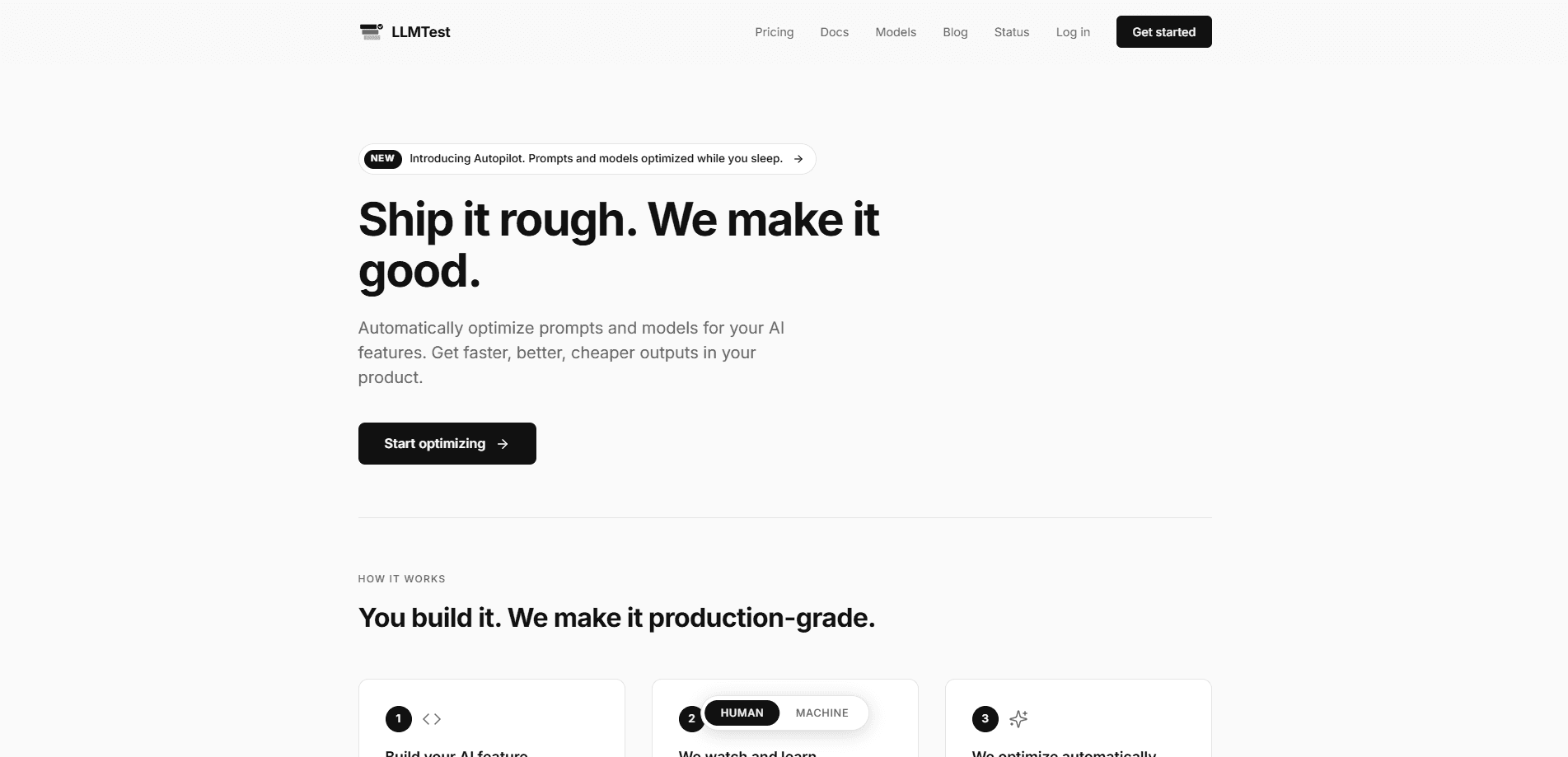
LLMTest is a proxy-based platform for shipping and testing AI features built on large language models. You point your app at its OpenAI-compatible endpoint, pick any of 340+ models, and it handles automatic fallbacks, JSON repair, and cost tracking out of the box. It also benchmarks models before you ship and, with Autopilot, keeps tuning your prompts and model choices on real traffic every week.
About LLMTest
What Is LLMTest
LLMTest is a service that sits between your product and the model providers you call. Instead of wiring your app straight to OpenAI, Anthropic, or Google, you route calls through LLMTest's proxy at https://llmtest.io/v1. That single endpoint speaks the OpenAI format, so most teams change one line (the base URL) and nothing else.
The problem it targets is familiar to anyone who's shipped an AI feature: you don't know if you picked the right model, you don't know what each feature actually costs, and you don't want your app to break when a provider has a bad day. Think of it as an LLM proxy with opinions. LLMTest answers all three. It benchmarks 340+ models against your own prompts, tags every call by flow so you can see cost and latency per feature, and reroutes requests automatically when a model is down or rate-limited. The main limitation is that it's built for developers, not end users.
The main limitation is that it's built for developers, not end users. There's no drag-and-drop UI for non-technical folks, and Autopilot only kicks in on accounts that are 14+ days old with at least 20 real calls on a flow. You need to be comfortable editing code and reading a dashboard. That's the trade-off. You get a lot of control, but you bring the technical know-how.
A model fallback here means one thing: when a provider fails, another model picks up the request. LLMTest handles that swap for you.
Getting Started
- Sign up at llmtest.io/signup and add $5 in credits to your account.
- Copy your API key from the dashboard. Keys start with
llmt_. - Swap your base URL to
https://llmtest.io/v1and use your LLMTest key, or pick a model if you're starting fresh. - Optionally add an
X-Flowheader to tag calls so cost and latency get grouped by feature. - Turn on Autopilot once your account is old enough and a flow has real traffic, then let it run weekly.
Product Information
A quick look at LLMTest's pricing, supported platforms, and performance.
Best for
The users, tasks, and scenarios where this tool fits best.
Users
- Developers shipping AI features
- Engineering leads watching AI spend
- Teams choosing a model from scratch
Tasks
- Adding model fallbacks without new code
- Repairing broken JSON responses
- Finding cheaper models that keep quality
- Tracking token cost per feature
Scenarios
- A chatbot that breaks when a provider goes down
- A startup prepping its first AI feature
- A live product with weekly model releases
Key features
One OpenAI-Compatible Endpoint for 340+ Models
LLMTest exposes a single API at https://llmtest.io/v1 that speaks the OpenAI format. That means the official openai package for JavaScript and Python works after you change the base URL and key. You can call gpt-4o, anthropic/claude-sonnet-4, google/gemini-2.5-flash, meta-llama/llama-4-scout, or any other supported model through the same code path. Think of it as an LLM gateway that hides the provider sprawl. For a team already using an OpenAI SDK, this is the smallest possible migration.
Automatic Failbacks and JSON Recovery
Fallbacks and JSON repair work the moment you route through the proxy, with no feature flags or extra code. If a model returns a 429 or a 5xx, LLMTest retries your request on another model and your app never sees the failure. If you ask for JSON output and the model returns something malformed, the proxy fixes it or retries. You only see the standard response shape, so your parsing logic stays unchanged. If you want to log when a swap happened, the x-llmtest-fallback-model response header tells you which model actually served the call. No guessing. It just tells you.
Cost Tracking by Flow
Every call is logged with token counts, latency, and cost. You tag calls with an optional X-Flow header, and LLMTest groups everything by that name. So "support chatbot" and "product descriptions" show up as separate line items instead of one blurry total. That's the useful part. This is what makes it possible to argue about AI cost with numbers instead of vibes.
Benchmarking Before You Ship
If you haven't picked a model yet, LLMTest's benchmark mode fills the gap. You describe the AI feature, the system generates test prompts, and it runs smart benchmarks across 340+ models. An AI judge scores every output, and the selection logic picks the most relevant challengers rather than testing all 340 blindly. No real traffic needed. You can compare models before launch.
Autopilot Weekly Optimization
Autopilot rewrites your prompts and hunts for cheaper or better models on your real traffic, running weekly in the background. It tests shorter and cheaper variants, and only safe wins go live. You get a Monday-morning email with what changed, what you saved, and a 24-hour revert link. One click undoes any change.
Safety Gates on Every Change
Autopilot changes clear five checks before shipping, which is the part that matters if you care about not breaking production. A win needs a 95% confidence win rate, two independent judges (Claude Sonnet and GPT-4o, position-swapped) agreeing at 80%+, at least 20% savings, a golden set of five known-good inputs passing, and no length bias (variants 50% longer than baseline need human sign-off). It also skips accounts younger than 14 days and enforces a 14-day cooldown per flow, so the same feature never gets retuned twice inside that window. That's a lot of gates.
MCP Server for IDE Workflows
LLMTest also runs as an MCP server inside your IDE, alongside the production proxy. Most teams use the proxy in production for reliability and cost tracking, and the MCP server during development for benchmarking and model selection. Both share the same API key and the same data, so what you test during development lines up with what runs live.
Pros and cons
Pros
- One endpoint covers 340+ models from OpenAI, Anthropic, Google, Meta, and Mistral, cutting the need to manage separate provider integrations.
- Fallbacks and JSON recovery are on by default, so reliability works without added code.
- Per-flow cost tracking gives a breakdown of AI spend that most teams otherwise can't produce.
- Autopilot's five safety gates (confidence, dual judges, savings floor, golden set, length check) make automatic prompt changes less risky than they sound.
- The $5 entry cost is low enough to test the whole thing on a real feature.
Cons
- Autopilot won't run until an account is 14+ days old and a flow has 20+ real calls, so new projects wait before the headline feature turns on.
- There's no public pricing page with fixed tiers; you add credits and pay per usage, which makes budgeting less predictable up front.
- It assumes you're a developer. Non-technical users won't get much from a proxy that needs a base URL and headers.
Frequently asked questions
It's a proxy and testing layer for AI features. You route your model calls through its OpenAI-compatible endpoint, and it adds fallbacks, JSON repair, cost tracking, model benchmarking, and automatic prompt optimization. Still unsure whether you need it? Read on.
Related content
Explore related tools, skills, and articles for LLMTest.
LLMTest Alternatives
Forefront
Forefront · CodingForefront is a web platform for building with open-source AI. It lets you fine-tune leading open-source language models on your own data, evaluate how they perform, and run them through an API or export them to host yourself. Developers who want the convenience of a closed-source platform but insist on owning their models and data are the target audience here.

Startkit
StartKit.AI · CodingStartkit is a boilerplate for building AI SaaS and AI wrapper products. Think of it as an AI startup boilerplate with the boring parts already wired up: authentication, Stripe and Lemon Squeezy payments, usage limits, transactional email, and an AI API starter that talks to OpenAI, Anthropic, Groq, or Llama. You clone the repo, set your price, and start on the part of your product that people actually pay for. It's Next.js under React and Tailwind, so most of the boilerplate code already feels familiar.
Testim
Tricentis · CodingTestim is an AI-powered test automation platform for building and running end-to-end tests across web, mobile, and Salesforce applications. It leans on machine learning to keep tests stable when an interface changes, so teams spend less time fixing broken selectors. Not bad for an automated testing tool you can start using today. You create tests by recording actions in a browser, then optionally add JavaScript when you need more control. It's a solid pick for busy QA teams.