

LM Studio
Element Labs (LM Studio) · Other · Chatbot
LM Studio is a desktop app for running open AI models on your own computer, with an agent for documents and code and a local OpenAI-compatible API.
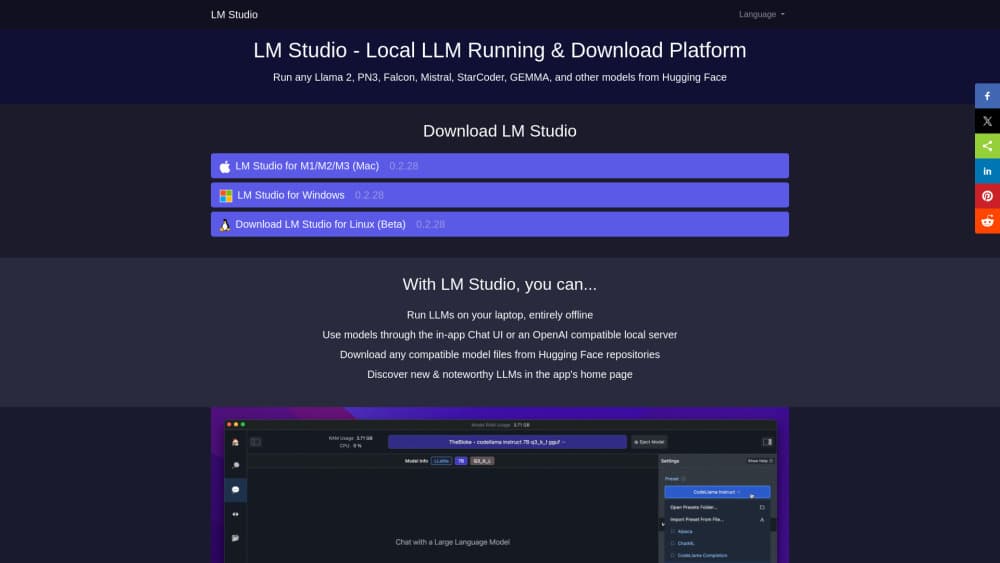
About LM Studio
What Is LM Studio
LM Studio is a desktop app that downloads open language models and runs them on your own hardware. You browse a catalog pulled from Hugging Face, pick a model that fits your memory and graphics card, and start chatting. The local LLM runs entirely on your machine once the weights are on disk.
The newer build, called LM Studio Bionic, turns that same app into an agent workspace. You open a project, give it a task, and it reads files, edits documents, writes code, or controls parts of the desktop. Local models still sit underneath. When a job is too big for your GPU, you can switch that session to an open model hosted in the US instead of switching tools.
The appeal is the setup it removes. There's no Python environment to build, no CUDA toolkit to match, no config file to hand-edit. LM Studio checks your machine and tells you which models will run comfortably and which will crawl. That single decision, made before a 20 GB download, saves most beginners a wasted evening.
The limits matter too. The app is closed source, so you can't audit or fork it. Model size is capped by your RAM and VRAM, which rules out the largest open models on a laptop. And it's built for one person at a desk, not for a team hammering the same endpoint all day.
Getting Started
- Download LM Studio from lmstudio.ai for macOS, Windows, or Linux, then open it. No account is needed to browse the model catalog.
- Search for a model by name or use the recommended list, which is filtered against your detected memory and GPU. Start smaller than you think you need.
- Download the weights and load the model. The app picks a runtime for you, MLX on Apple Silicon and llama.cpp elsewhere, and shows how much of the model sits on the GPU.
- Chat in the built-in window, or drop a PDF and a spreadsheet into a project and ask questions about them.
- Flip on the local server when a script needs access. It listens on port 1234 by default and speaks the OpenAI chat completions format, so existing client libraries work after you change the base URL.
Product Information
A quick look at LM Studio's pricing, supported platforms, and performance.
Best for
The users, tasks, and scenarios where this tool fits best.
Users
- Privacy-conscious professionals
- Developers testing prompts
- Students and hobbyists learning how LLMs behave
Tasks
- Summarizing long documents offline
- Writing and refactoring code
- Drafting and editing work documents
- Powering another app with a local endpoint
Scenarios
- Working on a plane or in a locked-down office
- Keeping sensitive client material in-house
- Running a model on a home server instead of a desk
Key features
Local Model Catalog With Hardware Checks
The app ships a searchable index of open models, pulled from Hugging Face and filtered by what your machine can actually handle. Each entry shows file size, quantization, and a comfort rating, so you can tell a smooth 8B run from a 70B model that will swap to disk and stall. Downloads resume and retry on their own. This is the feature that separates LM Studio from a raw llama.cpp build for most people.
Bionic Agent for Documents and Code
Bionic is a project-based agent layer on top of the model. Open a project, start a session for one task, and let it read files, write to them, and run commands. Document sessions create and revise text and slides with automatic saving. Code sessions work across a repository. You can keep several sessions running in one project, which helps when a research task and a build task shouldn't share context.
OpenAI-Compatible Local Server
One switch turns the loaded model into an HTTP endpoint at localhost:1234, with the same request shape as OpenAI's chat completions API. Existing SDKs and clients work after a base URL change and a placeholder key. There's also an SDK and a CLI for scripting, plus structured output and tool calling support that depends on the model. For local prototyping, it removes the need for a mock server.
MLX and llama.cpp Runtimes
LM Studio bundles two inference engines and picks between them per platform. Apple Silicon Macs get MLX, which is tuned for unified memory and tends to feel quicker on M series chips. Windows and Linux machines run llama.cpp with GPU offload to Nvidia, AMD, or Intel graphics. You can adjust how many layers sit on the GPU when a model barely fits, trading speed for headroom.
Offline Document Chat
You can hand the app a PDF, a Word file, or a set of notes and ask questions about the contents. Retrieval happens on your machine against a local index, so the document never uploads. It's the practical version of the privacy pitch for anyone who reads contracts or research papers for a living.
Local Voice Input
Bionic transcribes speech as you talk, using a model that runs on the device. Audio isn't shipped to a server. Dictating a paragraph into a document or a chat prompt works without a network connection, and several languages are supported. Accuracy trails paid cloud transcription on accented speech, which is the trade for keeping the audio local.
Pros and cons
Pros
- One installer covers model discovery, chat, document Q&A, and an API, so there's no Python or CUDA setup to fight through.
- The hardware check before download prevents the most common beginner mistake, which is grabbing a model that can't fit in memory.
- MLX support makes it one of the fastest ways to run open models on an Apple Silicon Mac.
- The local server is a drop-in replacement for OpenAI clients, including tool calling and structured output on models that support them.
- The free tier is genuinely usable for local work, and the paid tiers only matter if you want hosted models or heavier usage.
Cons
- Local model quality is bounded by your hardware. A 16 GB laptop tops out around small and mid-size models, and the best open weights stay out of reach.
- The app is closed source, so teams that need to audit, patch, or redistribute their inference stack should look at llama.cpp or vLLM instead.
- Serving is aimed at a single user. Concurrency and batching are limited compared with a production stack, which shows up as queued requests once two or three clients hit the same port.
- The product is changing quickly, and the split between classic LM Studio and Bionic means some tutorials and settings no longer match what you see on screen.
Frequently asked questions
Yes. The Free plan costs nothing and covers local model downloads, chat, the agent, and the local server. LM Studio pricing only kicks in above that: Bionic+ is $20 per month for hosted open models and web search, and Pro is $100 per month for five times the usage allowance and early features.
Related content
Explore related tools, skills, and articles for LM Studio.
LM Studio Alternatives

Odyssey 3
Odyssey · OtherOdyssey-3 is Odyssey's foundation world model. It simulates physics in real time, turns a prompt into an interactive environment, and adapts to robots, cars and games.

JarvisCore
Prescott Data · Coding · Productivity · OtherJarvisCore is an open source Python runtime where AI agents work as equal peers on an agent mesh, claim tasks from a shared ledger, and reach external services through a zero-trust broker.
Clef
Cloudflare · Business · OtherClef is Cloudflare's open-source decision model for Workers AI. It returns calibrated probabilities for typed questions, not generated text, so agents can classify, route, and act fast.