

LocaleX
Rıza Erdi Karakuş · Coding
LocaleX is a native macOS app that handles localization for iOS and macOS projects. Instead of juggling spreadsheets and manual string files, you open your Xcode project, pick languages, and let AI translate the whole thing while you keep control of terminology. It speaks .xcstrings and legacy .strings directly, so nothing gets exported and re-imported. Pricing sits at $49.99 a year, and you supply your own AI provider key. It's built for the messy, repetitive parts of a localization workflow. If you ship apps to international markets and hate the busywork of app localization, this tool is aimed squarely at you.
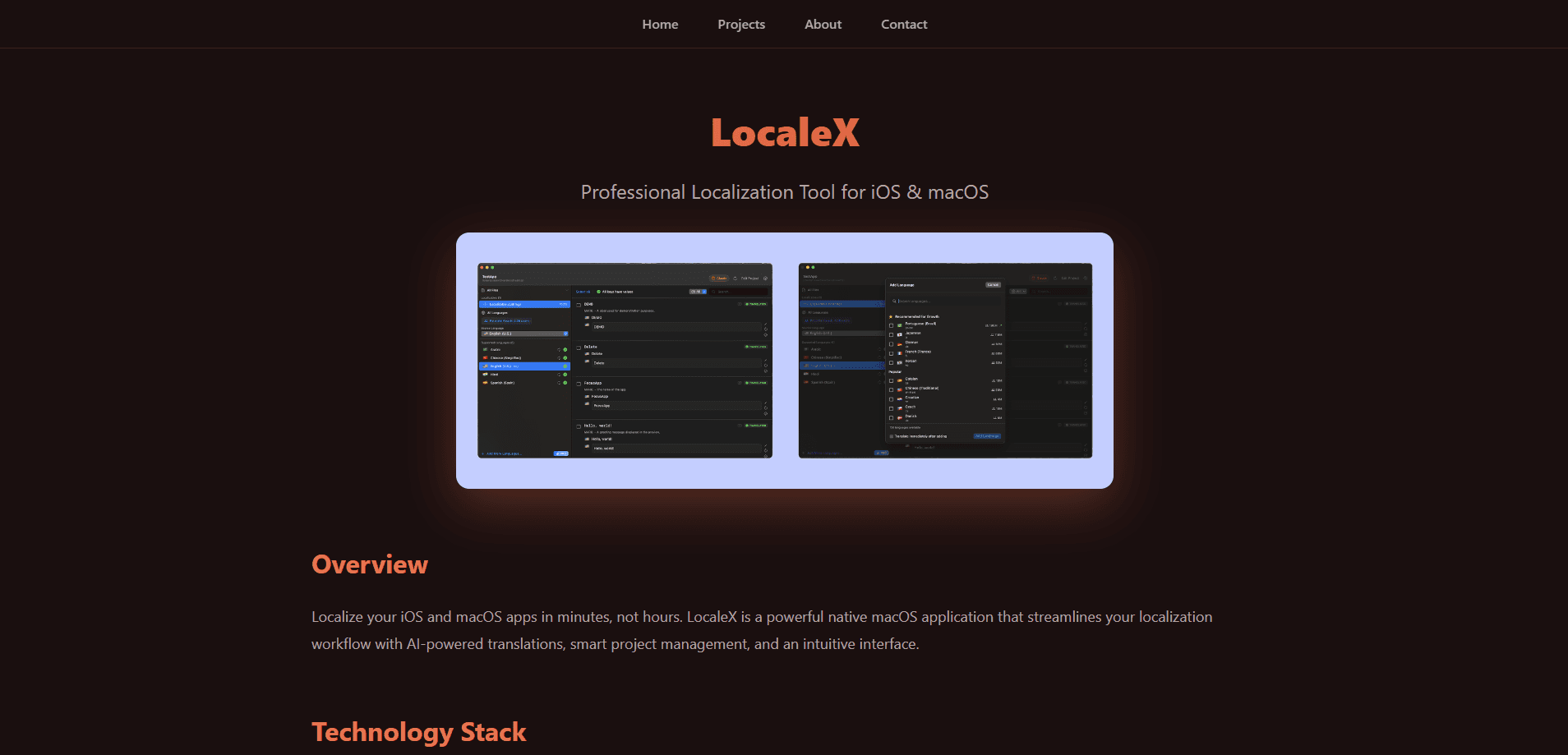
About LocaleX
What Is LocaleX
LocaleX is a desktop app for developers who need to translate an app into many languages without handing the job to an agency. It runs natively on macOS, reads your existing Xcode localization files, and pushes translations straight back into the project. The idea is that iOS app localization and macOS localization should feel like a normal build step, not a separate project you manage offline.
What it solves is the grind. Traditional app localization means exporting strings, sending them off, waiting, then pasting results back and hunting for the ones that broke. LocaleX keeps the strings in place and uses AI to fill in the gaps, which cuts the number of handoffs between your codebase, your translators, and whatever spreadsheet happened to be tracking the whole thing last quarter. You can target 130+ languages. The practical list depends on which markets matter to your users.
The honest limit is that the translation quality belongs to the AI model you choose, not to LocaleX. The app passes your context along and keeps terms consistent, but you still proofread before a release. And because you bring your own API key, you're paying the model provider separately from the $49.99 yearly fee. If you want a fully managed service with human translators, this isn't that. Simple as that.
Getting Started
- Download LocaleX to your Mac and open your Xcode project from inside the app.
- Add the target languages you want from the curated list, checking the reach metrics as a guide.
- Enter an API key for your chosen AI provider (Anthropic, OpenAI, or Google).
- Run Translate All and let it work through your strings.
- Review the results, refine anything that reads wrong, then sync the changes back to Xcode.
Product Information
A quick look at LocaleX's pricing, supported platforms, and performance.
Best for
The users, tasks, and scenarios where this tool fits best.
Users
- Solo iOS and macOS developers
- Small development teams
- Developers targeting global markets
Tasks
- Translating an entire app into a new language set in one pass for AI translation for apps.
- Keeping brand names and product terms untranslated through a custom glossary.
- Catching tone and context problems before they reach production through built-in proofreading.
Scenarios
- A release deadline is close and the localization backlog needs clearing in an afternoon.
- You maintain several localized projects and want one workflow for all of them.
- You're done with manual string-file wrangling and want Xcode localization that runs in place.
Key features
Translating With Your Own AI Provider
LocaleX leans on Claude, ChatGPT, or Gemini to translate your strings, and it passes project context so results fit how your app actually reads. You plug in your own API key, which means the app never sees your content and processing happens on your provider account. The trade-off is that you pay the model vendor directly, and quality tracks whichever model you pick. Not ideal for everyone. Know that going in.
Native Xcode Integration
The app reads and writes .xcstrings and legacy .strings files without any export or import step. Changes sync back to your project automatically, so the localized content stays close to the code that uses it. For anyone who's spent hours shuttling strings between tools, this is the part that changes the job. It's fast. It's quiet.
Smart Translation Memory
LocaleX records strings you've already translated and suggests them again when similar text shows up. That keeps the same phrase consistent across a large app and saves the cost of re-running work you've already paid for. Over a few releases it builds into a useful record of your app's own voice. It also means fewer surprises late in a project.
Custom Glossary
You define brand terms, product names, and words that should never be translated, and the app enforces them across every target language. It's a small feature that prevents embarrassing cases, like your product name getting localized into something that reads as a common noun. Little things matter here.
Quality Assurance and Proofreading
Built-in proofreading flags context issues, tone mismatches, and likely translation errors before you ship. It's a review layer, not an automatic fix, so you still read what the model produced. Think of it as a second set of eyes that catches the obvious misses. It won't think for you. That job stays yours.
Fast Project Workflow
What separates a tool like this from a batch script? Speed and control. Bulk operations, keyboard shortcuts, and a layout built for developers let you translate hundreds of keys in seconds. Recent projects stay a tap away, and progress tracking shows how far along each language is. It's the difference between waiting on a batch job and actually working.
Pros and cons
Pros
- Reads and writes .xcstrings and .strings directly, so no export-import loop.
- Uses your own API key, so your strings never pass through LocaleX servers.
- Translation memory and glossaries keep large projects consistent across languages.
- A single $49.99 yearly fee with unlimited projects and translations.
- Targets 130+ languages with reach metrics to help prioritize markets.
Cons
- macOS only, so Windows and Linux developers can't use it.
- No free plan, so you can't test the workflow before paying.
- Translation quality depends on your AI provider, and you pay that provider separately from the app fee.
- The AI output still needs proofreading before release, which adds a review step.
Frequently asked questions
No. LocaleX costs $49.99 per year, which covers unlimited projects and translations. You also pay your AI provider directly for the translations it generates, since the app uses your own API key.
Related content
Explore related tools, skills, and articles for LocaleX.
LocaleX Alternatives
Forefront
Forefront · CodingForefront is a web platform for building with open-source AI. It lets you fine-tune leading open-source language models on your own data, evaluate how they perform, and run them through an API or export them to host yourself. Developers who want the convenience of a closed-source platform but insist on owning their models and data are the target audience here.

Startkit
StartKit.AI · CodingStartkit is a boilerplate for building AI SaaS and AI wrapper products. Think of it as an AI startup boilerplate with the boring parts already wired up: authentication, Stripe and Lemon Squeezy payments, usage limits, transactional email, and an AI API starter that talks to OpenAI, Anthropic, Groq, or Llama. You clone the repo, set your price, and start on the part of your product that people actually pay for. It's Next.js under React and Tailwind, so most of the boilerplate code already feels familiar.
Testim
Tricentis · CodingTestim is an AI-powered test automation platform for building and running end-to-end tests across web, mobile, and Salesforce applications. It leans on machine learning to keep tests stable when an interface changes, so teams spend less time fixing broken selectors. Not bad for an automated testing tool you can start using today. You create tests by recording actions in a browser, then optionally add JavaScript when you need more control. It's a solid pick for busy QA teams.