

Locally AI
Locally AI · Other
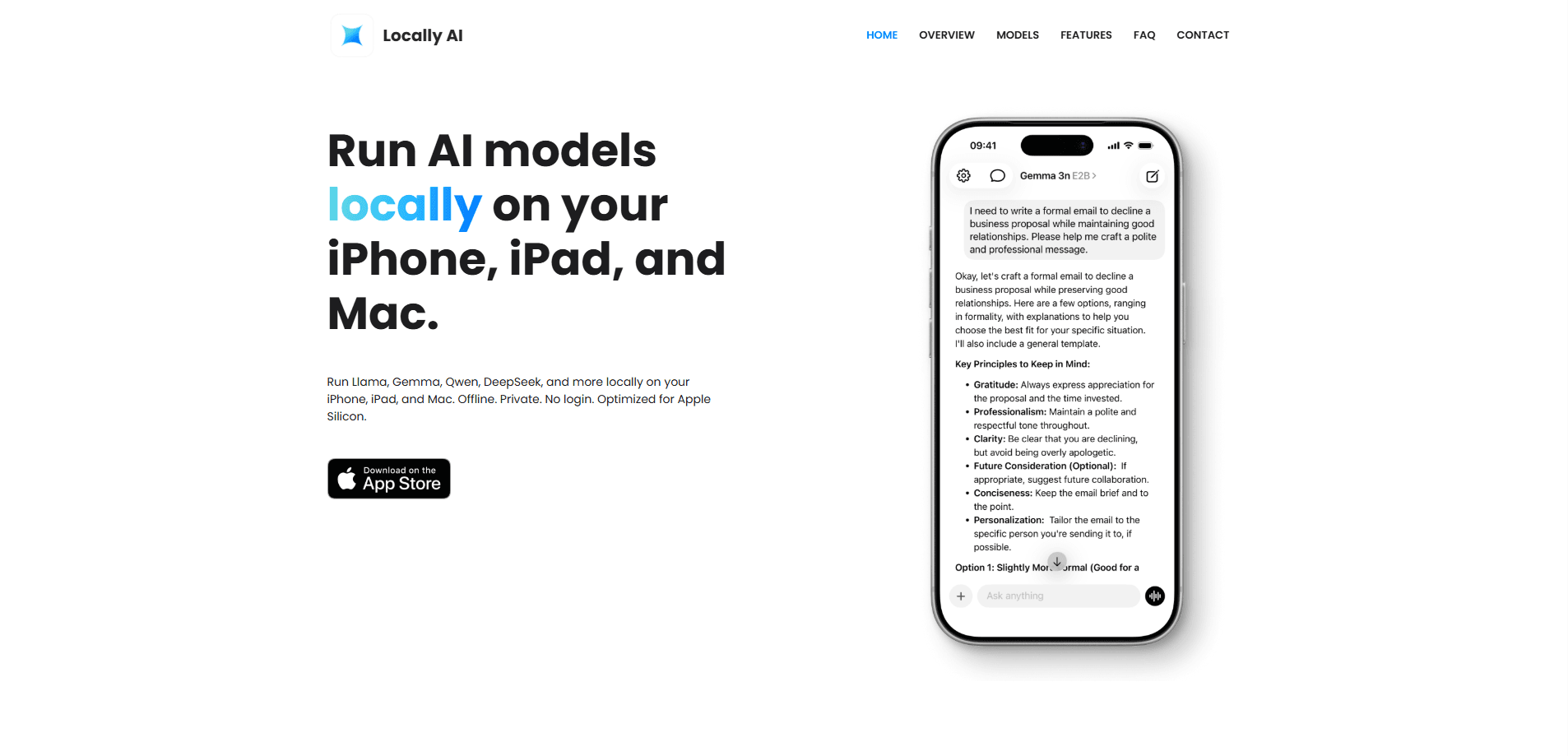
Locally AI is an offline AI assistant that runs open AI models entirely on your iPhone, iPad, or Mac. It's a local AI app for Mac and mobile alike, with no cloud, no login, and no data collection, so your chats stay on the device you're holding. Download a model once, then talk to it anywhere, even with no signal.
About Locally AI
What Is Locally AI
Locally AI is an on-device AI assistant built for Apple hardware. Instead of sending your prompts to a server, it loads open language and vision models straight onto your device and runs them there. The result is a chat app that works in airplane mode and keeps every conversation on your machine.
That local-first approach solves one problem above all others: private AI chat. When nothing leaves your device, there's nothing to leak, sell, or subpoena. It also means no subscription and no account, since the app doesn't need a backend to function.
The trade-off is hardware. Locally AI leans on Apple Silicon and the MLX framework, so it wants a recent iPhone, iPad, or Mac. On older devices, models load slowly or fail to run. You also have to download each model yourself. The bigger ones take real storage space. Not ideal, but that's local AI for now.
Getting Started
- Install Locally AI from the App Store on your iPhone, iPad, or Mac.
- Open the model browser and pick a model that fits your device, starting with a smaller one if you're unsure.
- Download the model over Wi-Fi and let it finish before you chat.
- Start a conversation by typing or using voice mode, then adjust the system prompt if you want a different tone.
- Optionally wire it into Siri, Shortcuts, or the Control Center for one-tap access.
Product Information
A quick look at Locally AI's pricing, supported platforms, and performance.
Best for
The users, tasks, and scenarios where this tool fits best.
Users
- Privacy-minded people
- Frequent travelers
- Students and researchers
- Apple loyalists
Tasks
- Drafting and rewriting text
- Asking questions offline
- Voice conversations
- Image questions
Scenarios
- Working with sensitive material
- Travel and commuting
- Low-connectivity homes
- Quick Siri-style lookups
Key features
Fully offline operation
The whole point of Locally AI is that it runs without a network. Once a model is on your device, every prompt and reply is processed locally. No servers involved. That makes the app dependable in places where cloud assistants fail, and it removes the usual lag that comes with a server round trip.
On-device model library
The app supports a range of open models, covering families like Llama, Gemma, SmolLM, DeepSeek, Qwen, Granite, Cogito, and LFM, so you can match a model to whatever your device and your patience can realistically handle at any given moment. Pick what to install. Smaller models run faster. Larger ones are smarter but heavier. It's a real pick-your-poison setup rather than one fixed model.
Local voice mode
Voice mode runs entirely on the device too, so you can hold a spoken conversation without any audio leaving your phone or Mac. It reacts in real time and skips the upload and download delay of cloud voice assistants.
Vision model support
Locally AI handles image tasks alongside text. Vision-capable models let you ask questions about a photo or screenshot directly, and the analysis happens on-device like everything else.
Siri and Shortcuts integration
You can trigger the assistant with "Hey, Locally AI" through Siri, or wire it into the Shortcuts app to build automatic workflows. The Control Center, Lock Screen, and Action Button also give you one-tap access without hunting for the app icon.
Custom system prompts
A customizable system prompt lets you set how the assistant behaves. Want short answers? Say so. Want a warmer tone or a specific role? Same deal. The same model can feel different depending on the task.
Apple Silicon and MLX performance
The app is built around Apple Silicon and MLX, Apple's machine learning framework. That pairing taps the unified memory on modern chips, so models load quickly and answers come back with far less power draw than you'd normally expect from running a large language model locally on a handheld device.
Pros and cons
Pros
- Complete privacy: prompts, replies, and voice never leave your device, and there's no backend quietly logging your conversations somewhere for later review or resale.
- No account and no subscription, so there's nothing to sign up for or cancel.
- Works offline in airplane mode once a model is downloaded.
- Ties into Siri, Shortcuts, and the Control Center for fast access.
- Supports a broad set of open models, including vision-capable ones.
Cons
- Needs recent Apple Silicon, so older iPhones, iPads, and Macs run poorly or not at all.
- You must download models yourself, and larger ones eat up a lot of storage.
- There's no Android, Windows, or web version, which locks out non-Apple users.
- Local models generally trail the biggest cloud models on hard reasoning tasks.
Frequently asked questions
It's an AI assistant app for iPhone, iPad, and Mac that runs open language and vision models directly on your device. So what does that change? Nothing is sent to a cloud server, which means it works offline and keeps your chats private.
Related content
Explore related tools, skills, and articles for Locally AI.
Locally AI Alternatives
BinkBink
BinkBink · OtherBinkBink is a free online game platform and AI game maker that lets anyone turn a short text description into a playable browser game. You can jump into hundreds of community-made games. Or describe your own idea and play it in seconds, then share it with friends. Want to create your own game? You don't need to code. No engine setup, no download, no hassle.

Audiogen
Audiogen Inc. · OtherAudiogen is an AI music generator built by Audiogen Inc., a small research team that spent about 2.5 years training its own generative music model and designing a web interface around it. Instead of a plain text box, this AI music tool turns the timeline into a beginner-friendly Generative Audio Workstation, or GAW, where inpainting, extending, remixing and stem editing work more like painting on a canvas. The product is still in beta, so access runs through a waitlist or an invite. Paid plans aren't published yet.

Aiml API
AIMLAPI OÜ · OtherAiml API is a unified AI model API that puts more than 1000 models from OpenAI, Google, Anthropic, and others behind one endpoint and one bill. You write code against a single OpenAI-compatible schema, then switch between chat, image, video, and audio models by changing a model string. It suits developers and small teams who want multi-model access without juggling a dozen separate provider accounts, and it removes the usual billing headache that comes with testing several vendors. One key covers it all.