
localskills.sh
localskills · Coding
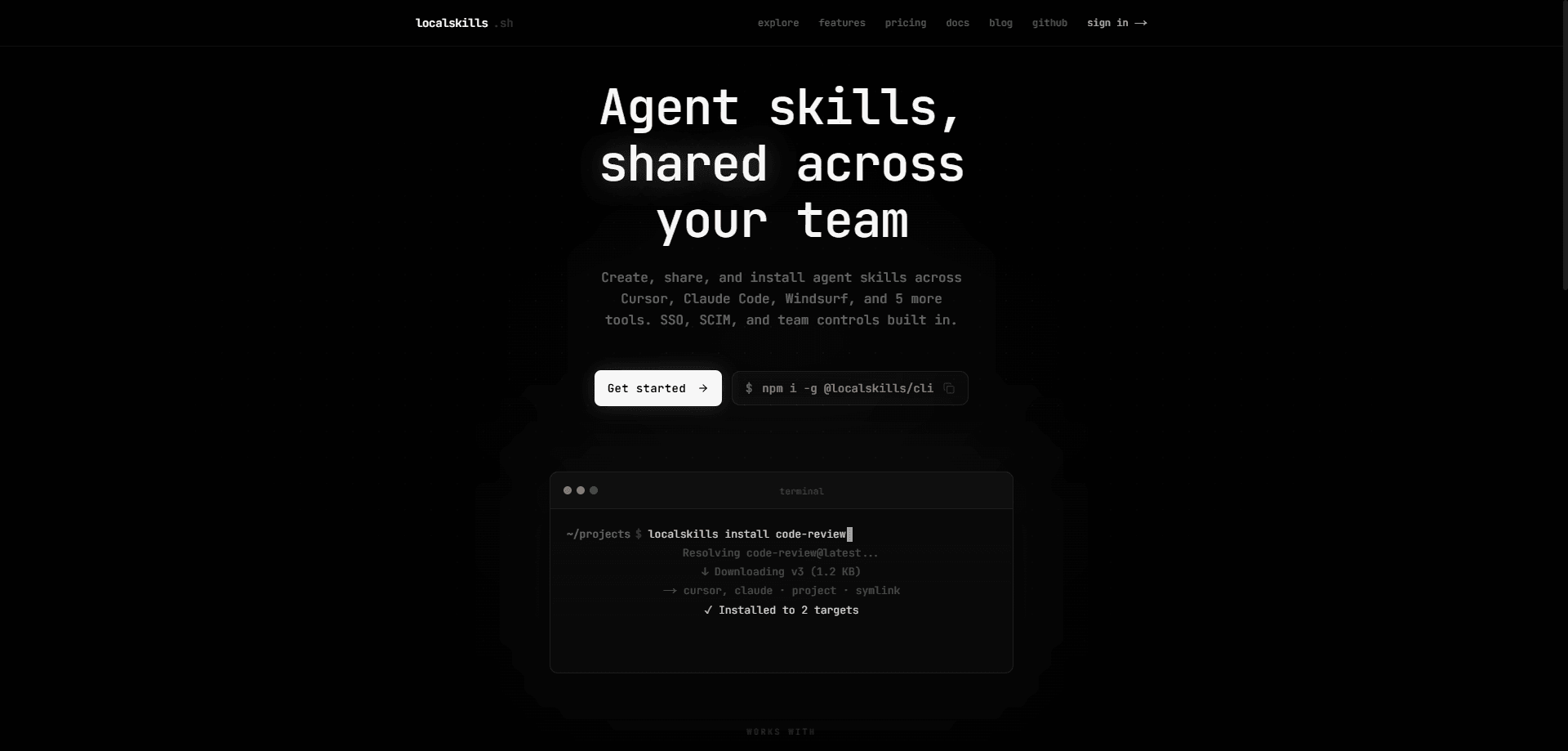
localskills.sh is an agent skill registry and command-line tool for creating, versioning, and installing reusable agent skills and rules across your AI coding tools. Write a skill once, publish it to a shared library, and the agent skills CLI writes each tool's native format so the same instructions work in Cursor, Claude Code, Windsurf, and several others. Teams get access control, SSO, and audit logs on top of that library.
About localskills.sh
What Is localskills.sh
localskills.sh is a platform for teams who keep rewriting the same agent instructions in every AI coding tool they use. The core idea is simple. A skill is a folder with a SKILL.md file plus any scripts and references it needs, and localskills.sh turns that folder into one versioned package you can install wherever you work.
The problem it solves is drift. If five developers each paste their own prompt rules into Cursor, those shared AI coding rules quietly diverge, and nobody knows which version is current. localskills.sh keeps a single source of truth in a registry, then syncs it out to each tool. Publishing from the CLI, the REST API, or a web editor all feed the same library. It's one library, many tools. Everything flows both ways now.
That library is also where the limits show. The free tier covers every feature but caps at 10 seats, and above that you have to talk to the company for per-seat pricing. Individual packages max out at 500 files or 1 MB per version, which is fine for prompts and small scripts but tight if you want to ship large assets. And you need the CLI installed and authenticated before any of this does much for you. It's a developer tool, not a click-and-go app. No CLI, no payoff.
Getting Started
- Install the CLI globally with npm, pnpm, yarn, or bun (
npm i -g @localskills/cli), then confirm it withlocalskills --version. - Run
localskills loginto start the browser device-code flow, or create an API token in the dashboard and pass it withlocalskills login --token lsk_your_token_herefor CI and headless machines. - Browse the public catalog at localskills.sh/explore, or run
localskills installwith no arguments to pick a skill interactively. - Install agent skills by slug, choosing your platforms, scope (global or project), and install method. Flags like
-t cursor,claude --project --symlinkskip the prompts. - Publish your own with
localskills publish .claude/skills/my-skill --visibility public. Skills stay private to your organization by default until you say otherwise.
Product Information
A quick look at localskills.sh's pricing, supported platforms, and performance.
Best for
The users, tasks, and scenarios where this tool fits best.
Users
- Engineering teams sharing prompt rules
- Individual developers juggling multiple AI coding tools
- Platform and DevEx owners
Tasks
- Standardizing agent rules across a codebase
- Rolling back a bad instruction change
- Wiring agents into a workflow via MCP
Scenarios
- Onboarding a new engineer
- CI pipelines publishing skills
- Auditing who changed what
Key features
One Skill, Many Tools
The selling point is reach. A single CLI targets Cursor, Claude Code, Windsurf, Cline, GitHub Copilot, Codex, OpenCode, Flue, and Aider, and it writes each tool's own format for you. These AI coding tool integrations are the whole reason the product exists. You choose how it lands per tool: symlink, copy, or embed as a section inside an existing rules file. Installs are tracked in a project config keyed by stable public IDs, so the state of your setup survives tool updates.
Versioned Publishing
Every publish creates a new immutable version, and version history comes with one-click rollback. You can push from the CLI, the REST API, or a web editor, and each skill folder becomes one versioned artifact. Broke a rule? Roll it back. The cap is 500 files or 1 MB per version, which fits prompts, config, and small scripts but rules out bundling heavy binaries.
Team Access Control
Organizations get four built-in roles plus custom roles with granular permissions. Folder ACLs let you lock down a whole subtree and then hand access back to specific teams or members. Grants only ever narrow what someone can do; they can't push a user past their role, which keeps permission changes from quietly becoming escalations.
Enterprise Identity
SAML 2.0 single sign-on works with Okta, Azure AD, or Google Workspace, and SCIM 2.0 handles directory sync with IdP group-to-team mapping. Think of this as SSO and SCIM for AI teams that have to pass an IT review. Email domain enforcement means your organization can require company accounts for sign-in. This is the part that makes localskills.sh viable for a company with real IT requirements rather than a handful of devs.
MCP Server Integration
localskills.sh runs a Model Context Protocol server with OAuth and scoped grants, so agents can search, read, and publish skills without a human relaying files. Setup is documented for Claude Code, claude.ai, Cursor, Codex CLI, Windsurf, and VS Code. You can also manage MCP servers centrally for your team and install them into any tool with one command. Handy for agent-heavy teams.
Analytics and Audit
Installs are broken down by source (CLI, web, or API) with 7-day and 30-day trends per skill. The audit log covers publishes, rollbacks, SSO logins, SCIM provisioning, and token lifecycle, with actor attribution and 90 days of retention. If a skill goes missing or a rule changes unexpectedly, this is where you find out who touched it and when. That's the point.
REST API and CI/CD Tokens
The platform exposes a full REST API, and lsk_ tokens use 256-bit entropy, are hashed at rest, and can be revoked. For pipelines, an OIDC token from your CI provider exchanges for platform access, so you don't store a long-lived secret anywhere. A push-only GitHub mirror also syncs your full skill tree into a repo you own.
Pros and cons
Pros
- Installs the same skill into 9 AI coding tools and writes each native format, so you stop maintaining parallel copies.
- The free tier includes private skills, custom roles, folder ACLs, SAML SSO, SCIM, the MCP server, and the API, with no feature gates below 10 seats.
- Immutable version history with rollback makes instruction changes reversible.
- SSO, SCIM, audit logs, and a GitHub mirror cover the controls enterprise IT usually asks for first.
- Works from the CLI, the API, a web editor, or an MCP-connected agent, so it fits different workflows.
Cons
- Pricing above 10 seats isn't published, so growing teams can't budget without contacting sales. That's a real wrench in planning.
- Packages cap at 500 files or 1 MB per version, which blocks shipping large assets with a skill.
- You must install and authenticate the CLI to get real value, adding setup steps for non-CLI users. No shortcut around it.
- Audit log retention is 90 days, so older changes roll off if you need a longer trail.
Frequently asked questions
A skill is a folder containing a SKILL.md file plus any scripts and references it depends on. localskills.sh packages that folder into one versioned artifact and installs it into your AI coding tools. Sounds abstract, but it's just files. The SKILL.md holds the instructions; the rest of the folder carries the supporting files.
Related content
Explore related tools, skills, and articles for localskills.sh.
localskills.sh Alternatives
Forefront
Forefront · CodingForefront is a web platform for building with open-source AI. It lets you fine-tune leading open-source language models on your own data, evaluate how they perform, and run them through an API or export them to host yourself. Developers who want the convenience of a closed-source platform but insist on owning their models and data are the target audience here.

Startkit
StartKit.AI · CodingStartkit is a boilerplate for building AI SaaS and AI wrapper products. Think of it as an AI startup boilerplate with the boring parts already wired up: authentication, Stripe and Lemon Squeezy payments, usage limits, transactional email, and an AI API starter that talks to OpenAI, Anthropic, Groq, or Llama. You clone the repo, set your price, and start on the part of your product that people actually pay for. It's Next.js under React and Tailwind, so most of the boilerplate code already feels familiar.
Testim
Tricentis · CodingTestim is an AI-powered test automation platform for building and running end-to-end tests across web, mobile, and Salesforce applications. It leans on machine learning to keep tests stable when an interface changes, so teams spend less time fixing broken selectors. Not bad for an automated testing tool you can start using today. You create tests by recording actions in a browser, then optionally add JavaScript when you need more control. It's a solid pick for busy QA teams.