

Logo Theme AI
Logo Theme AI · Other
Logo Theme AI is a web tool that redraws your existing logo in more than 200 themed styles, covering holiday mockups, social media avatars, banners, and app icons.
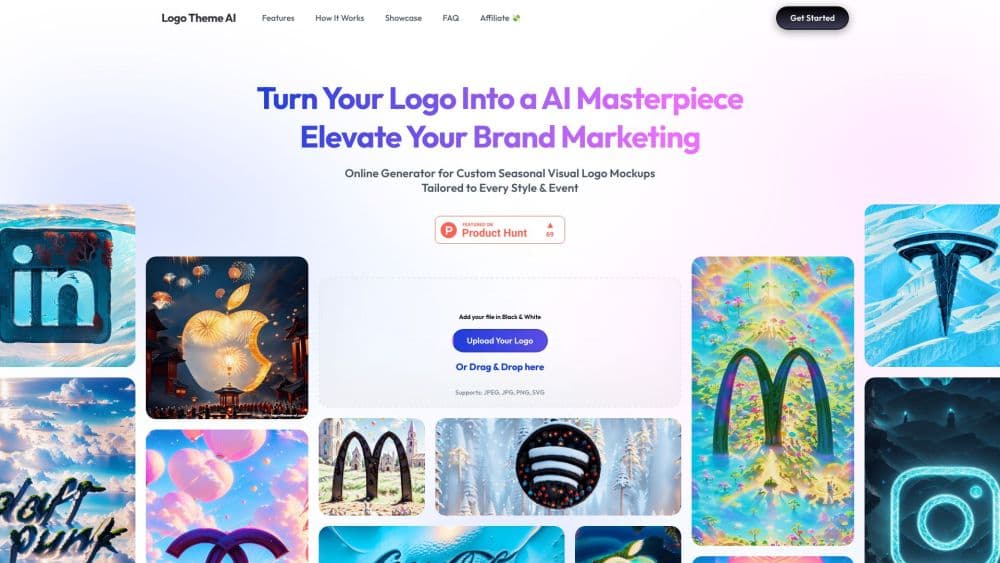
About Logo Theme AI
What Is Logo Theme AI
Logo Theme AI takes a logo you already own and rebuilds it for a season, a holiday, or a product launch. You upload the mark in black and white, pick a format, and the tool returns a themed version sized for the place it will live: a profile picture, a banner, a newsletter header, or an app icon.
The pitch is narrow on purpose. It doesn't design a brand from nothing, and it won't touch typography, layout, or naming. What it does is solve a small recurring chore. Your mark sits unchanged for eleven months, then December arrives and every channel wants something festive by Friday. Doing that by hand in a design app means rebuilding vector files four times a year.
The library covers the obvious calendar beats: New Year, Valentine's Day, St. Patrick's Day, Easter, summer solstice, back to school, Halloween, and Christmas, plus monthly themes for January, April, July, October, and December. A custom theme option lets you describe elements yourself when the calendar doesn't have your occasion.
The main constraint is that it works from what you give it. A blurry JPEG turns into a blurry themed JPEG, and a mark with fine lettering can lose detail once the AI restyles it. Preview before you download.
Getting Started
- Open logo-theme-ai.com and drop your logo into the upload box, or click it to browse. It supports JPEG, JPG, PNG, and SVG, and the site asks for a black and white version.
- Choose the output format you need: avatar, banner, app icon, or another layout, then pick a theme from the library or start a custom one.
- Describe what you want if you went custom, then hit generate. The tool shows the restyled mark, and you can run it again with a different theme.
- Download the file and place it in the channel it was built for, or leave your email to get themed versions sent when an event comes around.
Product Information
A quick look at Logo Theme AI's pricing, supported platforms, and performance.
Best for
The users, tasks, and scenarios where this tool fits best.
Users
- Small business owners who handle their own marketing
- Social media managers running several brand accounts
- Solo founders and creators launching around an event
Tasks
- Refreshing a profile picture for a holiday
- Building a seasonal banner set for newsletters
- Updating an app icon for a launch or a season
Scenarios
- December retail push
- Back to school campaigns for tutoring, bookshops, or kids brands
- Testing a rebrand direction before committing
Key features
Upload and Format Selection
The workflow starts with a file, not a prompt. You hand over a logo in JPEG, JPG, PNG, or SVG and say what you need it for: an avatar, a banner, an app icon, or another format. That choice matters, because a 1024 pixel square avatar and a wide banner crop the mark differently. Asking for the format up front means you don't spend an afternoon resizing.
More Than 200 Themed Mockups
The template library is the core of the product, and the seasonal logo templates are what most people come for. Holiday sets cover New Year, Valentine's Day, St. Patrick's Day, Easter, summer solstice, back to school, Halloween, and Christmas, and monthly sets cover January, April, July, October, and December. Each one is a mockup rather than a filter, so background, lighting, and decorative elements are rebuilt around your mark instead of pasted on top.
Custom Themes
When the calendar doesn't match your campaign, you describe the look you want and the AI builds it. This is the part that separates a logo theme generator from a holiday sticker pack: a coffee roaster can ask for a harvest palette in September, and a gaming studio can ask for a neon launch theme in March.
Outputs for Social, Email, and App Stores
Themes ship sized for Instagram, Facebook, and X profiles, for newsletter headers, and for app icons. That spread is why people bother. One mark, one session, several placements, and the branded app icon maker side of the tool keeps the store listing in step with the rest of the campaign. It doubles as a social media avatar generator, which is the request that lands in most inboxes first.
Event-Based Email Delivery
You can leave an email address and let the service send updated logos when an event comes around. It removes the "remember to refresh the avatar" task from your list. Set it once, and the seasonal versions arrive in your inbox instead of surprising you on the morning a campaign goes live.
Black and White Source Handling
The site asks for a monochrome file and builds color around it. That is a practical choice for small teams. A one color mark gives the AI a clean silhouette to restyle, and it keeps the logo recognizable once glitter, snow, or autumn leaves get added.
Pros and cons
Pros
- Removes a recurring seasonal chore that eats a few hours four or five times a year.
- The 200+ template library covers the holidays most brands actually need, plus a custom route for everything else.
- Format-first flow means outputs arrive at avatar, banner, and icon sizes instead of one file you crop yourself.
- No design skill required, and no subscription to a full design suite just to recolor a mark.
Cons
- It restyles a logo, it doesn't make one. If your mark is weak or unfinished, themed versions of it stay weak.
- Restyling can shift fine lettering and thin strokes, so a preview check is mandatory before anything goes live.
- The site publishes no price list and no licensing terms, which is a real problem if you plan to use outputs in paid ads.
- Everything runs through app.qrcode-ai.com, a shared web app that also hosts a QR code generator, so the workspace carries another product's name.
Frequently asked questions
It produces themed versions of a logo you already have. You upload the mark, choose a holiday or a custom theme, and download the result as a social avatar, a banner, a newsletter header, or an app icon.
Related content
Explore related tools, skills, and articles for Logo Theme AI.
Logo Theme AI Alternatives

Odyssey 3
Odyssey · OtherOdyssey-3 is Odyssey's foundation world model. It simulates physics in real time, turns a prompt into an interactive environment, and adapts to robots, cars and games.

JarvisCore
Prescott Data · Coding · Productivity · OtherJarvisCore is an open source Python runtime where AI agents work as equal peers on an agent mesh, claim tasks from a shared ledger, and reach external services through a zero-trust broker.
Clef
Cloudflare · Business · OtherClef is Cloudflare's open-source decision model for Workers AI. It returns calibrated probabilities for typed questions, not generated text, so agents can classify, route, and act fast.