
Loki.Build
Loki.Build · Coding
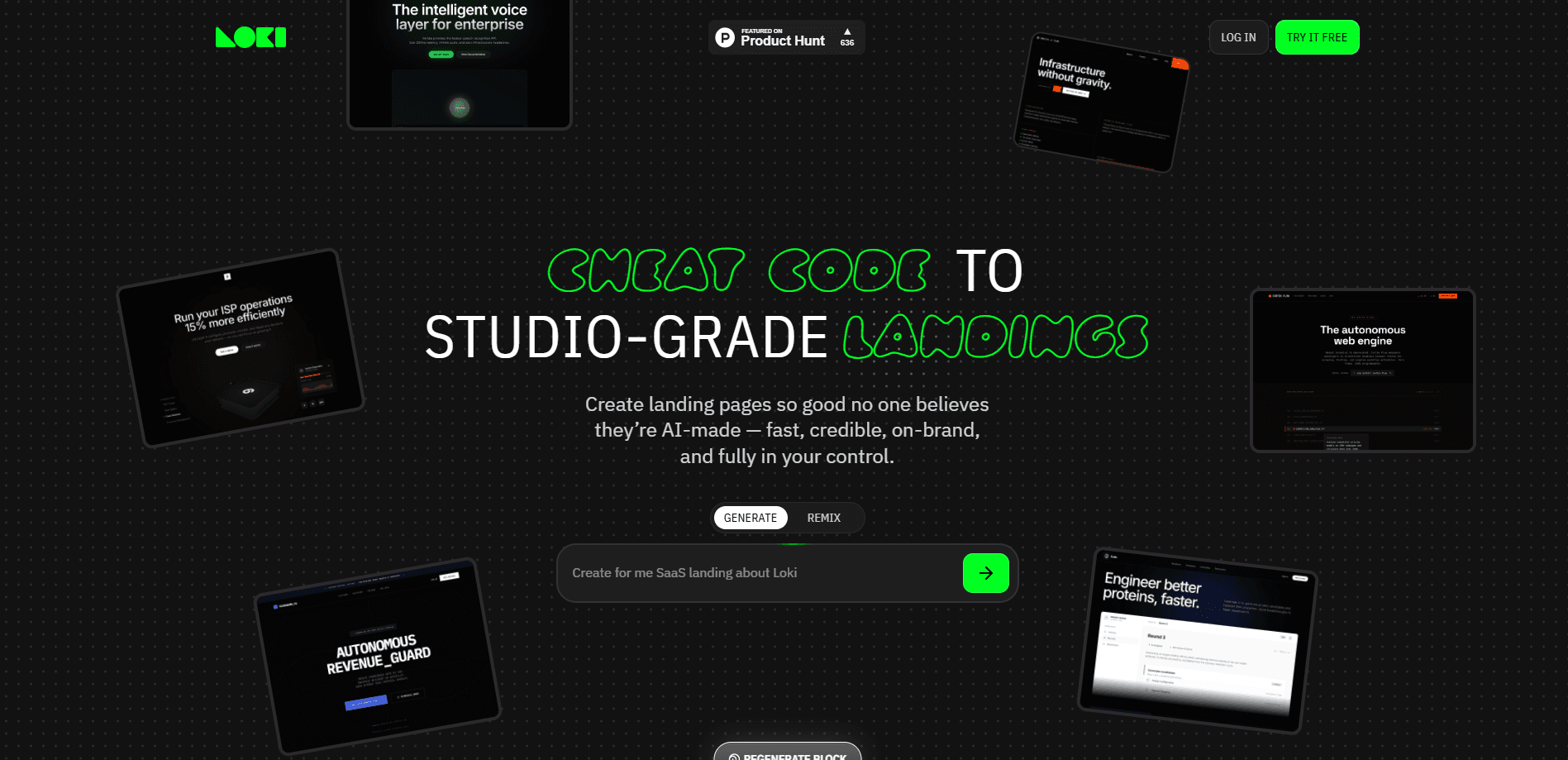
Loki.Build is an AI website builder focused on landing pages, and it's built around a single promise: pages that look like a studio made them, not a template engine. You describe a thought, drop a brief, or paste product details, and the tool generates an on-brand landing page tuned to your category and audience. From there you edit anything with AI prompts or by hand in a visual editor, then publish to a Loki.Build subdomain or connect a custom domain. The free plan gets you two pages; paid tiers add more pages, domains, and monthly credits.
About Loki.Build
What Is Loki.Build
Loki.Build bills itself as the first AI-native design editor, and the phrase points at what actually separates it from most landing page generators. Plenty of AI builders spit out one page and leave you locked into whatever the model decided. Loki.Build works the other direction. It generates, but it also hands you the editing controls. You can change any part of the page yourself, or by asking the AI again. That control is why people reach for it as a no-code website builder.
The product is aimed at founders, marketers, and creators. People who need a credible landing page fast, without learning a design tool. The pitch is speed plus polish. You get brand consistency across every page you make, built-in SEO tools, and a set of studio-grade templates you can remix. The core value is that you shouldn't be able to tell the result came from a prompt.
The main limitation is scope. Loki.Build builds landing pages. Not full websites. It isn't a multi-page website builder with complex features like logins, databases, or app logic. If you need a functional web app, this isn't the tool. It's also credit-based, so heavy AI generation eats into a monthly allowance on paid plans, with the free tier capped at 2 pages and a branding banner.
Getting Started
- Go to loki.build and click "Try it free" to create an account
- Start on the Free plan, or pick a paid tier if you need custom domains and more pages
- Type a thought, drop a brief, or paste your product info into the generator
- Refine the result with AI prompts or the visual editor until it matches your brand
- Publish to a Loki.Build subdomain, or connect a custom domain on a paid plan
Product Information
A quick look at Loki.Build's pricing, supported platforms, and performance.
Best for
The users, tasks, and scenarios where this tool fits best.
Users
- Founders and indie makers
- Marketers and growth teams
- Designers and creatives
- Freelancers and agencies
Tasks
- Generating a first landing page draft
- Editing a page after generation
- Remixing templates
- Publishing a page to a live URL
- Basic on-page SEO
Scenarios
- Launching a product or waitlist page before you have a full site
- Testing a marketing campaign with a standalone branded page
- Replacing a slow, expensive design agency workflow for simple landing pages
- Building a personal brand or portfolio page from a template
- Spinning up a landing page for a product you pasted in, tuned to its category
Key features
AI Landing Page Generation
You give Loki.Build a thought, a brief, or pasted product info, and it produces a full landing page tailored to your category and audience. The generation step handles structure, copy, and visual style together rather than filling a fixed template. That's what makes the first draft usable instead of a blank shell.
AI-Native Visual Editor
After generation, you stay in the work. The visual editor lets you change any part of the page by hand, while AI editing lets you describe a change in words. This dual approach is the product's main differentiator: you're not stuck with what the model produced, and you don't need to rebuild the page to adjust it.
Brand Consistency
Every page you create follows a consistent brand system, so a set of landing pages looks like one coherent product rather than a patchwork. For teams running several campaigns, that consistency saves the manual work of matching fonts, colors, and tone page by page.
Templates and Remixing
Loki.Build ships free studio-grade templates for landing pages, products, and personal brands. It's a handy starting point for any landing page generator. You pick one and remix it in minutes. The templates carry names like Vector Prime, Prestige fintech, and Vivid app, and they're a fast way to see what a polished layout looks like before customizing.
Publish to Subdomain or Custom Domain
Free users publish on a Loki.Build subdomain, and paid plans connect custom domains. Basic includes 1 custom domain, Pro includes 3, and Growth includes 7. That matters if you need the page to live on your own brand's URL rather than a shared domain.
Built-In SEO Tools
The platform includes SEO tools for your landing pages, so you can prepare pages for search without bolting on a separate plugin. It's a practical addition for anyone driving traffic to a standalone page.
Credits and Generation Limits
Paid plans come with monthly credits that refresh each billing cycle, used for AI content and design generation. The Free plan starts at 15 credits, Basic at 150, Pro at 300, and Growth at 500. Heavy AI use on a small plan can run into the cap, so match the tier to how much you'll generate.
Remix (Coming Soon)
Remix lets you take an existing design and rework it for your needs, and it's slated to arrive exclusively on the Growth plan. It's not live yet, so treat it as a roadmap feature rather than something you can use today.
Pros and cons
Pros
- Generates polished landing pages from a short brief, cutting the time from idea to live page
- AI-native editor keeps manual and prompt-based control, so you're not locked into the model's output
- Brand consistency across pages suits teams running multiple campaigns
- Free plan with 2 pages and studio-grade templates makes it easy to test before paying
- Custom domains on all paid plans, scaling from 1 domain up to 7
Cons
- Built for landing pages only, so it can't build full multi-page sites or web apps with logins, databases, or app logic
- Credit-based generation means heavy AI use can hit monthly caps depending on your plan
- The Free plan only supports a Loki.Build subdomain and shows a branding banner, so it's limited for anything public-facing
- Remix, the template rework feature, isn't available yet and is limited to the Growth plan when it lands
Frequently asked questions
It's an AI landing page builder. You describe your idea, drop a brief, or paste product info, and it generates a polished, on-brand landing page tuned to your category and audience, which you can then edit and publish.
Related content
Explore related tools, skills, and articles for Loki.Build.
Loki.Build Alternatives
Forefront
Forefront · CodingForefront is a web platform for building with open-source AI. It lets you fine-tune leading open-source language models on your own data, evaluate how they perform, and run them through an API or export them to host yourself. Developers who want the convenience of a closed-source platform but insist on owning their models and data are the target audience here.

Startkit
StartKit.AI · CodingStartkit is a boilerplate for building AI SaaS and AI wrapper products. Think of it as an AI startup boilerplate with the boring parts already wired up: authentication, Stripe and Lemon Squeezy payments, usage limits, transactional email, and an AI API starter that talks to OpenAI, Anthropic, Groq, or Llama. You clone the repo, set your price, and start on the part of your product that people actually pay for. It's Next.js under React and Tailwind, so most of the boilerplate code already feels familiar.
Testim
Tricentis · CodingTestim is an AI-powered test automation platform for building and running end-to-end tests across web, mobile, and Salesforce applications. It leans on machine learning to keep tests stable when an interface changes, so teams spend less time fixing broken selectors. Not bad for an automated testing tool you can start using today. You create tests by recording actions in a browser, then optionally add JavaScript when you need more control. It's a solid pick for busy QA teams.