

Loudly
Loudly GmbH · Voice & Language
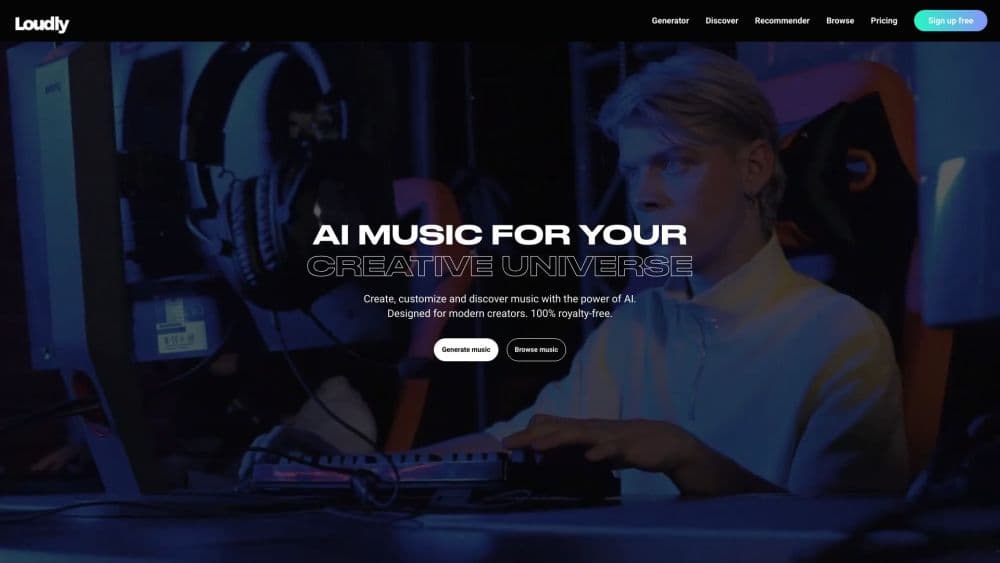
Loudly is an AI music generator with a full production workflow. It turns text prompts into original tracks, then lets you split stems, remix, master, and release royalty-free music with commercial licensing.
About Loudly
What Is Loudly
Loudly is an AI music platform built for creators who need original music fast and clear rights to use it. The core job is simple: describe the sound you want, get original tracks in seconds, then shape them into something you can actually publish. It runs entirely in the browser and covers generation, editing, mastering, and distribution in one place.
Most AI music tools stop at the first result. Loudly keeps going. You can refine energy, key, BPM, instruments, and song structure, then pull the parts you need into a real editing workflow. The music is royalty-free and comes with commercial licensing, so YouTube channels, podcasters, and ad teams can publish without chasing down who else holds a claim.
The trade-offs matter too. The free plan is a preview tier, not a production tier. Full-length downloads, all stems, and commercial licensing sit behind a paid Personal or Pro plan, so anyone planning to publish will need to budget for a subscription. Stem splitting is capable but not unlimited, and the deepest instrument control is reserved for Pro.
Getting Started
- Create a free account with an email address, and verify it before you generate anything.
- Describe your idea in the text-to-music prompt, or build it from a song formula by picking genre, sub-genre, key, BPM, duration, energy, instruments, and structure.
- Generate a batch of options, then refine the one that fits and save your favorite version to the library.
- Export a full WAV or MP3, pull stems and samples into your DAW, add FX, master the track, or create a remix variation.
- When a track is ready, connect a YouTube channel or send it to release targets like Spotify and other streaming platforms.
Product Information
A quick look at Loudly's pricing, supported platforms, and performance.
Best for
The users, tasks, and scenarios where this tool fits best.
Users
- Content creators and YouTubers who need background beds, intros, and transitions that clear copyright checks, and who want a commercial license without per-track fees.
- Podcasters and short-form video editors who need intro music, stings, and punchy loops at short notice, working from a browser instead of a studio setup.
- Music producers and hobbyist beatmakers who want stems and samples to drop into a DAW, and who value producer-level controls over a single prompt box.
- Brands and marketing teams running ads or campaigns who need music matched to a mood and duration without licensing negotiations.
Tasks
- Generating an original backing track from a text prompt
- Splitting a mixed song into separate stems
- Remixing a track into new versions
- Mastering a finished mix for release
- Preparing a release
Scenarios
- Finishing a video edit the night before it goes live and needing a track that fits the cut without a stock library scavenger hunt.
- Pitching a campaign where the client wants a specific mood and energy, so you generate options on the call and refine on the spot.
- Building a game or app that needs looping menu music and ambient beds on a small budget.
- Learning music production by pulling stems into a DAW and rebuilding an arrangement instead of working from a stereo file.
Key features
Text to Music Generation
Type a description of the sound you want and Loudly turns it into original music in seconds. A prompt like a dark cinematic synthwave build with dramatic drums becomes a set of listenable options, so you can move from a blank page to a usable idea fast. It also accepts song formulas, where you set the genre, key, BPM, and structure directly.
Producer-Level Controls
Loudly gives you more than a prompt box. You can steer energy, key, BPM, duration, instruments, and song structure before generating, which is what separates it from tools that hand back one fixed result. These controls matter most when a track has to sync to a video edit or match a specific brief.
Stem Splitting
The stem splitter separates a mixed track into up to nine stems, covering parts like vocals, drums, bass, and individual instruments. You can upload your own file or work from something Loudly generated, then download the separated parts for mixing. A basic split returns four standard stems, while Pro unlocks fuller instrument control and custom selection.
AI Remixer and Sample Packs
The remixer takes an existing track and produces new variations, delivered as a pack with the full version plus separated stems and transformed samples. Sample generation adds short loops and one-shots for beatmaking, so you can pull pieces into a DAW instead of committing to a finished song.
AI Mastering
A built-in mastering step takes a finished mix and prepares it for release on platforms like Spotify and TikTok. It covers the loudness and polish that a release usually needs, which saves a step for creators who do not keep a mastering engineer on call.
songDNA and Release Tools
Every track has a songDNA profile that describes its audio characteristics and can be turned into captions, hashtags, and playlist pitching language. From there you can connect a YouTube channel to clear music for videos or prepare eligible tracks for release on Spotify and other streaming platforms.
Pros and cons
Pros
- Covers the whole workflow in one browser tool, from generation to stems, mastering, and release, so you are not juggling five different apps.
- Royalty-free output with commercial licensing built in, which keeps YouTube, podcast, and ad use simple.
- Producer controls for energy, key, BPM, instruments, and structure give more creative steering than a single prompt box.
- Stem splitting up to nine stems supports real DAW editing rather than dead-end stereo files.
- songDNA turns a finished track into marketing copy and playlist pitch language, which saves a chunk of release prep.
Cons
- The free plan caps tracks at 30-second previews, so nothing is publishable until you pay for a Personal or Pro plan.
- Full-length downloads, all stems, and commercial licensing all require a paid subscription, which rules out casual free use for anything public.
- The richest instrument control and custom stem selection sit behind the Pro plan, so budget-conscious users hit that limit quickly.
- Some stems cannot be generated on demand, so a project that needs a specific split may need to wait or work around it.
Frequently asked questions
Yes, there is a free plan, but it is built for previewing. It gives you a daily allowance of generations and 30-second previews of each track. Full-length downloads, all stems, and commercial licensing require a paid Personal or Pro plan.
Related content
Explore related tools, skills, and articles for Loudly.
Loudly Alternatives

Foley
Hanamori Labs, LLC · Voice & Language · Productivity · AI AssistantFoley is a voice to-do list that turns a spoken sentence into a filed task, complete with project, date and time, then helps you plan the day around what is already there.

HireKey
HireKey · Voice & Language · Productivity · LeaningHireKey is an AI job search copilot built by a former tech recruiter. It checks role fit, tailors resumes, runs interview practice and tracks every application.

Fluence
Yay Software (Yannick Huchard) · Writing · Voice & Language · ProductivityFluence is an Android app that reads PDFs, EPUBs, Word files and web articles aloud, follows each sentence as it speaks, and answers questions about the text on the phone itself.