

Lovelace
Lovelace · Other
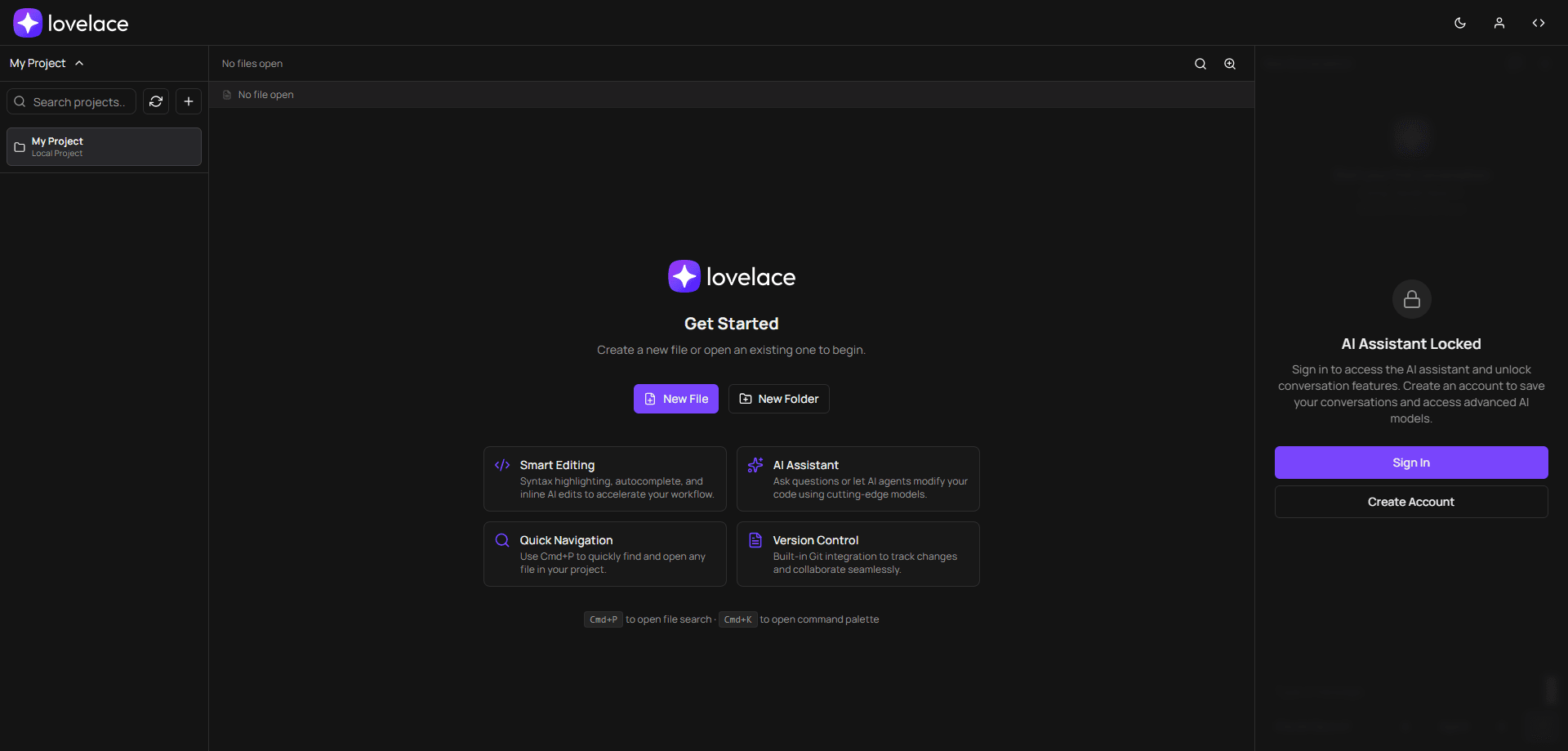
Lovelace is a browser-based code editor that pairs a lightweight IDE with an AI assistant. You open it in a tab, pick a project on your machine or a connected repo, and start editing without installing a desktop app. No setup. The AI side runs in two modes: Ask answers questions about your code, while Agent can change files directly. It supports models from OpenAI, Anthropic, Google, and xAI, so you pick the model and pay per token. As a cloud IDE, everything runs remotely in the browser. For developers who want a fast, low-memory coding environment, it's a practical option.
About Lovelace
What Is Lovelace
Lovelace calls itself the AI-powered web IDE. The core idea is simple: a full editor, file tree, and terminal-style workflow that lives in a browser tab instead of a heavy desktop install. The site stresses low memory usage, so it suits older laptops, Chromebooks, or any machine where a big IDE feels like overkill.
The AI assistant is the part that separates it from a plain online editor. Ask mode is for questions about your code, and Agent mode is for making changes, like editing a file or running a task. You choose the underlying model, and Lovelace shows token prices so you know what each request costs. One example from the site is Claude Opus 4.5 at $0.005 per 1K input tokens and $0.025 per 1K output tokens.
It won't replace a full IDE for everyone. If your work depends on deep framework tooling, native debuggers, or offline access, a desktop setup may still fit better. The trade-off is the usual one for a browser IDE: convenience and portability in exchange for some depth. For most quick jobs, that's a fair deal.
Getting Started
- Go to lovelace.sh and create an account, or sign in if you already have one. The AI assistant stays locked until you're signed in.
- Open or create a project. You can start a fresh file or folder, or bring in an existing project.
- Connect a Git provider (GitHub, GitLab, or Bitbucket) if you want to branch, commit, and sync.
- Open the AI assistant and choose a model, then switch between Ask mode for questions and Agent mode for edits.
- Edit your code with syntax highlighting and autocomplete, then commit or push your changes.
Product Information
A quick look at Lovelace's pricing, supported platforms, and performance.
Best for
The users, tasks, and scenarios where this tool fits best.
Users
- Developers on low-spec machines
- Coders who want AI help without switching tools
- Students and hobbyists
Tasks
- Asking questions about unfamiliar code
- Making small code changes
- Managing a repo in the browser
Scenarios
- Editing a project from a borrowed or shared computer where you can't install software.
- Quick fixes and reviews while traveling, using only a browser.
- Trying different AI models on the same task to compare output and token cost.
Key features
AI Assistant With Agent and Ask Modes
The assistant gives you two ways to work with your code. Ask mode handles questions, like explaining a function or tracing where a value comes from, and it's the safer choice when you only want information rather than edits. Agent mode goes further and can modify files based on your instructions. Which one should you use? Ask mode when you want an answer, Agent mode when you want a change.
Multiple Model Providers
Lovelace lets you pick models from OpenAI, Anthropic, Google, and xAI rather than locking you to one vendor. The interface shows the price per token for each model, so you can weigh output quality against cost before you commit to a task, which helps when you're watching a budget. Cheap models for simple edits. Stronger ones for hard problems.
Built-In Git Integration
You can connect GitHub, GitLab, or Bitbucket and work with repositories directly in the browser. Branch, commit, and sync without setting up a local clone. For quick changes or review passes, that removes the overhead of a full local environment.
Lightweight Browser IDE
The editor runs in a browser tab and is built to keep memory use low, with no installation. It works as an online code editor, so you skip desktop setup entirely. It supports syntax highlighting, autocomplete, and inline AI edits across multiple languages, which covers most day-to-day coding without pulling in a full desktop toolchain. If your goal is to start coding fast on any machine, the low setup cost is the main draw.
Quick Navigation and Command Palette
Keyboard shortcuts keep you moving without the mouse. Cmd+P opens file search so you can jump straight to any file in the project, and Cmd+K opens a command palette. These small touches matter in a browser editor, where tab switching can otherwise slow you down. No mouse needed.
Pros and cons
Pros
- Runs in the browser with no installation, so it works on machines where you can't add software.
- Built to use less memory than a full desktop IDE, which helps on older or low-spec hardware.
- The AI assistant combines question-answering and code-editing modes in one place.
- You can choose models from OpenAI, Anthropic, Google, and xAI and see per-token prices.
- Built-in Git integration with GitHub, GitLab, and Bitbucket covers common workflows.
Cons
- It needs an account and a network connection, so the AI features aren't available offline.
- AI usage is billed per token, which means heavy use of strong models adds up quickly.
- Being browser-based, it may lack the deep tooling and native debugging some developers expect from a desktop IDE.
Frequently asked questions
Lovelace is a browser-based IDE for writing and editing code, with an AI assistant built in. You use it to edit projects, ask questions about code, connect Git repos, and get AI help without installing a desktop program.
Related content
Explore related tools, skills, and articles for Lovelace.
Lovelace Alternatives
BinkBink
BinkBink · OtherBinkBink is a free online game platform and AI game maker that lets anyone turn a short text description into a playable browser game. You can jump into hundreds of community-made games. Or describe your own idea and play it in seconds, then share it with friends. Want to create your own game? You don't need to code. No engine setup, no download, no hassle.

Audiogen
Audiogen Inc. · OtherAudiogen is an AI music generator built by Audiogen Inc., a small research team that spent about 2.5 years training its own generative music model and designing a web interface around it. Instead of a plain text box, this AI music tool turns the timeline into a beginner-friendly Generative Audio Workstation, or GAW, where inpainting, extending, remixing and stem editing work more like painting on a canvas. The product is still in beta, so access runs through a waitlist or an invite. Paid plans aren't published yet.

Aiml API
AIMLAPI OÜ · OtherAiml API is a unified AI model API that puts more than 1000 models from OpenAI, Google, Anthropic, and others behind one endpoint and one bill. You write code against a single OpenAI-compatible schema, then switch between chat, image, video, and audio models by changing a model string. It suits developers and small teams who want multi-model access without juggling a dozen separate provider accounts, and it removes the usual billing headache that comes with testing several vendors. One key covers it all.