

Lumi.new
Lumi · Coding
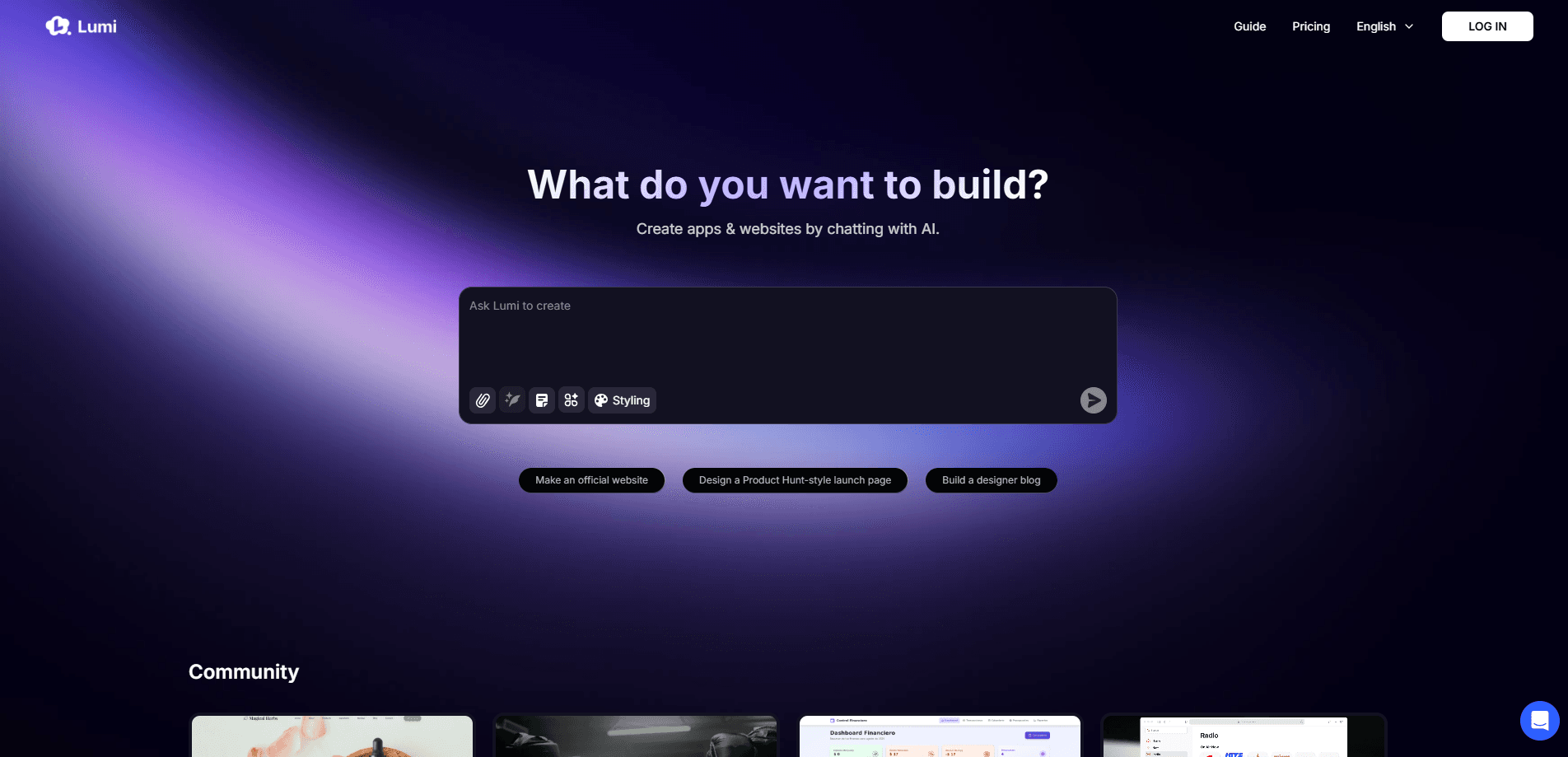
Lumi.new is an AI website and app builder that turns chat prompts into full sites and web apps, with a built-in database, login, Stripe payments and hosting.
About Lumi.new
What Is Lumi.new
Lumi.new is an AI builder that turns a plain-language description into a working website or web app. You type what you want in the chat, and Lumi writes the code, lays out the pages and wires up the backend. The company pitches it as a tool for beginners and pros alike, so you never have to touch a framework or a database console.
The pitch rests on what ships inside the box. Most builders stop at the front end, so you end up bolting on outside services for storage, logins or payments. Lumi bundles those in: a database, user authentication, file storage, email, analytics and Stripe payments all live inside one project. That cuts the integration work that usually slows a first build.
It also leans into the vibe coding idea, where you steer the build by talking instead of typing syntax. The no-code app builder label fits because nothing in the core flow asks you to write a line of code yourself.
The limits are real too. Lumi works in the browser, so offline building is out, and its free plan caps you at a small number of monthly chat credits. Custom domains, code export and removing the Lumi badge sit behind the paid Pro plan, so anything beyond a quick prototype needs a subscription.
Getting Started
- Go to lumi.new and sign up, then start a new project from the homepage.
- Describe your site or app in the prompt box, or pick a template from the community gallery to start faster.
- Chat with Lumi to refine layouts, add features and connect tools like a database or login from the Toolbox.
- Preview the result, then hit Publish to push it live and share the link, or connect a custom domain.
Product Information
A quick look at Lumi.new's pricing, supported platforms, and performance.
Best for
The users, tasks, and scenarios where this tool fits best.
Users
- First-time founders
- Small business owners
- Non-technical staff
- Freelancers and creators
Tasks
- Building a website from a prompt
- Adding a database and login
- Connecting payments
- Localizing a project
Scenarios
- Validating an idea fast
- Replacing a pile of tools
- Updating a live site
- Prototyping on a phone
Key features
Chat-Based Building
Lumi's core move is turning conversation into a working product. You describe what you want and it generates the pages, styling and backend logic in one pass. There is no canvas to drag and no framework to configure, which is what makes it usable for people who have never coded. You refine by asking for changes, not by editing files.
Built-In Database
Lumi ships a database inside every project, so your app can store real data without a separate service. Each table has fields, much like a spreadsheet, and Lumi adds the tables it needs when a request calls for them. You can also add or edit records by hand in the workspace when you want to seed content or fix a row.
Authentication and User Management
You can add login and sign-up by asking for it in chat, and Lumi handles the security plumbing. A user dashboard in the workspace lets you view members, check their details and mark people as administrators. Admins get read and write access across the project's data, which covers the account handling most apps need on day one.
Toolbox, Functions and Integrations
The Toolbox bundles pre-built modules so you skip the boring groundwork. It already covers email and AI, with more modules planned, and Functions lets you describe a backend task and have Lumi wire up the third-party service. Payments run through Stripe: describe a plan and Lumi builds the checkout and portal for you.
Visual Edits and Code Mode
You can nudge the design without rewriting a prompt. Visual Edits let you change specific elements on the page, and Code Mode opens the underlying code when you want precise control. This pairing matters because it lets a beginner stay in chat while a developer drops into the source and exports it on the Pro plan.
Publishing and Analytics
Publishing is a single button, and updates go live without a redeploy. You can connect a custom domain for a branded address, and built-in analytics track visitors, pageviews, session duration and traffic sources. The whole loop from idea to a measured live site happens inside the browser, which keeps a small team from needing extra hosting or tracking tools.
Pros and cons
Pros
- The built-in database, login, email and payments remove most of the setup that slows a first build.
- Chat-first building makes it usable for people with no coding background at all.
- Publishing to a live URL takes one button, so you can share a working link in minutes.
- Code Mode and export on the Pro plan leave a path forward for developers who outgrow prompting.
- Built-in analytics and multi-language projects cover the launch work that usually needs extra tools.
Cons
- Full code export, custom domains and badge removal are locked behind the $25/mo Pro plan.
- The free plan allows only 5 chat credits a month, which is enough to test but not to finish a real project.
- Usage is metered by chat credits and resource points, so heavy building can burn through a plan faster than expected.
- Lumi runs in the browser only, with no offline mode, so you need a connection to build.
Frequently asked questions
Lumi.new builds websites and lightweight web apps from text prompts. You describe a site, an internal tool or a small app, and it generates the pages and the backend so you can launch without writing code.
Related content
Explore related tools, skills, and articles for Lumi.new.
Lumi.new Alternatives

Base Code
Base44 (Wix) · Coding · ProductivityBase Code is a shared cloud development environment from Base44. Teammates describe changes to an existing GitHub codebase in chat, preview them live and send them back as pull requests.

Google EmbeddingGemma 2
Google DeepMind · Writing · Image · CodingGoogle EmbeddingGemma 2 is a 740M-parameter open model that turns text, code, images, audio, and video frames into vectors in one 768-dimension space, running on phones and laptops.

GitGlow
GitGlow · Coding · ProductivityGitGlow is a local-first desktop Git client that lets independent developers review their own code and their AI agents' changes in one place before shipping.