

Luminal
Luminal · Coding · Productivity
Luminal was an AI spreadsheet assistant that turned plain English requests into cleaning, transformation, and analysis on CSV or Excel files. Its site is offline as of October 2026.
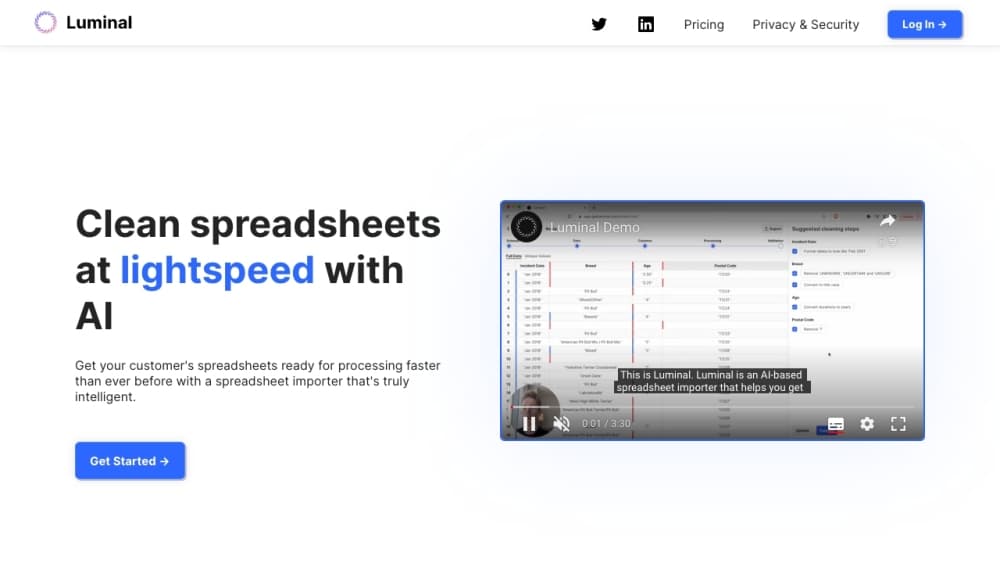
About Luminal
What Is Luminal
Luminal was a browser-based spreadsheet copilot. You uploaded a file, described what you wanted in ordinary language, and the tool wrote and ran Python against your data. The output came back as an edited spreadsheet, a written answer, or a chart, depending on the request. The company described the product as a way to clean, transform, and analyze data about ten times faster than manual work.
The appeal was simple. Most spreadsheet pain sits between knowing what you want and knowing which formula or script gets you there. Luminal skipped that step. Ask it to split full names into two columns, standardize date formats, group messy product labels, or total revenue by region, and it attempted the job without you touching a formula bar.
The limits showed up in the same places as the appeal. Work was file by file, with no live connection to a database or a CRM. The Python ran on the vendor's side, so you had to check results rather than trust them. Right now the bigger limit is access: getluminal.com returned a hosting error page when checked on October 20, 2026, and no official shutdown notice has surfaced. Treat the service as unavailable until the company says otherwise.
Getting Started
- Open getluminal.com and create an account. Directory records describe a free tier, and the site did not require a card to look around.
- Upload a spreadsheet in .csv, .xlsx, .xls, or .xlsm format. Files exported from Google Sheets work once you download them first.
- Type the job in plain English, for example "remove duplicate rows by email and fix the date column" or "which five products grew fastest last quarter."
- Read the response. Luminal returned the cleaned file, a short explanation of what it changed, or a chart you could download.
- Download the result and spot-check a sample of rows. Anything the model misread shows up as a wrong value, not an error message.
Product Information
A quick look at Luminal's pricing, supported platforms, and performance.
Best for
The users, tasks, and scenarios where this tool fits best.
Users
- Operations and marketing staff who work from exported CSVs
- Analysts who don't write Python
- Small teams without a data engineer
Tasks
- Spreadsheet cleaning on a messy export
- Answering questions about a dataset
- Data transformation before a handoff
- Data visualization for a report
Scenarios
- Month-end reporting
- A client sends a file in an unfamiliar shape
- A one-off research question
Key features
Natural Language Commands
Every action started with a sentence. You described the change you wanted and Luminal mapped it to an operation on the file. No formula syntax, no menu hunting, and no need to remember which function handles text splitting.
Spreadsheet Cleaning and Standardization
The tool handled the boring repairs: duplicate rows, inconsistent capitalization, mixed date formats, trailing spaces, and categories spelled three different ways. You could also ask it to reorganize columns into a different order. Cleaning was the job most users came for, and it was the part the product was built around.
Python Execution Behind the Scenes
Luminal didn't just pattern-match text. It generated Python code and ran it against your data, which is why it could handle calculations and reshaping that a simple find-and-replace tool can't. Directory listings from the company's launch period say the first version relied on GPT-3 for that code generation. The tradeoff is familiar: generated code can be wrong in ways that look plausible.
Questions and Analysis in Plain English
Instead of a pivot table, you asked a question. The pattern is the same one behind most natural language data analysis tools: describe the outcome, let the model pick the method. Which region had the highest return rate, what the average order value was, how many customers ordered twice. Luminal answered in text and, when asked, produced a table to back up the number.
Charts, Graphs, and Maps
A written request could produce a bar chart, a line chart, or a map from geographic columns. That covered the reporting layer for people who don't want to leave the browser for a separate visualization tool.
Multilingual Prompts and Encrypted Storage
Prompts worked in several languages, including Spanish, French, Japanese, Hindi, and Chinese, which mattered for teams working across markets. The company said files were encrypted in transit and at rest, hosted on major cloud infrastructure, with no long-term retention of customer data. Those are vendor claims, and they're worth confirming before you upload anything sensitive.
Pros and cons
Pros
- Plain English replaces formulas: a request like "merge these two columns and fix the dates" was the whole interface, which cuts the learning curve to minutes.
- Handles large files: the product was pitched at datasets with millions of rows, well past the point where Excel starts to struggle.
- Broad format support: .csv, .xlsx, .xls, and .xlsm all went in, so legacy exports weren't a blocker.
- Downloadable output: results came back as a file you kept, not a view locked inside the vendor's interface.
- Sensible defaults for common jobs: deduplication, date normalization, and category grouping were one-line requests rather than multi-step recipes.
Cons
- The site is offline: getluminal.com returned a hosting error page in October 2026, so new users can't sign up and existing files can't be processed.
- No API or integrations: there was no documented way to run Luminal from code or connect it to a warehouse, which capped it at manual, one-file-at-a-time work.
- Generated code needs review: a wrong join or a misread date column produces a clean-looking file with bad numbers, so every output needs a spot check.
- No live data connections: each job started with an upload, so recurring reports meant re-uploading the same export every time.
Frequently asked questions
Luminal was a web app that cleaned, transformed, and analyzed spreadsheets from written instructions. You uploaded a CSV or Excel file, described the task in plain English, and it used Python to apply the change and return a result.
Related content
Explore related tools, skills, and articles for Luminal.
Luminal Alternatives

Base Code
Base44 (Wix) · Coding · ProductivityBase Code is a shared cloud development environment from Base44. Teammates describe changes to an existing GitHub codebase in chat, preview them live and send them back as pull requests.

Google EmbeddingGemma 2
Google DeepMind · Writing · Image · CodingGoogle EmbeddingGemma 2 is a 740M-parameter open model that turns text, code, images, audio, and video frames into vectors in one 768-dimension space, running on phones and laptops.

GitGlow
GitGlow · Coding · ProductivityGitGlow is a local-first desktop Git client that lets independent developers review their own code and their AI agents' changes in one place before shipping.