

Lunchbreak AI
Lunchbreak AI · Writing · AI Detection
Lunchbreak AI is a web app that checks your writing against the major AI detectors and rewrites the phrasing that reads as machine-generated. Checking is free.
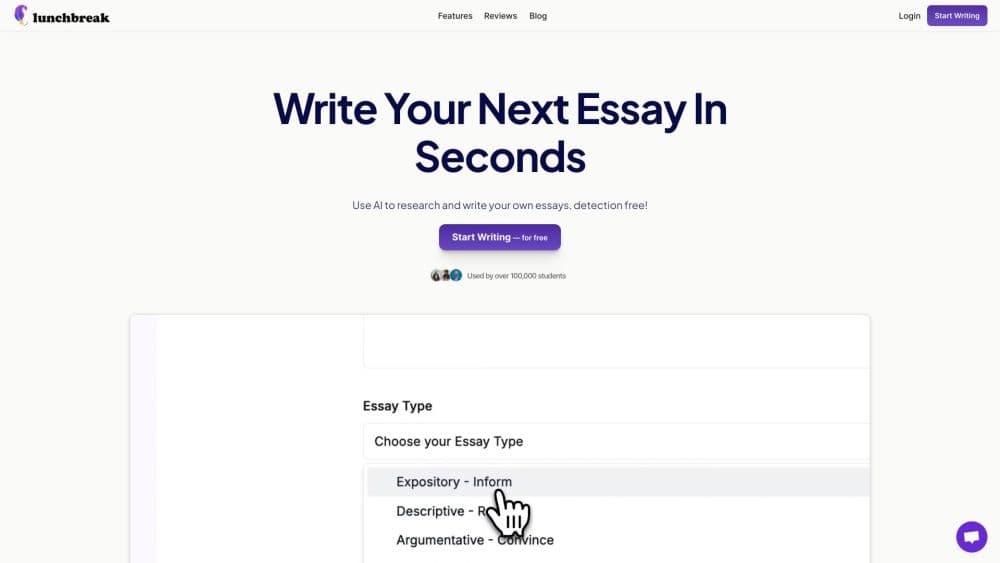
About Lunchbreak AI
What Is Lunchbreak AI
Lunchbreak AI is an online checker and rewriting tool for people who draft with ChatGPT, Claude, or Gemini and want the final text to read like their own work. You paste a draft, get a score from each detector side by side, then decide whether to rewrite.
The scores are the point. Turnitin, GPTZero, Originality, Copyleaks, Writer, and Sapling each judge text differently, and a single averaged number hides that disagreement. Lunchbreak reports them separately, so you see which detector is suspicious and by how much.
What it can't do matters too. No tool can promise a specific score, because detectors retrain their models and disagree with each other. Lunchbreak's own product pages say this openly. Treat the output as a second opinion before you submit, not as a guarantee.
Getting Started
- Create a free account at app.lunchbreak.ai. No card is needed to start checking.
- Paste your draft into the checker. The Free plan covers one essay of roughly 750 words.
- Read the results. Each detector gets its own score, so you can tell which one flags the text and where the problem sits.
- Run the humanizer if the draft needs work. Free accounts get 5 Copilot generations a day, and Pro adds up to 10,000 humanization words a month.
- Save the document and export it, then re-check the rewritten version before sending.
Product Information
A quick look at Lunchbreak AI's pricing, supported platforms, and performance.
Best for
The users, tasks, and scenarios where this tool fits best.
Users
- Students finishing essays and assignments
- Non-native English writers
- Freelance writers and content teams
Tasks
- Screening a draft before submission
- Rewriting paragraph-level phrasing that reads robotic
- Checking a document against citation expectations
- Keeping a revision trail
Scenarios
- The night before a deadline
- A paper you wrote yourself that keeps scoring high
- Polishing client copy before delivery
Key features
Multi-detector scoring in one pass
Lunchbreak runs a single draft through several detectors and shows each score separately rather than blending them into one number. The site names Turnitin, GPTZero, Originality, Copyleaks, Writer, and Sapling among the services it checks, and its Turnitin checker and GPTZero checker pages rank among the most used entry points on the site. Because these tools judge text on different criteria, from sentence-level patterns to token probability, the spread across scores is often more useful than any single figure.
Free checking with no card
Detection is free once you create an account, which makes it one of the few AI writing checkers that costs nothing to evaluate. The Free plan allows one essay of about 750 words at a time, plus 5 Copilot generations a day. That's enough to test whether the checker reads your input correctly and how the detectors score your normal writing, before you consider paying.
AI humanizer that rewrites phrasing
The humanizer rewrites the patterns detectors react to, including even sentence length, stock transitions, and hedging language. People search for it as a way to humanize AI text, and the result is meant to read like someone writing on a normal afternoon. It works on phrasing rather than swapping synonyms, which is the difference between this and a standard paraphraser. You review the rewrite and keep the parts that already read well.
Side-by-side before and after
The site's own demo shows one ChatGPT passage before and after rewriting, with Turnitin, GPTZero, and Originality scores listed for both versions. That layout makes it easy to see how much a rewrite moved each detector. Lunchbreak notes that results vary by detector and by text.
Document saving and export
Free and Pro accounts both store documents in Lunchbreak's own database, so you can save, reopen, and export drafts. That turns the checker into a working record of revisions rather than a one-off paste-and-discard session.
Copilot for drafting help
Copilot generations let you work on text inside the account instead of pasting from another app. Free accounts get 5 generations daily, and Pro removes the limit.
Use-case guides for non-student writing
Beyond academic work, Lunchbreak publishes guides for SEO content, product pages, blogs, cold email, resumes, cover letters, LinkedIn posts, and business writing. The advice is tailored per format, which helps if your job is client deliverable rather than coursework.
Pros and cons
Pros
- Detection is free with an account, and no card is required to start.
- Six detectors reported separately gives a clearer picture than one blended score.
- Pro at $10 per month with 10,000 humanization words is cheaper than most dedicated humanizers.
- The humanizer changes sentence structure and pacing rather than swapping synonyms, so the text doesn't read as paraphrased AI.
- Usage guides cover formats beyond essays, including email, resumes, and product copy.
Cons
- The free plan checks one essay of roughly 750 words at a time, so long theses need to be split or upgraded.
- No tool can guarantee a score, and detectors update their models, so a passing result today may differ next month.
- There's no public API, which rules it out for anyone who wants to automate checks inside their own system.
- Turnitin runs its own institutional checks, and Lunchbreak's report can't predict how a professor's account will score the same file.
Frequently asked questions
Checking is free once you create an account, no card needed. The Free plan covers one essay of about 750 words plus 5 Copilot generations a day. Rewriting more than that requires the Pro plan at $10 per month, billed at $120 a year, with a 3-day trial that includes 2,000 essay words and 250 humanization words.
Related content
Explore related tools, skills, and articles for Lunchbreak AI.
Lunchbreak AI Alternatives

Google EmbeddingGemma 2
Google DeepMind · Writing · Image · CodingGoogle EmbeddingGemma 2 is a 740M-parameter open model that turns text, code, images, audio, and video frames into vectors in one 768-dimension space, running on phones and laptops.

MePersona
MePersona, Inc. · Writing · Productivity · MarketingMePersona is an AI unified inbox for creators. It learns your voice, drafts replies to fan messages from 12 platforms, and sends only what you approve.

Fluence
Yay Software (Yannick Huchard) · Writing · Voice & Language · ProductivityFluence is an Android app that reads PDFs, EPUBs, Word files and web articles aloud, follows each sentence as it speaks, and answers questions about the text on the phone itself.