

Lunroo
Lunroo · Marketing · AI Detection
Lunroo is an AI SEO content agent that researches keywords, plans posts, writes drafts in your brand voice, and sends approved articles to your CMS.
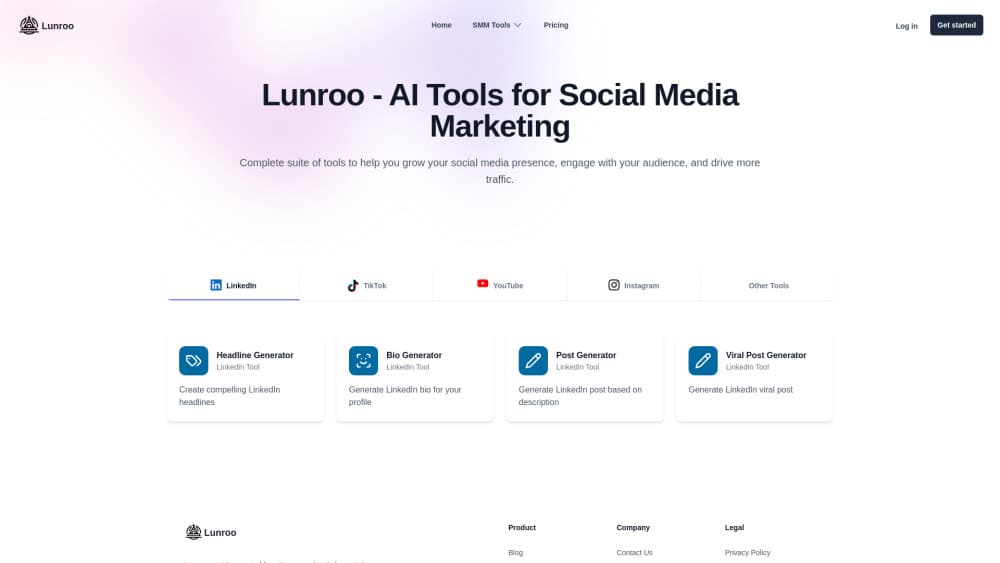
About Lunroo
What Is Lunroo
Lunroo is a web app from an independent developer named Morgan, who built it as an AI marketing agent for his own screen capture product, ScreenSnap Pro. The scope is narrow on purpose. One agent runs the loop from picking a topic to publishing the finished post, so a solo founder doesn't have to juggle a copywriter, an SEO retainer, and a CMS by hand.
What you buy is a workflow rather than a single feature. Keyword research, planning, drafting, on-page checks, and publishing sit in one place, and the plan shifts as new posts go live. Because the same agent sees the whole pipeline, results from one article shape the brief for the next.
The limits are just as clear. Lunroo is a small, hand-onboarded service with one price, so you can't sign up and start in five minutes. It publishes to your site builder but doesn't host anything. Social posts and email sequences are marked coming soon, which means the full marketing stack is still a promise.
Getting Started
- Email [email protected] with your site and the topics you want to rank for. Self-serve signup is paused while accounts are set up by hand.
- Connect your site once access is granted. Supported targets include WordPress, Webflow, Shopify, Framer, Ghost, Wix, and a generic webhook.
- Review the proposed keyword list and content plan, then adjust angles, structure, or internal links before drafting starts.
- Approve drafts one at a time and let the agent publish. Rankings and AI citation data appear in the dashboard after that.
Product Information
A quick look at Lunroo's pricing, supported platforms, and performance.
Best for
The users, tasks, and scenarios where this tool fits best.
Users
- Solo founders and indie developers
- Small marketing teams with no dedicated writer
- SEO consultants running several client blogs
Tasks
- Keyword research and topic selection
- Long-form blog drafting
- Automated blog publishing on a fixed cadence
Scenarios
- A product blog that stalled after ten posts
- Building a library before launch
- Testing whether content can carry growth
Key features
Keyword research that starts from the search results
The agent scans your niche, looks at what already ranks, and suggests topics with a realistic chance. You see the reasoning behind each pick instead of a raw volume number, which helps when two keywords look equally good on paper. It also groups related phrases, so one article can cover a cluster rather than a single query.
A content plan that stays current
Every approved topic becomes a brief with an angle, an outline, and internal links mapped out. The plan is a working document, not a calendar that goes stale, and it changes when a post performs well or a new keyword shows up. You can reorder or drop items before any writing starts.
Drafts written in your brand voice
The SEO writing agent produces long-form articles rather than short summaries, and it follows the brief instead of drifting into generic advice. Voice is set during onboarding, so the output keeps your phrasing and your level of detail. Each draft arrives with headings, examples, and internal links already in place.
SEO and readability scores before anything ships
Every draft gets a score for on-page SEO and for readability, along with a list of gaps to close. The agent fixes what it can and holds the post at an approval gate until you sign off. That gate is the main safety net, since nothing reaches your live site without a human click.
Rank tracking that feeds the next brief
The dashboard tracks where each page sits and highlights pages that are close to moving up. Those signals go back into the content plan, so the next article or update targets a gap you can actually close. You also see when AI Overviews, ChatGPT, Copilot, or Perplexity cite the site.
Publishing that skips the copy and paste
WordPress publishing works through a direct connection, and the same applies to Webflow, Shopify, Framer, Ghost, and Wix. A webhook option covers custom stacks. Posts keep their formatting, links, and metadata, so the step that usually breaks a publishing schedule is removed.
Pros and cons
Pros
- One agent covers research, drafting, scoring, and publishing, which removes the handoffs where content projects usually stall.
- The approval gate keeps a human in control of every post, so AI content automation doesn't mean publishing blind.
- A single flat price of $199 per month is easy to compare against a freelance rate of roughly $250 per article.
- Rank tracking and AI citation data sit next to the drafts, so you can judge results without a separate analytics tool.
- Publishing integrations cover the common site builders, including a webhook for custom setups.
Cons
- There's no free trial and no self-serve checkout, so you have to email the founder and wait to be onboarded.
- One plan and one price means small sites pay the same as agencies with several blogs.
- Social and email features are still listed as coming soon, so the wider marketing stack isn't usable yet.
- The tool writes and publishes but doesn't host, which leaves you managing your own CMS, domain, and backups.
Frequently asked questions
Lunroo runs a content pipeline: it finds keywords, builds a content plan, writes long-form drafts, scores them for SEO and readability, and publishes approved posts to your site. You review and approve rather than write.
Related content
Explore related tools, skills, and articles for Lunroo.
Lunroo Alternatives

ngram 2.0
ngram · Video · Marketingngram 2.0 is an AI video generator for teams. It turns a prompt, a screen recording, or a product URL into a narrated explainer, product demo, or AI avatar video, and every scene stays editable.

shippedit.me
Krawlup · Marketing · Businessshippedit.me now redirects to Krawlup, a web platform that audits SEO, AEO and page speed every week, then hands the fixes to AI coding agents over MCP.

MePersona
MePersona, Inc. · Writing · Productivity · MarketingMePersona is an AI unified inbox for creators. It learns your voice, drafts replies to fan messages from 12 platforms, and sends only what you approve.