
Lutra AI
Lutra AI · Coding · Productivity
Lutra AI is an AI agent that turns plain English instructions into working automations across Google Workspace, Slack, HubSpot and other apps, then runs them on a schedule.
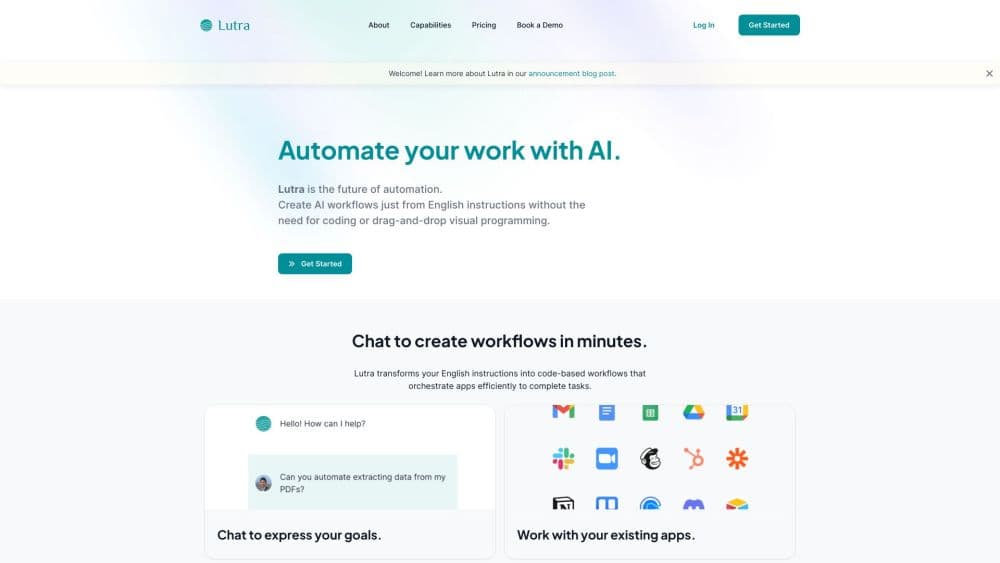
About Lutra AI
What Is Lutra AI
Lutra AI is a web platform that builds and runs workflows for you. You describe the job in chat, and the AI agent writes code that calls your connected apps, pulls the data it needs, and finishes the task. The output is a repeatable workflow rather than a chat reply you have to copy and paste somewhere.
The code-first design is the part that separates this AI workflow automation tool from most chat assistants. Every run shows what the agent did, which app it touched, and what came back. That matters when a workflow writes to a CRM or sends email on your behalf, because you can check the steps instead of trusting a summary.
The limit is scope. Lutra AI is built for tasks that touch data and apps, not for open-ended creative work. Heavy research jobs also burn credits fast, and the platform assumes you can describe a process clearly. Vague instructions produce vague automations.
Getting Started
- Create an account at lutra.ai and sign in with Google or your work email.
- Connect the apps you want it to use, such as Gmail, Google Sheets, Slack, Airtable or HubSpot, and approve access for each one.
- Describe the task in the chat box the way you would explain it to a colleague, including the trigger, the data source and the output.
- Review the plan and the code Lutra generates, then run it once on a small sample before letting it touch live records.
- Save the run as a playbook so you can schedule it, rerun it, or share it with teammates.
Product Information
A quick look at Lutra AI's pricing, supported platforms, and performance.
Best for
The users, tasks, and scenarios where this tool fits best.
Users
- Operations leads at small companies
- Sales and marketing staff
- Finance and analyst roles
- Solo founders and consultants
Tasks
- Personalized outreach at scale
- PDF data extraction
- CRM cleanup and data enrichment
- Recurring reporting
Scenarios
- Monday pipeline review
- Inbox triage
- Pre-call research
- Month-end reconciliation
Key features
Plain English to Working Code
You type the task, and Lutra AI writes the code that performs it. The agent asks follow-up questions when the request is ambiguous, then shows the script before it runs. This is how the platform delivers no-code automation without the fragility of drag-and-drop steps, and it makes Lutra a practical AI workflow builder for teams that need a repeatable process rather than a one-off chat.
Integrations and Custom Connectors
Native connections cover Google Docs, Sheets, Gmail and Calendar, plus Outlook, OneDrive, Slack, GitHub, HubSpot, Airtable and LinkedIn. For anything else, Lutra builds a connector from an MCP server, a REST or OpenAPI spec, or a Supabase database, which turns an odd internal tool into a usable data source.
Playbooks That Run on a Schedule
Any successful run can be saved as a playbook. Playbooks can be triggered manually, put on a schedule, or shared with a team, and enterprise accounts can publish them company-wide so everyone follows the same process.
Credit Based Usage
Most in-app reads and writes cost nothing, while web searches, people and company lookups and AI steps draw from a monthly credit allowance. Cached results don't charge twice, which keeps repeated checks cheap.
Full Visibility Into Every Run
Each execution keeps a log of the code, the app calls and the returned data. When something fails, you can see which step broke instead of guessing, and you can edit the workflow and rerun just that part.
Security and Access Control
Connections use OAuth and scoped permissions, data is encrypted in transit and at rest, and Lutra AI states that it is SOC 2 compliant. Credentials stay in the platform rather than in a shared document, which is a real improvement over scripted automations passed around a team.
Pros and cons
Pros
- Code-based execution gives repeatable results, so the same input produces the same output run after run.
- The free plan includes 100 credits per month, enough to test several small workflows before paying.
- Custom connectors through MCP, REST and OpenAPI cover internal tools that most AI automation tools ignore.
- Scheduled playbooks and shared libraries make it practical for a team, not just one power user.
- SOC 2 compliance and scoped OAuth permissions answer the first question most managers ask.
Cons
- Credit consumption is hard to predict for research-heavy work, and a big enrichment job can eat a month's allowance in an afternoon.
- Debugging still requires reading code or logs, so non-technical users may need help when a workflow fails.
- There is no drag-and-drop canvas for people who want to see the flow as a diagram.
- Enterprise pricing, custom credit pools and dedicated support require a sales conversation.
Frequently asked questions
Lutra AI handles repetitive work that spans several apps, such as extracting data from PDFs, cleaning CRM records, sending personalized email and assembling recurring reports. It writes and runs the code for those jobs, so you get an automation rather than instructions.
Related content
Explore related tools, skills, and articles for Lutra AI.
Lutra AI Alternatives

Base Code
Base44 (Wix) · Coding · ProductivityBase Code is a shared cloud development environment from Base44. Teammates describe changes to an existing GitHub codebase in chat, preview them live and send them back as pull requests.

Google EmbeddingGemma 2
Google DeepMind · Writing · Image · CodingGoogle EmbeddingGemma 2 is a 740M-parameter open model that turns text, code, images, audio, and video frames into vectors in one 768-dimension space, running on phones and laptops.

GitGlow
GitGlow · Coding · ProductivityGitGlow is a local-first desktop Git client that lets independent developers review their own code and their AI agents' changes in one place before shipping.