

Lynksurf
LynkSurf · Marketing
Lynksurf is an AI Chrome extension that plugs into LinkedIn and handles the writing you'd normally do by hand. It works as an AI comment generator, a post enhancer, a profile summarizer, and an email finder, all from one toolbar button. It drafts comments on other people's posts, rewrites your rough notes into polished posts, summarizes long profiles, analyzes activity for conversation starters, and pulls professional emails from profiles it can read. You install it once, pick your tone, and every LinkedIn post, comment box, or profile gets an extra button that runs the AI for you. It's a LinkedIn engagement tool first and a research helper second.
About Lynksurf
What Is Lynksurf
Lynksurf is a browser extension built for one platform: LinkedIn. It sits inside the LinkedIn interface and adds a small toolkit wherever you're already working, whether that's a post in your feed, a comment thread, or someone's profile page. The pitch is speed. Instead of staring at an empty comment box or rewriting the same message in your head, you let the extension produce a first draft in your chosen tone and edit from there.
The six tools cover three areas. Engagement (comment drafting, comment polishing), content creation (turning bullet points into a formatted post), and outreach (finding emails, summarizing profiles, spotting conversation hooks). The extension reads the context of whatever you're looking at. So a comment draft references the actual post rather than a generic template.
The honest limits? Lynksurf only works on LinkedIn and only in Chrome, since it's an extension rather than a standalone app. Everything runs through your own LinkedIn session, which means the AI can only see what you can see. There's no public API, so you can't wire it into other tools. And reading profile emails depends on what's publicly visible, so it won't magically surface contacts that aren't there.
Getting Started
- Install the extension from the Chrome Web Store and pin it to your toolbar.
- Sign in with your Google account to activate the free plan.
- Open LinkedIn and click the Lynksurf icon on any post, comment, or profile to load the toolkit.
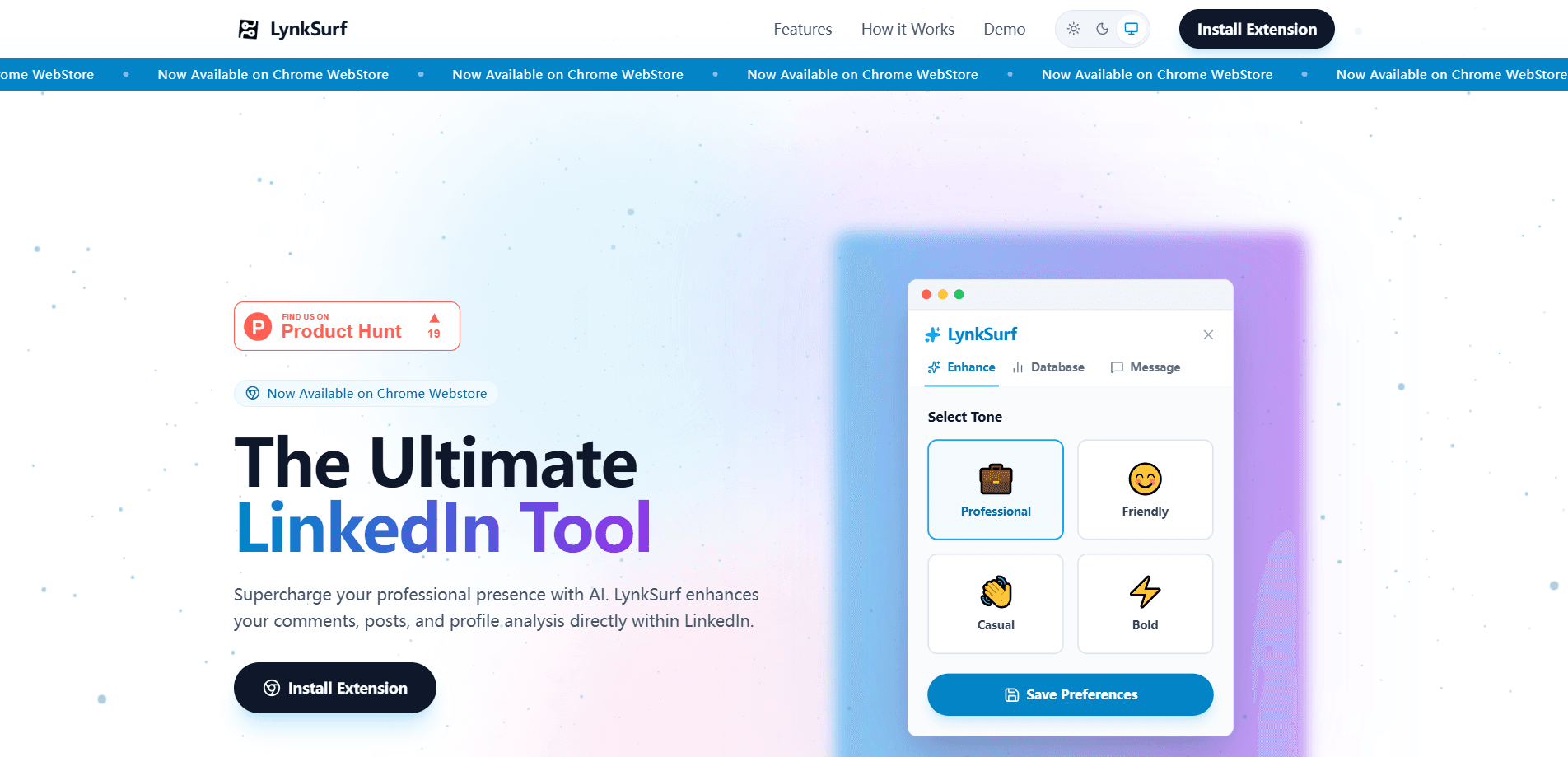
- Pick a tone (Professional, Friendly, Casual, or Bold), or build a custom persona, then generate your output.
- Review the draft, adjust anything that sounds off, and post it as your own.
Product Information
A quick look at Lynksurf's pricing, supported platforms, and performance.
Best for
The users, tasks, and scenarios where this tool fits best.
Users
- Job seekers who want to stay active in feeds without writing every comment from scratch, as long as they're willing to edit drafts before posting
- Sales and BD people doing outreach at volume, who need profile context and contact details fast
- Creators and consultants who post often and want help turning notes into structured posts
Tasks
- Drafting comments
- Rewriting posts
- Profile research
- Finding emails
Scenarios
- Daily engagement routine
- Pre-meeting prep
- Content batching
Key features
Comment Auto Drafter
This reads the post you're looking at and writes a reply that references its actual content, not a fill-in-the-blank template. You choose a tone first, so the same post can produce a formal reply or a punchy one. It's the feature most people will use daily. It's also the one aimed squarely at the blank-page problem.
Comment Enhancer
When you've already typed something quick and rough, this polishes it into a fuller response. The value here is speed: scribble two lines, let the enhancer expand them into something you'd actually hit post on. It keeps your original point rather than replacing it with generic praise.
Post Enhancer
Feed it bullet points and it builds a structured LinkedIn post with formatting, hashtags, and an opening hook. This is the tool for people who know what they want to say but stall on how to lay it out. The output is a draft, so you'll still want to add your own specifics.
Email Database
On profiles it can read, the extension looks for a professional email and surfaces it. For anyone doing outreach, that skips the usual hunt through company sites and guessing at address formats. It's not a guarantee. Coverage depends on what's publicly visible, and it varies by person.
Profile Summariser
Long profiles are tedious to read before a call. This condenses one into the skills and experience that matter, so you walk in knowing who you're talking to. Useful for recruiters scanning candidates and for anyone prepping a warm message.
Profile Analyzer
This goes a step past summarizing. It looks at recent activity and shared skills to suggest things you have in common and openers you could use. It's the difference between reading a profile and finding a reason to actually reach out.
Tone and Persona Controls
Four presets (Professional, Friendly, Casual, Bold) plus a custom persona option control how everything sounds. You set it once and the drafts follow. That matters if your feed voice differs from your email voice. It's a small setting that decides whether the output is usable at all.
Pros and cons
Pros
- Six tools cover commenting, posting, and outreach in one extension
- Tone presets keep output close to your own voice
- Free tier gives 50 comments a month, enough to test it properly
- Runs inside LinkedIn, so there's no new app to learn
- Paid plans are cheap: $2/month or $20/year
Cons
- Chrome only, and it does nothing outside LinkedIn
- No public API, so you can't connect it to your own stack
- Email results depend on what's publicly visible, so coverage is uneven
- Every draft needs a human edit or it reads like, well, a draft
Frequently asked questions
It's a Chrome extension that adds AI writing and research tools inside LinkedIn. You use it to draft comments, improve your own comments, build posts from notes, summarize profiles, analyze activity, and find professional emails.
Related content
Explore related tools, skills, and articles for Lynksurf.
Lynksurf Alternatives

Emailwritr
Emailwritr · Writing · MarketingEmailwritr is an AI email copywriting tool built for affiliates, course creators, and online businesses that want more revenue from the list they already own. Instead of blank pages or generic chatbot prompts, this AI email writer generates welcome sequences, launch campaigns, cart recovery emails, and promo series from frameworks modeled on well-known direct-response copywriters. You connect your autoresponder, answer a few questions about your offer, and it writes the copy for you.

Prosp
Prosp · Writing · Voice & Language · MarketingProsp is an AI LinkedIn outreach tool built for agencies and sales teams, and it writes the message and the voice note in your own voice for each prospect so they actually reply. You connect your accounts, find leads, and let the AI draft and send personalized messages at scale, all from one inbox. It's built for people running outbound at volume. That's the whole pitch. Every touchpoint still has to feel human.

On Model
On Model · Image · MarketingOn Model is an AI fashion model tool that places your clothing on virtual models so online stores can get on-model product photos without booking a photoshoot. It runs as a Shopify app, letting you swap the model in an existing image, change backgrounds, and generate faces for cropped or headless shots. The goal is simple: match your product photos to your customers and stand out from competitors using the same supplier images.