

Lyria 3 Pro - AI Song & Music Generator
Google DeepMind · Voice & Language
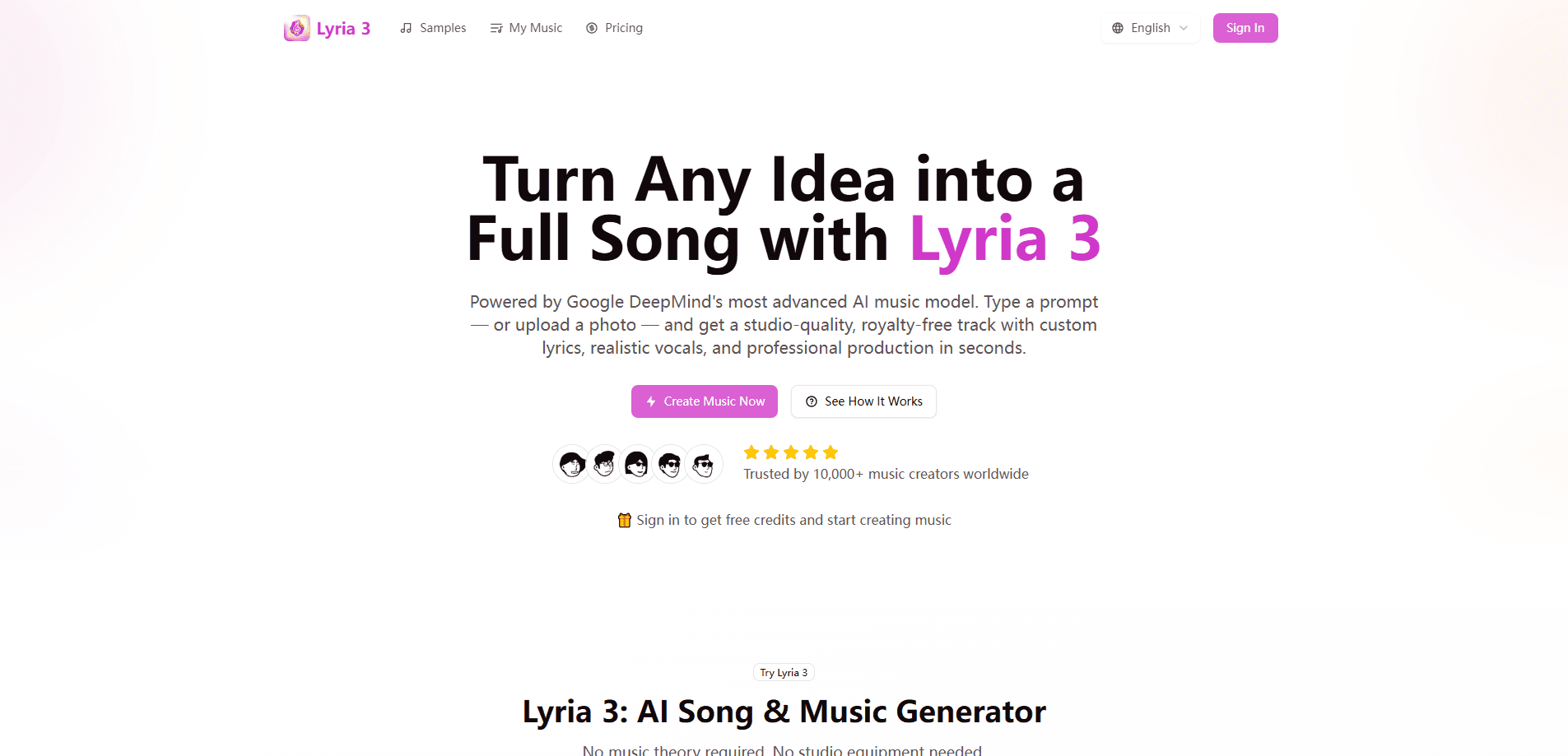
Lyria 3 Pro is Google DeepMind's flagship AI music generator, the model behind song creation inside the Gemini app, Google Vids, ProducerAI, and the Gemini API. It turns a text prompt or a reference image into a complete track up to three minutes long, with vocals, lyrics, and clearly separated sections like intro, verse, and chorus. Earlier AI music tools handed you a 30-second loop. Lyria 3 Pro aims for full-length AI songs you can actually use as finished work.
About Lyria 3 Pro - AI Song & Music Generator
What Is Lyria 3 Pro
Lyria 3 Pro is the advanced version of Lyria 3, the music generation model Google DeepMind released in February 2026. The main upgrade is length and control. Instead of a fixed 30-second clip, the Pro model produces tracks up to three minutes long and understands song structure well enough that you can ask for a specific arrangement.
You don't use Lyria 3 Pro on its own. It lives inside Google's products. In the Gemini app it's limited to paid subscribers, and it also powers music features in Google Vids, the ProducerAI platform, and developer tools like Google AI Studio and the Gemini API. According to Google, it also handles image prompts, so a photo of a seaside trip can become a matching instrumental.
The biggest limit to know up front is access and licensing. Free Gemini users get Lyria 3, not Pro. Want the Pro model? You pay. Commercial use depends on the plan and platform you generate through. Every track also carries an invisible SynthID watermark, and the model won't mimic a named artist's voice even if you ask for it.
Getting Started
- Sign in to a Google account with a paid subscription (Google AI Plus or higher) to reach Lyria 3 Pro inside the Gemini app, or open ProducerAI, Google Vids, or Google AI Studio.
- Find the music tool. In Gemini, open the tools menu and pick the option with the music note icon.
- Write a prompt describing genre, mood, tempo, instruments, and vocal style. You can also upload a reference image to steer the feel.
- For structure control, spell out the sections you want, such as a short intro, two verses, and a big chorus, and set the target length up to three minutes.
- Generate the track, then play it back, download it, or refine the prompt and regenerate.
Product Information
A quick look at Lyria 3 Pro - AI Song & Music Generator's pricing, supported platforms, and performance.
Best for
The users, tasks, and scenarios where this tool fits best.
Users
- Content creators
- Songwriters and hobby musicians
- Developers and product teams
- Marketers and ad makers
Tasks
- Generating a full song from a text prompt
- Creating background music for video
- Controlling song structure
- Prototyping ideas fast
Scenarios
- Scoring a short travel or lifestyle vlog
- Building a podcast intro
- Experimenting with genres
- Adding audio to a product demo
Key features
Full-Length Songs Up to Three Minutes
The headline change from Lyria 3 is length. Lyria 3 Pro can generate tracks up to three minutes long, which is the difference between a snippet and something that plays like an actual song. That matters. Longer output lets you build a track with a real arc instead of a single repeating idea. Video soundtracks and demos need that.
Structural Control Over Song Sections
Lyria 3 Pro understands song structure, so you can prompt for intros, verses, choruses, and bridges and get a cohesive arrangement with natural transitions. Think of it like giving a producer a brief. You could ask for a 15-second intro, two verses, an explosive chorus, and a fading bridge. That level of control is what separates it from basic AI music tools that only respond to a mood or genre.
Text and Image Prompts
You describe the music in plain language, specifying genre, mood, tempo, instruments, and vocal style. You can also upload an image and let the model read its mood and pacing. A beach photo, for instance, might come back as a laid-back track with guitar and ambient sea sounds. Simple enough. It's a quick way to match audio to visuals without writing a detailed brief.
High-Fidelity 48kHz Stereo Audio
Tracks come out as 48kHz stereo with vocals, lyrics, and instrumentals that aim for studio-ish quality. According to Google, the model handles instrument layering and vocal naturalness better than earlier Lyria versions. For everyday use that means audio you can drop into a video or podcast without it sounding obviously synthetic. For critical listening, it's still a step short of a real recording session.
Built-In Vocals and Auto-Generated Lyrics
You don't need to write lyrics. Lyria 3 Pro generates them from your prompt and pairs them with a melody, in a range of languages including English, Spanish, French, German, Japanese, Korean, and Portuguese. Reviewers have noted the lyrics can be hit or miss on things like rhyme. Treat them as a starting draft, not a finished verse.
SynthID Watermarking and No Artist Mimicry
Every track carries an invisible SynthID digital watermark, and the model won't copy a specific artist's voice even if you name one in the prompt. Google treats a named artist as loose inspiration instead. Good call. That design keeps the tool inside a license-safe lane, which matters if you plan to publish what you make.
Pros and cons
Pros
- Generates complete songs up to three minutes long, not just short clips.
- Pro-level structural control lets you shape verses, choruses, and bridges.
- Accepts both text and image prompts for flexible input.
- Outputs high-fidelity 48kHz stereo audio with vocals and lyrics.
- Backed by Google DeepMind and reachable through familiar tools like Gemini and Google AI Studio.
Cons
- No free tier for the Pro model; you need a paid Google subscription or a developer account.
- Lyrics quality is uneven, sometimes weak on rhyme and phrasing, so expect to edit them.
- Access is split across Google products with different limits and licensing terms, which can confuse first-time users.
Frequently asked questions
Lyria 3 Pro is used to generate original music from text or image prompts, mainly for videos, podcasts, demos, and marketing content. It creates full songs up to three minutes long with vocals, lyrics, and controllable structure. Not just short loops.
Related content
Explore related tools, skills, and articles for Lyria 3 Pro - AI Song & Music Generator.
Lyria 3 Pro - AI Song & Music Generator Alternatives

Foley
Hanamori Labs, LLC · Voice & Language · Productivity · AI AssistantFoley is a voice to-do list that turns a spoken sentence into a filed task, complete with project, date and time, then helps you plan the day around what is already there.

HireKey
HireKey · Voice & Language · Productivity · LeaningHireKey is an AI job search copilot built by a former tech recruiter. It checks role fit, tailors resumes, runs interview practice and tracks every application.

Fluence
Yay Software (Yannick Huchard) · Writing · Voice & Language · ProductivityFluence is an Android app that reads PDFs, EPUBs, Word files and web articles aloud, follows each sentence as it speaks, and answers questions about the text on the phone itself.