

MacWhisper for iOS
Good Snooze · Writing · Voice & Language
MacWhisper for iOS brings Whisper-powered transcription to iPhone and iPad, so you can turn voice memos, meetings and audio files into text without leaving your device.
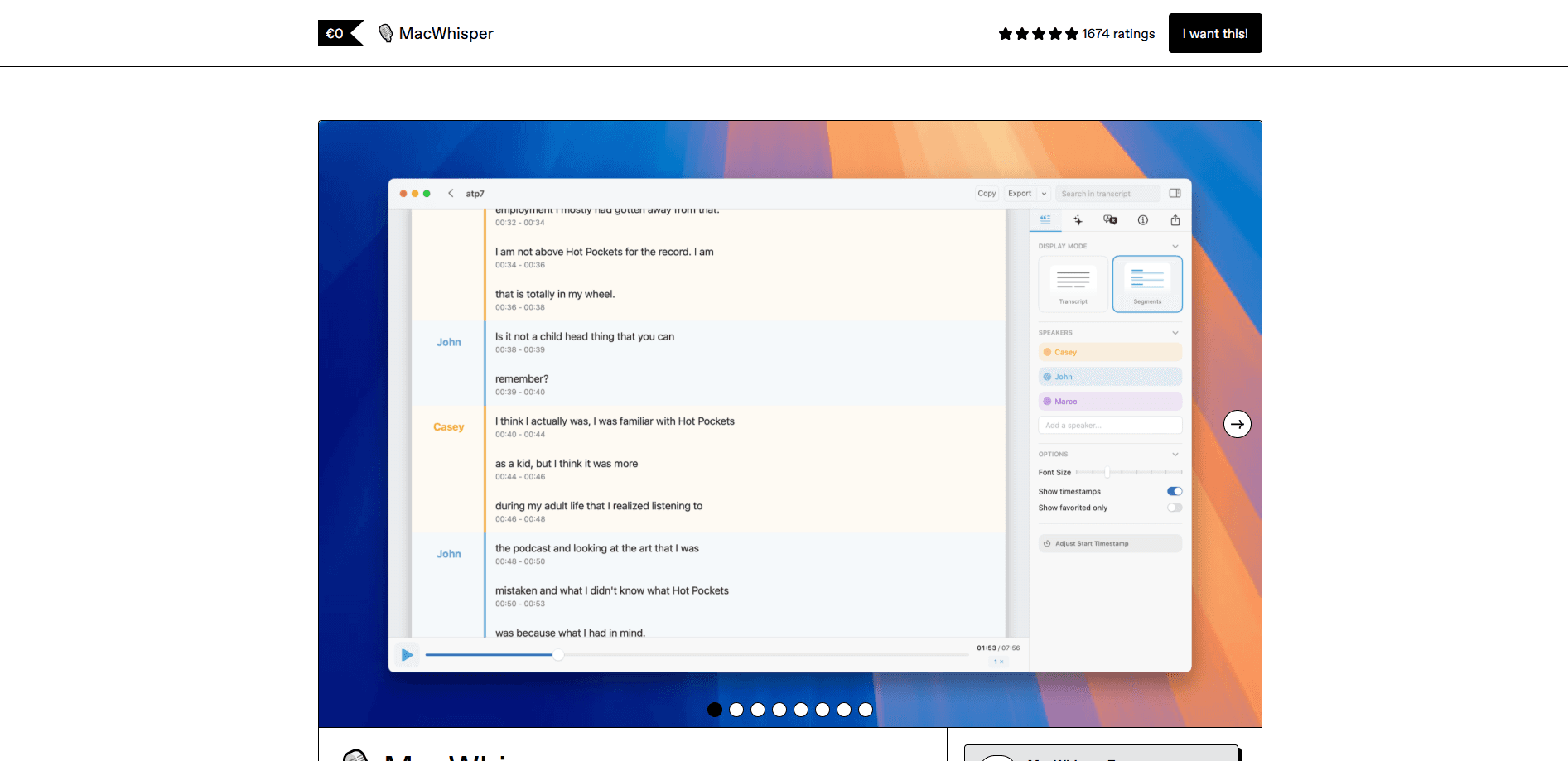
About MacWhisper for iOS
What Is MacWhisper for iOS
MacWhisper for iOS is the mobile edition of MacWhisper, the transcription app built by Good Snooze, the studio behind the Mac version. On the App Store it ships as Whisper Transcription and shares the same engine: an on-device implementation of OpenAI's Whisper speech model. You hand the app an audio file or record straight into it, then transcribe audio on iPhone or iPad in seconds.
The pitch is privacy and speed. Local models run on your iPhone or iPad, so interviews, therapy notes and confidential calls stay on the hardware. Nothing gets uploaded for those jobs. That's the whole reason the app exists: a lot of people don't want their voice memos sitting on someone else's server.
The catch is device power. On-device models need an iPhone 13 or newer, or an iPad with an M-series chip, so older phones fall back to cloud transcription. That route is fast and accurate but it does send your audio off the device, and it's tied to an optional subscription or your own API key.
Getting Started
- Install Whisper Transcription from the App Store and open it on your iPhone or iPad.
- Download a local model inside the app. Pick a small one for speed or a larger one for accuracy.
- Import an audio file, share a voice memo into the app, or tap record to capture new audio.
- Review the transcript in the built-in editor, fix any names, then export it or share it out.
- Add your own API key, or start the Assistant subscription, if you want AI summaries, chat and cloud transcription.
Product Information
A quick look at MacWhisper for iOS's pricing, supported platforms, and performance.
Best for
The users, tasks, and scenarios where this tool fits best.
Users
- Journalists and researchers
- Students
- Podcast and video creators
- Privacy-conscious professionals
Tasks
- Transcribe voice memos
- Summarizing long recordings
- Chatting with a transcript
- Translating audio
Scenarios
- Transcribing an interview in a noisy cafe
- Capturing a meeting on the move
- Cleaning up a quick idea
Key features
On-Device Whisper Models
MacWhisper for iOS runs OpenAI's Whisper locally, so audio stays on your iPhone or iPad while it's being transcribed. You pick the model size yourself, trading speed for accuracy depending on how clean the recording is. The trade-off is hardware: on-device transcription needs an iPhone 13 or newer, or an iPad with an M-series chip.
Share Extension and In-App Recording
You don't have to open the app to start a job. The share extension lets you send a voice memo or audio file from Messages, WhatsApp or the Files app straight into Whisper Transcription. You can also hit record and capture new audio in the app, then transcribe it as soon as you stop.
Offline Transcription on iPhone and iPad
When you download a local model, the iPhone voice to text pipeline runs entirely on the device. That means an offline transcription session works in airplane mode, on a plane or in a basement with no signal. It's the feature that separates this AI transcription app from the browser tab you'd otherwise leave open.
AI Summaries and Transcript Chat
A long recording is hard to skim, so the app generates an AI summary that pulls out the main points. You can also chat with a transcript and ask what was decided or who said what, which saves replaying an hour of audio to find one answer.
100+ Language Support
Whisper Transcription handles more than 100 languages, and it can auto-detect the one being spoken. That covers the usual suspects like English, Spanish, Japanese and Chinese as well as smaller ones, which matters if you work across borders or transcribe material that isn't in your native tongue.
Built-In Editor and Search
Every transcript lands in an editor where you can correct names, cut filler and restructure text. Search scans the whole transcript, so you can jump to a phrase instead of scrolling through pages of raw speech.
Flexible AI Backends
The app connects to a range of AI providers, and you can bring your own API key to unlock summaries and chat without a subscription. If you'd rather not manage keys, the Assistant subscription bundles cloud transcription, translation and AI chat into one plan.
Pros and cons
Pros
- Free to use, with all local models unlocked on iOS, which is unusual for a transcription app.
- On-device transcription keeps sensitive audio on your phone.
- Share extension and in-app recording cover both imported files and live audio.
- 100+ languages with auto-detection suits multilingual work.
- You can bring your own API key instead of paying a subscription.
Cons
- On-device transcription requires an iPhone 13 or newer, so older phones lean on the cloud.
- Cloud transcription is capped at 25MB per file, which can cut off very long recordings.
- AI summaries and chat sit behind the Assistant subscription unless you supply your own key.
- The app is iOS-only, so there's no Android equivalent for cross-platform teams.
Frequently asked questions
Yes. The iOS app is free to download and all local transcription models are unlocked at no cost, which differs from the Mac version's paid Pro license. You only pay if you want the Assistant subscription for cloud transcription, AI summaries and chat, and you can skip that by adding your own API key.
Related content
Explore related tools, skills, and articles for MacWhisper for iOS.
MacWhisper for iOS Alternatives

Google EmbeddingGemma 2
Google DeepMind · Writing · Image · CodingGoogle EmbeddingGemma 2 is a 740M-parameter open model that turns text, code, images, audio, and video frames into vectors in one 768-dimension space, running on phones and laptops.

MePersona
MePersona, Inc. · Writing · Productivity · MarketingMePersona is an AI unified inbox for creators. It learns your voice, drafts replies to fan messages from 12 platforms, and sends only what you approve.

Fluence
Yay Software (Yannick Huchard) · Writing · Voice & Language · ProductivityFluence is an Android app that reads PDFs, EPUBs, Word files and web articles aloud, follows each sentence as it speaks, and answers questions about the text on the phone itself.