

MagicCall – Voice Changer App
Black N Green Mobile Solutions (BNG Mobile) · Voice & Language
MagicCall is a voice changer app for phone calls that swaps your voice in real time, adds background sounds, and fires sound emojis mid-call for pranks and fun greetings.
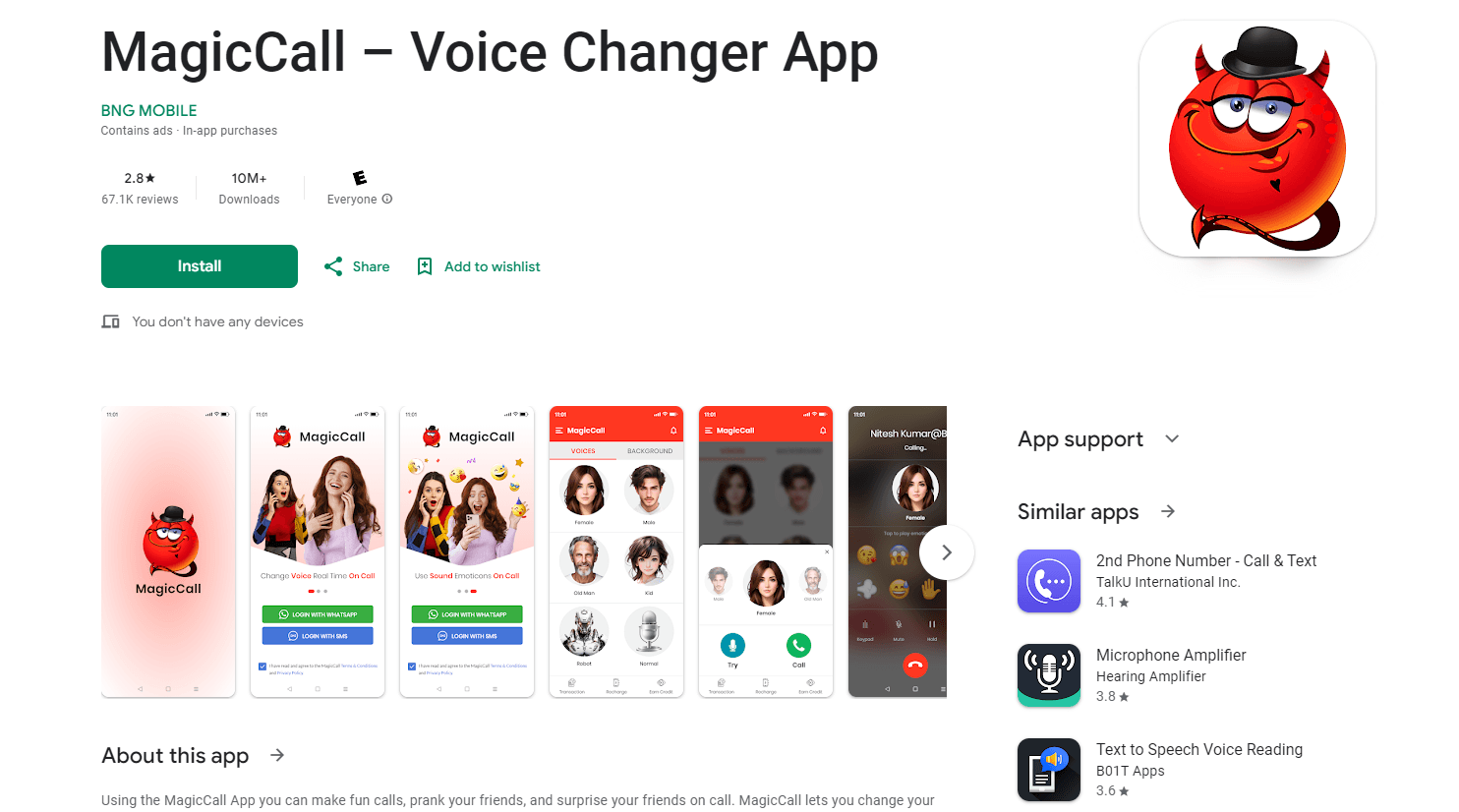
About MagicCall – Voice Changer App
What Is MagicCall
MagicCall is a mobile app from Black N Green Mobile Solutions, a company also known as BNG Mobile, that changes how you sound on an ordinary phone call. You pick a voice, choose a contact or dial a number, and the person who answers hears the character instead of you. The app has been on the App Store since January 2018 and ships on Google Play as com.bng.magiccall.
The pitch is simple. Prank calls without extra gear. No virtual microphone, no desktop software, no second handset. MagicCall routes the call itself, so the effect reaches whatever phone the other person owns, including a landline.
The limits show up fast. Every call burns call credits, the free allowance covers only a couple of minutes, and the voice list is short next to desktop tools. Recent App Store reviews also report that the SMS or WhatsApp login code never arrives, which leaves paying users locked out. Test the login before you buy anything.
Getting Started
- Install MagicCall from the App Store or Google Play, open it, and sign in with your phone number through SMS or WhatsApp.
- Pick a voice from the character list or choose a background sound such as traffic, rain, a concert, or the birthday song. Preview it first.
- Select a contact or type a number, then start the call. Credits are deducted while you talk.
- Switch voices or trigger a sound emoji during the call, hang up, and check the balance before the next one.
Product Information
A quick look at MagicCall – Voice Changer App's pricing, supported platforms, and performance.
Best for
The users, tasks, and scenarios where this tool fits best.
Users
- Pranksters and friend groups
- Social media creators
- Families and long-distance friends
Tasks
- April Fools calls
- Birthday and holiday greetings
- Practicing a character voice
- Low-cost international calls
Scenarios
- A five-minute prank on a friend during a commute
- A group chat dare or a live stream segment
- An office or classroom joke between people who know each other
Key features
Real-Time Voice Changing on Live Calls
The real-time voice changer runs while the call is connected, not after it. The receiver hears the new voice as you speak, with no file upload and no editing step. That immediacy is the whole appeal of a prank call app, and it works on both mobile numbers and landlines because the audio is processed on MagicCall's side.
A Character Library Built for Short Jokes
MagicCall covers the basics: a female voice changer for male callers, a male voice changer for female callers, a kid voice changer, a grandpa voice, a robot voice, and a handful of cartoon characters. Each preset is tuned for clarity rather than studio realism. The voices are convincing enough for a one-minute joke and not much more.
Background Sounds That Set the Scene
Six background sounds ship with the app: traffic, rain, a concert, a birthday song, a race car, and a mountain setting. Layer one under a voice and the call has a location. Traffic noise plus a tired voice becomes a late-for-work excuse, and the birthday song plus a cartoon voice becomes a greeting the other person clips and shares.
Switch Voices Without Hanging Up
You can change voice during a call instead of picking one at the start. That matters for longer pranks, where the first voice stops being funny. Switching mid-call also lets you hand the phone to a friend and keep the same conversation going.
Sound Emojis for Timing
Sound emojis are short clips like a kiss, a slap, a clap, or a fart, triggered with one tap. They fill the pauses where a prank usually dies. Used once or twice in a call, they land. Used constantly, they bury the voice effect and the person on the other end catches on.
Credits, Free Trials, and International Rates
New accounts get free credits on first registration, enough to test a call or two. After that you buy credit packs, which start at $0.99, or move to a weekly, monthly, or quarterly subscription. The same credits pay for international calls at rates lower than most carriers charge, so the app doubles as a cheap way to call abroad.
Pros and cons
Pros
- Works on an ordinary phone call, so the person you call needs no app, account, or special handset.
- Voices and background sounds combine, which sells a fake scene better than a voice filter on its own.
- Mid-call switching keeps a prank alive once the first voice wears off.
- The preview button costs nothing and stops you from wasting a credit on a voice you dislike.
- Registration comes with free credits, so you can judge the audio before paying.
Cons
- Login codes often fail to arrive by SMS or WhatsApp, and several paying users report being locked out with credits still on the account.
- Credits drain per minute of talk time, so a long call costs much more than the price of a pack suggests.
- The voice selection is thin. Anyone who wants dozens of characters or voice cloning needs a desktop changer instead.
- Call audio follows your mobile signal, so a weak connection adds delay and hiss to the effect.
Frequently asked questions
MagicCall is used to change your voice during a live phone call and to add background sounds or short sound effects. People use it for pranks, birthday greetings, character practice, and cheap international calls.
Related content
Explore related tools, skills, and articles for MagicCall – Voice Changer App.
MagicCall – Voice Changer App Alternatives

Foley
Hanamori Labs, LLC · Voice & Language · Productivity · AI AssistantFoley is a voice to-do list that turns a spoken sentence into a filed task, complete with project, date and time, then helps you plan the day around what is already there.

HireKey
HireKey · Voice & Language · Productivity · LeaningHireKey is an AI job search copilot built by a former tech recruiter. It checks role fit, tailors resumes, runs interview practice and tracks every application.

Fluence
Yay Software (Yannick Huchard) · Writing · Voice & Language · ProductivityFluence is an Android app that reads PDFs, EPUBs, Word files and web articles aloud, follows each sentence as it speaks, and answers questions about the text on the phone itself.