

Maige
Rubric Labs · Coding
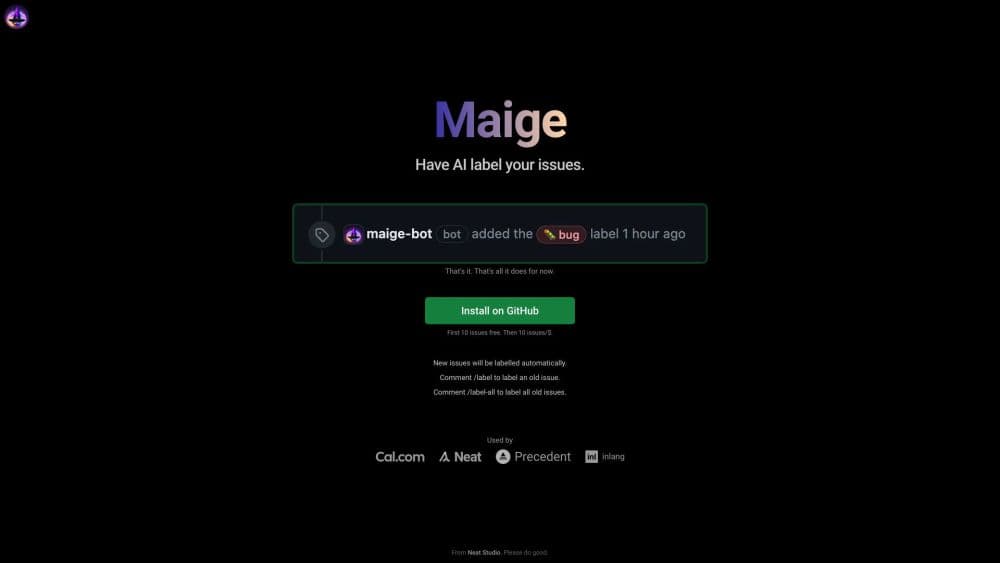
Maige is an open-source copilot that runs plain-English rules on your GitHub repository to label issues, assign reviewers, comment on pull requests and review code automatically.
About Maige
What Is Maige
Maige is a GitHub agent built by Rubric Labs, a small AI software studio. Maintainers install it on a repository and describe what should happen when an issue or pull request appears. Maige reads that description and does the work through the GitHub API: it adds labels, pings a reviewer, leaves a comment, or drafts a review.
The point is to take repeat chores off a maintainer's plate. On a busy open-source project, a first reply, a correct label, and the right assignee often decide whether a contributor sticks around. Maige handles those steps within seconds of the issue landing.
Two limits matter up front. The agent acts inside GitHub, so it can't change anything you couldn't change in the browser yourself. And the code it writes is meant to sit behind your existing branch protection, never to bypass review.
The project is open source under AGPL-3.0 and has been running in alpha. Rubric Labs states that self-hosting isn't officially supported yet, so the realistic path for most teams is the hosted app, with the code published as an escape hatch.
Getting Started
- Open maige.app and sign in with your GitHub account, then pick the repository you want covered.
- Approve the install. Maige creates a webhook, embeds the codebase so the agent can search it, and provisions a sandbox for that repo.
- Write your rules in plain English, such as assigning UI issues to a specific maintainer or labelling pull requests that touch environment files.
- Open a test issue or pull request and watch the dashboard to see what Maige did and adjust the wording if a rule fires the wrong way.
- Tell your contributors the bot is active, then keep tuning rules as new patterns show up.
Product Information
A quick look at Maige's pricing, supported platforms, and performance.
Best for
The users, tasks, and scenarios where this tool fits best.
Users
- Open-source maintainers who triage alone
- Small product teams sharing a public repo
- Maintainers of repositories with outside contributors
Tasks
- Sorting incoming issues by area
- Flagging risky pull requests for human review
- First response to new contributors
- Drafting code reviews against a contributing document
Scenarios
- A weekend surge of issues after a release
- A pull request queue that grows faster than reviewers
- Onboarding a new maintainer onto a large repo
Key features
Plain-English Workflow Rules for Natural Language Workflows
You write instructions the way you'd brief a new teammate, then Maige turns each one into an action on GitHub events. A rule like labelling environment file changes as needing approval runs on every pull request that matches, with no YAML to learn and no workflow file to maintain. These natural language workflows replace the hand-sorting that fills a maintainer's morning. Rules can be edited from the dashboard when something misfires.
Automatic Issue Triaging
When an issue opens, the agent decides on labels and an assignee from its reading of your rules and the content of the report. That covers the most tedious part of GitHub issue triage: deciding who should look at this and what bucket it belongs in. It works with the labels you already use, so existing triage habits survive.
Pull Request Review
Maige reviews incoming pull requests against instructions you supply, usually a contributing guide or a review checklist. Comments land where you'd expect from a human reviewer. The review is a first pass, not a replacement for a senior maintainer, and code that ships still passes through your normal approval and branch protection.
Code Sandbox per Repository
Every connected repository gets its own isolated sandbox. The agent clones the repo there, installs dependencies, and can run commands the way a junior developer would, whether that means running tests or trying to reproduce a reported error. Writing and committing code to a new branch then becomes possible, with the pull request attributed to the bot identity.
Codebase Search with Embeddings
On install, Maige indexes the whole repository into a vector store, so questions about the project are answered from the code itself rather than from guesswork. Asking which packages a repo uses or where a config value is set returns an answer grounded in files that actually exist.
Dashboard with Run History
The dashboard lists what the agent did on each issue and pull request, which matters when a rule behaves differently than you expected. You can trace a bad label back to the sentence that caused it, fix the wording, and watch the next run.
Pros and cons
Pros
- Rules are written in normal language, so a maintainer can set up triage without touching a config file or learning a workflow syntax.
- The bot works through the GitHub API, which means it fits existing habits instead of asking the team to move to another dashboard.
- The code is published under AGPL-3.0, so a team worried about lock-in can read exactly what runs on its repository.
- Per-repo sandboxes let the agent run tests and reproduce bugs, not just leave comments.
- The free tier is usable for small projects, and pricing starts at $30 per month after that.
Cons
- The product is still labelled alpha, and the vendor says self-hosting isn't supported yet, so you're relying on the hosted service for day-to-day work.
- Plain-English rules can misread a sentence, which means the first weeks need supervision before you stop watching every label.
- The agent only covers GitHub, so teams on GitLab or Bitbucket can't use it.
- Setup asks for issue and pull request write permissions, a request that some maintainers find hard to grant without a security conversation.
Frequently asked questions
Maige automates repository housekeeping on GitHub. When an issue or pull request opens, it applies the rules you wrote in plain English: auto labelling, auto assignment, commenting, and code review. It's an AI codebase copilot for the maintenance side of a project rather than a writing assistant, and one of the few open-source maintainer tools that asks you to write rules instead of clicking toggles.
Related content
Explore related tools, skills, and articles for Maige.
Maige Alternatives

Base Code
Base44 (Wix) · Coding · ProductivityBase Code is a shared cloud development environment from Base44. Teammates describe changes to an existing GitHub codebase in chat, preview them live and send them back as pull requests.

Google EmbeddingGemma 2
Google DeepMind · Writing · Image · CodingGoogle EmbeddingGemma 2 is a 740M-parameter open model that turns text, code, images, audio, and video frames into vectors in one 768-dimension space, running on phones and laptops.

GitGlow
GitGlow · Coding · ProductivityGitGlow is a local-first desktop Git client that lets independent developers review their own code and their AI agents' changes in one place before shipping.