

Mailercloud
Mailercloud · Marketing
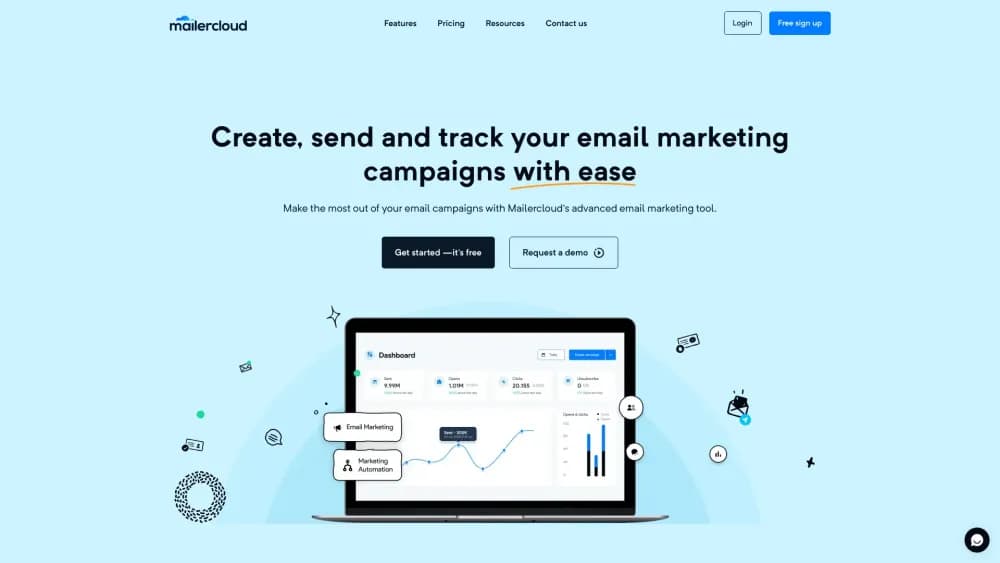
Mailercloud is an email marketing platform with a drag and drop builder, free automation, AMP email, and inbox tracking. The free plan covers 12,000 emails a month.
About Mailercloud
What Is Mailercloud
Mailercloud is a cloud based email marketing platform built for small and mid sized businesses. It bundles the pieces most teams end up buying separately: a visual editor, a workflow builder, deliverability monitoring, and a transactional email API. The company has been working on email tools since 2013 and settled on the Mailercloud name in 2018. It now says 35,000 businesses send through the platform.
The pitch is simple. Automation is not locked behind a paywall, and the free plan sends 12,000 emails a month to 1,000 contacts. Most competitors cap free automation or drop it after a trial, so teams that want welcome sequences on day one get a cheaper starting point here.
The limits show up in the details. The free plan allows one advanced automation, and A/B testing plus the AI subject line generator need a paid plan. The transactional email API is sold as a separate product with its own volume pricing. Support is chat and email, with priority chat on paid plans.
Getting Started
- Create an account at app.mailercloud.com with an email address; no credit card is needed for the free plan.
- Add contacts by importing a CSV file, connecting a signup form, or syncing an integration such as Shopify or Google Sheets.
- Build a campaign in the drag and drop email builder, or pick one of the 400 plus templates and adjust the blocks.
- Set up a welcome or cart abandonment workflow in the automation editor, then pick the trigger events.
- Send a test email, check the spam score in the inbox tracker, and schedule the campaign for a time zone.
Product Information
A quick look at Mailercloud's pricing, supported platforms, and performance.
Best for
The users, tasks, and scenarios where this tool fits best.
Users
- Small business owners
- Ecommerce teams
- Marketing agencies
Tasks
- Building a welcome sequence
- Checking inbox placement
- Sending password resets and receipts
- Testing subject lines
Scenarios
- A first campaign with no budget
- A seasonal sale
- A deliverability scare
Key features
Drag and Drop Email Builder
The editor works with blocks for text, images, buttons, and dividers, and it previews the result for desktop and mobile side by side. You can start from 400 plus responsive templates or a blank canvas, and a custom HTML editor is there for teams that need exact control. No coding is required for the standard path, which keeps campaign production inside the marketing team.
Automation on Every Plan
The workflow builder maps a customer journey with drag and drop logic and fires emails on opens, clicks, page visits, or custom events. Prebuilt flows cover welcome series, cart abandonment, and re-engagement. The free plan includes automation, but it caps you at one advanced automation and a basic workflow editor, so heavy lifecycle programs will need Premium.
Inbox Tracker and Deliverability Monitoring
This is the feature that separates Mailercloud from cheaper rivals. It reports where emails land across Gmail, Yahoo Mail, and Outlook, scores content before sending, and tracks SPF, DKIM, and DMARC status along with blacklist alerts. For a small team without a deliverability specialist, that turns a vague worry about spam folders into a checklist.
AMP Email Support
AMP email lets subscribers fill in forms, answer polls, and browse product carousels without leaving the inbox. Mailercloud supports interactive forms, surveys, real time price and inventory updates after send, and counts Gmail, Yahoo Mail, and Mail.ru as compatible clients. The catch is audience coverage: anyone on a client that does not render AMP sees the fallback HTML version.
Campaign Analytics and A/B Reports
The dashboard reports opens, clicks, bounces, unsubscribes, and revenue attribution as campaigns run. Click heatmaps show which parts of an email pull attention, and A/B reports compare subject lines, content, and send times. If email campaign analytics decide which platform you keep, this is the section to compare against a rival. The revenue view is the practical one for stores, since it ties a send to orders rather than just clicks.
Transactional Email API
Mailercloud sells a separate email API for password resets, receipts, and notifications, with SMTP and REST options that mirror what SendGrid, Postmark, or Mailgun users already know. Pricing starts at $10 a month for 50,000 emails, includes webhooks for every event, and offers a 14 day trial. Median API to send time is under a second according to the company.
Pros and cons
Pros
- Automation, including a visual workflow builder, is available on the free plan, which is rare at this price.
- Inbox placement monitoring and sender authentication checks come built in, so you don't need a third party tool to watch deliverability.
- Paid plans start at $10 a month with unlimited sends and 5,000 contacts, which undercuts Mailchimp and ActiveCampaign at the same contact volume.
- The transactional email API is a drop in replacement for SendGrid or Mailgun style integrations, so migration is mostly a matter of swapping keys and endpoints.
Cons
- The free plan allows only one advanced automation and a basic workflow editor, so a real lifecycle program pushes you to Premium quickly.
- A/B testing and the AI subject line generator are paid features, which leaves free users without built in testing.
- Support is chat and email only, and priority chat requires a paid plan; teams that want a phone line or a dedicated manager need Enterprise.
- Pricing scales with contact count and send volume, so a list that grows past 5,000 contacts moves onto custom quotes rather than a published price.
Frequently asked questions
Yes. The free plan is permanent, needs no credit card, and covers 12,000 emails a month to 1,000 contacts, with automation included. Paid plans start at $10 a month.
Related content
Explore related tools, skills, and articles for Mailercloud.
Mailercloud Alternatives

ngram 2.0
ngram · Video · Marketingngram 2.0 is an AI video generator for teams. It turns a prompt, a screen recording, or a product URL into a narrated explainer, product demo, or AI avatar video, and every scene stays editable.

shippedit.me
Krawlup · Marketing · Businessshippedit.me now redirects to Krawlup, a web platform that audits SEO, AEO and page speed every week, then hands the fixes to AI coding agents over MCP.

MePersona
MePersona, Inc. · Writing · Productivity · MarketingMePersona is an AI unified inbox for creators. It learns your voice, drafts replies to fan messages from 12 platforms, and sends only what you approve.