

Mailforge
Salesforge · Writing · Marketing
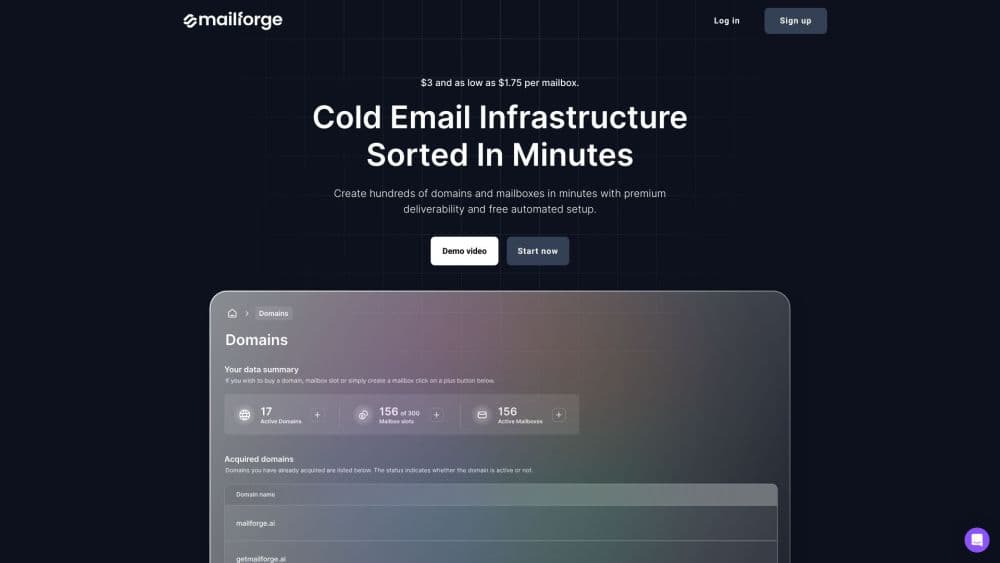
Mailforge is cold email infrastructure for outbound teams. It sets up domains and mailboxes with automated DNS, then plugs into any sending software like Salesforge.
About Mailforge
What Is Mailforge
Mailforge is a cold email infrastructure platform from the team behind Salesforge. Instead of sending from a personal Gmail account and hoping it lands, you buy domains and mailboxes inside the app and run your outreach through infrastructure built for cold mail. The setup handles DMARC, SPF, DKIM, and custom domain tracking for you, so a non-technical founder can get a working sending stack in about five minutes.
The problem it solves is deliverability. Cold email lives or dies on whether your messages reach the inbox instead of the spam folder, and that depends on domain reputation, authentication records, and how much you send from each mailbox. Mailforge spreads your volume across many domains and mailboxes, pre-warms them, and keeps the technical records current. You focus on the sequence, not the plumbing.
Two things shape where it fits. It's a send layer, not a full sequencer: Mailforge gives you the mailboxes, but you still need a sending tool like Salesforge to write and fire the campaigns. And it's priced per mailbox slot, so costs climb as your operation grows. For an agency or a sales team running real cold outreach at volume, that trade is usually worth it.
Getting Started
- Sign up at mailforge.ai and create a workspace for your project or your first client.
- Buy the domains you need, or transfer ones you already own into the app.
- Add mailbox slots and let Mailforge set up the DNS records, or connect pre-warmed domains and mailboxes.
- Connect your sending software, such as Salesforge, and point it at the mailboxes.
- Launch your first sequence and monitor inbox placement so you can adjust volume before issues snowball.
Product Information
A quick look at Mailforge's pricing, supported platforms, and performance.
Best for
The users, tasks, and scenarios where this tool fits best.
Users
- Cold email agencies
- Sales teams running outbound at volume
- Founders new to cold outreach
- Teams comparing cold email tools
Tasks
- Setting up sending infrastructure for a new campaign
- Spreading volume across many domains
- Fixing email deliverability when mail lands in spam
- Managing mailboxes for multiple clients
- Moving domains between tools
Scenarios
- An agency onboarding a new outbound client
- A solo founder testing cold email for the first time
- Scaling past a few hundred contacts a month
Key features
Free Automated DNS Setup
For every domain you add, Mailforge configures DMARC, SPF, DKIM, and custom domain tracking following industry best practices. That's the part most people get wrong by hand and the reason cold mail gets blocked. The value isn't the click saved; it's not having to know what a DKIM record is. If something breaks, the Helpdesk and chat support cover the technical side.
Pre-Warmed Domains and Mailboxes
You can start sequences right away with pre-warmed domains and mailboxes rather than sending your first emails from a cold, unauthenticated setup. Warming is what builds the sender reputation that inbox providers check before deciding where your mail lands. Skipping it is one of the fastest ways to get a new domain flagged, so having it handled by default removes a common early mistake.
Bulk DNS Updates
When you run many domains, editing records one at a time doesn't scale. Mailforge lets you update DNS records across multiple domains in a few clicks inside the app. For an agency managing dozens of client domains, that turns an afternoon of registrar work into a couple of minutes, and it cuts the chance of a typo slipping into a record.
Multiple Workspaces
Workspaces let you keep projects or clients separate, then move domains and mailboxes between them as your work shifts. An agency can give each client its own space so one client's sending never touches another's reputation. The structure matters most once you're past a single campaign and juggling several at once.
Works With Any Sending Software
Mailforge is infrastructure, not a sequencer, so it's built to plug into whatever you send with. It works with Salesforge and any other sending software, which means you're not locked into one tool for the whole stack. If you already have a sequencer you like, you keep it and just swap the mailboxes underneath.
SSL and Domain Masking
This add-on displays branded websites without revealing your primary domain, and it runs alongside SSL for secure redirection. The point is privacy and safety at scale: prospects see a clean branded page while your core domain stays hidden. It's priced per domain, so you only pay for the ones you mask.
Pros and cons
Pros
- Automated DNS setup removes the technical work that trips most people up, so you can send within minutes.
- Prices start around $2 - $3 per mailbox a month, well under what Google Workspace or Microsoft 365 cost per seat.
- Pre-warmed domains and mailboxes let you launch right away instead of burning weeks on warming.
- Support is fast and responsive, which several customers call out as better than rival tools.
- It works with any sending software, so you keep your existing sequencer if you have one.
Cons
- There's no free trial. You have to buy at least some domains and mailbox slots before you can send anything.
- It's infrastructure only. If you don't have a sending tool like Salesforge, outreach doesn't happen until you add one.
- Costs scale with size because you pay per mailbox slot, so a large operation adds up quickly.
- You're renting infrastructure, not owning it. If a provider stays down, your campaigns sit idle.
Frequently asked questions
Mailforge is used to set up and run cold email infrastructure. You buy domains and mailboxes, let it configure DNS records like DMARC, SPF, and DKIM, and then send outreach through a tool like Salesforge. It handles the sending foundation rather than the campaign copy.
Related content
Explore related tools, skills, and articles for Mailforge.
Mailforge Alternatives

Emailwritr
Emailwritr · Writing · MarketingEmailwritr is an AI email copywriting tool built for affiliates, course creators, and online businesses that want more revenue from the list they already own. Instead of blank pages or generic chatbot prompts, this AI email writer generates welcome sequences, launch campaigns, cart recovery emails, and promo series from frameworks modeled on well-known direct-response copywriters. You connect your autoresponder, answer a few questions about your offer, and it writes the copy for you.

Swms
Swms AI · Writing · Productivity · BusinessSwms is an AI safety compliance tool that turns a plain description of a job into ready-to-use safety documents. Describe your project, trade, and known hazards, and it writes a safe work method statement, job hazard analysis, safe work procedure, RAMS, or safety data sheet in seconds. It also ships with Oscar, a chat assistant that answers workplace safety questions in any language. Teams in construction, mining, transport, and warehousing use it to cut the paperwork that usually eats into a workday.

Prosp
Prosp · Writing · Voice & Language · MarketingProsp is an AI LinkedIn outreach tool built for agencies and sales teams, and it writes the message and the voice note in your own voice for each prospect so they actually reply. You connect your accounts, find leads, and let the AI draft and send personalized messages at scale, all from one inbox. It's built for people running outbound at volume. That's the whole pitch. Every touchpoint still has to feel human.