

MakeSong
MakeSong · Voice & Language
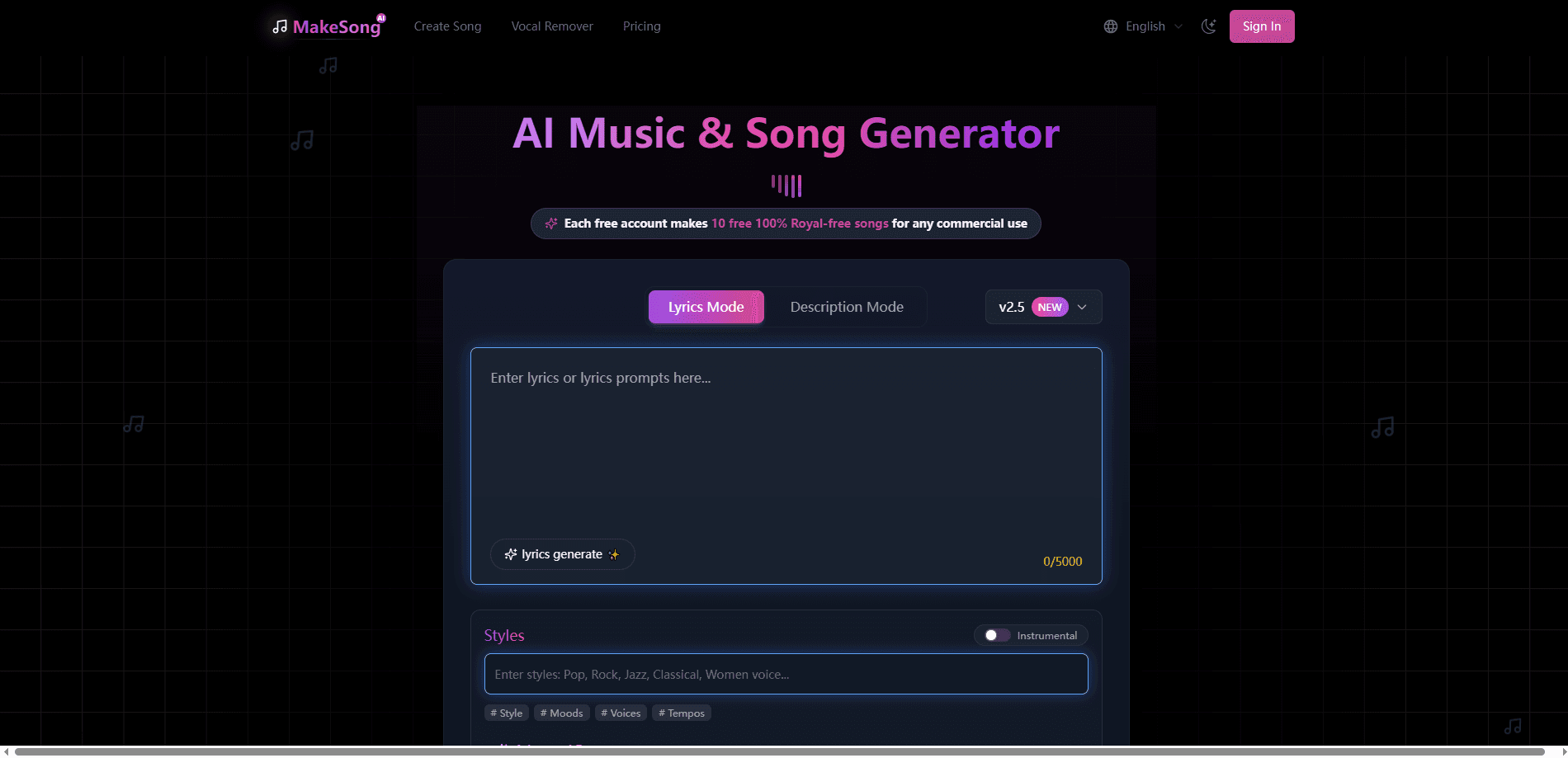
MakeSong is a free AI music generator that turns a text prompt or your own lyrics into finished songs with vocals and instruments, then lets you download them as MP3 or WAV files.
About MakeSong
What Is MakeSong
MakeSong is a browser-based AI song generator built for people who want a finished track without touching a DAW. You describe the sound you want or paste lyrics, pick a style, and the tool returns a full song with singing, backing instruments, and a produced arrangement in a couple of minutes.
The main problem it solves is the cost and skill barrier around music. A jingle for a video, a background loop for a game, or a birthday song for a friend used to mean hiring someone or learning an instrument. MakeSong works as an AI music maker that turns that into a text box and a few credits.
The catch is control. You steer the result with prompts and tags, but you don't get studio-level editing. You can extend a track, cover it in a new style, or swap a section, yet you can't hand-place every note. People who need that precision will still reach for a traditional tool.
Getting Started
- Create an account on makesong.com and land on the song generator.
- Enter a text description for the song, or switch to lyrics mode and paste your own words.
- Choose a genre and style, and optionally set a title or voice type.
- Generate the track, listen to the result, and regenerate if you want a different take.
- Download the audio as MP3 or WAV and share it or drop it into your video.
Product Information
A quick look at MakeSong's pricing, supported platforms, and performance.
Best for
The users, tasks, and scenarios where this tool fits best.
Users
- Content creators
- Independent musicians
- Beginners with no music training
Tasks
- Making background tracks for YouTube and short-form video
- Writing custom jingles for brands and ads
- Scoring game scenes
Scenarios
- Launching a podcast
- Building a personal gift
- Prototyping a bigger project
Key features
Text to Song Generator
Type a description of the music you want and MakeSong builds a complete track around it. You can aim for K-Pop, Hip-Hop, Rock, or a custom style, which makes it easy to match a specific vibe without knowing music theory.
Lyrics to Music
Paste your own lyrics and the tool composes a melody and vocals to fit them. Tags like [chorus] let you nudge the song structure, so the verses and hooks land where you want them.
AI Lyrics Generator
If you don't have words yet, the built-in lyrics generator writes them for you. You feed it a theme, a mood, or a few keywords, and it returns full verses and choruses you can edit or use as is.
Vocal Remover
Upload an existing track and MakeSong separates the vocals from the instrumental. The resulting backing track is useful for karaoke, remixing, or pulling a clean instrumental out of a song you already own.
Extend, Cover, and Replace Section
These tools let you reshape a finished song rather than start over. You can stretch a track longer, restyle it into a new genre, or regenerate just one part while keeping the rest intact.
Download and Commercial Options
Finished songs come out as MP3 or WAV files you can download directly. Paid plans add lossless downloads and a commercial license, which matters if you plan to monetize the music.
Pros and cons
Pros
- Free tier lets you try full song generation before paying anything.
- Text and lyrics modes cover both "I have words" and "I only have a vibe" starting points.
- Downloads in MP3 or WAV fit most editing and publishing pipelines.
- Vocal remover and section tools add practical editing without a steep learning curve.
- Paid plans carry a commercial license for monetized projects.
Cons
- You steer results with prompts rather than fine-grained controls, so exact arrangements are hard to force.
- The free tier runs on limited credits, which caps how much you can generate per day.
- Advanced models and lossless downloads sit behind a subscription, so the free experience is narrower.
- No confirmed public API means you can't wire the generator into your own app yet.
Frequently asked questions
Yes. MakeSong has a free tier that lets you generate songs with a small daily credit allowance, and you can upgrade to a paid plan for more generations and extra features.
Related content
Explore related tools, skills, and articles for MakeSong.
MakeSong Alternatives

Off the Record
Weird Machines · Voice & Language · ProductivityOff the Record is a macOS app from Weird Machines that reshapes your voice in real time to block AI transcription, so people hear you normally and notetakers get nothing usable.
Cekura Bench
Cekura · Voice & Language · BusinessCekura Bench is a public benchmark that runs speech-to-speech models and deployed voice agents through 82 simulated phone calls, three times each, then publishes pass rates, latency and cost.
Griffin by Tavus
Tavus · Voice & Language · Video · ChatbotGriffin by Tavus is the first Human Interaction Model: a full-duplex, video-to-video system that watches, listens, and answers during a live video call in real time.