

Manaliza Pro
Manaliza · Writing · Marketing
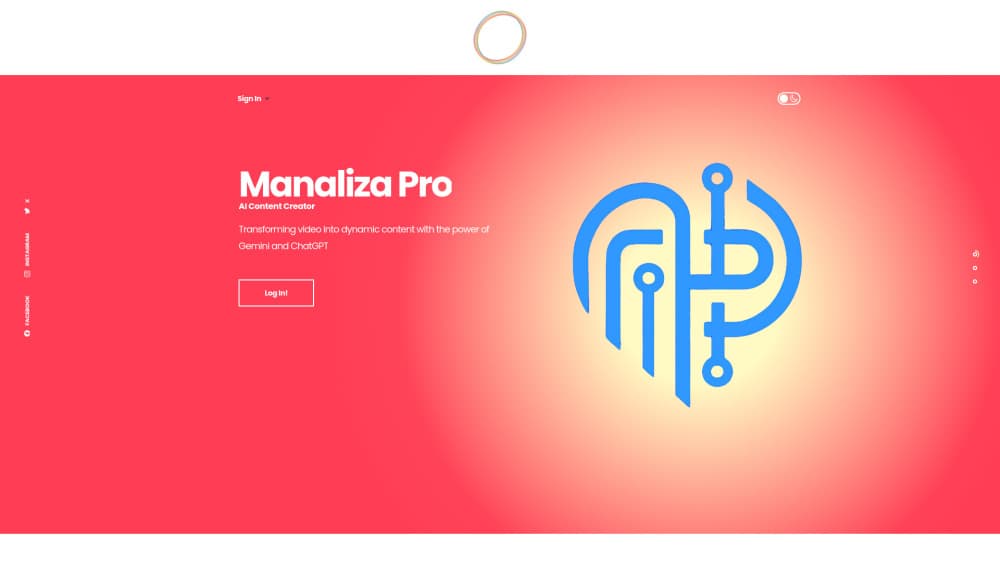
Manaliza Pro is a browser-based content studio that plans shows, streams live, cuts short clips, and writes video SEO copy with six AI models working together.
About Manaliza Pro
What Is Manaliza Pro
Manaliza Pro is a video production platform and AI content studio for people who publish video. It bundles four jobs that usually live in separate subscriptions: planning segments before a shoot, running a live show from the browser, cutting vertical shorts from long footage, and writing SEO titles, descriptions, and tags.
The core idea is collective AI. Instead of trusting one model, Manaliza sends a transcript to Gemini, GPT, DeepSeek, Grok, Kimi, and Llama, then combines their suggestions into one set of titles, tags, thumbnail ideas, and ad copy. The company calls that combined result the Super Output. The site is built in Turkish and also offers English and Russian in the app, which fits its base of Turkish creators and teams.
Two limits matter early. Most modules still carry an early access label, so features and limits can shift. And pricing runs on prepaid credits, which means a heavy streaming or clipping month costs more than a light one, and you have to watch the balance yourself.
Getting Started
- Open manaliza.pro and sign in with your email. The site sends a six-digit code, so there's no password to set.
- Add credit to the wallet if you plan to stream or generate clips. The meter runs at $1 for 20 minutes of credit.
- Build a desk in the Editor Desk module, drop in segments, and arrange them in Kanban, timeline, board, or flow view.
- Send the desk to Reji Live, check your camera and mic, then push the show to YouTube, Facebook, LinkedIn, or another RTMP target.
- After the stream, send marked moments to Reji+ Shorts, approve the good ones, and publish the vertical files to TikTok, Reels, or Shorts.
Product Information
A quick look at Manaliza Pro's pricing, supported platforms, and performance.
Best for
The users, tasks, and scenarios where this tool fits best.
Users
- Small video teams
- Solo creators who stream and post clips
- Channels that treat SEO as part of production
Tasks
- Planning a weekly show
- Running a guest interview
- Cutting eight shorts from one long video
- Writing video SEO copy
Scenarios
- A weekly live program with rotating hosts
- Repurposing a webinar
- Keeping several channels current
Key features
Editor Desk
The Editor Desk is the prep room. You collect segments as cards, then arrange them in one of four views: Kanban, timeline, board, or flow. Each card holds a title, notes, source, guest, category, verification status, duration, and priority, and a checklist field covers the shots or assets a segment needs. When the running order is ready, one click sends the whole desk to the live studio.
Reji Live Studio
Reji Live runs in the browser, so guests join from a link and nobody installs a client. AI active-speaker detection moves the camera to whoever talks, and scene changes happen without a director clicking. The AI live streaming studio also handles lower thirds, comments, polls, screen share, a teleprompter, and moment marking during the broadcast.
Multi-Destination Streaming
A stream can go to YouTube, Facebook, LinkedIn, X, Twitch, Kick, or a custom RTMP address at the same time. YouTube gets the title, description, cover, and category pushed automatically once the channel is connected. Every show is recorded whether or not you stream, and the recording arrives with a transcript for the next step.
Reji+ Shorts Workshop
Reji+ works as an AI shorts generator: feed it a long video, from a YouTube link, an uploaded file, or a past live show, and it finds the moments worth clipping. It scores each candidate from 0 to 10, then builds vertical clips with Pexels stock B-roll, AI hero images, mood-matched music, and word-by-word karaoke captions. The output is a 9:16 MP4 that turns into TikTok video clips, Reels, and Shorts uploads.
Five-Model SEO Engine
The video SEO tool sends each video through Gemini, GPT, DeepSeek, Grok, Kimi, and Llama, then merges the answers into one recommendation. You get titles that avoid clickbait, descriptions, smart tags based on competitor and trend analysis, thumbnail composition ideas, and ad copy. Output language is selectable, and the app lists 9 platforms for distribution.
Team Planning and Channel Tracking
The planning view takes broadcast slots with dates, times, durations, and repeat rules, and team members claim the open ones with a click. Channel tracking follows chosen YouTube channels and produces SEO content for each new upload, short, or live stream. Access sits on server-side roles, so owners and editors see different controls.
Pros and cons
Pros
- Combines planning, live streaming, short video production, and video SEO in one browser workspace.
- Cross-checks six AI models on the same transcript, which cuts the odds that one model's odd suggestion becomes your title.
- Credits are prepaid and cost $1 per 20 minutes, so a quiet month costs little and there's no subscription to cancel.
- Guests join a live show from a browser link, which removes the usual software install for interviewees.
- Recordings arrive with a transcript, and marked moments flow straight into the shorts workshop.
Cons
- Most modules are still labeled early access, so expect rough edges and features that move.
- The interface is built in Turkish first, with English and Russian available, so other language teams may find parts untranslated.
- Credit pricing makes costs hard to forecast, and a long stream plus a batch of shorts can drain the balance fast.
- There's no public API for developers, so automation beyond the built-in channel tracking isn't an option.
Frequently asked questions
Manaliza Pro is a video production platform that covers the chain: planning segments, running a live show, cutting vertical shorts, and writing SEO titles and tags. Each part runs in the browser and shares the same team workspace.
Related content
Explore related tools, skills, and articles for Manaliza Pro.
Manaliza Pro Alternatives

Google EmbeddingGemma 2
Google DeepMind · Writing · Image · CodingGoogle EmbeddingGemma 2 is a 740M-parameter open model that turns text, code, images, audio, and video frames into vectors in one 768-dimension space, running on phones and laptops.

MePersona
MePersona, Inc. · Writing · Productivity · MarketingMePersona is an AI unified inbox for creators. It learns your voice, drafts replies to fan messages from 12 platforms, and sends only what you approve.

Fluence
Yay Software (Yannick Huchard) · Writing · Voice & Language · ProductivityFluence is an Android app that reads PDFs, EPUBs, Word files and web articles aloud, follows each sentence as it speaks, and answers questions about the text on the phone itself.