
Map Lead Scraper
Map Lead Scraper · Coding · Business
Map Lead Scraper is a Chrome extension that pulls local business listings from Google Maps, including phone numbers, emails and social profiles, and exports them to CSV or XLS.
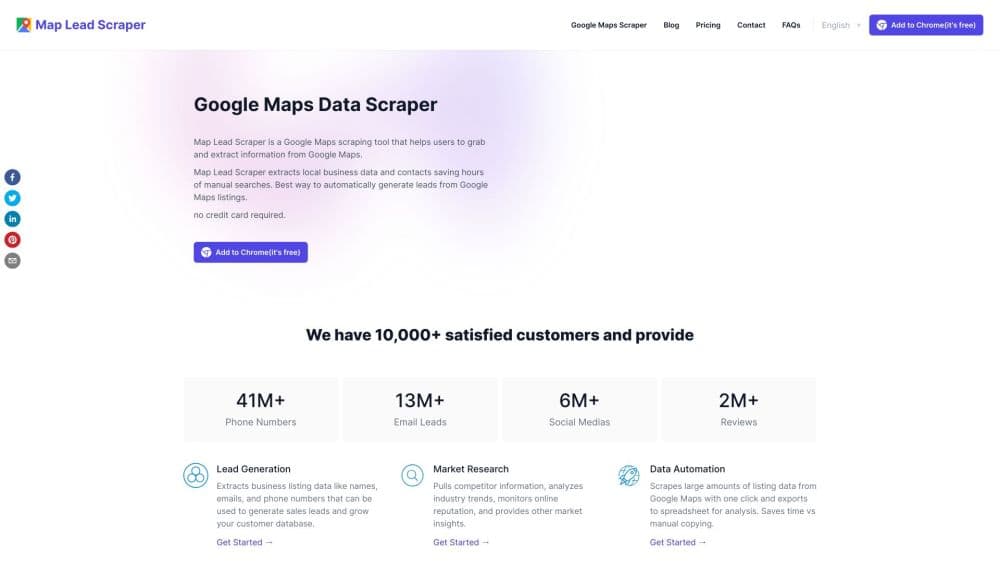
About Map Lead Scraper
What Is Map Lead Scraper
Map Lead Scraper is a browser extension for people who build prospect lists from Google Maps. You run a normal Maps search, open the extension, and it collects every listing on that results page with the details attached to each business. The output lands in a spreadsheet you can sort, filter, and load into a CRM.
The product is a B2B lead finder aimed at sales prospecting, local SEO audits, and market research. It gives you local business data in bulk: instead of opening 60 business profiles by hand and copying phone numbers one at a time, you get the whole list in one pass. That's the entire value proposition, and it's honest work: the tool doesn't source data Google doesn't publish, apart from the email lookup described below.
Two limits shape what you get. This is a Chrome extension, so it runs where your browser runs and stops working if you turn the machine off. And the free plan caps each export at 15 records with 1,000 leads a month, which is enough to test the output but not enough for a real campaign.
Getting Started
- Open Chrome and install the Map Lead Scraper extension from the official site or the Edge add-ons store, then pin it to the toolbar.
- Search Google Maps the way you normally would, for example "dentists in Austin" or "coffee shops near downtown Denver".
- Click the extension icon on the results page and start the extraction. Basic fields such as name, phone, website, Cid and Place Id come on the free plan; emails and social profiles need a paid plan.
- Choose the columns you want, export to CSV or XLS, and open the file in Excel, Google Sheets, or your CRM.
Product Information
A quick look at Map Lead Scraper's pricing, supported platforms, and performance.
Best for
The users, tasks, and scenarios where this tool fits best.
Users
- Sales reps who prospect local businesses
- SEO consultants and local marketers
- Market researchers and franchise scouts
Tasks
- Building a B2B outreach list
- Auditing local competitors
- Collecting contact details for a partner or vendor search
- Checking a new market before launch
Scenarios
- Planning a month of cold outreach
- Preparing a local SEO pitch
- Researching a niche for a side project
Key features
Google Maps Listing Extraction
One click on a Maps results page collects every business in the list, with the fields Google displays plus identifiers like Cid and Place Id. You pick which columns you want before exporting, so the sheet matches how your team actually uses it. The extraction runs in your browser and takes seconds per page, not minutes.
Email and Social Profile Lookup
Google Maps rarely shows email addresses, so the paid plan visits each business website listed there and looks for a contact page or a published address. It does the same for social profiles on Facebook, Instagram, LinkedIn, YouTube, and Yelp. Results vary by business: a site with no contact page yields nothing, so expect gaps in any export.
Custom Export to CSV and XLS
Every plan includes custom export settings, so you decide which columns appear in the file. Paid plans remove the per-export record cap and allow unlimited records at a time, which makes CSV export leads practical at volume. The CSV opens directly in Excel, Google Sheets, or an import wizard in your CRM.
Automatic Bulk Extraction
The paid plan adds automatic batch extraction, which works through a full results list without you clicking through each page. That's the difference between a sample and a usable list when a search returns hundreds of businesses.
Full Data Field Coverage
Beyond name and phone, the extractor reads categories, claimed status, price range, plus codes, review count, average rating, photos, opening hours, latitude, longitude, and the Google Maps URL for each place. Place Id and Kgmid come along too, which helps when you want to deduplicate against another dataset.
Browser-Based Operation
The extension runs on any operating system that supports Chrome, including Windows, macOS, and Linux, and it needs no separate desktop app or server. You keep full control of the session and can stop or restart an extraction whenever you want.
Pros and cons
Pros
- Quick start: install the extension, run a Maps search, and you have a list in under a minute.
- Free plan is genuinely usable: 1,000 leads a month with 15 records per export tests the output before you pay.
- Contact enrichment: the paid plan pulls emails and social profiles that Google Maps never shows.
- Wide field coverage: 27 data fields per listing, including Cid, Place Id, and Kgmid for deduplication.
- Simple pricing: a flat monthly or yearly fee instead of credit packs that run out mid-project.
Cons
- Browser only: it can't run on a schedule or on a server, so large campaigns need a person at the keyboard.
- Free plan is capped hard: 15 records per export makes it a demo, not a working tool for outreach.
- Emails come with gaps: listings without a website, or with no published contact address, return nothing.
- Large regions return partial results: search by city or ZIP code instead of by state, which adds manual setup work.
Frequently asked questions
It builds prospect and research lists from Google Maps. You search a category in an area, the extension reads every listing on the results page, and you export the businesses with their contact details as a spreadsheet.
Related content
Explore related tools, skills, and articles for Map Lead Scraper.
Map Lead Scraper Alternatives

Base Code
Base44 (Wix) · Coding · ProductivityBase Code is a shared cloud development environment from Base44. Teammates describe changes to an existing GitHub codebase in chat, preview them live and send them back as pull requests.

Google EmbeddingGemma 2
Google DeepMind · Writing · Image · CodingGoogle EmbeddingGemma 2 is a 740M-parameter open model that turns text, code, images, audio, and video frames into vectors in one 768-dimension space, running on phones and laptops.

GitGlow
GitGlow · Coding · ProductivityGitGlow is a local-first desktop Git client that lets independent developers review their own code and their AI agents' changes in one place before shipping.