

Marqly
Marqly · Other
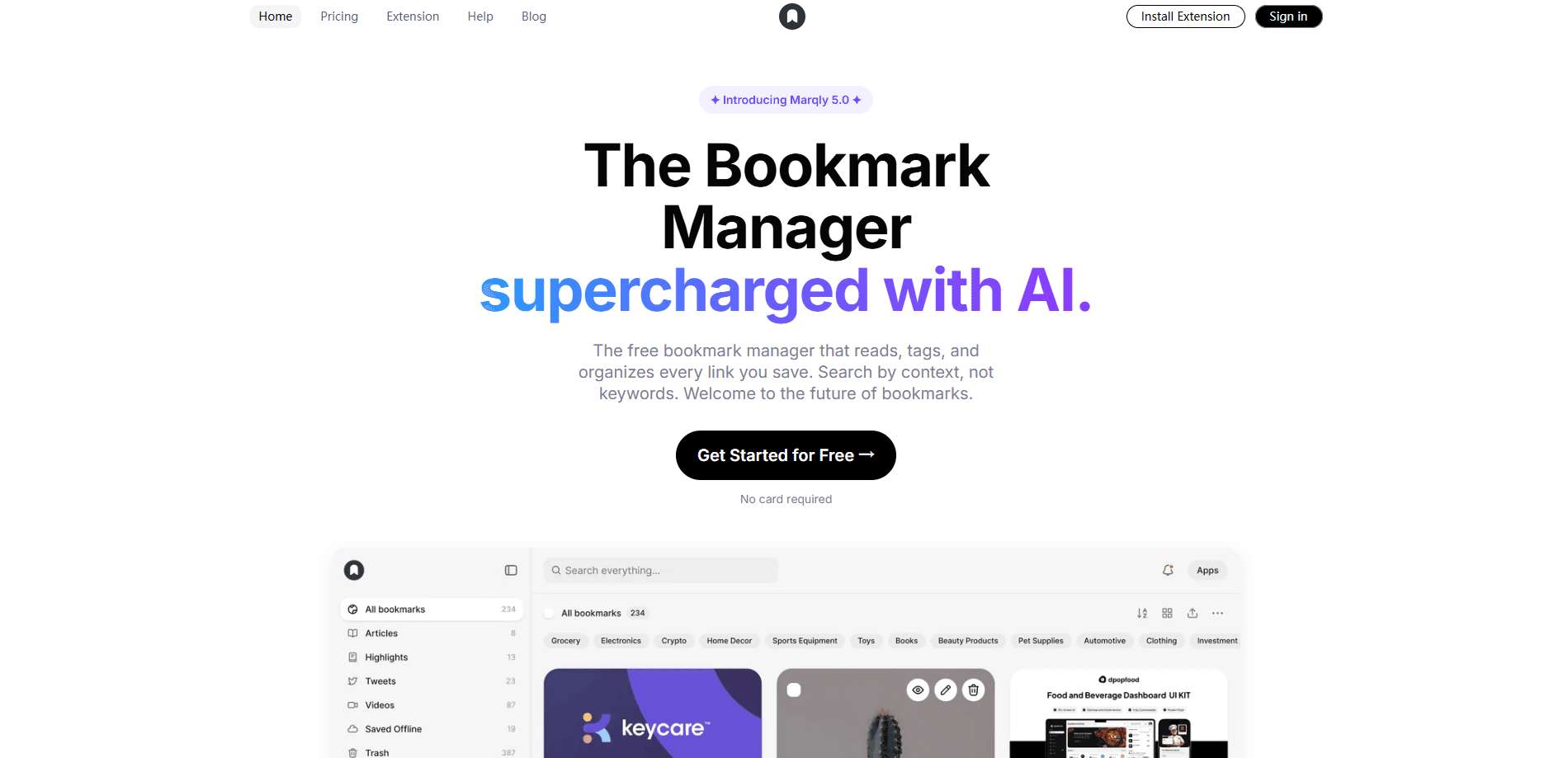
Marqly is an AI bookmark manager that saves, tags, and files every link for you, then lets you find it again months later by describing what you half remember. It runs as a browser extension and a web app across Chrome, Edge, Firefox, Safari, iOS, and Android. A free plan covers your whole library up to 2,000 bookmarks, while the Pro tier adds auto-tagging, semantic search, and an AI assistant called Ask.
About Marqly
What Is Marqly
Marqly is a bookmark organizer built around a simple gripe: you save something useful, then never find it again. Instead of leaving you to file links by hand, it reads each page as you save it, picks a board, and suggests tags before the save dialog even closes. The point isn't collecting more links. It's being able to pull the right one back up. So how does it find things? Meaning, not exact words.
The feature that gets talked about most is Ask, an assistant panel inside the app. You type a question in plain words and it answers using your own saved pages, with a numbered source under every claim. It also flags dead links and duplicates on its own. The catch is that Ask, along with AI tagging and semantic search, sits behind Pro, so free users still handle their own organization. That's the trade-off. Pay, or file it yourself.
Marqly leans on search that runs on meaning rather than exact keywords, so a half-remembered phrase can still surface the right page. That's genuinely useful, and it's also why the free plan feels limited: the smart parts are the paid parts. It's worth trying the free tier first if you want to see whether the base library and manual search are enough for you. No card needed. Just save a few links and see.
Getting Started
- Create a free account at app.marqly.com, or install the extension for Chrome, Edge, Firefox, or Safari.
- Save your first page with the one-click shortcut and let Marqly suggest a board and tags before the dialog closes.
- Open the library to sort saves into boards and collections, and switch between grid, list, or compact views.
- Add notes and highlights as you read, then search the library by meaning when you need something back.
- Upgrade to Pro if you want AI tagging on every save, semantic search, Ask, and the YouTube and AI chat tools.
Product Information
A quick look at Marqly's pricing, supported platforms, and performance.
Best for
The users, tasks, and scenarios where this tool fits best.
Users
- Researchers and writers
- Students
- Developers
Tasks
- Finding a link you only half remember
- Summarizing YouTube videos
- Clearing dead links and duplicates
Scenarios
- Pulling together sources for a report
- Building a personal reading list
- Reusing research inside an AI assistant
Key features
One-Click Saving With Auto-Tagging
The Chrome bookmark extension lives where you read, and one shortcut saves the page while Marqly picks a board and suggests tags before the dialog closes. It's also there for Edge, Firefox, and Safari. That means the filing happens as a byproduct of saving, not as a chore you do later. Auto-tagging is part of Pro.
Ask: Answers From Your Own Saves
Ask is a chat panel you open from anywhere in the app. It answers using your saved pages and cites a numbered source under each claim, so you can check its work. Trust it, then verify. It also notices dead links and duplicates, and when you approve a change, it applies instantly and can be undone for 30 days.
Meaning-Based Search
Search runs on meaning rather than exact words, so a query that shares almost no terms with a page title can still return it first, with the matching sentence highlighted. It scans titles, page content, highlights, and transcripts together.
YouTube Summaries and Chat
On a YouTube watch page, Marqly adds a card with a streaming summary, a chat tab that answers from the video's transcript, and playback-synced timestamps you can copy. It also surfaces books mentioned in the video. Short on time? Skip to the summary.
Connected Apps Over MCP
Pro brings your library into Claude, ChatGPT, Cursor, and VS Code through MCP. Each app starts read-only until you allow more, and you can revoke access in one click. Cursor can be granted edit rights.
Highlights, Notes, and Read Mode
Six highlight markers are restored on every revisit and stay searchable from your library. Notes and read mode turn a saved page into something you can actually study, which is where the free plan still holds up well.
Tab Saver and Marqly Home
Marqly saves open tabs so you can close a crowded window without losing anything, and its New Tab replacement in Chrome, Edge, and Firefox adds library search, quick links, weather, notes, to-dos, and saved sessions.
Pros and cons
Pros
- Auto-tagging and summaries run on every save, so organizing stops being manual work.
- Semantic search finds pages you only remember by gist, not exact wording. Save links with AI filing and the library stays usable.
- Ask cites its sources, which makes AI answers checkable rather than a black box.
- Free plan covers a full library up to 2,000 bookmarks across unlimited devices.
- MCP support reaches Claude, ChatGPT, Cursor, and VS Code for reuse beyond the app.
Cons
- Every AI feature sits behind Pro at $72/year, so the free plan is mostly manual.
- New Tab, Clipboard History, and the side panel aren't on every browser, and New Tab misses Safari.
- AI chat capture works in Chrome, Edge, and Firefox, but not Safari.
- Free plan caps notes at 10 and bookmarks at 2,000, which heavy savers will hit.
Frequently asked questions
Yes. The free plan includes one-click saving, your own tags, keyword search, highlights, boards, and access on every device, with no credit card required. You can store and search up to 2,000 bookmarks. Every AI feature, including auto-tagging, semantic search, and Ask, needs Pro.
Related content
Explore related tools, skills, and articles for Marqly.
Marqly Alternatives
BinkBink
BinkBink · OtherBinkBink is a free online game platform and AI game maker that lets anyone turn a short text description into a playable browser game. You can jump into hundreds of community-made games. Or describe your own idea and play it in seconds, then share it with friends. Want to create your own game? You don't need to code. No engine setup, no download, no hassle.

Audiogen
Audiogen Inc. · OtherAudiogen is an AI music generator built by Audiogen Inc., a small research team that spent about 2.5 years training its own generative music model and designing a web interface around it. Instead of a plain text box, this AI music tool turns the timeline into a beginner-friendly Generative Audio Workstation, or GAW, where inpainting, extending, remixing and stem editing work more like painting on a canvas. The product is still in beta, so access runs through a waitlist or an invite. Paid plans aren't published yet.

Aiml API
AIMLAPI OÜ · OtherAiml API is a unified AI model API that puts more than 1000 models from OpenAI, Google, Anthropic, and others behind one endpoint and one bill. You write code against a single OpenAI-compatible schema, then switch between chat, image, video, and audio models by changing a model string. It suits developers and small teams who want multi-model access without juggling a dozen separate provider accounts, and it removes the usual billing headache that comes with testing several vendors. One key covers it all.