
Master of Pushups
Ohad Sheffer · AI Assistant
Master of Pushups turns an iPhone into an AI pushup coach. It counts only clean reps, checks your form, and tracks progress through daily and monthly challenges.
About Master of Pushups
What Is Master of Pushups
Master of Pushups is a pushup workout app for iPhone that watches you do pushups through the camera and counts the ones you complete with correct form. Developer Ohad Sheffer built it around a simple gap: most people lose count mid-set or let their hips sag without noticing, and both problems undercut a workout that should be easy to measure.
The app runs computer vision on your body posture instead of guessing from motion alone. It reads whether your chest drops low enough and whether your body stays in a straight line, then adds a rep only when the movement looks right. That turns a set into something you can trust, and it nudges you to fix sloppy reps before they turn into an injury.
As a home fitness app built around one movement, two things set the ceiling here. Detection depends on your camera seeing your whole body, so a bad angle or dim room will cost you reps. And the app is iPhone-first. If you train on Android, you're out of luck for now.
Getting Started
- Download Master of Pushups from the App Store on a compatible iPhone, iPad, Mac, or Vision Pro.
- Open the app, allow camera access, and set your daily pushup goal.
- Prop the phone up so the camera sees your full body from the side.
- Do your set and let the AI counter tally each clean rep as you go.
- Check the progress charts and join a daily or monthly challenge to keep going.
- Upgrade to get professional form feedback if you want trainer-level tips.
Product Information
A quick look at Master of Pushups's pricing, supported platforms, and performance.
Best for
The users, tasks, and scenarios where this tool fits best.
Users
- Beginners learning pushup form
- Home athletes without a spotter
- People who quit training apps fast
Tasks
- Counting a pushup set
- Fixing form errors
- Building a daily habit
- Sharing workouts
Scenarios
- A home workout with no equipment
- A quick morning set before work
- Training solo without a coach
Key features
AI Pushup Counter
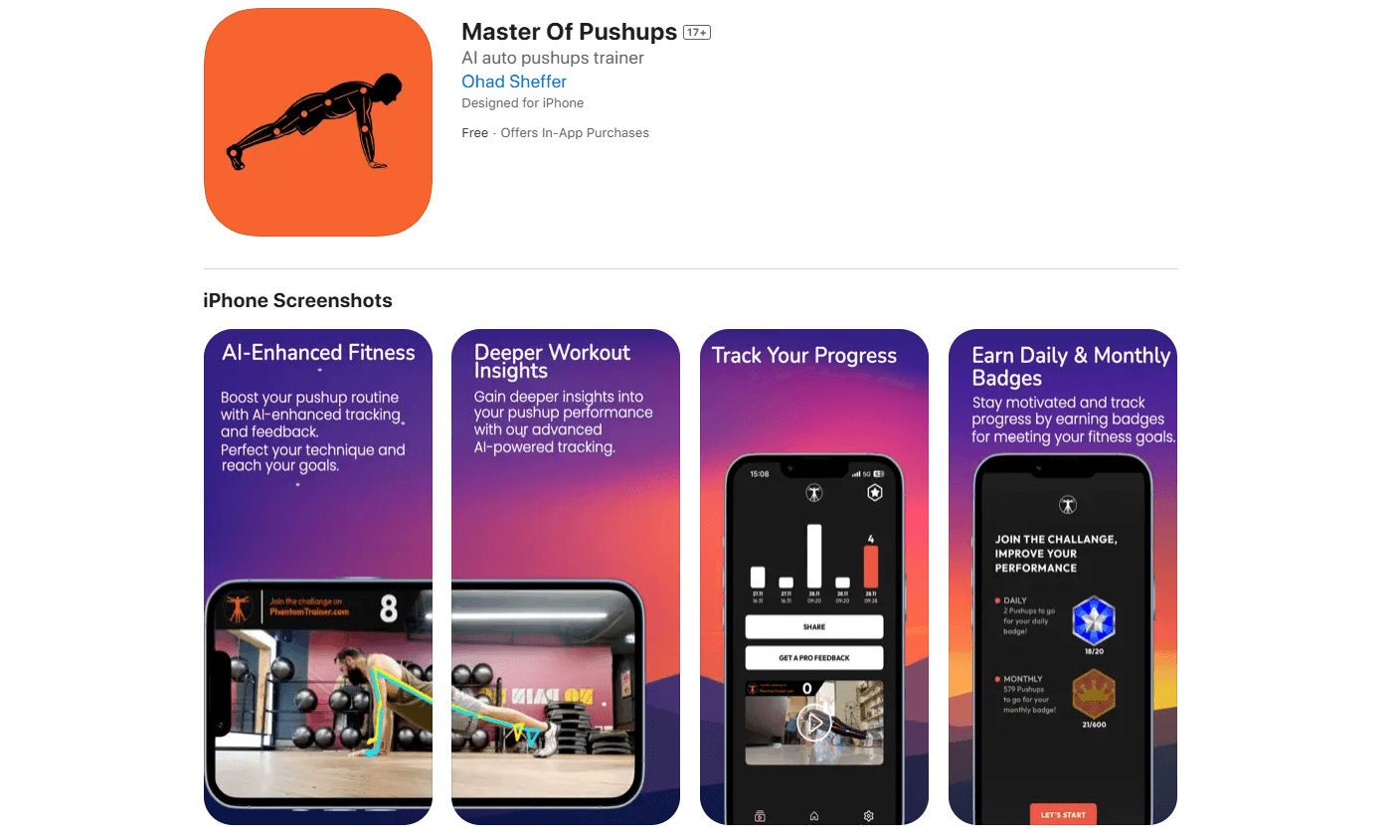
The camera tracks your body posture and counts a rep only when your form holds up. That means sagged hips, half reps, and sideways movement don't inflate your total. For anyone who's ever lost count at rep 38, the number you see is the number you actually earned.
Form Analysis
This pushup form tracker reads your alignment as you move and points out where a rep falls short, like hips dropping or elbows flaring. You get the cue while you're still in the set, not after. It won't replace a coach watching you in person, but it catches the obvious errors that cause injury.
Progress Tracker
Every session feeds into charts that show your reps, streaks, and trends over time. You see whether the work is adding up, which matters most in weeks when progress feels invisible. The data lives in the app and is easy to scan between sets.
Daily and Monthly Challenges
The app runs challenges with badges and rewards attached, so a workout turns into a target you can hit. Daily goals keep short sessions honest, and monthly challenges push you past a single good week. It's the habit-building layer that plain counters skip.
Social Motivation
You can share badges, streaks, and results with friends, which adds a light layer of accountability. It won't build you a leaderboard community like some competitors, but a shared win is often enough to keep a streak alive.
Pro Fitness Feedback
An optional upgrade adds technique reviews and tips framed as professional trainer feedback. It's aimed at people who want to go past "did I count right" into "am I doing this well." The rest of the app stays free.
Pros and cons
Pros
- Counts only correct reps by checking body posture, so your totals reflect real work.
- Combines rep counting, form cues, progress charts, and challenges in one iPhone app.
- Hands-free counting lets you focus on the set instead of tapping a screen.
- Free to use, with challenges and progress tracking included before any upgrade.
Cons
- Detection needs the camera to see your full body, so a poor angle or dim room can lose reps.
- iPhone-only for now, which leaves Android users without a version to install.
- Early App Store reviews flag pushup detection accuracy as inconsistent for some users.
- The social layer is basic sharing rather than a full leaderboard community.
Frequently asked questions
It uses your iPhone camera and AI vision to count pushups and check your form. The app counts only reps done with correct posture, then tracks your progress over time.
Related content
Explore related tools, skills, and articles for Master of Pushups.
Master of Pushups Alternatives

Iplan AI
Iplan AI · Productivity · AI AssistantIplan AI is an AI travel planner that turns a few trip details into a full day-by-day itinerary in seconds. You answer questions about your destination, interests, budget, and travel companions, and the tool builds a plan you can edit, share, and carry with you on any device. It targets travelers who want a solid draft without spending hours in spreadsheets and browser tabs. Think of it as an itinerary generator that does the tedious part for you.

Screenhelp
Screenhelp · Productivity · AI AssistantScreenhelp is an AI screen assistant that turns a single keyboard shortcut into real-time help. You press Ctrl+Shift+Space, it captures what's on your screen, and it streams an answer into a private panel in about two seconds. Think of it as an AI screenshot helper you trigger on demand. It runs on Mac, Windows, and the web, starts free with 30 answers a month, and stays invisible during screen sharing on Zoom, Teams, and Google Meet.

Rainbow
Rainbow · AI AssistantRainbow is an AI weather forecast app built around short-term precipitation nowcasting. Its engine pushes min-by-min rain and snow predictions up to four hours ahead, blending live satellite and radar feeds into hyperlocal forecasts. The app adds live rain radar, a seven-day outlook, precipitation alerts, home-screen widgets, and a hurricane tracker, and it runs on both Android and iOS with a free tier plus paid upgrades.