

MCP Stack
MCP Stack · Coding
MCP Stack is a free directory of MCP servers, clients, and tools that helps developers find, compare, and connect Model Context Protocol integrations for AI apps.
About MCP Stack
What Is MCP Stack
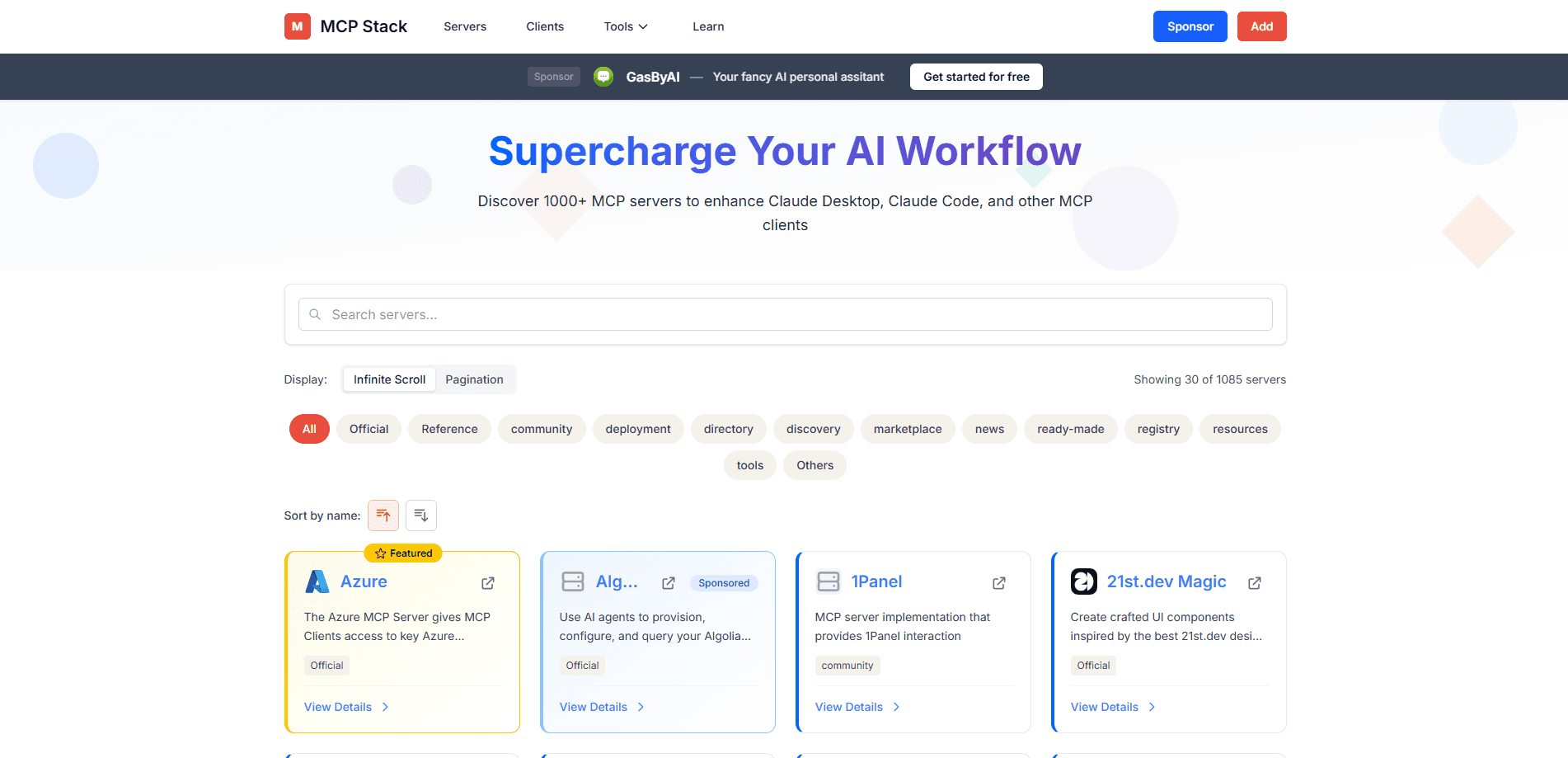
MCP Stack is a free web directory of MCP servers, clients, and tools. It collects Model Context Protocol projects in one place and organizes them by category, such as authentication, databases, and APIs, so you can find a connector instead of scrolling through scattered GitHub links.
The problem it solves is discovery. The Model Context Protocol now has thousands of servers, and the official registry doesn't tell you which ones fit a task, which clients support them, or which are actively maintained. MCP Stack curates entries and links each one to its source code, which shortens the search from an afternoon of bookmarks to a few minutes.
The main limit is that it's a directory, not an installer. You still read the docs and configure each server yourself. Coverage is also a snapshot rather than a live feed, so a very new or niche server might not show up yet.
Getting Started
- Open mcpstack.org in a browser; no account is required to browse.
- Use the homepage search or a category tab, such as authentication, databases, or APIs, to narrow the list.
- Open an entry to read its description, hosting notes, and GitHub link.
- Copy the repository details into your MCP client, like Claude Desktop or Cursor, and follow the server's setup steps.
- Bookmark the categories you check often, since new servers get added over time.
Product Information
A quick look at MCP Stack's pricing, supported platforms, and performance.
Best for
The users, tasks, and scenarios where this tool fits best.
Users
- Developers building MCP agents
- AI product teams evaluating integrations
- Newcomers to the Model Context Protocol
Tasks
- Finding an MCP server for a job
- Checking client compatibility
- Collecting sources for a build
Scenarios
- Starting a new agent project
- Reviewing the range of available MCP servers for a proposal
- Picking a database or auth connector
Key features
Categorized Browsing
Entries are grouped by function, so authentication, database, and API servers sit in their own lists. That structure lets you skip whole categories that don't apply and land on the ones you need. It's the difference between a keyword search and a shelf you can scan.
Server Directory
The core list covers MCP servers across many use cases, and each entry links to its source repository so you can read the code before you install it. Descriptions explain what a server does, which saves a click when two options sound alike. The catalog keeps growing as new servers appear.
Client Directory
A separate section covers MCP clients, the apps that connect to servers. This matters because a server is only useful if your host supports the protocol, and seeing clients listed together helps you check that fit early. You avoid picking a server your editor can't load.
Category Filters for Common Needs
Common build needs get their own buckets, including authentication, databases, and APIs. These are the connectors most agent projects reach for first, so the filters cut a long list down to a short one. You spend time comparing real candidates instead of scrolling.
Source Links on Every Entry
Each listing points to the project's GitHub or source page, so you can confirm activity, check the license, and read the setup guide without guessing which repo is current. That link is often the most useful part of a listing, since it leads straight to install instructions.
Free and Open to Browse
There's no paywall and no signup to use the directory. You open the site and search, which means you can check it mid-task without breaking your flow. Paid tools in the same space gate their best entries, and this one doesn't.
Pros and cons
Pros
- Free to browse with no account, so you can check it mid-task without a signup detour.
- Servers, clients, and tools sit in one place, which beats jumping between scattered GitHub searches.
- Category filters for authentication, databases, and APIs cut a long list down to real candidates.
- Every entry links to its source repo, so you can verify activity and license before installing.
- Useful for newcomers, since grouping servers by function shows what the protocol connects.
Cons
- It's a directory, not an installer, so setup and configuration still happen on your side.
- Listings are a snapshot, so brand new or niche servers might not appear yet.
- There's no ranking or review score, so you compare options by reading rather than by rating.
Frequently asked questions
It's a free directory of MCP servers, clients, and tools. You browse or search by category to find Model Context Protocol integrations, read each description, and follow the source link to set them up. It points you to projects rather than running them for you.
Related content
Explore related tools, skills, and articles for MCP Stack.
MCP Stack Alternatives

Base Code
Base44 (Wix) · Coding · ProductivityBase Code is a shared cloud development environment from Base44. Teammates describe changes to an existing GitHub codebase in chat, preview them live and send them back as pull requests.

Google EmbeddingGemma 2
Google DeepMind · Writing · Image · CodingGoogle EmbeddingGemma 2 is a 740M-parameter open model that turns text, code, images, audio, and video frames into vectors in one 768-dimension space, running on phones and laptops.

GitGlow
GitGlow · Coding · ProductivityGitGlow is a local-first desktop Git client that lets independent developers review their own code and their AI agents' changes in one place before shipping.