

MCP360
MCP360 · Other
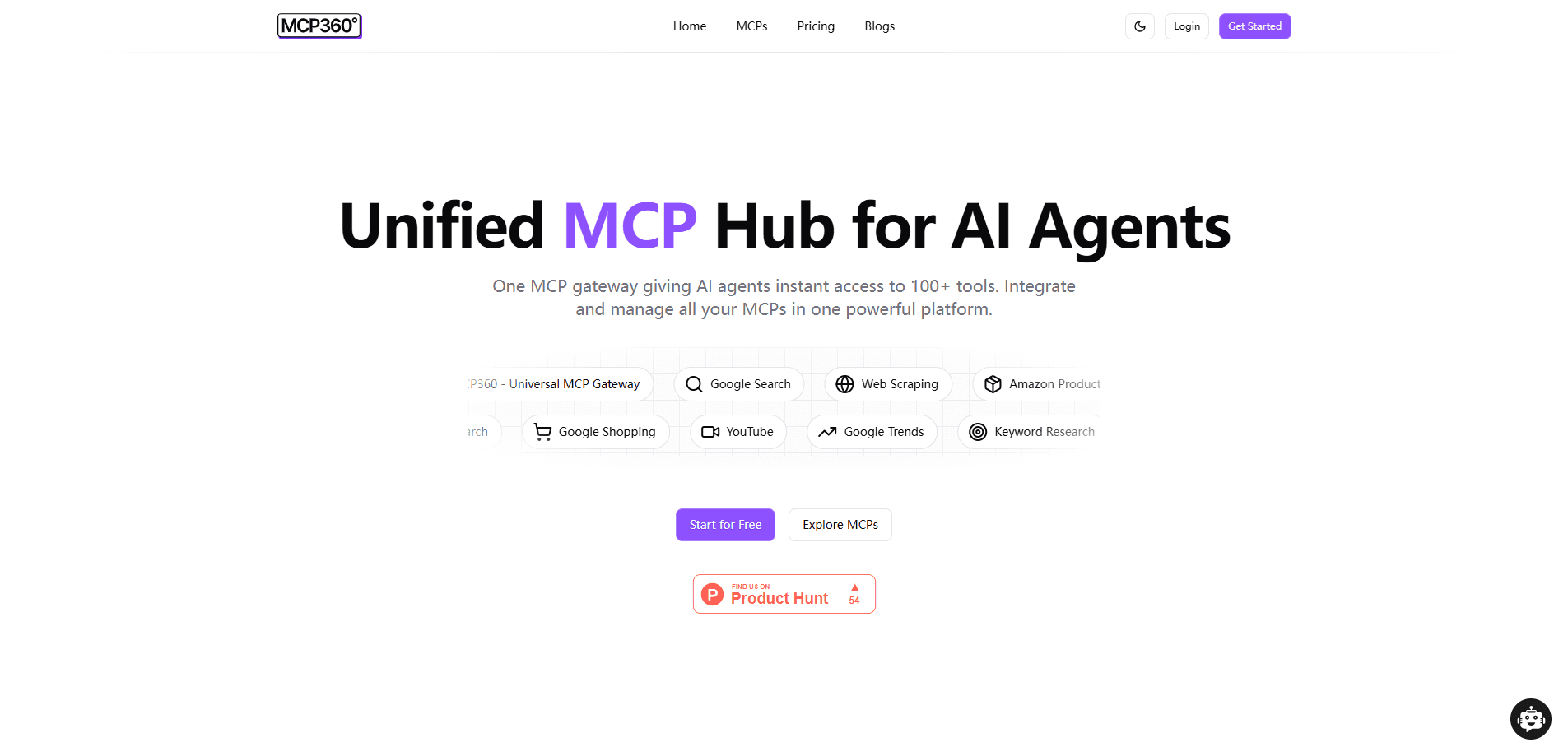
MCP360 is an MCP platform, a unified gateway that connects AI agents to more than 100 tools and services through a single integration. Instead of wiring up each API by hand, you point your agent, whether it runs in Claude, Cursor, n8n, or your own stack, at one endpoint and pick the tools you need. It's built for teams that want fewer accounts, one bill, and a faster path from "we have an idea" to "the agent can actually do it." A free tier with 100 monthly credits makes it easy to test before committing. What does that buy you in practice?
About MCP360
What Is MCP360
MCP360 is the data layer that sits between your AI agents and the outside world. The Model Context Protocol (MCP) is an open standard for letting a language model call external tools, and MCP360 turns that standard into a single subscription with a fixed catalog of production-ready servers.
The pitch is simplicity. Most teams that connect agents to real services end up juggling a dozen API keys, separate invoices, and glue code that breaks every few weeks, which is exactly the mess a shared gateway is meant to clean up. MCP360 replaces all of that with one account, one credit balance, and a copy-paste config. One account. One bill. One endpoint to update. You can also build your own MCP server from any REST API when the catalog doesn't cover what you need.
It isn't magic. Every tool call burns credits, so heavy automation gets expensive fast. The value also depends on whether the tools you need are in the catalog. If your workflow leans on niche internal systems, you'll spend real time in the custom builder.
Getting Started
- Create a free account through the MCP360 dashboard and pick a plan; the Free tier grants 100 credits a month.
- Browse the MCP marketplace and choose the servers you want, such as Google Search, web scraping, or keyword research.
- Copy the generated configuration snippet and paste it into your client's MCP settings file.
- Run a test tool call from your agent to confirm the connection and watch the credits register in your dashboard.
- Upgrade to a paid tier once your usage moves from experimenting to daily production.
Product Information
A quick look at MCP360's pricing, supported platforms, and performance.
Best for
The users, tasks, and scenarios where this tool fits best.
Users
- Solo builders and indie developers who want agent tools without managing a stack of API accounts.
- Small teams shipping internal copilots that need search, scraping, and SEO data on tap.
- Automation engineers working in n8n or Cursor who prefer copy-paste config over custom integration code.
Tasks
- Web search and content extraction
- SEO research
- Product and e-commerce lookups
- Custom API wrapping
Scenarios
- Prototyping an agent that needs five different tools before you know if the idea works, where the Free tier caps the risk.
- Running recurring content and keyword research without paying for four separate data subscriptions.
- Giving a claude desktop or Cursor setup one gateway instead of a messy config file full of individual servers.
Key features
One Gateway for 100+ Tools
MCP360 bundles search engines, web scraping, SEO trackers, shopping lookups, and more under a single endpoint. You subscribe once and get the whole catalog, so adding a new capability is a config change, not a procurement cycle. The benefit is mostly administrative: fewer keys to rotate, fewer invoices, one place to see usage. Nothing fancy. It just removes busywork.
Custom MCP Builder
When the catalog doesn't have what you need, the builder turns any REST API into an MCP server. You point it at an endpoint, set the auth and parameters, and can drop in JavaScript or Python when the mapping needs logic. That's the escape hatch for teams with proprietary or internal services the public marketplace will never cover. No public server needed.
Credit-Based Usage
Every tool call draws from a shared credit balance, and each server lists its cost per call, from 1 credit for most search and scraping tools up to 10 for keyword research. Failed calls aren't billed. Because the same number shows up in dashboard analytics, engineering and finance read identical usage figures, which keeps budget conversations short.
REST API Access
Beyond MCP clients, you can call configured tools directly through a standard REST API. An SEO keyword lookup, for example, goes out as a normal HTTPS request and returns JSON. That matters if you want to wire MCP360 into a backend service or a script that isn't an MCP host.
Built for Popular Clients
The gateway works with Claude, Cursor, n8n, and other MCP-compatible hosts, along with your own agents. Setup is a configuration block, not SDK work. That's what keeps the claimed two-minute setup realistic. Simple cases really are simple.
Growing Tool Library
New servers are added regularly and land in the catalog automatically, so your existing setup gains tools without a rewrite. It's a meaningful convenience if you'd rather not babysit version updates across a self-managed collection of servers. Fewer moving parts.
Pros and cons
Pros
- One subscription and one credit balance cover the whole catalog, cutting account sprawl and billing overhead.
- Copy-paste config means non-engineers can connect tools without writing integration code.
- The custom MCP Builder handles internal APIs the public marketplace doesn't offer.
- Failed tool calls don't consume credits, so a flaky endpoint won't quietly drain your budget.
Cons
- Credits are the real cost driver; heavy daily automation can push you from the $16 Starter tier toward much pricier plans.
- Tool availability depends on the catalog, so niche or region-specific services may require the custom builder.
- Pricing is per project and per member, which adds up for larger teams compared with a flat per-seat tool.
Frequently asked questions
It's a gateway that connects AI agents to a library of external tools through one integration. Your agent talks to MCP360, and MCP360 handles the routing to search, scraping, SEO, shopping, and other servers.
Related content
Explore related tools, skills, and articles for MCP360.
MCP360 Alternatives
BinkBink
BinkBink · OtherBinkBink is a free online game platform and AI game maker that lets anyone turn a short text description into a playable browser game. You can jump into hundreds of community-made games. Or describe your own idea and play it in seconds, then share it with friends. Want to create your own game? You don't need to code. No engine setup, no download, no hassle.

Audiogen
Audiogen Inc. · OtherAudiogen is an AI music generator built by Audiogen Inc., a small research team that spent about 2.5 years training its own generative music model and designing a web interface around it. Instead of a plain text box, this AI music tool turns the timeline into a beginner-friendly Generative Audio Workstation, or GAW, where inpainting, extending, remixing and stem editing work more like painting on a canvas. The product is still in beta, so access runs through a waitlist or an invite. Paid plans aren't published yet.

Aiml API
AIMLAPI OÜ · OtherAiml API is a unified AI model API that puts more than 1000 models from OpenAI, Google, Anthropic, and others behind one endpoint and one bill. You write code against a single OpenAI-compatible schema, then switch between chat, image, video, and audio models by changing a model string. It suits developers and small teams who want multi-model access without juggling a dozen separate provider accounts, and it removes the usual billing headache that comes with testing several vendors. One key covers it all.