

MeDo by Baidu
Baidu · Coding
MeDo by Baidu is a no-code AI app builder that turns a plain-language description into a working full-stack web application. Think of it as an AI app generator for people who don't write code. You type what you want, and the platform's AI agents handle the front end, backend logic, and database, so a founder, marketer, or teacher can ship a usable prototype without hiring a developer.
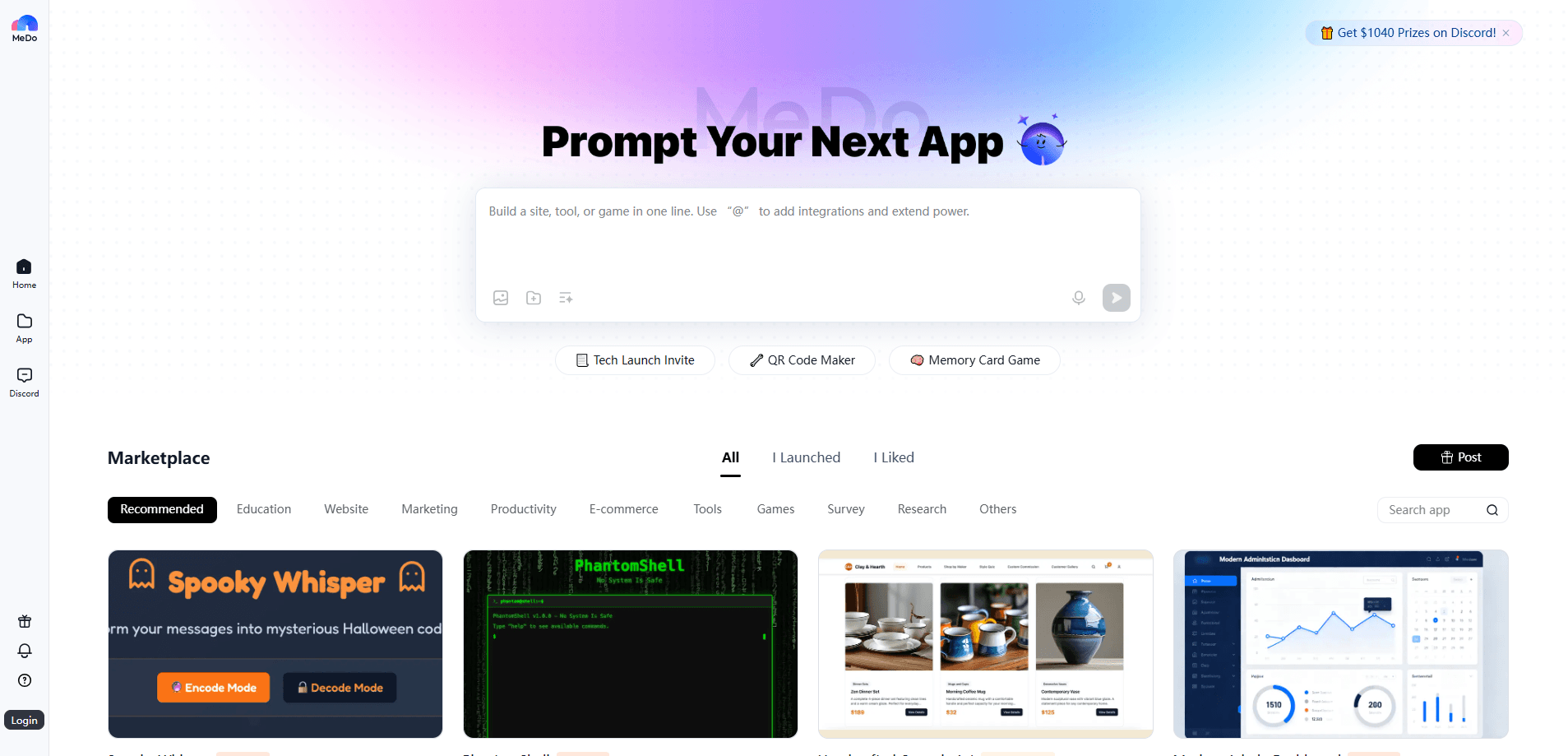
About MeDo by Baidu
What Is MeDo by Baidu
MeDo is Baidu's no-code development platform, sold internationally as the overseas edition of the company's Miaoda tool. Baidu launched Miaoda in China in late 2024, then brought the platform to global users under the MeDo name in the fourth quarter of 2025. It builds on Baidu's ERNIE model family. That backing matters.
The pitch is simple: describe an app in everyday language and let the platform do the engineering. MeDo assembles the interface, business logic, and data storage, and it can regenerate pieces when you ask for changes. People use it to build an app with natural language, test ideas fast, or stand up a small storefront without writing code. No code. No setup.
The catch is scope. MeDo is strongest on standard web apps and CRUD-style tools. Unusual integrations and fine control over architecture are weak spots. Want to hand-tune the code or hook into a system it can't reach? You'll hit a wall.
Getting Started
- Sign up at medo.dev with an email address or a Google account.
- Open the builder and describe your app in plain language, including the main screens and what each one should do.
- Review the generated app in the preview and reply with changes until the layout and logic look right.
- Connect any tools you need, such as a search, map, or payment skill, from the built-in library.
- Publish the app to a public link so you can share it and collect feedback.
Product Information
A quick look at MeDo by Baidu's pricing, supported platforms, and performance.
Best for
The users, tasks, and scenarios where this tool fits best.
Users
- Non-programmers with a product idea
- Small business owners
- Startups validating a concept
- Educators and trainers
Tasks
- Prototyping a web app
- Building an internal dashboard
- Creating a lightweight storefront or landing page
- Automating a repetitive workflow
Scenarios
- Weekend idea sprints
- Client pitches
- Side projects you might abandon
Key features
Natural Language App Generation
You describe the app in plain words and MeDo produces the structure: screens, fields, and actions. It reads intent, so if you ask for a booking tool it will usually add the obvious pieces, like a date selector and a confirmation step, without you listing them. That saves the back-and-forth you'd normally spend on a spec. Fewer meetings. Faster builds.
Multi-Agent Collaboration
The platform runs several AI agents that split the work: one handles requirements, another generates the app, and others produce supporting content. In practice you're dealing with a small automated team rather than a single prompt box. That's why larger requests, the kind that usually break a lone chatbot, tend to hold together longer here.
Full-Stack Output With Backend and Data
MeDo generates more than a pretty screen. It builds the backend logic and a database, so the app can store records, look them up, and act on them. For a simple inventory tracker or sign-up tool, that difference is what separates a demo from something you can actually put in front of users.
Built-In Tool and Skill Library
You can add capabilities like web search, image handling, maps, and payment skills from a built-in collection. Adding a map to a listing app or a checkout step to a storefront means configuring it, not coding it. This is where a no-code build can match a small custom project for much less effort. It just works.
Iterative Editing by Conversation
When something is wrong, you say so and the app updates. You don't restart from scratch or dig through generated code. That keeps the feedback loop short. It matters most early on, when you're still figuring out what the app should even be.
Pros and cons
Pros
- Turns a plain-language description into a working full-stack app, which cuts the cost of a first version dramatically.
- Handles front end, backend, and database together, so you aren't stitching separate tools to make anything functional.
- Built-in tool collection covers common needs like search, maps, and payments without custom code.
- Conversation-based editing makes revisions fast when you're still exploring what the app should do, which is exactly when most early-stage projects stall and get abandoned.
- Free credits let you try real projects before paying, and the entry point is low for people with no coding background.
Cons
- Generated apps follow standard web patterns, so unusual features or custom architecture are hard to achieve.
- Deeper integrations and fine control over the code aren't really on the table, which caps how far a project can grow.
- If your app later needs serious scaling or security work, you'll eventually hand it to a developer, adding a migration step.
Frequently asked questions
It's used to build web apps from natural language descriptions without writing code, so a solo founder with an idea and no engineering background can get a working product in front of testers in days rather than months. You describe what you want, and the platform generates the interface, backend, and database so you can test or launch a working app. The AI app generator does the heavy lifting.
Related content
Explore related tools, skills, and articles for MeDo by Baidu.
MeDo by Baidu Alternatives
Forefront
Forefront · CodingForefront is a web platform for building with open-source AI. It lets you fine-tune leading open-source language models on your own data, evaluate how they perform, and run them through an API or export them to host yourself. Developers who want the convenience of a closed-source platform but insist on owning their models and data are the target audience here.

Startkit
StartKit.AI · CodingStartkit is a boilerplate for building AI SaaS and AI wrapper products. Think of it as an AI startup boilerplate with the boring parts already wired up: authentication, Stripe and Lemon Squeezy payments, usage limits, transactional email, and an AI API starter that talks to OpenAI, Anthropic, Groq, or Llama. You clone the repo, set your price, and start on the part of your product that people actually pay for. It's Next.js under React and Tailwind, so most of the boilerplate code already feels familiar.
Testim
Tricentis · CodingTestim is an AI-powered test automation platform for building and running end-to-end tests across web, mobile, and Salesforce applications. It leans on machine learning to keep tests stable when an interface changes, so teams spend less time fixing broken selectors. Not bad for an automated testing tool you can start using today. You create tests by recording actions in a browser, then optionally add JavaScript when you need more control. It's a solid pick for busy QA teams.