

MeeLang
MeeLang · Voice & Language · Productivity
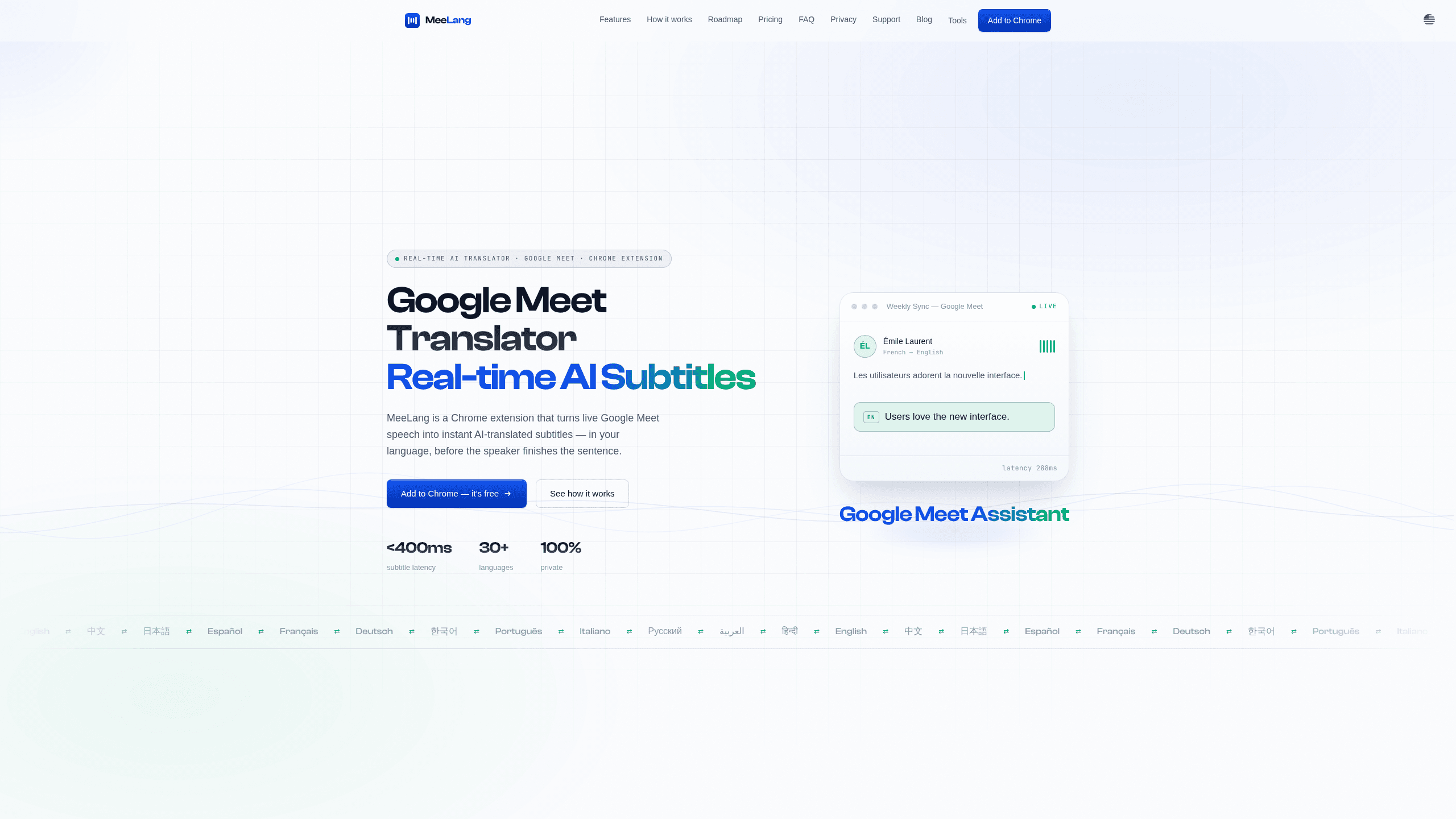
MeeLang is a Google Meet translator built as a Chrome extension. It turns live speech into real-time AI subtitles in your own language while the other person is still talking. It supports 30+ languages, keeps bilingual transcripts in your browser, and starts free with 60 translation minutes a month. If most of your meetings happen in a language you don't speak well, it solves that without inviting a bot to the call.
About MeeLang
What Is MeeLang
MeeLang is a live translation and subtitle tool for Google Meet, built as a Chrome extension. You install it, join a call, and it reads the meeting audio from your browser tab. Then it floats translated subtitles over the video. It doesn't join as a participant, so nobody else in the meeting sees a bot in the list.
The main problem it fixes is language drift in work calls. Interviews, client syncs, and remote standups often run in English or Japanese while half the room thinks in something else. MeeLang puts translated captions on screen in under 400ms, according to the company, and phrases them so they read like normal speech instead of word-for-word machine output. That's a real difference when someone is speaking fast and using jargon.
The limits matter here. Google Meet is fully supported today. Zoom Web, Microsoft Teams, and Webex are still listed as roadmap items, not shipping features. AI meeting summaries and speaker identification are also in progress, not available yet. So right now you're getting live subtitles and transcripts, not a full meeting assistant.
Getting Started
- Install the MeeLang extension from the Chrome Web Store. No account or card is needed to start.
- Open a Google Meet link and join the call. When Chrome asks for access, click Allow. MeeLang reads the audio from your tab.
- Pick your target language. The source language is detected automatically, so you don't set it manually.
- Read the subtitles on the floating overlay and keep up with the conversation as it happens.
- Review the meeting later in your transcript list, where you can search for a phrase, export the text, or replay the original audio.
Product Information
A quick look at MeeLang's pricing, supported platforms, and performance.
Best for
The users, tasks, and scenarios where this tool fits best.
Users
- Remote workers on international teams
- Recruiters and hiring managers
- Students in foreign-language lectures
Tasks
- Following a fast client call
- Reviewing what was decided
- Sharing a record of a multilingual meeting
Scenarios
- Weekly cross-language syncs
- Interviews with overseas candidates
- Watching a recorded webinar
Key features
Real-Time AI Subtitles for Google Meet Live Captions
MeeLang's core feature is live subtitles that show up as words are spoken. They're translated before the sentence ends. The company says latency stays under 400ms. That's the difference between a caption that tracks the speaker and one that arrives after the topic has moved on. The subtitles float over the meeting in an overlay you can read without leaving the call.
AI Translation That Sounds Like Speech
Raw machine translation often produces stiff, literal phrases that are technically correct and hard to follow. MeeLang uses context-aware AI translation tuned for conversational speech. Fast jargon reads fine. A hurried explanation comes out as natural phrasing, not a word-for-word swap. For everyday meetings, this is what makes the output usable at speed.
Meeting Memory and Bilingual Transcripts
Every meeting is organized in one place, with bilingual transcripts you can browse and search. Why does that matter? If you half-remember a figure someone mentioned, you can find the line instead of scrubbing through a recording. You can also export the transcript or replay the original audio when you need to hear the speaker's own words.
Privacy-First Design
MeeLang says it never stores your meeting content on its servers. Transcripts live in your browser alone. For people who sit in confidential calls, that's a meaningful default, because the transcript stays on the machine rather than in someone else's database. You keep control over what to export and what to delete.
Broad Language Coverage With Auto Detection
MeeLang handles 30+ languages, from English, Japanese, and Korean to Arabic, Hindi, and Vietnamese, and it detects the source language for you. You only choose the language you want to read in. That matters in mixed rooms where two or three languages show up in a single call.
Lightweight Chrome Setup
There are no meeting bots to invite and no account wall before your first call. You install one extension, and it works inside the browser you already use. Not bad. That's a lower barrier than dedicated meeting tools that need a host to add a bot to the calendar invite.
Pros and cons
Pros
- Sub-400ms subtitle latency keeps captions close to the speaker's pace and means you're reading along with the room instead of catching up on what was just said.
- Free tier gives 60 translation minutes a month with no card required, so you can test it on a few real calls and decide later whether the Pro plan at $9.99 is worth paying for.
- Transcripts stay local in your browser, which suits confidential calls.
- Covers 30+ languages and auto-detects the source language, so mixed calls in two or three tongues don't need manual switching.
- Works without inviting a bot, so other participants see a normal meeting rather than a stranger listed in the participant panel.
Cons
- Only Google Meet is fully supported. Zoom Web, Teams, and Webex are roadmap items, so users on those platforms get nothing yet.
- AI meeting summaries and speaker identification are still in progress, so the tool is subtitles and transcripts today, not a full assistant.
- It's a Chrome extension, so it doesn't work in other browsers like Firefox or Safari, which rules it out for anyone whose team standardizes on a non-Chromium setup and expects tools to run everywhere.
- The free plan's 60 minutes a month runs out fast for anyone with more than a couple of long calls, which pushes regular users toward the paid tier sooner than they might expect.
Frequently asked questions
It works as a Google Meet translator, showing real-time AI subtitles in your chosen language and keeping a bilingual transcript of the call. You use it to follow conversations in a language you don't speak fluently.
Related content
Explore related tools, skills, and articles for MeeLang.
MeeLang Alternatives

Foley
Hanamori Labs, LLC · Voice & Language · Productivity · AI AssistantFoley is a voice to-do list that turns a spoken sentence into a filed task, complete with project, date and time, then helps you plan the day around what is already there.

HireKey
HireKey · Voice & Language · Productivity · LeaningHireKey is an AI job search copilot built by a former tech recruiter. It checks role fit, tailors resumes, runs interview practice and tracks every application.

Fluence
Yay Software (Yannick Huchard) · Writing · Voice & Language · ProductivityFluence is an Android app that reads PDFs, EPUBs, Word files and web articles aloud, follows each sentence as it speaks, and answers questions about the text on the phone itself.