

Megaphone
Kuber Studio · Writing
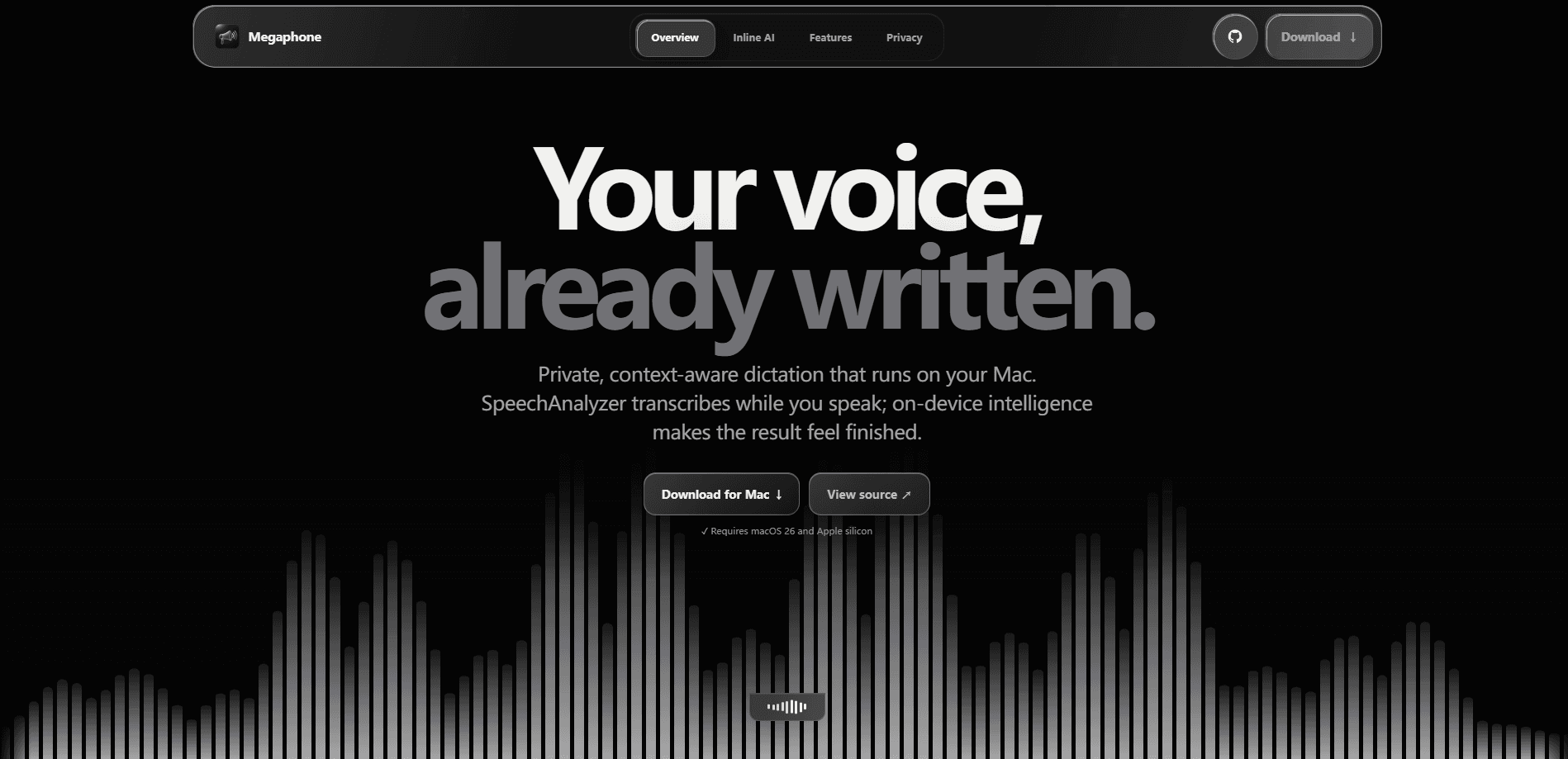
Megaphone is a free, open-source Mac dictation app that turns speech into finished text right on your machine. It pairs Apple's SpeechAnalyzer for live transcription with on-device cleanup, so filler words and false starts disappear as you speak. Everything stays local. There's no account to create, and no subscription to cancel.
About Megaphone
What Is Megaphone
Megaphone is a voice-to-text app built for Mac users who want to talk instead of type. It runs entirely on your machine, using Apple's speech framework to transcribe in real time while an on-device language model tidies the output.
The pitch is simple. Most dictation tools ship your audio to a server, hand back a rough transcript, and bill you monthly. Local, private, and free. Megaphone does the work on your machine, remembers the words you actually use, and hands you text that reads like you wrote it. So what's the catch? It's the hardware.
The catch is hardware. Megaphone needs macOS 26 and an Apple silicon Mac. If you're still on an Intel machine or an older system, it won't run. That's a real limit, not a soft recommendation, and it's the first thing to check before you download anything.
Getting Started
- Download Megaphone from the official site and drag it into your Applications folder.
- Launch it and grant Microphone and Accessibility permissions when macOS asks, since the app types into whatever field holds your cursor.
- Pick a trigger key and a cleanup mode (Smart, Basic, or Exact) in settings, then start dictating.
- Add names, products, and jargon to your Dictionary so transcription spells them your way.
- Speak normally, then press the key again to drop the cleaned text into the app you're already using.
Product Information
A quick look at Megaphone's pricing, supported platforms, and performance.
Best for
The users, tasks, and scenarios where this tool fits best.
Users
- Writers and bloggers who draft long pieces by talking them out and want clean text without a monthly fee.
- Developers who dictate commit messages, comments, and notes full of technical terms the Dictionary has learned.
- Privacy-conscious professionals who can't send meeting audio or client details to a cloud service.
Tasks
- Drafting emails and documents
- Writing code comments and commit text
- Taking notes in any text field
Scenarios
- Hands-busy moments when you're cooking, pacing, or nursing an injury and typing isn't an option.
- Long-form first drafts where speaking is faster than the keyboard and you clean up afterward.
- Drafting replies inside an app you're already in, without switching to a separate chat window.
Key features
Live Transcription with Apple SpeechAnalyzer
Megaphone streams your words as you speak rather than waiting for you to stop. It leans on Apple's own SpeechAnalyzer, so the heavy lifting happens on the device instead of a remote server. Speed and privacy, same package. Nothing you say leaves your Mac.
Smart Cleanup
Raw dictation is messy. Megaphone's Smart mode runs your transcript through an on-device language model that removes filler words and false starts, turning "Um, I I think we should ship Thursday, no, Wednesday" into a clean sentence. There's a deterministic fallback so cleanup still works if the model can't keep up, plus Basic and Exact modes when you want less intervention. Not ideal if you like full control, but useful if you don't.
Personal Dictionary
You can teach Megaphone the names, products, and acronyms that show up in your writing. Once a term is saved, both transcription and cleanup spell it your way. Automatic Learning picks up words you use often and promotes them after three successful dictations, and you can import or export the whole Dictionary as a JSON file to move it between Macs. Trust me, that export button saves a lot of retyping.
App Context Awareness
Megaphone reads the active app and window as local hints. It uses that context to judge tone, spelling, and technical formatting, so dictating into a code editor treats --force-with-lease differently from a line in an email, keeping flags intact instead of guessing that a spoken phrase was a typo. Nothing about that context leaves the machine.
Hey Megaphone Inline AI
Starting a dictation with "Hey Megaphone" hands your words to the on-device Foundation Model, which answers inside the app you're already using, so you can ask it to shorten a paragraph or rewrite a release note without ever opening a chat window or bouncing text through the clipboard.
Local Memory
Megaphone keeps a running memory of your style and recurring terms locally, so it gets more accurate the longer you use it. That data stays on your Mac. It travels with you only if you export it yourself.
Pros and cons
Pros
- Free and open source, with no subscription, account, or cloud upload.
- Transcribes and cleans up text on-device, which keeps sensitive audio local.
- The personal Dictionary and Automatic Learning fix technical terms and names that generic tools butcher.
- Inline "Hey Megaphone" AI answers questions without breaking your flow.
- Dictionary import and export make it easy to move your setup to a second Mac.
Cons
- Restricted to macOS 26 on Apple silicon, so Intel Macs and older systems are out.
- No public API, which rules it out if you want to wire dictation into your own scripts.
- Speaking it aloud won't suit open-plan offices or shared rooms where quiet matters.
Frequently asked questions
Yes. Megaphone is a free, open-source app with no subscription and no paid tier, so there's nothing to buy and nothing to cancel.
Related content
Explore related tools, skills, and articles for Megaphone.
Megaphone Alternatives

Google EmbeddingGemma 2
Google DeepMind · Writing · Image · CodingGoogle EmbeddingGemma 2 is a 740M-parameter open model that turns text, code, images, audio, and video frames into vectors in one 768-dimension space, running on phones and laptops.

MePersona
MePersona, Inc. · Writing · Productivity · MarketingMePersona is an AI unified inbox for creators. It learns your voice, drafts replies to fan messages from 12 platforms, and sends only what you approve.

Fluence
Yay Software (Yannick Huchard) · Writing · Voice & Language · ProductivityFluence is an Android app that reads PDFs, EPUBs, Word files and web articles aloud, follows each sentence as it speaks, and answers questions about the text on the phone itself.