

Meku
Meku · Coding
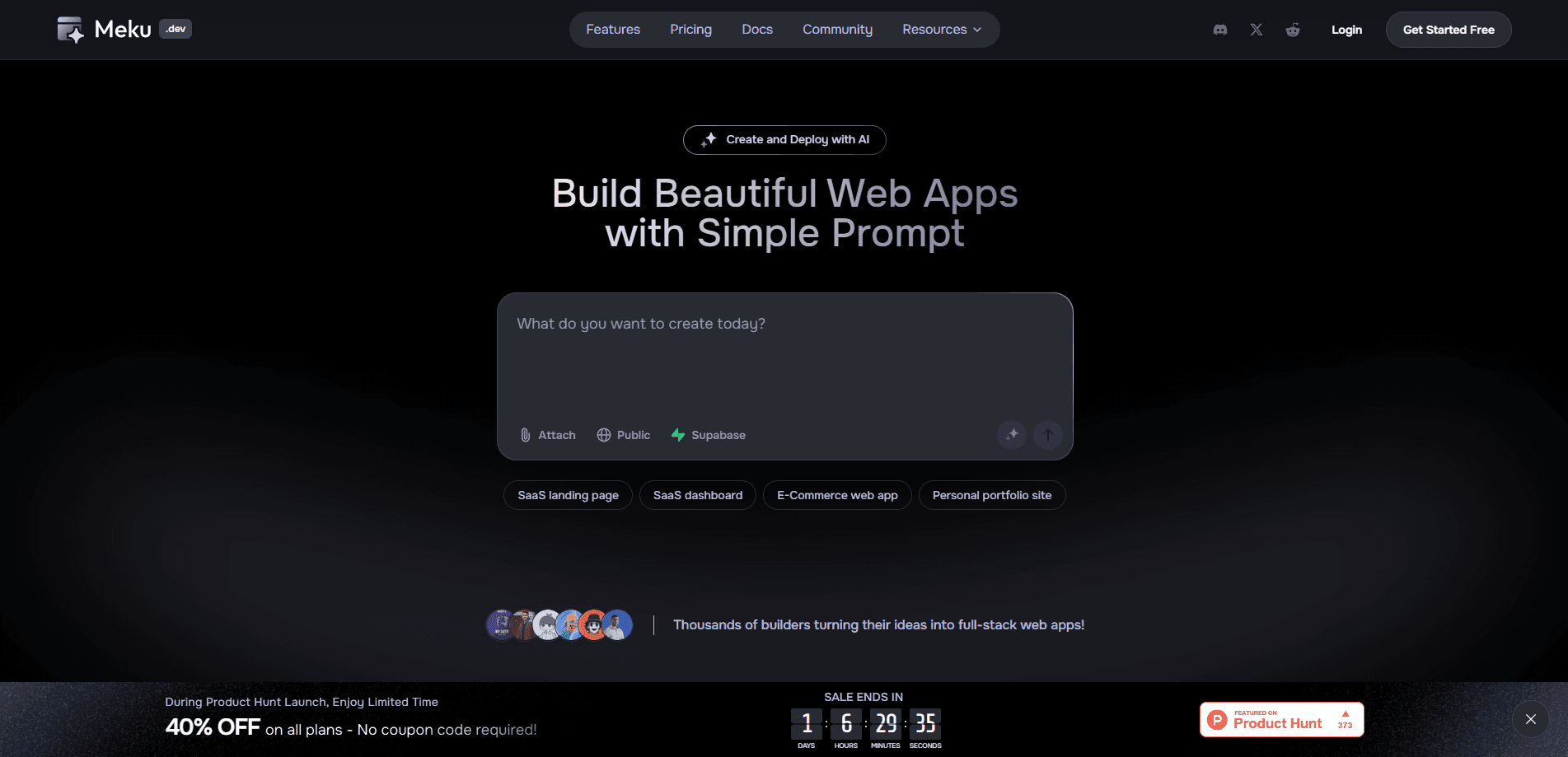
Meku is an AI web app builder that turns a plain-language prompt into a working full-stack website or application in under a minute. It generates React and Tailwind CSS projects, then handles hosting, custom domains, and SSL so you can go live without touching a server. The pitch is simple. Describe what you want, refine it in chat, and deploy.
About Meku
What Is Meku
Meku positions itself as an end-to-end AI app builder and host. You describe the site or app you want in ordinary words, and it produces a working first version with real frontend code rather than a static mockup. The output is built on React and Tailwind CSS, so the result is something a developer can keep editing afterward. Meku sits between a no-code page builder and a full dev environment. It leans toward the latter.
The main problem it solves is the gap between an idea and a deployable project. Traditional builders hand you a visual editor, and you drag boxes around. General-purpose coding assistants hand you code but leave hosting, databases, and domains to you. So which one do you pick? Meku tries to close both gaps in one place, adding auth, database, APIs, and one-click deployment on top of the generated code.
The biggest limitation is that AI-generated code still needs a human eye. Meku's own terms warn that automated output can be inaccurate or incomplete for your specific case, and that you stay responsible for what you host. Treat the first version as a strong starting point. It's not a finished product.
Getting Started
- Sign up at meku.dev and open a new project from the dashboard.
- Describe the app or site you want in the prompt box, in plain words.
- Wait less than a minute for Meku to generate a working first version.
- Keep chatting with Meku AI to customize layout, styles, and features, referencing files or Figma frames as needed.
- Deploy by connecting a custom domain, downloading the code offline, or pushing it straight to GitHub.
That's the whole loop. Prompt, refine, ship.
Product Information
A quick look at Meku's pricing, supported platforms, and performance.
Best for
The users, tasks, and scenarios where this tool fits best.
Users
- Solo founders and indie builders
- Frontend developers
- Small product teams
Tasks
- Turning a rough app idea into a clickable, hosted prototype
- Spinning up dashboards, landing pages, and internal tools
- Wiring up auth, database, and APIs
Scenarios
- Validating a SaaS idea before committing engineering time
- Building a client landing page on a deadline
- Prototyping an internal tool for a small team
Key features
Prompt to Live App
You type what you want, and Meku builds a working version in less than a minute, according to the company. The output is a functioning full-stack project, not just a visual preview. That matters if you plan to actually ship it. From there you keep refining in the same chat instead of switching tools.
Real React and Tailwind Code
Meku generates React with Tailwind CSS, two of the most common choices for modern web frontends. That means the code is portable. Export it, download it, or push it to your own repo. If you're a developer, you're not locked into a proprietary format you'd have to rebuild later.
One-Click Deployment
Meku hosts what it builds. It handles SSL, custom domains, and hosting with zero configuration, so you can share a live link as soon as the project is ready. For people who dread the deploy step, this removes the most annoying part of going live.
Figma Import and Design Flexibility
You can import Figma frames directly and get responsive, modern layouts from the first prompt, then adjust them through chat instead of a drag-and-drop canvas. The company bills this as pixel-perfect design without design skills. How close you get depends on how specific your prompt is.
Integrations with Supabase, GitHub, and More
Meku connects to GitHub for push, pull, and sync, and to Supabase for database, auth, and edge functions, which are the pieces that turn a pretty frontend into a working app that stores data and handles logins. If your stack already runs on Supabase, the setup is close to plug-and-play.
Developer Tools and Collaboration
Live previews, undo and redo, real-time updates, and conversational refinement are built in. Team workspaces and member invites show up on paid plans. The product is aimed at small teams, not only solo users.
Pros and cons
Pros
- Fast path from prompt to a hosted, shareable app, with deploy built into the same workflow.
- Generated code is real React and Tailwind, so developers can export it and keep working in their own setup.
- Figma import and chat-based customization reduce the need for a separate design tool.
- Integrations with GitHub and Supabase cover the backend pieces most small projects need.
Cons
- AI output can be inaccurate or incomplete, and you stay responsible for whatever you host.
- The free plan is limited to 3 public projects and 150 credits per month, so private work and heavier use need a paid tier.
- Pricing tiers beyond Pro aren't fully transparent on the site. Teams should confirm current rates before committing.
- There's no public API or offline desktop version. Everything runs through the hosted web tool.
Frequently asked questions
Meku builds full-stack web apps and websites from text prompts, including frontends in React and Tailwind CSS plus backend pieces like auth, database, and APIs when you connect services such as Supabase. It targets everything from landing pages to dashboards and small SaaS products.
Related content
Explore related tools, skills, and articles for Meku.
Meku Alternatives
Forefront
Forefront · CodingForefront is a web platform for building with open-source AI. It lets you fine-tune leading open-source language models on your own data, evaluate how they perform, and run them through an API or export them to host yourself. Developers who want the convenience of a closed-source platform but insist on owning their models and data are the target audience here.

Startkit
StartKit.AI · CodingStartkit is a boilerplate for building AI SaaS and AI wrapper products. Think of it as an AI startup boilerplate with the boring parts already wired up: authentication, Stripe and Lemon Squeezy payments, usage limits, transactional email, and an AI API starter that talks to OpenAI, Anthropic, Groq, or Llama. You clone the repo, set your price, and start on the part of your product that people actually pay for. It's Next.js under React and Tailwind, so most of the boilerplate code already feels familiar.
Testim
Tricentis · CodingTestim is an AI-powered test automation platform for building and running end-to-end tests across web, mobile, and Salesforce applications. It leans on machine learning to keep tests stable when an interface changes, so teams spend less time fixing broken selectors. Not bad for an automated testing tool you can start using today. You create tests by recording actions in a browser, then optionally add JavaScript when you need more control. It's a solid pick for busy QA teams.