

Melobytes.com
Melobytes · Voice & Language · Video
Melobytes.com is a browser platform packed with 100+ playful AI creative tools for making music, voices, images, and video. A free account gives you a daily run limit.
About Melobytes.com
What Is Melobytes.com
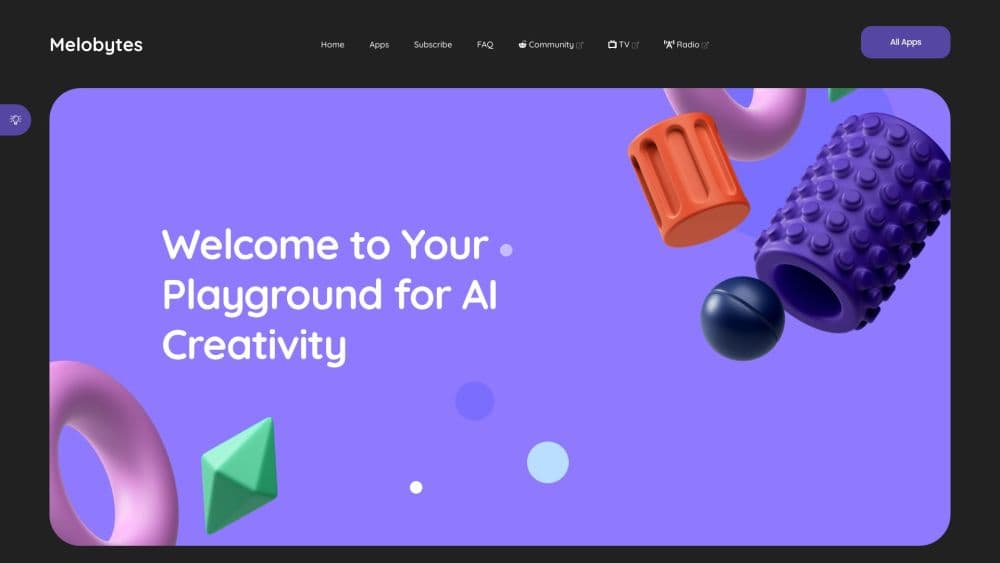
Melobytes.com is a web platform that gathers more than 100 small AI apps under one roof. It covers music composition, voice work, image and video editing, and lyric tools, and it runs entirely in a browser with no install. The tone is deliberately light. The team describes the apps as experimental and playful rather than production grade, and warns that results vary in quality.
The appeal is breadth and low friction. Instead of hunting for a separate tool for each idea, you pick an app, feed it text, a photo, or a voice clip, and get something odd or fun back. The AI music generator turns text into a song, image to music apps rip a picture into sound, voice tools swap a voice or handle AI text to speech, and AI stories spin a prompt into a video. Not every output will be usable, and the site says as much, but that looseness is the point.
There are real limits to know before you sign up. The free plan caps you at a few runs a day, stamps a watermark on results, and holds downloads of MIDI files. Paid plans lift those caps and add queue priority, but pricing loads live on the site rather than sitting in a fixed list. This is a playground, not a studio replacement, so anyone needing consistent commercial output should look elsewhere.
Getting Started
- Open melobytes.com and create a free account. No payment is needed to start, and signup unlocks the full app library.
- Browse the app catalog, which sorts tools into music composition, AI image and video, AI stories, voice composition, and lyric utilities.
- Pick an app and give it your input. A text prompt, an uploaded image, a voice recording, or a lyric sheet all work as starting points depending on the tool.
- Run the app and wait for it to finish. Each execution can take anywhere from a few seconds to several minutes because the back end runs heavy jobs.
- Review the result in your execution history. From there you can download what is allowed, run the app again, or upgrade to a paid plan for unlimited use.
Product Information
A quick look at Melobytes.com's pricing, supported platforms, and performance.
Best for
The users, tasks, and scenarios where this tool fits best.
Users
- Music hobbyists
- Curious creators
- Social media tinkerers
- Teachers and workshop hosts
Tasks
- Turning text into a song
- Making music from an image
- Changing a voice
- Generating images from text
- Building a short AI story video
Scenarios
- A quick creative break
- Prototyping a jingle or hook
- Classroom demos
- Fueling fan content
Key features
A Catalog of 100+ Creative Apps
The platform's main draw is sheer range. It bundles tools for music composition, voice composition, AI image and video work, AI stories, and lyric utilities, and it keeps adding new ones. You open one account and get all of them, which beats juggling a dozen single-purpose sites.
Text to Song and Algorithmic Music
The music apps are the heart of the site. You paste text or lyrics, or pick an instrumental mode, and the algorithm composes a track around it. Some apps write a full sung song from a lyric sheet, others build melodic sequences or chord progressions. Results vary, so treat the first run as a sketch.
Image and Video to Music
Several apps read a picture or a video and turn it into sound. One musicalizes an image, another converts a drawing into a tune, and others score motion or a movie moment. It turns a static file into something you can listen to, which is a fun way to give visuals a soundtrack without composing anything yourself.
AI Image Generation and Editing
On the visual side, you can generate an image from a text description, apply color guidance, expand a picture outward, or make a transparent-background cutout. Editing apps cover image variation and basic retouching. It is a light toolkit for quick visual experiments rather than a full design suite.
Voice Tools and Text to Speech
The voice apps cover speech and singing. You can convert text to speech, switch an existing voice, or have text sung back to you. There are also phonetic and phonetics utilities for anyone curious about the mechanics. Like the rest of the site, these lean toward experimentation over broadcast-ready output.
AI Stories and Video Builders
A cluster of apps turns scripts, prompts, or image sets into short narrated videos. There are options themed around newscasts, documentaries, cooking clips, and simple games, plus a tool that builds a story from uploaded photos. It is a fast way to produce a rough video without editing software.
A Reddit Community Hub
The site leans on its r/Melobytes community for sharing and feedback. Users post their creations, swap ideas, and get inspired by what others made. It gives the playful output somewhere to land and turns a solo tool into something closer to a crowd.
Pros and cons
Pros
- One account unlocks 100+ AI apps across music, voice, image, video, and text, so you avoid signing up for many separate tools.
- The free plan lets you try everything with a daily run limit, which is enough to judge whether the output suits you.
- Music generation is genuinely broad, covering text to song, algorithmic instrumentals, and image to music in one place.
- Everything runs in the browser, so there is nothing to install and nothing tied to your operating system.
- A dedicated Reddit community gives you a place to share results and pick up ideas from other users.
- Paid plans remove the watermark, lift the run cap, and raise queue priority during busy periods.
Cons
- Free results carry a Melobytes watermark and MIDI downloads are restricted until you pay.
- The free plan is capped at a small number of executions each day, so heavy testing runs out fast.
- Output quality is uneven by design, and the team says the apps are not built for professional use as-is.
- Pricing loads dynamically on the page, so there is no fixed public price list to compare against before you click.
- No API is advertised, which rules out building the tools into an automated workflow.
Frequently asked questions
Melobytes.com is used to make playful AI content in a browser. People use it to turn text into songs, generate images from prompts, change voices, and build short narrated videos, all without installing software.
Related content
Explore related tools, skills, and articles for Melobytes.com.
Melobytes.com Alternatives

Foley
Hanamori Labs, LLC · Voice & Language · Productivity · AI AssistantFoley is a voice to-do list that turns a spoken sentence into a filed task, complete with project, date and time, then helps you plan the day around what is already there.

HireKey
HireKey · Voice & Language · Productivity · LeaningHireKey is an AI job search copilot built by a former tech recruiter. It checks role fit, tailors resumes, runs interview practice and tracks every application.

Fluence
Yay Software (Yannick Huchard) · Writing · Voice & Language · ProductivityFluence is an Android app that reads PDFs, EPUBs, Word files and web articles aloud, follows each sentence as it speaks, and answers questions about the text on the phone itself.