

Write Text on Photo - Memingo
Kateryna Kontorovych · Other
Write Text on Photo - Memingo is a free photo text editor and meme generator for iPhone, iPad, and Android. It lets you add text to photo, pick fonts and colors, add AI captions, build collages from multiple images, and export everything without a watermark. Call it a funny photo editor when you want one. The app keeps your photos on your device, so nothing gets uploaded to a server.
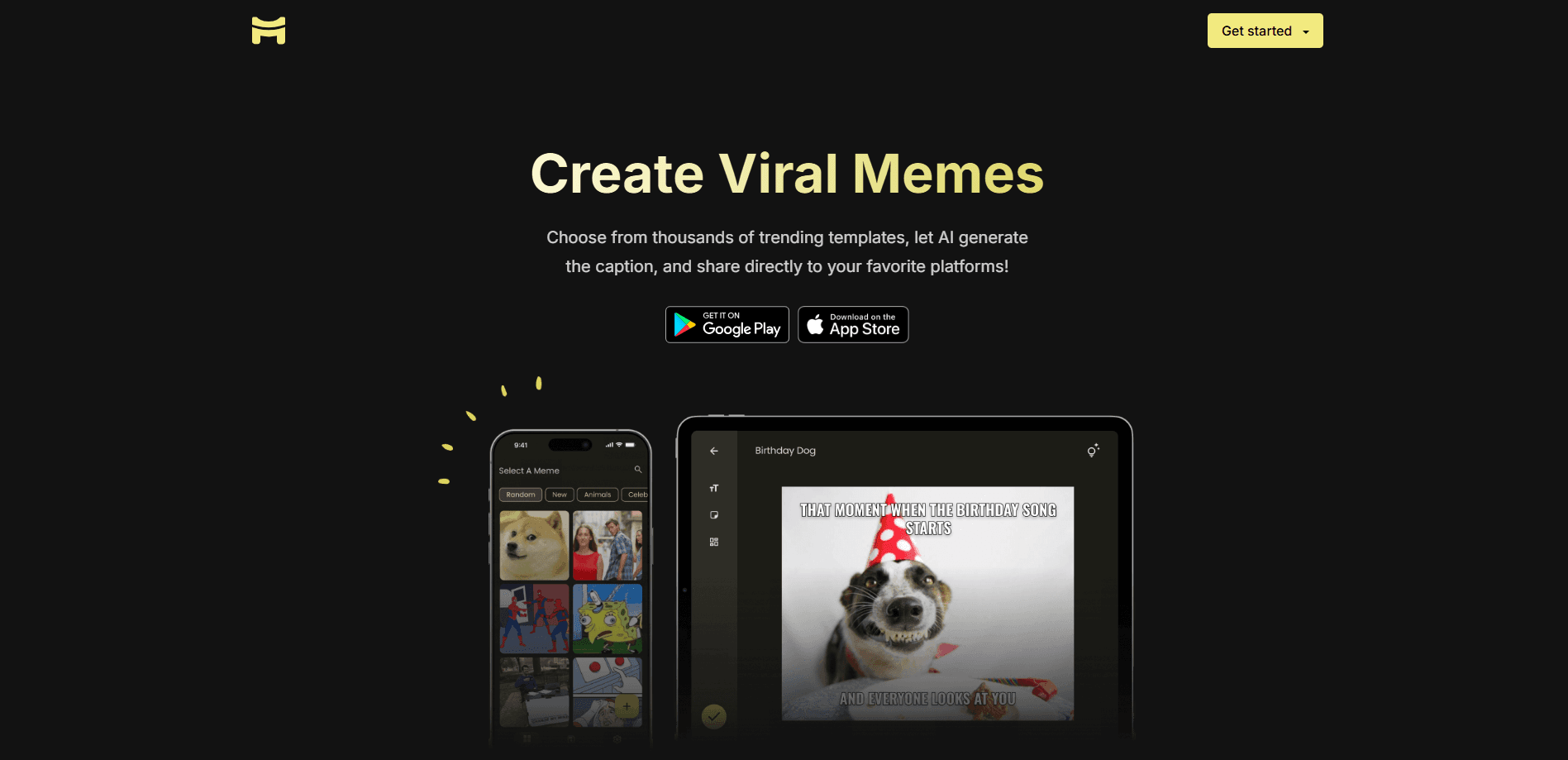
About Write Text on Photo - Memingo
What Is Write Text on Photo - Memingo
Write Text on Photo - Memingo is a mobile app for adding text, stickers, and effects to photos and turning them into shareable content. It sits in the same space as meme makers and quick photo editors, but skips the subscription wall that most of them put in front of basic export. You pick an image. Then you type or generate a caption, style it, and save.
The main appeal is speed. You can go from camera roll to a finished, watermark-free image in under a minute. So why open a full design suite for a two-line caption? That matters if you post memes to group chats or social feeds several times a day and don't want to open a full design suite each time. Nobody wants that.
Where it's limited: this is a phone-and-tablet tool, not a desktop one. There's no web editor and no public API, so anything that needs batch processing or automation through scripts is out. It's built for one-off, on-the-go edits.
The app has passed 100,000 users according to the developer.
Getting Started
- Download Write Text on Photo - Memingo from the App Store or Google Play and open it.
- Pick a photo from your gallery, or start with a blank canvas.
- Add text, choose a font, color, and background, or tap the AI caption button for a generated line.
- Add stickers, effects, or combine more images into a collage.
- Export or share the result to any social app. No watermark gets added.
Product Information
A quick look at Write Text on Photo - Memingo's pricing, supported platforms, and performance.
Best for
The users, tasks, and scenarios where this tool fits best.
Users
- Social media posters
- Students and group-chat regulars
- Privacy-conscious editors
Tasks
- Adding text to a photo
- Generating a funny caption
- Building a collage
- Sharing without branding
Scenarios
- Making a meme for a group chat in a few taps on the way to class or work.
- Turning a set of vacation photos into a single collage for an Instagram post.
- Adding a themed caption to a photo for a birthday or holiday message.
- Jazzing up a profile picture with stickers and text before posting it.
Key features
Custom Text Controls
You get full say over your caption: font, color, size, and background are all adjustable. That's the core of a photo text editor, and Memingo doesn't lock the useful options behind a paywall. You can match a caption to the mood of the image instead of settling for one default look. Big difference.
AI Captions
Type nothing and let the app write the joke. The AI caption tool generates a funny line for whatever photo you load, which is handy when you know you want a caption but can't land on one. Stuck for words? Tap once. It's a shortcut, not a full copywriting suite, so treat it as a starting point you can edit, and don't expect it to nail your personal sense of humor on the first try every single time.
Watermark-Free Export
Every image you save comes out clean, with no branding stamped on it. Most free meme makers slap their logo in the corner unless you pay. That's annoying. A watermark-free photo editor is rarer than it should be. If you post often, that alone can decide which app you keep on your home screen.
Photo Collages
Merge multiple images into a single collage using built-in templates. No dragging frames from scratch. It's the fastest way to pull a few shots together for a single post without opening a separate collage app.
250+ Stickers and Effects
The app ships with more than 250 stickers and effects, covering a range of moods and themes. They add personality to plain photos and work alongside text, so you can build layered images without hunting for extra assets online. That's plenty for most posts. Grab a sticker and go.
Offline, Local Storage
Memingo never uploads or stores your images or creations, according to the developer, and it works fully offline. Your edits stay on your device, which means a spotty signal on the train or in a basement classroom won't stop you from finishing a caption and posting it right away. For anyone who'd rather not hand their camera roll to a random server, that's a real reason to pick this over a cloud-based editor.
Pros and cons
Pros
- Free with no subscription needed for core editing and export.
- Exports come out watermark-free, which many rivals charge for.
- AI captions speed up the "what do I write" problem in one tap.
- Photos stay on your device and the app works offline.
- Text, stickers, and collages live in one app, so you don't juggle tools.
Cons
- Mobile only. There's no desktop version or web editor, so desktop workflows are out.
- No public API, which rules out automation or batch editing through scripts.
- Sticker count sits at 250+, fewer than some meme apps that boast thousands.
- Advanced design work is limited compared to full photo-editing suites. Layers, precise alignment, and type controls all fall short of what a desktop tool gives you, so big design projects belong elsewhere.
Frequently asked questions
Yes. The app is free to download and use, with no subscription required for its core text, sticker, and collage tools.
Related content
Explore related tools, skills, and articles for Write Text on Photo - Memingo.
Write Text on Photo - Memingo Alternatives
BinkBink
BinkBink · OtherBinkBink is a free online game platform and AI game maker that lets anyone turn a short text description into a playable browser game. You can jump into hundreds of community-made games. Or describe your own idea and play it in seconds, then share it with friends. Want to create your own game? You don't need to code. No engine setup, no download, no hassle.

Audiogen
Audiogen Inc. · OtherAudiogen is an AI music generator built by Audiogen Inc., a small research team that spent about 2.5 years training its own generative music model and designing a web interface around it. Instead of a plain text box, this AI music tool turns the timeline into a beginner-friendly Generative Audio Workstation, or GAW, where inpainting, extending, remixing and stem editing work more like painting on a canvas. The product is still in beta, so access runs through a waitlist or an invite. Paid plans aren't published yet.

Aiml API
AIMLAPI OÜ · OtherAiml API is a unified AI model API that puts more than 1000 models from OpenAI, Google, Anthropic, and others behind one endpoint and one bill. You write code against a single OpenAI-compatible schema, then switch between chat, image, video, and audio models by changing a model string. It suits developers and small teams who want multi-model access without juggling a dozen separate provider accounts, and it removes the usual billing headache that comes with testing several vendors. One key covers it all.