

MemoryPlugin for OpenClaw
Maximem · Other
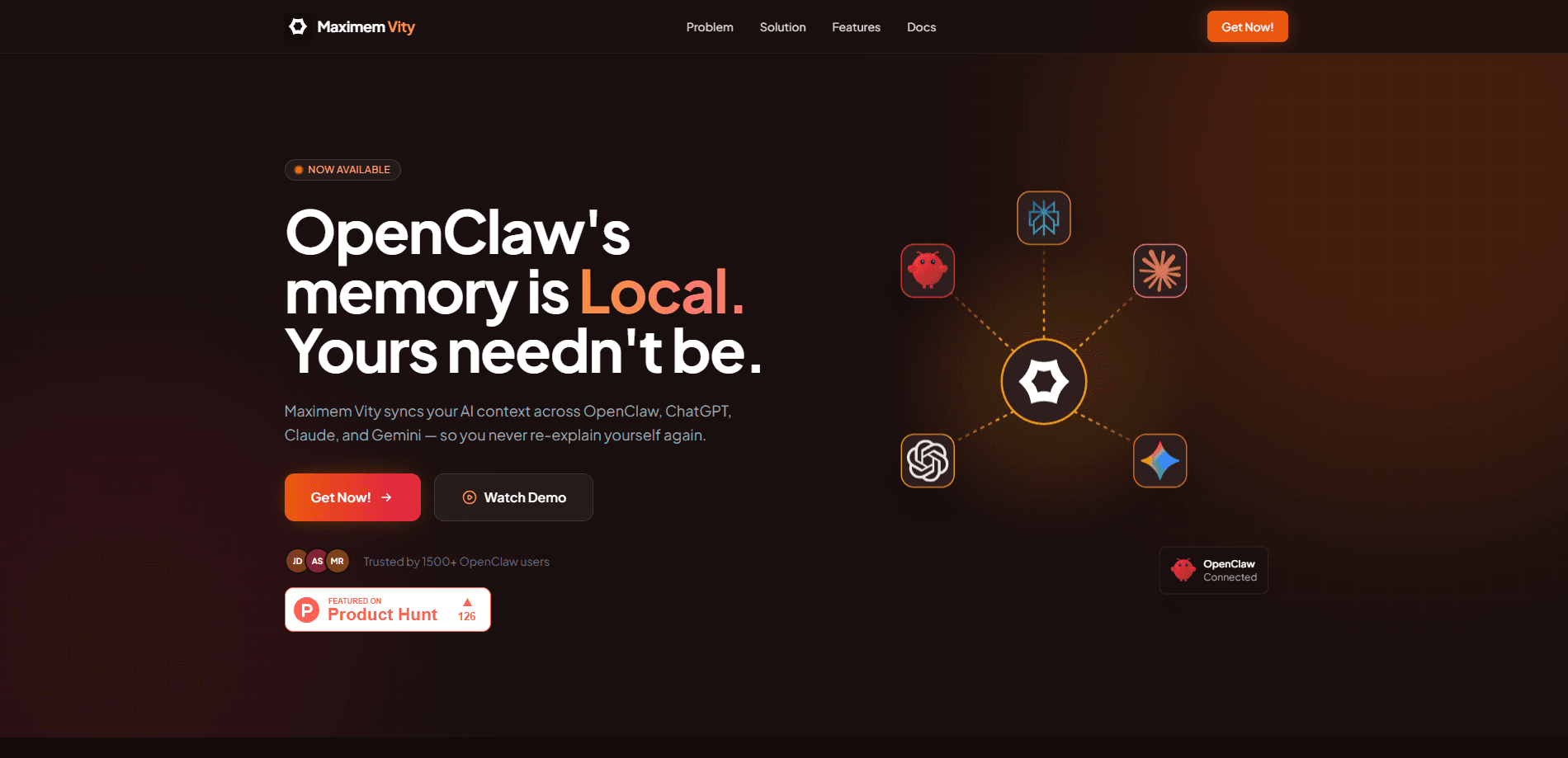
MemoryPlugin for OpenClaw is a persistent memory plugin that gives OpenClaw agents long-term recall across sessions and devices. Instead of starting every session blank, it stores your preferences, project context, and past decisions in a searchable cloud vault, then syncs that same memory with ChatGPT, Claude, Gemini, and other AI tools. Setup takes one install command and a free API key.
About MemoryPlugin for OpenClaw
What Is MemoryPlugin for OpenClaw
MemoryPlugin for OpenClaw solves a specific, annoying problem: OpenClaw forgets. Every new session starts from scratch, and anything you taught the agent yesterday is gone today. OpenAI's tool ships with markdown files on disk that aren't semantically searchable and don't sync anywhere, so a move between machines means starting over.
The plugin replaces that with a cloud memory layer. It builds a semantic graph of everything your sessions produce, code decisions, architectural choices, your stated preferences, and project context, then queries that graph before each response. You can also save facts manually with /remember and search the vault with /recall.
The catch is that most of the useful behavior runs through a hosted service, so you're trusting a third party with your context. There's a free tier to start, but heavier usage pushes you onto paid plans. That tradeoff is worth understanding before you commit.
Getting Started
- Run
openclaw plugins install @maximem/memory-pluginin your terminal. The plugin registers itself with OpenClaw automatically, so there are no config files to hand-edit. - Grab a free API key from the Maximem signup page. No credit card is required for the trial.
- Paste the key into the plugin configuration. Your memory vault is created the moment you connect.
- Keep working normally. Auto-Recall injects relevant memories before each response, and Auto-Capture saves new context after every exchange.
- Use
/rememberand/recallwhen you want to pin or retrieve something specific.
Product Information
A quick look at MemoryPlugin for OpenClaw's pricing, supported platforms, and performance.
Best for
The users, tasks, and scenarios where this tool fits best.
Users
- OpenClaw power users
- Multi-tool AI users
- Small product teams
Tasks
- Preserving architectural decisions
- Carrying preferences across sessions
- Bookmarking research
Scenarios
- Switching devices mid-project
- Long refactor sessions
- Cross-channel work
Key features
Semantic Memory Graph
Rather than dumping everything into a flat file, the plugin builds a semantic memory vault out of your sessions and queries it by meaning. Before each response, it runs a vector similarity search and injects only the context that fits the current task. That keeps the injected payload smaller than stuffing raw history into the prompt.
Cross-Platform Memory Sync
Cross-platform memory syncing is the feature that separates it from OpenClaw's built-in memory. The same vault follows you into ChatGPT, Claude, Gemini, Perplexity, DeepSeek, and Grok, so a fact you teach one tool is visible to the others. If you live across several AI apps, that shared layer is the whole point.
Auto-Recall and Auto-Capture
Two hooks run automatically in the background. Auto-Recall pulls relevant memories in before the agent responds. Auto-Capture writes new context back out afterward. You don't manage either one, which is why the setup stays to a single install command and a key.
Bookmark Intelligence
Saved GitHub repos, documentation links, and research articles become searchable nodes in the vault instead of sitting in a forgotten browser tab. Your agent can surface them mid-conversation, which turns scattered reading into usable context.
Encrypted Cloud Storage
Memories are stored remotely and encrypted at rest, so they survive a lost laptop and stay available across machines. That convenience is also the main cost: your context leaves your local disk and lives on Maximem's servers.
Slash Commands for Manual Control
Auto-capture doesn't catch everything. /remember lets you pin a specific fact deliberately, and /recall searches the vault on demand. For decisions you know matter, manual saving is more reliable than trusting the automatic pass.
Pros and cons
Pros
- Removes the blank-slate problem that makes OpenClaw sessions feel repetitive.
- Shares one memory across ChatGPT, Claude, Gemini, and other tools, not just OpenClaw.
- Cloud sync lets you move between devices without losing context.
- Setup is genuinely quick, one install command and a free API key with no card required.
- Bookmark intelligence turns saved links into queryable memory.
Cons
- Your context is stored on Maximem's servers, so you're trusting a third party with project details.
- Useful volume sits behind paid plans that jump sharply from the free tier.
- Manual `/remember` is still needed for facts you can't risk the auto-capture missing.
Frequently asked questions
It provides persistent memory for AI agents like OpenClaw, surviving session restarts and syncing across devices. The plugin stores your context in a searchable vault and pulls relevant pieces back in before each response, so the agent stops forgetting what you told it earlier.
Related content
Explore related tools, skills, and articles for MemoryPlugin for OpenClaw.
MemoryPlugin for OpenClaw Alternatives
BinkBink
BinkBink · OtherBinkBink is a free online game platform and AI game maker that lets anyone turn a short text description into a playable browser game. You can jump into hundreds of community-made games. Or describe your own idea and play it in seconds, then share it with friends. Want to create your own game? You don't need to code. No engine setup, no download, no hassle.

Audiogen
Audiogen Inc. · OtherAudiogen is an AI music generator built by Audiogen Inc., a small research team that spent about 2.5 years training its own generative music model and designing a web interface around it. Instead of a plain text box, this AI music tool turns the timeline into a beginner-friendly Generative Audio Workstation, or GAW, where inpainting, extending, remixing and stem editing work more like painting on a canvas. The product is still in beta, so access runs through a waitlist or an invite. Paid plans aren't published yet.

Aiml API
AIMLAPI OÜ · OtherAiml API is a unified AI model API that puts more than 1000 models from OpenAI, Google, Anthropic, and others behind one endpoint and one bill. You write code against a single OpenAI-compatible schema, then switch between chat, image, video, and audio models by changing a model string. It suits developers and small teams who want multi-model access without juggling a dozen separate provider accounts, and it removes the usual billing headache that comes with testing several vendors. One key covers it all.