
Merlin AI
Foyer Tech, Inc · Marketing · Chatbot
Merlin AI is a browser assistant and chat app from Foyer Tech that puts GPT, Claude, Gemini, and other leading models in one sidebar. Summarize pages, write, translate, and run Deep Research from a free account.
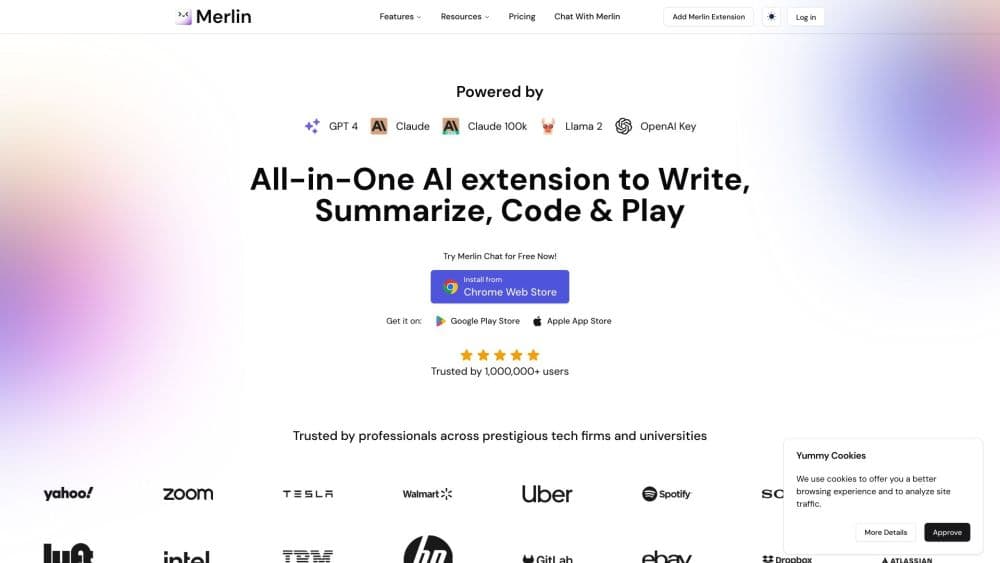
About Merlin AI
What Is Merlin AI
Merlin AI is a multi-model assistant you install as a Chrome extension or open as a web, desktop, or mobile app. Instead of switching between ChatGPT, Claude, and Gemini tabs, you get one sidebar that can route a question to whichever model fits, and it can read the page you already have open. The pitch is simple: one subscription covers several premium models plus 70+ AI tools.
It's built for people who work in the browser all day. Students summarize lecture PDFs and videos, writers draft posts on social sites without leaving the page, and researchers use Projects to build reusable knowledge bases. Merlin says it's trusted by more than 20 million users and works in 200+ countries, including places where ChatGPT is restricted.
The catch is that the low monthly price comes with fair-use caps, not unlimited access. Free accounts get a daily limit and lighter models, and the cheapest paid plan is a smaller slice of Pro usage.
Getting Started
- Install the Merlin extension from the Chrome Web Store, or open the web app and create a free account.
- Sign in so your chats, saved prompts, and custom bots sync across devices.
- Press Ctrl+M (Cmd+M on Mac) on any page to open the sidebar, or highlight text and pick an action like summarize or translate.
- Choose a model such as GPT-4, Claude, or Gemini 2.5 Pro and start chatting, or open Projects to attach your own documents and links.
- Save useful answers and prompts, then reuse them from the web, desktop, iOS, or Android app.
Product Information
A quick look at Merlin AI's pricing, supported platforms, and performance.
Best for
The users, tasks, and scenarios where this tool fits best.
Users
- Students
- Marketers and creators
- Researchers and analysts
Tasks
- Summarizing sources
- Writing and translating
- Chating with documents
Scenarios
- Daily browsing across many tabs
- Building a reusable knowledge base
- Chatting where ChatGPT is blocked
Key features
All Top AI Models in One Sidebar
Merlin gathers GPT-4, Claude, Gemini, DeepSeek, Mistral, and Llama in a single interface, so you can compare answers or switch models without a new tab. The sidebar also reads the page you're viewing, which means questions about the current article feel built into browsing. Access to each model depends on your plan.
Deep Research With Real-Time Web
Deep Research combines chain-of-thought reasoning with live web sources to produce longer, sourced reports instead of one-off answers. It's the feature Merlin markets hardest for research and analysis, and it sits behind the paid tiers. That makes it a reason to upgrade rather than a free perk.
Projects and Custom Bots
Projects let you attach documents, links, and notes to create a searchable knowledge base tuned to your context. You then build custom bots that answer from that material, useful for brand voice, coursework, or recurring FAQs. Your projects stay in sync across every device you sign in on.
Summarization and ChatPDF
Point Merlin at a web page, a YouTube video, or a PDF and it returns the highlights, often with timestamps you can jump to. For long contracts, papers, and manuals, this shortens the gap between opening a file and finding the answer. You can keep asking follow-up questions about the source.
AI Writing Assistant and 70+ Tools
Acting as an AI writing assistant, Merlin rewrites, shortens, expands, or translates highlighted text in place, and a template library covers emails, ad copy, and outlines. Beyond writing, 70+ tools handle tasks like AI detection, essay drafting, and social posts, so you don't need a separate app for each job.
Cross-Device Sync and Image Generation
Your history, saved prompts, and bots follow you across the Chrome extension, web app, and mobile apps. Merlin also generates images from prompts using a range of models and aspect ratios for posts and slides. Output limits follow your plan, since heavier generation draws on paid credits.
Pros and cons
Pros
- Several premium models plus 70+ tools sit in one subscription, which is cheaper than paying for ChatGPT Plus and Claude Pro separately.
- The sidebar reads the page you're on, so summarizing and asking about the current site or video feels native.
- Free tier lets you test chat and lighter models before paying.
- Runs on Chrome, Edge, web, Windows, Mac, Android, and iOS with settings syncing across them.
Cons
- Paid plans use fair-use caps rather than unlimited access, so heavy users run into limits and need top-ups.
- The strongest models and Deep Research sit behind a subscription, and the cheapest plan is a small slice of Pro.
- Merlin doesn't offer a general API, so you can't wire it into your own apps and have to work through its interface.
- Because the extension can read page content, you should review its site permissions before browsing sensitive pages.
Frequently asked questions
Merlin AI is a browser extension and chat app from Foyer Tech that brings leading models like GPT, Claude, and Gemini together in one sidebar, along with 70+ AI tools for writing, summarizing, translating, and research.
Related content
Explore related tools, skills, and articles for Merlin AI.
Merlin AI Alternatives

ngram 2.0
ngram · Video · Marketingngram 2.0 is an AI video generator for teams. It turns a prompt, a screen recording, or a product URL into a narrated explainer, product demo, or AI avatar video, and every scene stays editable.

shippedit.me
Krawlup · Marketing · Businessshippedit.me now redirects to Krawlup, a web platform that audits SEO, AEO and page speed every week, then hands the fixes to AI coding agents over MCP.

MePersona
MePersona, Inc. · Writing · Productivity · MarketingMePersona is an AI unified inbox for creators. It learns your voice, drafts replies to fan messages from 12 platforms, and sends only what you approve.