

MetMe
MetMe · Other
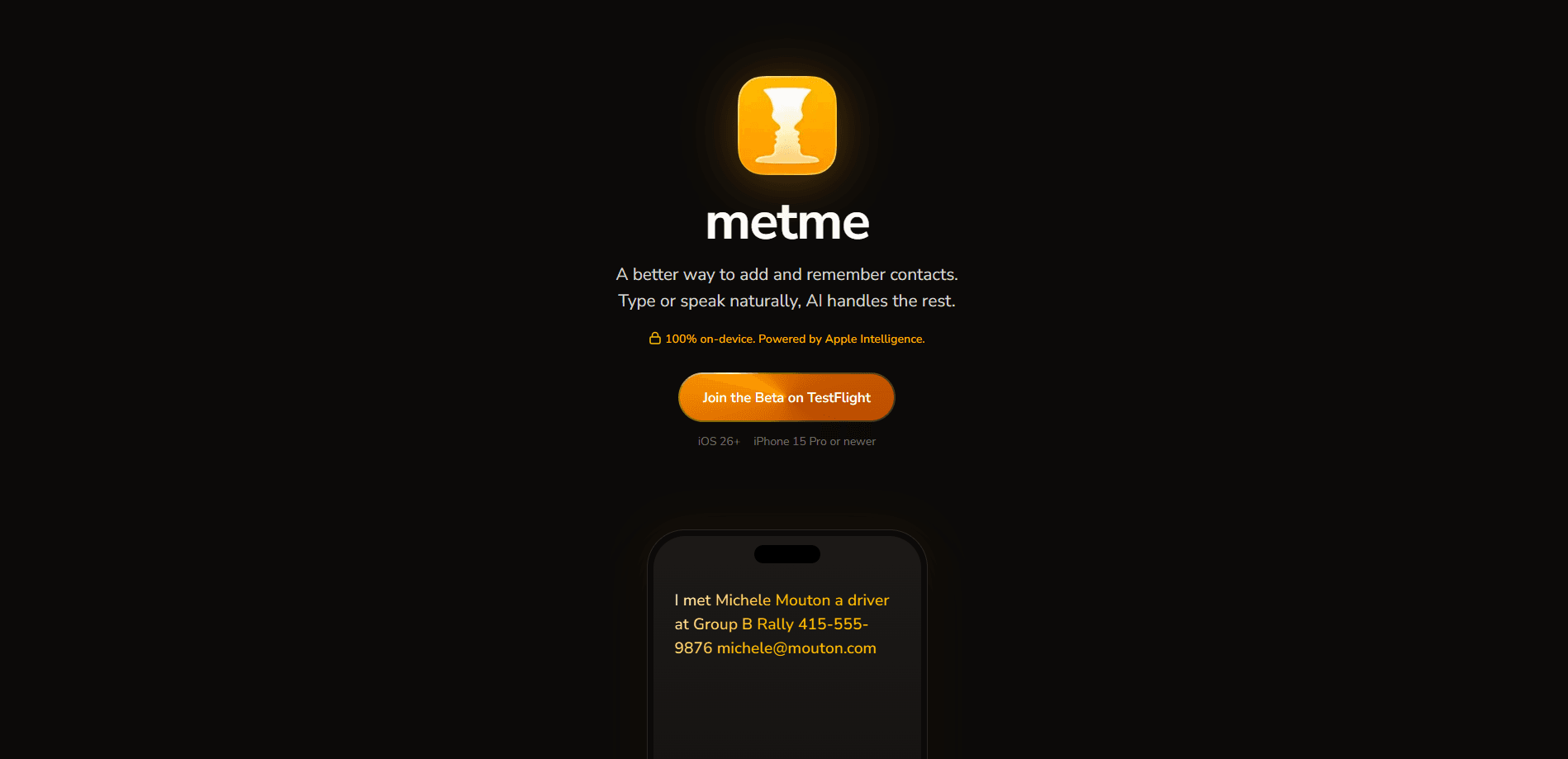
MetMe is an iOS contact management app that saves people to your phone from a single sentence. As an AI contact manager, it lets you say or type "Met Sarah at the coffee shop, she's a designer at Figma," then it pulls out the name, role, company, phone, and email and writes everything straight into your native iOS Contacts. The whole thing runs on your iPhone through Apple Intelligence, so nothing goes to a server and there's no account to create.
About MetMe
What Is MetMe
MetMe is a private contact management app built for one job: getting a new person into your phone fast. Instead of tapping through a dozen fields in the Contacts app, you describe the person in plain language and let on-device AI sort out the details. It saves where you met and when, so the next time you see a name you can't place, there's context waiting.
This Apple Intelligence contact app is iPhone-only and leans on Apple Intelligence for every bit of processing. Your contacts never leave the device, there's no cloud sync, and there's no sign-up screen. If you've ever worried about handing your address book to a startup, this design sidesteps the question entirely.
The catch is the hardware. MetMe currently needs iOS 26 or newer and an iPhone 15 Pro or later, since that's where Apple Intelligence runs. If you're on an older phone, the app won't work for you yet. It's also still in beta through TestFlight, so treat it as early software rather than a finished product.
Getting Started
- Install TestFlight from the App Store, then join the MetMe beta through its public invite link.
- Open MetMe. There's no login or sign-up screen; the app goes straight to the entry field.
- Type or dictate a sentence about the person you just met, including whatever details you know.
- Review the parsed contact, then confirm to save it. MetMe writes it directly to your native iOS Contacts.
- Browse your network by Timeline, Calendar, or Map to see when and where you met each person.
Product Information
A quick look at MetMe's pricing, supported platforms, and performance.
Best for
The users, tasks, and scenarios where this tool fits best.
Users
- Networkers who meet a lot of new people at events and conferences
- Sales and business development folks who live on follow-ups
- Privacy-conscious users who don't want their address book on someone's cloud
Tasks
- Capturing a contact right after a handshake
- Adding context to an existing relationship
- Quickly logging a batch of new people after a conference day
Scenarios
- Walking out of a meetup with five new names and no memory of who does what
- Working offline in a basement venue with no signal
- Reviewing your year in people
Key features
Natural language contact entry
Type or speak a normal sentence and MetMe handles the extraction. It reads names, job titles, companies, phone numbers, and email addresses out of the text and drops them into the right fields, so you're not copying details by hand. No manual field-tapping. The app's own comparison is blunt: adding a contact the traditional way takes 30-plus seconds, while one sentence finishes in under five.
100% on-device processing
Everything runs locally through Apple Intelligence. Your contacts don't get uploaded, there are no servers storing them, and MetMe writes into the native iOS Contacts you already use. For anyone who's squeamish about contact data leaving the phone, this is the whole point of the app.
No account required
There's no sign-up, no login, and no cloud sync. You open the app and start adding people. That removes a password to remember and a service that could go dark. It also means no cross-device sync if you switch phones. Simple trade-off, right? You gain privacy and lose portability.
Memory of where and when
Each saved contact keeps the context of your meeting. MetMe records where and when you met and any personal notes, so a name in your address book comes with the story behind it.
Timeline, Calendar, and Map views
MetMe offers three ways to revisit your network. Timeline lists everyone in the order you met them, Calendar shows which days brought new people and flags birthdays, and Map pins each contact to the place you met. It turns a flat contact list into something you can browse across time and location.
Offline by design
Since processing is on-device, MetMe works with no internet connection. You can add contacts in airplane mode, in a subway, or anywhere else your signal drops, and nothing waits on a server round trip.
Pros and cons
Pros
- Adding a contact takes one sentence instead of a screen full of fields, which matters when you're meeting people back to back.
- On-device processing means your address book never goes to a cloud service, so there's no data-sharing risk to weigh.
- No account or login keeps the setup to zero steps and avoids another password.
- The Timeline, Calendar, and Map views add context that a plain contact list doesn't give you.
- Works offline, so a weak signal won't block you from saving someone.
Cons
- Hardware requirements are steep: you need iOS 26 and an iPhone 15 Pro or newer, so older iPhones can't run it at all.
- It's still in beta through TestFlight, so expect rough edges and possible instability.
- There's no cross-device sync, which means your contacts live only on the phone that created them.
- iPhone-only, with no Android or web version, so mixed-device teams can't standardize on it.
Frequently asked questions
It turns a spoken or typed sentence into a saved contact. Describe the person you just met, and MetMe extracts the name, role, company, and contact details and writes them into your native iOS Contacts.
Related content
Explore related tools, skills, and articles for MetMe.
MetMe Alternatives
BinkBink
BinkBink · OtherBinkBink is a free online game platform and AI game maker that lets anyone turn a short text description into a playable browser game. You can jump into hundreds of community-made games. Or describe your own idea and play it in seconds, then share it with friends. Want to create your own game? You don't need to code. No engine setup, no download, no hassle.

Audiogen
Audiogen Inc. · OtherAudiogen is an AI music generator built by Audiogen Inc., a small research team that spent about 2.5 years training its own generative music model and designing a web interface around it. Instead of a plain text box, this AI music tool turns the timeline into a beginner-friendly Generative Audio Workstation, or GAW, where inpainting, extending, remixing and stem editing work more like painting on a canvas. The product is still in beta, so access runs through a waitlist or an invite. Paid plans aren't published yet.

Aiml API
AIMLAPI OÜ · OtherAiml API is a unified AI model API that puts more than 1000 models from OpenAI, Google, Anthropic, and others behind one endpoint and one bill. You write code against a single OpenAI-compatible schema, then switch between chat, image, video, and audio models by changing a model string. It suits developers and small teams who want multi-model access without juggling a dozen separate provider accounts, and it removes the usual billing headache that comes with testing several vendors. One key covers it all.