

Microsoft Dragon Copilot
Microsoft · Voice & Language · AI Assistant
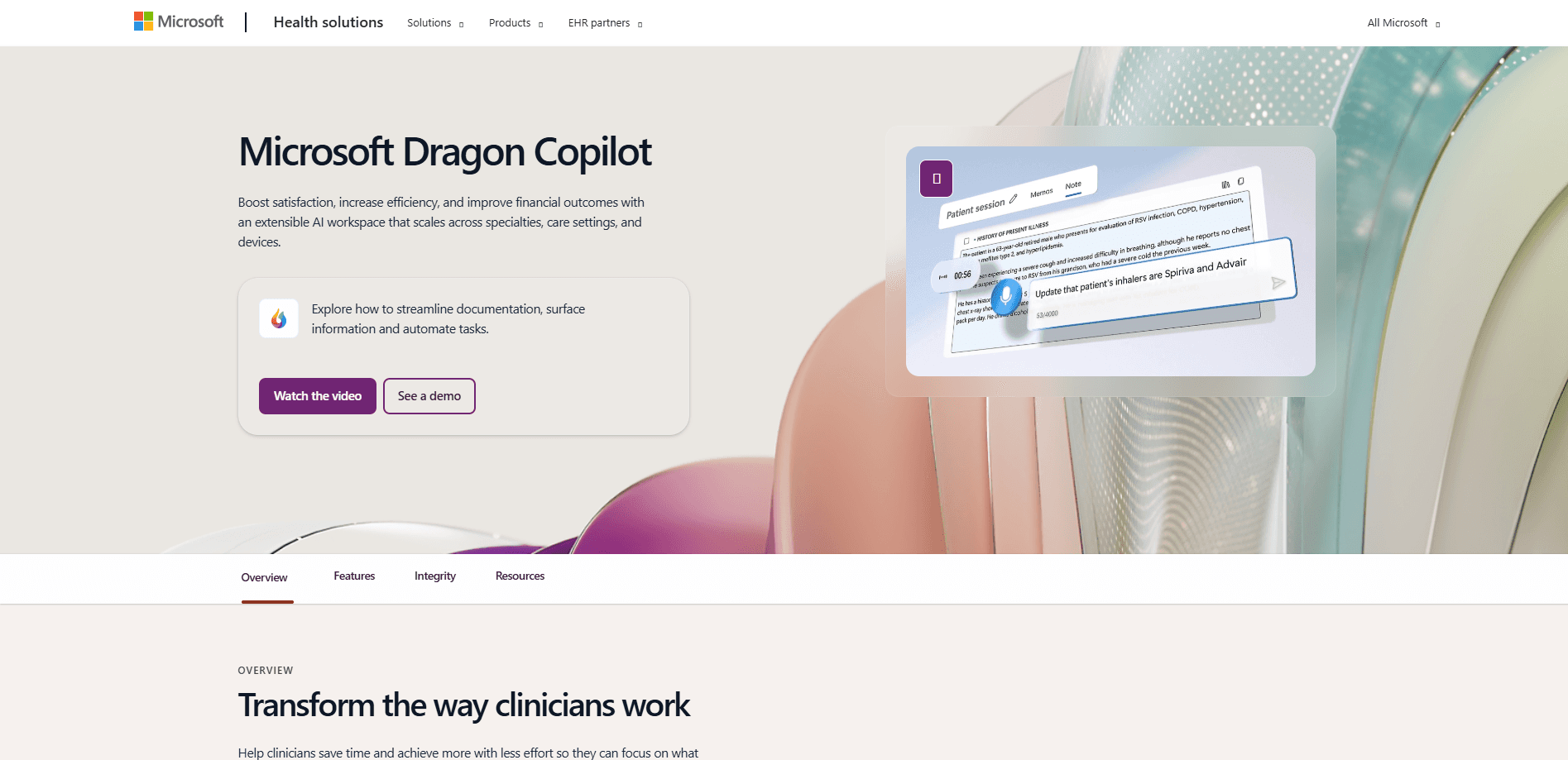
Microsoft Dragon Copilot is an AI clinical assistant that merges ambient listening, medical dictation, and generative AI to draft clinical notes and capture orders inside the EHR.
About Microsoft Dragon Copilot
What Is Microsoft Dragon Copilot
Microsoft Dragon Copilot is an AI assistant for clinical workflow that Microsoft launched on March 3, 2025. It folds two older tools into one product: Dragon Medical One, which handled voice dictation, and DAX Copilot, which listened to patient visits and drafted notes. The combined app runs on the Microsoft Cloud for Healthcare and adds generative AI on top, so clinicians can talk through a visit instead of typing through it.
The problem it targets is administrative load. Documentation, charting, and patient messaging eat hours of a clinician's day, and that load contributes to burnout and workforce shortages. Dragon Copilot takes a first pass at the notes, orders, and letters so a clinician reviews and edits rather than starts from a blank page. Microsoft says the assistant doesn't make clinical decisions or replace professional judgment. You stay in control of what gets documented and finalized.
The catch is scope and access. Dragon Copilot sells through enterprise licensing rather than a simple monthly signup, so individual clinicians can't just download it. Availability also leans toward larger markets: Microsoft lists the United States, Canada, Austria, France, Germany, Ireland, Belgium, and the Netherlands. Support outside those regions depends on your organization's agreement and rollout.
Getting Started
- Your organization buys Dragon Copilot licenses through its Microsoft representative or a partner, then assigns them to staff in the Microsoft 365 admin center.
- Administrators provision and configure the experience in the Dragon admin center, including which clinical roles and workflows are enabled.
- A clinician opens a new session in the Dragon Copilot app on web, desktop, or mobile and starts an ambient recording during a patient visit. Mobile is the recommended device for recording.
- After the recording finishes processing, the draft note appears in the Note tab for review. The clinician edits, adds orders, or pulls key details from the transcript, then finalizes the documentation.
Product Information
A quick look at Microsoft Dragon Copilot's pricing, supported platforms, and performance.
Best for
The users, tasks, and scenarios where this tool fits best.
Users
- Physicians
- Nurses
- Radiologists
- Health system administrators
Tasks
- Drafting clinical notes after a patient visit
- Voice dictation into the record
- Generating clinical letters
- Answering questions about a visit
Scenarios
- Back-to-back clinic days
- Nurses moving between rooms
- Multi-lingual patient conversations
- Organizations already on Microsoft 365
Key features
Ambient clinical documentation
Dragon Copilot handles ambient clinical documentation by recording a patient visit and turning the conversation into a draft clinical note. Acting as an AI scribe for doctors, it lets clinicians have a normal conversation with the patient while the app captures the details, so they can look at the person instead of a screen. The recording is processed into a summary that shows up in the Note tab for review.
Voice dictation with Dragon Medical One
This medical dictation software carries over from Dragon Medical One, so clinicians can add or update documentation using their voice. It handles medical vocabulary and lets you edit text by speaking, which helps for quick changes outside a recorded visit. Support for over 200 electronic health records keeps the dictation inside the systems a clinic already uses.
Copilot chat and clinical prompts
Beyond note drafting, this clinical documentation AI answers questions about a session. Prompts can extract a summary, pull specific facts from the transcript, or create supporting documents. Copilot chat reaches into trusted clinical sources to return contextual answers during documentation, so the clinician doesn't leave the workflow to look something up.
Clinical document generation
With administrator approval, the assistant automatically drafts clinical letters after a consultation. These can include consultation summaries for a primary care provider, letters to a general practitioner, patient letters, and onward referral letters to specialists. Clinicians can also build custom prompts and save them to a library to regenerate documents in a preferred format.
Role-based experiences for nurses and radiologists
Dragon Copilot isn't only a physician tool. For nurses, ambient capture converts patient interactions into structured flowsheet entries inside Epic Rover and pulls them into the Dragon Copilot app for review and narrative notes. Radiologists get workflows built around imaging interpretation and reporting, while a shared admin center manages every role.
Customizable templates and library
Clinicians can personalize note templates and save texts, prompts, and templates to a library for reuse. This keeps documentation consistent across a team and cuts repetitive typing. Custom prompts can also be set to regenerate documents automatically after each new recording.
Developer Kit and EHR embedding
For health systems and partners, the Dragon Copilot Developer Kit lets teams embed the web UI inside an electronic health record or connect Dragon Copilot features to an EHR's interface. An extension marketplace lets organizations add AI apps and agents on top of the core assistant instead of building everything from scratch.
Pros and cons
Pros
- Combines dictation and ambient listening in one assistant, so clinicians don't juggle two separate tools.
- Role-based design covers physicians, nurses, and radiologists, not just one group.
- Deep EHR integration, including support for over 200 records and embedding inside Epic.
- Administrative workflows and letter generation turn a recording into documents a clinician can send with light edits.
- Runs on Microsoft's healthcare cloud, which fits organizations already standardized on Microsoft 365.
Cons
- No free plan and no self-serve signup. You need an enterprise agreement, which rules out solo practitioners experimenting on their own.
- Regional availability is limited to a handful of countries, so many clinicians can't get it yet.
- Ambient recording requires patient consent and follows each organization's rules, adding a setup step before use.
- Pricing depends on a quote from Microsoft or a partner, so there's no public per-seat number to plan against.
Frequently asked questions
It's an AI clinical assistant that listens to patient visits and drafts clinical notes, captures orders, generates letters, and answers questions about a session. Clinicians review and finalize everything the assistant produces.
Related content
Explore related tools, skills, and articles for Microsoft Dragon Copilot.
Microsoft Dragon Copilot Alternatives

Foley
Hanamori Labs, LLC · Voice & Language · Productivity · AI AssistantFoley is a voice to-do list that turns a spoken sentence into a filed task, complete with project, date and time, then helps you plan the day around what is already there.

HireKey
HireKey · Voice & Language · Productivity · LeaningHireKey is an AI job search copilot built by a former tech recruiter. It checks role fit, tailors resumes, runs interview practice and tracks every application.

Fluence
Yay Software (Yannick Huchard) · Writing · Voice & Language · ProductivityFluence is an Android app that reads PDFs, EPUBs, Word files and web articles aloud, follows each sentence as it speaks, and answers questions about the text on the phone itself.