

Migma AI
MIGMAAI, INC. · Writing · Marketing
Migma AI is an AI email generator that turns a short brief into on-brand, ready-to-send campaigns, complete with templates, preflight testing and analytics.
About Migma AI
What Is Migma AI
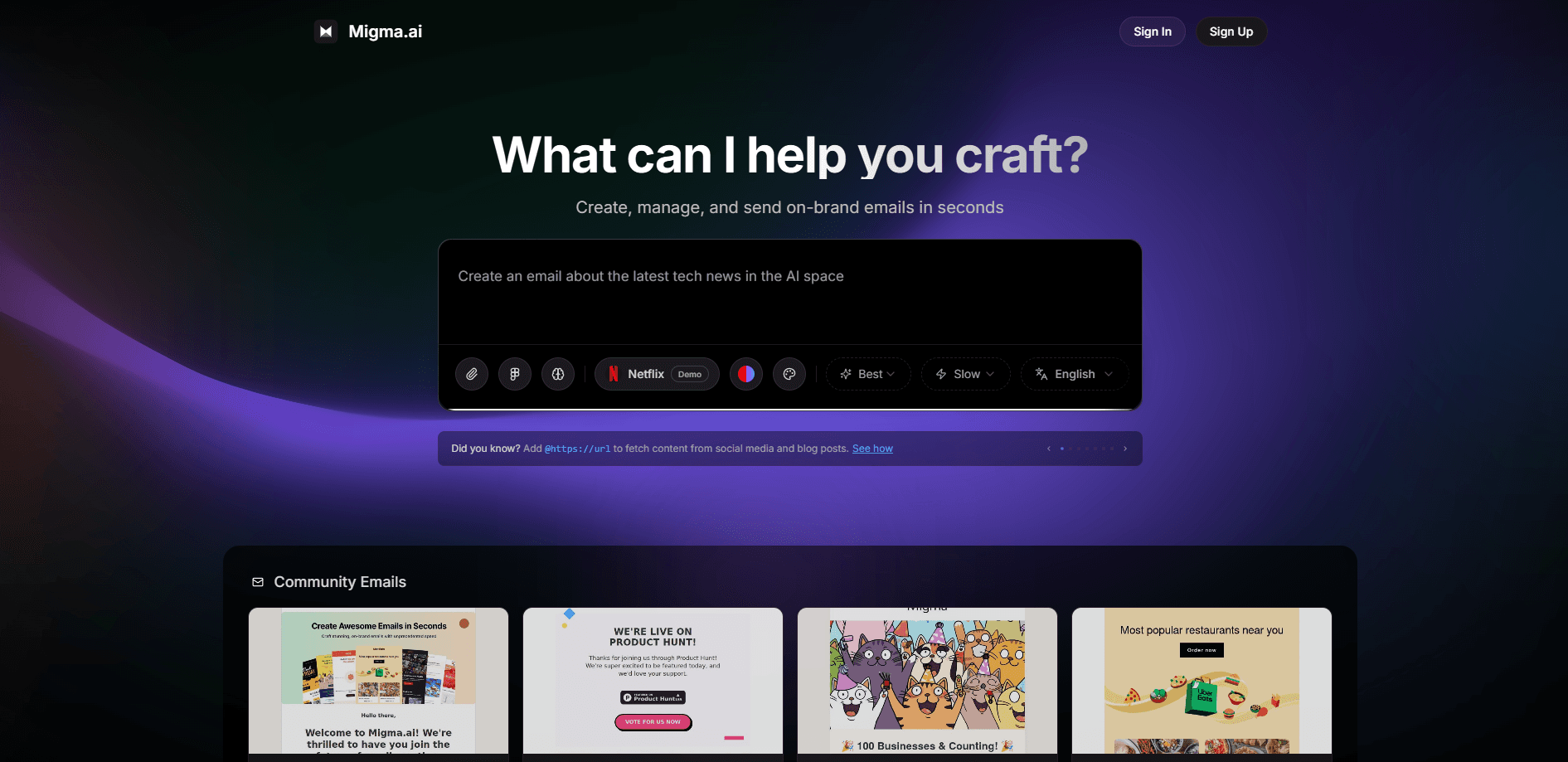
Migma AI is an AI email generator built for marketing and product teams that need emails out fast without hiring a designer for every send. You describe a campaign in plain language, and the platform designs the email, writes the copy and fits it to your brand.
The core idea is replacing the old workflow of days and thousands of dollars per email. Migma AI pulls your logo, colors, fonts and tone from a website URL, then generates a full set of personalized emails. As an email campaign automation tool, it also builds the flows, segments and scheduling from a single brief. You edit visually, preview them across inbox clients, and send from your own domain, with each result working as a reusable email template generator.
The main limits sit around control and scale. Because the AI makes most of the layout calls, teams with a strict hand-built design system may need to adapt to how Migma AI builds emails. Sending volume and some advanced features are tied to paid plans, and the richer automation features assume you have a brand already set up.
Getting Started
- Create an account at migma.ai and pick the Hobby plan or a paid tier.
- Import your brand by entering your website URL, so the AI picks up your logo, colors and fonts.
- Describe the campaign you want, or start from a Figma frame, a screenshot, HTML or a Claude design.
- Review the generated email on desktop and phone, in light and dark mode, then fix anything by clicking it.
- Connect your sending domain and send the campaign, or export it to Klaviyo, Mailchimp or HubSpot.
Product Information
A quick look at Migma AI's pricing, supported platforms, and performance.
Best for
The users, tasks, and scenarios where this tool fits best.
Users
- Solo marketers and founders
- Small in-house marketing teams
- E-commerce brands on Shopify
Tasks
- Turning a brief into a campaign
- Converting designs into email
- Localizing and tracking a campaign
Scenarios
- Replacing a slow design hand-off
- Keeping a look consistent across sends
- Running seasonal campaigns
Key features
Brief-to-email generation
You type a goal like "create an email about our trending products" and Migma AI returns a finished design with copy, images and layout. The Migma Memory layer learns your writing style and brand, so later generations drift less from what you already approved. This is the feature people open the product for.
One-click brand import
Point Migma AI at your website URL and it pulls the logo, colors, fonts and brand voice on its own. New users skip the setup step that slows down most design tools, which matters when several people share one account.
Design-to-email conversion
Migma AI accepts a Figma frame, an HTML file, a screenshot or a Claude design and turns it into a responsive email. The output is real code that renders correctly in Gmail, Outlook, Apple Mail and Yahoo, with light and dark mode both handled.
Preflight and inbox preview
Before you send, Preflight shows how the email looks on desktop and phone, in light and dark themes. It also checks links and deliverability, so broken buttons and spam-triggering issues get caught before the campaign goes out.
Multilingual localization
Write a campaign once and Migma AI adapts it for other markets across more than 30 languages. It keeps the brand voice intact while swapping the language, which removes the usual step of briefing a translator per region.
Sending, analytics and API access
You connect your own domain and send directly from Migma AI, or export to Klaviyo, Mailchimp or HubSpot. After sending, you track opens, clicks, top links and the device and email-client split. It also connects to Shopify, Slack and tools like Figma and Notion. Paid plans add shared workspaces where teammates edit in real time and leave comments, and developers can use the REST API, Node.js SDK, CLI and MCP server to generate and send emails from their own systems or AI agents.
Pros and cons
Pros
- Turns a plain-language brief into a full, on-brand email in seconds, which cuts the design wait that slows most campaigns.
- Imports brand assets straight from a URL, so setup takes a minute instead of a design hand-off.
- Handles Figma, HTML, screenshot and Claude design inputs and outputs real code that renders across major inboxes.
- Free Hobby plan plus a 30-day money-back guarantee on paid tiers, so you can test it before committing.
- Open API, SDK, CLI and MCP server make it usable inside developer workflows, not just the web app.
Cons
- Relying on the AI for layout means teams with a rigid custom design system have to adapt to how it builds emails.
- Full sending and advanced automation sit behind paid plans, so heavy users cannot stay on the free tier for long.
- Deepest value assumes an existing brand and audience, so brand-new users with no assets get less out of it at the start.
- Pricing details for the higher tiers are not fully published up front, so you may need to contact sales for exact seat limits.
Frequently asked questions
Migma AI is used to create email marketing campaigns with AI. You describe the email you want, and it designs and writes it in your brand, then you preview, edit and send it or export it to a sending platform.
Related content
Explore related tools, skills, and articles for Migma AI.
Migma AI Alternatives

Google EmbeddingGemma 2
Google DeepMind · Writing · Image · CodingGoogle EmbeddingGemma 2 is a 740M-parameter open model that turns text, code, images, audio, and video frames into vectors in one 768-dimension space, running on phones and laptops.

MePersona
MePersona, Inc. · Writing · Productivity · MarketingMePersona is an AI unified inbox for creators. It learns your voice, drafts replies to fan messages from 12 platforms, and sends only what you approve.

Fluence
Yay Software (Yannick Huchard) · Writing · Voice & Language · ProductivityFluence is an Android app that reads PDFs, EPUBs, Word files and web articles aloud, follows each sentence as it speaks, and answers questions about the text on the phone itself.