

Mindflow
Mindflow · Coding · Productivity
Mindflow is a no-code automation platform that combines a visual flow builder with AI agents, connecting 4,000+ tools so IT and security teams can automate repetitive work.
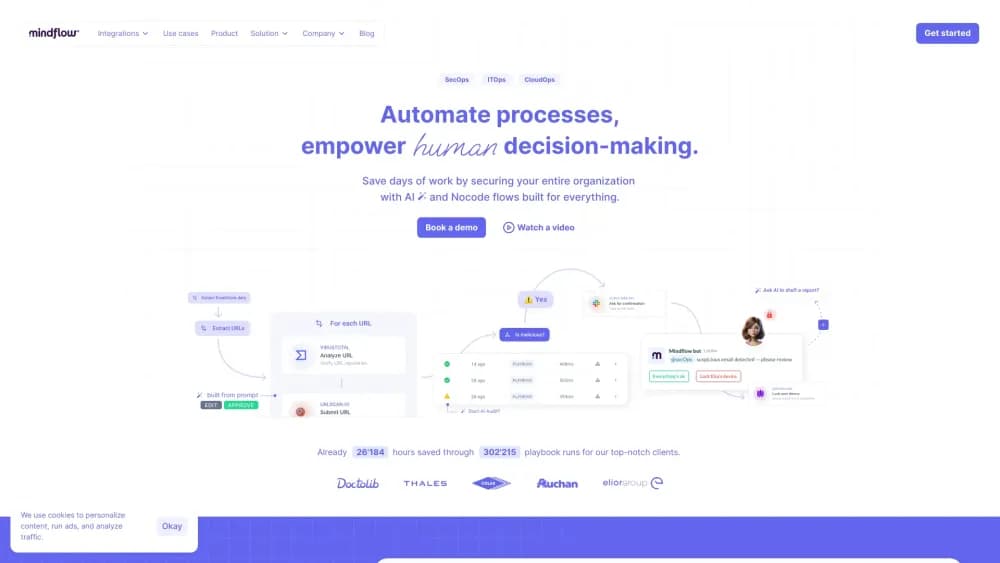
About Mindflow
What Is Mindflow
Mindflow is a hyperautomation platform aimed at IT, cloud, and cybersecurity teams. It pairs a drag-and-drop flow builder with AI agents that can run tasks on their own under human supervision. The hook is breadth: the platform ships with a catalog of more than 4,000 integrations and roughly 150,000 individual operations, so a flow can reach across Slack, Jira, Okta, CrowdStrike, AWS, and other tools without custom code.
The problem it targets is the manual churn that fills an operations shift. Analysts bounce between consoles to pull logs, check an IP reputation, open a ticket, and post an update in a chat channel. Mindflow lets you string those steps into a playbook that runs on a schedule or a trigger, or hand the same steps to an AI agent that reacts to an alert on its own.
The main constraint is where it fits. Mindflow is built for organizations that run enterprise tooling and want governance, not casual users automating a home to-do list. Pricing scales with usage and seat count, and the platform leans on custom connectors and role-based controls that only matter at team scale. If you're a solo user with a couple of apps, the setup overhead outweighs the payoff.
Getting Started
- Sign up at mindflow.io and open a workspace. Workspaces use role-based access control, so you decide who can build, run, or only view flows.
- Store your tool credentials in the encrypted Vault. Connect the services you already use, such as Slack, Jira, or your cloud provider.
- Build a flow. Drag modules onto the canvas, or describe what you want in plain language and let the AI flow generation draft the steps for you.
- Test the flow on a sample input. Use the templates library as a shortcut if a ready-made playbook already covers your use case.
- Deploy it. Run the flow on a schedule, a webhook, or an alert trigger, and review the run history to see what it did.
Product Information
A quick look at Mindflow's pricing, supported platforms, and performance.
Best for
The users, tasks, and scenarios where this tool fits best.
Users
- Security operations analysts
- IT and cloud engineers
- Automation and platform teams at mid-size firms
Tasks
- Security alert enrichment and response
- Employee onboarding and offboarding
- Cloud cost and compliance checks
Scenarios
- A SOC that drowns in low-severity alerts every morning
- A growing company with no dedicated automation engineer
- A hybrid setup that mixes cloud tools with on-premise systems
Key features
No-Code Flow Builder
The visual builder lets you assemble a workflow automation playbook from prebuilt modules without writing code. Each module maps to a specific operation on a connected tool, so building is closer to wiring blocks together than scripting. It's the core of the product, and it's why the platform appeals to teams that don't have engineers to spare.
AI Agents
Mindflow ships autonomous AI agents, including specialized ones such as a compliance agent, a log miner, and a vulnerability scanner. You give an agent instructions, and it carries out the task under human supervision rather than waiting for you to click each step. The point is delegation: routine work happens without a person driving every action.
AI Flow Generation
Describe your use case in plain language and the platform drafts the steps for you. Instead of reading integration docs to find the right operation, you state the goal and let the AI assemble a starting flow. You still review and adjust it, but it skips the blank-canvas problem.
AI Rooms
AI Rooms is a chat interface that turns prompts into actions across the integration catalog. It pulls your team's data and the capabilities of the connected products into one place, and the agents can trigger workflows or take approved actions from there. Think of it as a command center for work that doesn't follow a fixed script.
4,000+ Integrations
The platform claims full API coverage across its integration catalog, which is what makes cross-tool flows possible. Rather than a handful of popular apps, the list runs from chat and ticketing to security, cloud, and IT tools. The breadth is the main reason a flow can span an entire incident, not just one step of it.
Encrypted Credential Vault
Credentials for every connected service live in an encrypted vault, accessible only to authorized users. That matters because automation touches sensitive systems, and storing keys loosely would undo the governance the rest of the platform provides.
On-Premise Relay Agent
The Relay Agent connects Mindflow to on-premise tools, built around Cloudflare Zero Trust. Cloud and on-premise environments often can't talk to each other directly, and the relay closes that gap so a single flow can act on both. Without it, hybrid setups would need a custom bridge.
Pros and cons
Pros
- The 4,000+ integration catalog covers security, cloud, and IT tools in one place, so flows can span a whole process rather than stopping at a single vendor.
- The no-code builder and AI flow generation lower the bar for staff who aren't developers, which shortens the gap between an idea and a working playbook.
- Role-based workspaces and the encrypted vault give teams governance controls, which is often the sticking point when automation touches production systems.
- The Relay Agent handles on-premise tools, so a hybrid environment doesn't force you into a separate automation stack.
Cons
- Pricing isn't published, so you can't size a plan without booking a demo, which slows down evaluation.
- There's no free tier, so individuals and small teams can't test the platform without a sales conversation.
- The platform is built for enterprise tooling, which means simple setups carry more setup overhead than they need.
- It's web-only, so there's no desktop app if your team prefers to work outside a browser.
Frequently asked questions
Mindflow automates repetitive IT, cloud, and security work. Teams build flows that connect their existing tools, and AI agents can run those flows on their own. It's aimed at operations work that eats up time through manual, repeated steps.
Related content
Explore related tools, skills, and articles for Mindflow.
Mindflow Alternatives

Base Code
Base44 (Wix) · Coding · ProductivityBase Code is a shared cloud development environment from Base44. Teammates describe changes to an existing GitHub codebase in chat, preview them live and send them back as pull requests.

Google EmbeddingGemma 2
Google DeepMind · Writing · Image · CodingGoogle EmbeddingGemma 2 is a 740M-parameter open model that turns text, code, images, audio, and video frames into vectors in one 768-dimension space, running on phones and laptops.

GitGlow
GitGlow · Coding · ProductivityGitGlow is a local-first desktop Git client that lets independent developers review their own code and their AI agents' changes in one place before shipping.